
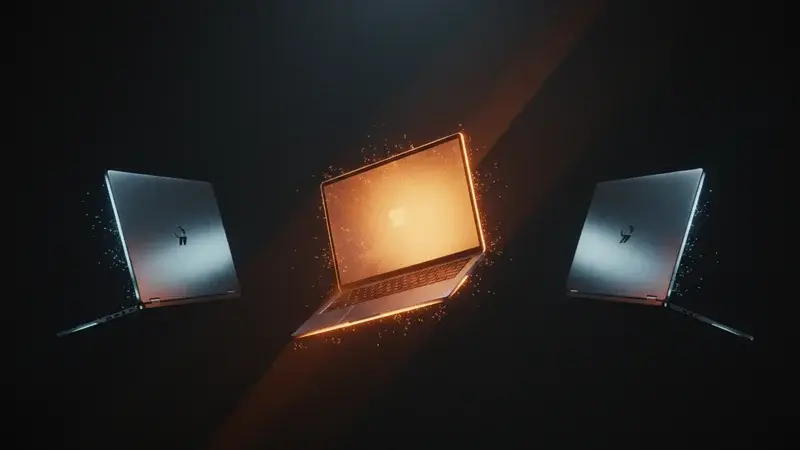
On May 13 — six days before Google I/O — a leaker named Mystic Leaks posted a 16-minute hands-on walkthrough of Aluminium OS to Telegram. The video shows the operating system running in an emulator on a MacBook Pro, which is the kind of detail that tells you the OS is real, the apps are still cooking, and Google’s keynote demo on Tuesday is going to be a softer pitch than the rumor mill suggests.
If you are buying a laptop right now — or thinking about buying one in the next six months — that detail matters more than the press release. Here is what Aluminium OS actually is, where it fits between ChromeOS and Windows, and the buying decision for three concrete situations: the first laptop for a kid, the work laptop, and the family laptop that needs to last five years.
What Aluminium OS actually is
The short version: it is Android 17, rebuilt as a real desktop. Not Android stretched onto a tablet, not ChromeOS with Android apps bolted on top — Aluminium OS replaces ChromeOS as Google’s laptop operating system, and the architecture is Android underneath.
The architecture decision matters because it answers the question that has dogged ChromeOS for ten years: when you install an Android app on a laptop, does it run as a real app or as a half-broken phone window? On ChromeOS, the answer was always “kind of broken, but better than nothing.” On Aluminium OS, Android is the operating system itself. The apps run native.
The features visible in the leaked walkthrough:
- A real taskbar (a bottom app dock, in Android terms)
- Freeform window resizing with the kind of corner handles you expect from a desktop
- Virtual desktops surfaced inside the existing Android Recents view
- A real Task Manager
- Desktop folders that work like Mac or Windows folders
- A Linux container for developer work, similar to the existing ChromeOS Linux environment
- A built-in “Link to iOS” app (Google appears to be building a serious cross-device story, not just Android-to-Android)
- Gemini integrated at the operating-system level, not bolted in as an app
What the leak does not show: a lot of native desktop versions of Google’s own apps. Many of the Google apps in the demo are web-wrapped versions, the same Chrome-tab feel you get on Chromebooks today. The shell is genuinely new; the app catalog is the work that has not finished.
The real timeline (not the rumor timeline)
Three dates to keep straight:
- Tuesday, May 19, 2026: Google formally unveils Aluminium OS at I/O. Expect demo hardware, partner names, and a public roadmap.
- Late 2026: Commercial trusted testers get early access. This is closer to a developer-preview phase than a retail launch — think Aluminium running on dev kits and pilot devices at education and SMB partners.
- 2028: Wider retail rollout. Anonymous Google sources have been pointing to this as the “buy a normal laptop with Aluminium on it” date for at least six months. The early-adopter window for consumers will be 2027.
Some pre-event coverage has confused stable-1.0 testing with general availability and printed Q2-Q3 2026 retail dates. Those are likely the trusted-tester window, not the consumer one. The 2028 date is the one to plan around.
Why so long? Two reasons. First, the app ecosystem. Google needs Adobe, Microsoft 365, the major banking apps, the major school-platform apps, and the major business apps to ship Aluminium-optimized versions before a default-laptop rollout is honest. Second, the hardware reset. The first wave of Aluminium devices will be marketed as “Googlebooks” — a brand Google is reclaiming after the leaked references in the Android Show on May 12. New hardware coordinated with HP, Lenovo, Acer, and ASUS takes a year and a half to design and ship at the volume Google wants.
How it compares to ChromeOS and Windows today
Ignore the “OS is faster” or “boot times are quicker” comparisons. Those numbers swing on hardware, not on the OS choice. The comparison that matters is what you can actually do on each platform.
| Capability | ChromeOS today | Aluminium OS (when shipped) | Windows 11 |
|---|---|---|---|
| Run Microsoft 365 desktop apps (Word, Excel, PowerPoint) | Web versions only; no native | Native Android-based versions are likely; full desktop versions depend on Microsoft | Native, full-featured, gold standard |
| Run Adobe Creative Cloud | Limited; Express only on web | TBD — depends on Adobe shipping Aluminium-native | Native, full Premiere / Photoshop / Illustrator |
| Run banking, school, and government apps that exist as Android | Yes, but as phone-window experiences | Yes, native Android — much better fit | Most have web versions; a few have native installers |
| Slack, Zoom, Discord, Teams | Web versions; Android versions usable | Native Android versions | Native desktop versions |
| Photoshop alternative (Photopea, Affinity) | Web works; Affinity does not | Web works; Affinity probably native Android | Native, all options |
| Battery life (typical) | 9–13 hours | Targeting 10–14 hours | 7–12 hours |
| Software updates managed by IT | Yes, mature | Yes, will inherit ChromeOS device management | Yes, but more complex |
| Gaming | Limited (cloud gaming, Steam beta) | Cloud gaming + Android games + some Steam play | Native, full Steam catalog |
| Linux developer environment | Yes (Crostini) | Yes (built-in Linux container) | Yes (WSL2) |
| Cost of a competent laptop | $250–$700 | Expected similar range; some premium devices $900+ | $400–$2,000+ |
The pattern: Aluminium OS is going to be better than ChromeOS at almost everything, but Windows still wins for native Microsoft 365 and native Adobe. The question is whether the apps you actually use are in the “Aluminium will be great” column or the “Windows is still the gold standard” column.
What this means for you
Three real buying situations.
“I need a laptop for my kid for school”
If the school’s IT department issues a specific laptop, ignore this section and use whatever they provide. Otherwise:
Buy a Chromebook now. Wait for Aluminium only if your kid has a year-plus before they need the laptop. ChromeOS today is still excellent at the use case it was designed for — school websites, Google Docs, Khan Academy, Duolingo, video calls with grandparents, photo uploads from the phone. Aluminium will be better at it eventually, but the current generation of Chromebooks will receive Aluminium updates as they ship, so you do not lose anything by buying today.
The only reason to wait: if your kid plays Android-only games (Brawl Stars, Mobile Legends, anything that has no good web version), Aluminium OS will be a better fit and the wait is genuinely worth it.
“I need a work laptop”
The honest answer for most knowledge workers in 2026 still ends with “Windows or Mac.” If your job runs on Microsoft 365 desktop apps, full Adobe Creative Cloud, Salesforce desktop integrations, Citrix or VMware remote-desktop setups, or anything that says “Windows / macOS” in the system requirements box, do not wait.
The exception: if your work is genuinely browser-based — you live inside Google Workspace, Notion, Figma, Slack, and the occasional Excel sheet — a Chromebook today (or an Aluminium laptop in 2028) handles all of it for roughly half the price of a comparable Windows machine. The Workspace + browser-based workers are the population for whom the laptop OS has been an overpriced upgrade for years. Aluminium turns the Chromebook from “good enough” into “actively preferable.”
“I need a family laptop that has to last five years”
This is the buying situation where the wait makes the most sense.
If you can stretch the existing laptop until late 2027 or 2028, the first wave of consumer-grade Aluminium laptops will be the strongest five-year purchase of the decade. The combination of Android-native apps (which means everything your kids’ iPad already does works on the laptop), real desktop multitasking, Gemini at the OS level (which is going to be the thing your parents actually use), and the cost structure of a Chromebook is unique.
If your existing laptop is dying right now, buy a budget Windows 11 laptop or a midrange Chromebook today as a bridge. Do not buy a $1,500 Windows machine in May 2026 expecting it to be your 2030 device.
“I am a developer who has been on ChromeOS”
The Linux container is preserved in Aluminium and gets the same treatment Crostini got — possibly better, since Aluminium’s window manager is built for desktop work from the start. The 2028 timing for a polished release means most of your current Chromebook will have hit end-of-life by then. Plan for a 2027 dev-grade Aluminium device. If you need a clean dev environment today, a ThinkPad with Linux is still the better choice than a current Chromebook.
What this can’t fix
A few honest things Aluminium OS will not fix, even at full release.
- The Mac-vs-Windows wars are not over. Aluminium OS is a third option, not a Windows killer. Most enterprise workflows, most schools that have standardized on Microsoft, and most creative shops that have invested in Adobe will not be persuaded by a new OS. Aluminium has to win net-new buyers, not migrations.
- Game compatibility is still the open question. Android games and cloud gaming services will work. Native PC games with anti-cheat (Valorant, League, the major shooters) probably will not. The Steam side of the conversation depends on what Valve and Google figure out together, and nobody outside those two companies knows.
- App polish lags shell polish. The leaked walkthrough shows a slick window manager and a half-cooked app catalog. The Google apps that ship Aluminium-native will be great; the third-party apps that ship as wrapped Android-phone experiences will feel like wrapped Android-phone experiences for the first six to twelve months.
- The cross-iOS story is brand-new and unproven. The “Link to iOS” app is intriguing, but Apple has not signed off on any of it. Expect a limited subset of features at launch and a slow expansion as the two companies negotiate.
- You still need to learn AI on top. Gemini at the OS level is a multiplier for whoever already has a workflow. It is not a substitute for understanding how to delegate work to an assistant. If your team has not invested in basic AI fluency, Aluminium OS will not save the bag.
The bottom line
For most people, the right move is “buy what you need now, plan to switch in 2027 or 2028.” Specifically:
- Kid’s first laptop in 2026: Chromebook today, no regrets.
- Pure browser-based work in 2026: Chromebook today, no regrets.
- Microsoft 365 / Adobe / native Windows software job: Windows, do not wait for Aluminium.
- Mac shop or Mac household: Stay on Mac. Aluminium is not the lever.
- Five-year family laptop purchase that can wait until 2028: Wait. The Googlebook generation will be worth the patience.
The Tuesday keynote is the moment to recalibrate. If Google announces specific 2026 retail hardware with Aluminium pre-installed at a Chromebook-class price, the timeline accelerates. If the keynote is mostly developer-preview language and a roadmap, the 2028 estimate holds.
For figuring out which AI features in Aluminium OS — and on the rest of your devices — actually deserve your attention, our Gemini for Personal Intelligence at Work course is the practical companion. It is the workflow side of the OS-level pitch Google is making this week.
Sources
- Major leak reveals Google’s Aluminium OS with a 16-minute video — Android Authority
- Android desktop OS leaks ahead of ‘Googlebook’ debut — 9to5Google
- Google talks Aluminium OS: Release plans, continuity, AI, and what happens to Chrome OS — Android Authority (Sameer Samat interview)
- Google’s new ‘Aluminium’ project is the Android-based future of ChromeOS — Chrome Unboxed
- Everything Google announced at its Android Show — from Googlebooks to vibe-coded widgets — TechCrunch
- The Big ChromeOS and Android Merger May Be Google’s Last Walled Garden — Gizmodo