

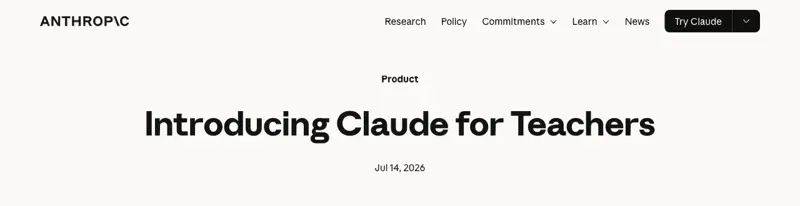
On Tuesday, Anthropic made premium Claude free for verified US K-12 teachers. Not a trial. Not a discount. A full year, free, if you sign up before June 30, 2027.
That’s a real thing to hand a profession that’s been paying out of pocket for the tools that were supposed to save it time. But “it’s free now” isn’t a lesson plan. So here’s the part the launch-day coverage skipped: how you actually turn it into a standards-aligned plan for your grade and your state — in about ten minutes — and what to do when the first draft comes back generic. Because it will.
What Claude for Teachers actually is
Claude is an AI assistant — you type what you need in plain English, it writes back. You’ve probably met its cousins (ChatGPT, Gemini). Claude for Teachers is a version of the paid tier, given free to K-12 educators, with one thing bolted on that the consumer version doesn’t have: it’s wired into your standards.
Through something Anthropic calls Learning Commons, Claude can see the academic standards for all 50 states — and, underneath each standard, the smaller skills it’s built from and the order students usually learn them. So when you ask for a lesson on a specific standard, it isn’t guessing what that standard says. It’s building against the real thing.
A few details worth knowing before you sign up, because teachers are already asking about them:
- It’s genuinely free — the full premium Claude, for a year, if you verify by June 30, 2027. You verify with a school email.
- Your data isn’t used to train the AI. Student information sits under a K-12 data agreement Anthropic says is written to comply with FERPA, the federal student-privacy law. Anthropic developed its privacy practices with the American Federation of Teachers.
- It’s US K-12 only for now. If you teach outside the US or in higher ed, you can’t verify yet — skip to the last section, where there’s a workaround.
There are also nine connectors to tools you may already use — MagicSchool, Diffit, Brisk, Canva Education and others — so Claude can hand a plan straight into the app that turns it into a worksheet or a slide deck. You don’t need any of them to start.
Your first lesson plan, in about ten minutes
The trick is to stop treating it like a search box and start treating it like a student teacher who’s fast, tireless, and needs your judgment. Four steps.
1. Sign up and verify (2 minutes)
Go to Anthropic’s Claude for Teachers page, sign in, and verify with your school email address. That’s the whole gate.
2. Give it the real specifics (1 minute)
The single biggest reason teachers get generic plans is generic prompts. “Write a lesson on fractions” gets you a lesson for nobody. Name your grade, your state, your standard, and your class. Copy this and fill in the brackets:
You are helping me plan a lesson. I teach [grade] [subject] in [state]. Build a 45-minute lesson on [standard code or topic]. My class is [size] students, including [e.g., 4 English learners and 3 with IEPs for reading]. Give me: a learning objective, a warm-up, the main activity, a quick check for understanding, and an exit ticket.
3. Read the draft like an editor, not a customer (3 minutes)
You’ll get a complete, tidy plan. It will look finished. It usually isn’t — and this is the step that separates teachers who get value from this from teachers who try it once and quit. The first draft is structurally sound and generically flavored: the objective is clear, the activities are aligned, and none of it knows your actual room. That’s normal, and it’s fixable in one more prompt.
4. Push back until it’s yours (3 minutes)
Tell it what’s wrong. This is where the ten minutes pays off:
The main activity is too passive for my class — they need to be talking and moving. The exit ticket is too easy. Rewrite both, and add a version of the warm-up for students reading two grades below level.
Then the differentiation pass, which is the thing that genuinely used to eat your evenings:
Now give me the same lesson scaffolded three ways: one for my students reading below grade level, one for my English learners with sentence frames, and one extension for students who finish early.
That’s a differentiated, standards-aligned lesson with scaffolds — the kind of thing that used to be a Sunday-night job — in about the time it takes to make coffee.
What this means for you
If you’ve never opened an AI tool: start with step 2 above and nothing else. One lesson, one standard, one class you know cold — so you can tell instantly whether the plan is good. Don’t try to automate your whole week on day one.
If you already use ChatGPT or Gemini for planning: the thing that’s different here is the standards wiring. Generic chatbots guess at what your state standard requires; this one is built against the actual competency map. Run the same prompt in both and compare the alignment — that’s the difference you’re paying nothing for.
If you lead a grade team or department: the win isn’t individual, it’s the shared prompt. Write one good planning prompt for your team’s grade and subject, and everyone starts from a differentiated draft instead of a blank page. That’s a faculty-meeting agenda item, not a solo experiment.
If you teach a tested subject and live by pacing guides: use it for the differentiation and the scaffolds, where it’s strongest, and keep your own scope-and-sequence in charge of what gets taught when. It’s a co-planner, not a curriculum director.
What it can’t do
This is the honest part, and it’s backed by more than vibes. When researchers actually measured AI-assisted lesson planning, the pattern was consistent — and it’s worth knowing before you trust a draft.
- It writes a good skeleton and a generic body. A 2026 study across English primary schools found teachers rated AI co-planned materials at least as good as their usual plans — when teachers edited them. A separate trial of 259 teachers found AI cut planning time but produced no measurable jump in lesson quality on its own. The takeaway both point to: the structure is reliable, the substance is yours to add. It will not know that your third period can’t handle a gallery walk.
- It’s confidently wrong about your standard sometimes. The 50-state mapping is a huge step up from a generic chatbot, but “aligned-looking” and “aligned” aren’t the same. Spot-check the standard code against your own curriculum before you teach it.
- It flattens the hard, interesting parts. In studies comparing AI and human plans, the AI won on clarity and alignment and lost on disciplinary nuance and critical depth — the exact judgment calls that make a history or science lesson worth sitting through. That part is still your job.
- It is not a place for student data. The privacy terms are strong, but the safe habit is stronger: plan with de-identified information. “A student reading two grades below level,” never a name.
None of that is a reason to skip it. It’s the difference between using it as a first-draft engine — which it’s excellent at — and trusting it as a finished teacher, which it isn’t.
The bottom line
Claude for Teachers is the first time a frontier AI lab has handed a full premium tool to teachers for free, built against real standards, with privacy terms written for a classroom. That’s worth ten minutes of your week to test on one real lesson. Give it the specifics, read the draft like an editor, push back once, and let it do the differentiation. Keep the judgment; hand off the typing.
If you want the structured version — a full weekly planning routine, the prompts that actually work, and where to keep a human in the loop — our AI for Teachers: Your First Week Back course walks through it start to finish, and Teaching with AI covers the wider toolkit. (First two lessons are free.)
This is the planning side of the desk. For the other side — what to do when students bring AI into your classroom — see our guide on setting a classroom AI rule and the parent email that explains it. And if you’re still deciding which tools are worth your time, start with the best AI tools for teachers.
Sources
- Introducing Claude for Teachers — Anthropic
- Anthropic launches Claude for Teachers as AI companies battle for classrooms — Chalkbeat
- Anthropic Introduces Claude for Teachers — EdSurge
- Anthropic launches free Claude for Teachers — The Hill
- Using generative AI to support lesson planning: a mixed-methods study — International Journal of Research in Education (2026)
- Teacher Choices trial: ChatGPT for Key Stage 3 science planning — Education Endowment Foundation / Research Schools Network