

On May 14, OpenAI did something that looks tiny in the changelog and turns out to be a real shift in how you work with AI coding agents. Codex — their cloud-and-local coding agent that “more than 4 million people now use every week,” per the OpenAI launch post — is now inside the ChatGPT app on iOS and Android. Free, Plus, Pro, Go, Business, Enterprise, Edu. All plans. Preview, but functional.
It didn’t go viral on launch day. It went viral ten days later when Greg Brockman, Riley Brown, and a wave of indie devs started posting things like “I shipped a feature from a coffee line” and “I’m building my app from bed and I need to go to sleep.”
The catch: this is not “type prompts on a tiny keyboard and pray.” It’s a remote-control surface for a Codex session running on your Mac. You don’t write the code on your phone. You steer the agent that’s writing the code on your Mac while you’re at a kid’s soccer game.
Here’s the 10-minute setup, the four workflows it actually handles well, and the two things you should stop trying immediately so you don’t waste your morning.

What just changed
For most of 2024 and 2025, AI coding agents lived in two places: an IDE extension (Cursor, Copilot, Continue) and a terminal CLI (Claude Code, Aider, Codex CLI). The mental model was “I sit at my desk, I drive the agent.”
OpenAI’s bet with the mobile release is that the bottleneck for serious agentic work isn’t the typing — it’s the approving. As TestingCatalog put it, “this release transforms the phone into a control surface for Codex sessions already running on a laptop, Mac mini, devbox, or managed remote environment, rather than transferring the codebase onto the phone.”
In practice that means: Codex hits an approval gate (“I’d like to run this rm -rf — proceed?”), and instead of waiting until you’re back at your desk, it pings you and you tap Approve or Reject on your phone. Same with reviewing a diff, watching test output, scrolling a terminal stream, or starting a new task in an existing thread.
There’s one important asymmetry on day one. The host machine — the box that’s actually running Codex — has to be a Mac. Windows desktop pairing is listed as “coming soon” on OpenAI’s official page. (Devs in the Windows community shipped a config-flag workaround within days, but that’s not officially supported.) iPad, iPhone, Android — all fine on the phone side.
The 10-minute setup (real time, not marketing time)
If you already have ChatGPT installed on your phone and Codex for Mac on your laptop, the actual setup is about as long as your morning coffee. Three steps.
1. Update both apps to the latest version. ChatGPT iOS or Android from the App Store / Play Store. Codex for Mac from chatgpt.com/codex (the download is gated by your ChatGPT login). If you skip this, the pairing screen never shows up — this is the #1 thing the early launch threads got stuck on.
2. On your Mac, open Codex and let it generate the pairing QR code. It lives in the settings panel under “Mobile” or “Devices” — exact menu name will shift as the preview matures. The QR encodes a short-lived pairing token that authorizes the link.
3. On your phone, open ChatGPT, tap the Codex tile, then tap “Connect to a host.” Point the camera at the QR. Wait two seconds for the green check. Done.
You’ll know it worked when your phone shows the same live threads as your Mac — same thread names, same recent activity. The host has to stay awake and online for the link to keep working; if your Mac sleeps, the connection drops. (More on that in the “what can’t do” section.)
One safety note before you ship anything from your phone: the first time you approve a destructive action remotely, do it on a throwaway sandbox or a feature branch. The approval UI is small, the consequences aren’t. Confirm the workflow before you trust it on production code.
The 4 workflows it’s actually good at
Not all coding work translates to a 6-inch screen. These four do.

1. Approving a long-running refactor while you’re away from your desk
This is the headline use case. Kick off a multi-file refactor on your Mac before you walk to lunch. Codex pauses every time it wants to run a command (pytest, npm test, cargo build, gh pr create) or modify a file it didn’t already touch. Each pause becomes a single tap on your phone: Approve, Reject, or Approve with edit.
This sounds boring. It’s the killer feature. The hidden cost of agentic coding before Codex Mobile was that every refactor was paced by how often you wandered back to your laptop. Now the agent runs at the speed of your attention, not the speed of your foot traffic.
“Using Codex from the ChatGPT app is such a freeing experience. Makes you realize how tethered you normally are.” — @gdb (Greg Brockman, OpenAI President)
2. Reviewing the diff of a feature you scoped last night, without opening your laptop
Codex generates the patch overnight (or while you’re in a meeting, or while you’re sleeping). In the morning you tap the thread, scroll the unified diff with your thumb, and either approve the merge, kick back specific change requests in natural language, or trash it and restart with a different prompt.
The diff view on mobile is read-only and surprisingly readable — line numbers, syntax coloring, expand-to-context buttons on each hunk. Anything you’d do in a GitHub PR review on desktop, you can do here for the kind of patches Codex generates (typically 50–500 lines, not 5,000).
3. Monitoring the sandbox while a build, test suite, or deploy runs
For anything that takes 10–40 minutes to run end-to-end — a full integration test suite, a build pipeline you’ve delegated to Codex, a database migration — the mobile app streams terminal output and screenshots back in real time. You can watch a test fail at row 247, tap into the error, ask Codex to retry with the fix, and approve the rerun. All from a coffee shop.
This is the workflow that produces the “I shipped while getting groceries” anecdotes. It works because nothing about it requires precise input — you’re triaging and steering, not authoring.
4. Live mobile-app prototyping with QR preview
The genuinely surprising workflow that’s emerged in the X threads: building mobile apps with Codex on your phone. Devs are using Expo Go (the React Native preview tool that streams a running app to your physical phone via QR). You prompt Codex on your phone for a UI change, Codex edits the code on your Mac, Expo Go hot-reloads on the same phone, and you tap through the change to see it live.
This is the closest thing to “I’m coding on my phone” that anyone has shipped — and you’re still not typing the code. You’re typing intent. The Mac is doing the work.
What this means for you
Different roles get different value out of this. Be honest about which one you are.
If you’re a solo developer or indie hacker: This is your biggest unlock. The math is brutal — the difference between “I shipped 2 features this week” and “I shipped 5” is mostly about how many times you went to the kitchen and came back to find Codex waiting on your approval. Mobile cuts that wait time to zero. Spend the 10 minutes to set it up before your next focused build session.
If you’re at a 5- to 20-person team: The first week is going to be chaotic, and that’s OK. Treat it as a tool for the 70% of your day that isn’t in the IDE — standup, lunch, code reviews on the train, dropping kids off. Don’t try to replace your desktop workflow. Add to it.
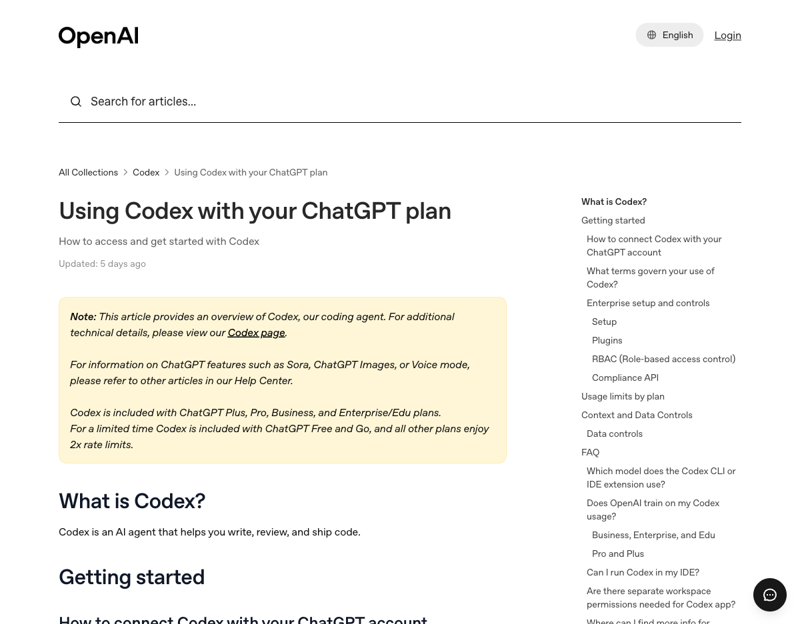
If you’re at a 100+ person engineering org: Check with your security team before you pair a personal phone to a corporate Mac. The OpenAI Help Center documents that “members can only use the Codex app if those toggles are enabled” at the workspace level — meaning your admin can disable it. There’s also a quietly important footnote: ChatGPT Enterprise workspaces now support HIPAA-compliant use of Codex in local environments including the mobile app, which is the unlock most regulated teams were waiting for. Get the policy review done before you set it up.
If you’re a PM, designer, or non-engineer founder: You’ll get less direct value, but there’s a real workflow forming around managing Codex threads as a kind of personal operating system — dedicated threads for content calendars, business strategy, customer-support templates, with auto-checkpoint goals. It’s not coding; it’s task management on top of an agent. Worth a look if you already live in ChatGPT.
If you ship on Windows: You can install the ChatGPT app on your phone and pair to someone else’s Mac, or you can wait for the Windows host support OpenAI says is “coming soon.” The community shipped a [features] remote_control = true config hack on GitHub within a week, but it’s unofficial and breaks on Codex updates. Production teams should wait.
What it can’t do (and what to stop trying)
Four honest limits, all encountered by reviewers in the first two weeks.
1. It can’t replace your desktop. Don’t write new features on a 6-inch screen. Don’t try to debug a cross-file failure by squinting at stack traces. Don’t paste long error logs from Slack into the mobile app and expect a clean fix. Anything that requires precise text input or scanning more than 100 lines at once belongs on your laptop. This isn’t a Codex limit — it’s a phone limit.
2. It can’t survive your laptop going to sleep. The host has to stay awake and online for the mobile link to work. If your Mac dozes during a 30-minute test run, the connection drops, the thread stalls, and you’ll see a reconnecting… spinner on your phone that often doesn’t recover until you open the Codex Mac app and click around. The workaround is one of two things: keep the lid open and the screen dimmed (uses ~5W idle), or use the caffeinate command in Terminal to block sleep for the session. Don’t trust the link to hold across a closed lid.
3. It can’t push-notify approvals reliably yet. This is the most-flagged complaint in the OpenAI Community forum. Per one prominent post, “approval requests are not passive updates. They are user-blocking events and should be treated as high-priority notifications” — which is a polite way of saying push delivery is inconsistent in preview. In practice, you’ll want to keep the ChatGPT app open in the foreground when you’re expecting an approval, or pair it with a third-party watcher like CodePilot Mobile that does send reliable notifications. OpenAI has confirmed push notifications are “coming soon.”
4. It can’t help on Windows hosts in any officially supported way. Yet. If your dev machine is Windows, your mobile pairing is on hold until OpenAI ships the desktop client for Windows. Linux is also unsupported officially, though an unofficial port exists. Save yourself the config-hacking; wait two weeks and check the changelog.
The bottom line
Codex Mobile isn’t a new way to write code. It’s a new way to be the person who reviews and approves what a coding agent writes. That sounds like a minor distinction until you spend a day on it and realize how much of your engineering time was actually being burned by physical proximity to a desk.
If you’re already using Codex on your Mac, this is a free upgrade — spend 10 minutes pairing your phone before your next refactor and you’ll feel the difference within the first hour. If you’ve been on the fence about agentic coding because “I don’t want to babysit it,” this is the release that makes the babysitting compatible with the rest of your life. And if you’re at a corporate shop, get the policy review started now so you’re ready when your team starts asking about it next month.
We teach this exact workflow — phone-as-control-surface for AI coding agents — in our Claude Mobile Productivity course, with side-by-side comparisons of the Claude and Codex approaches and the 30-minute setup that gets you from zero to your first phone-approved merge.
Sources
- OpenAI — Work with Codex from anywhere (May 14, 2026)
- OpenAI Codex Mobile landing page
- TestingCatalog — OpenAI brings Codex to ChatGPT mobile app for iOS and Android
- 9to5Mac — OpenAI brings Codex to ChatGPT for iPhone, iPad, and Android
- Memeburn — OpenAI Codex Mobile App: AI Coding Agent Now Available on iOS and Android
- BuildFastWithAI — OpenAI Codex Is Now on Mobile: What Developers Need to Know
- Verdent Guides — Codex in ChatGPT Mobile: What Developers Can Do Now
- Hacker News thread on the Codex Mobile launch (May 14, 2026)
- OpenAI Help Center — Using Codex with your ChatGPT plan
- OpenAI Help Center — Multi-factor authentication (MFA)
- OpenAI Community — Codex approval requests should trigger push notifications (forum post)