On June 1, a developer posted that a single file review — no code changes, just a look — ate 20% of their monthly GitHub Copilot allowance. By the second day of the billing month, plenty of Pro+ subscribers had already hit their cap. One person watched a normal day’s work go from costing 3% of their credits in May to 8% in a single hour.
That’s the morning GitHub Copilot switched to usage-based billing. And the reaction was loud.
If you’ve been on a flat $10 or $39 plan and you’re now staring at a credit meter that drains faster than you can type, this is for you. Let’s talk about what actually changed, why the bills are spiking, and the GitHub Copilot alternatives worth moving to — ranked on the one thing that suddenly matters most: knowing what you’ll pay.
What changed on June 1
The old Copilot sold you a number of “premium requests” per month. Simple. When you ran out, it quietly dropped you to a cheaper model so you could keep working. You rarely thought about it.
That’s gone. Now your subscription comes with a pool of AI Credits, and every request burns credits based on tokens — the input you send, the output you get back, even cached context — metered at each model’s API rate.
The headline prices didn’t move. Pro is still $10/month, Pro+ $39, Business $19 per user, Enterprise $39 per user. But those numbers now describe how many credits are included, not a ceiling on what you’ll spend. Blow through the pool and you’re paying overage at metered rates. There’s a new Copilot Max tier for heavy users, which tells you where this is heading.

Here’s the part that’s catching people off guard. The bill shock isn’t really about the base price. It’s two quieter changes:
- The cheap-model safety net is gone. No more automatic fallback when you run low. You just stop, or you pay.
- Agent mode burns expensive reasoning tokens on routine work. One developer tracked it: more than 60% of their requests were boilerplate — tests, scaffolding, obvious fixes — and the agent was firing pricey reasoning models at all of it. A 500-line refactor can be ~50,000 input tokens before you’ve done anything clever.
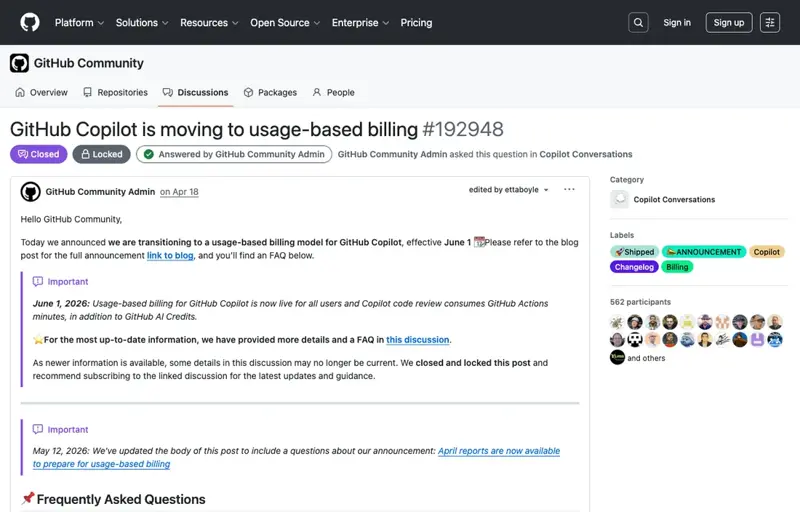
So the projections people are sharing — $29 jumping to $750, $50 to $3,000, $38 to $847 — aren’t all hyperbole. The community discussion thread crossed 400 comments and 900 downvotes. The most-liked reply was, simply, “What a joke.”
The honest framing nobody likes
Before you rage-cancel, sit with the uncomfortable truth one developer posted: flat-rate AI coding tools were always subsidized. Everyone in the industry knew it. The math never worked — providers lost money on heavy users and made it back on light ones. June 1 was the day the subsidy ran out for a few million people at once.
Which means the alternatives below aren’t an escape from metered AI forever. They’re an escape from unpredictable metered AI right now. Pick the one whose pricing you can actually forecast.
6 GitHub Copilot alternatives, ranked by predictable cost
| Tool | 2026 price | How predictable? | Best for |
|---|---|---|---|
| Claude Pro / Claude Code | $20/mo (Pro); Code from $20, Teams ~$20–25/seat | High on Pro’s flat tier — “no token surprises” is the exact phrase people keep using | Deep, multi-file work; the most common landing spot for ex-Copilot users |
| Cursor | $20/mo Pro; $60 Pro+; $200 Ultra | Medium — flat tiers, but heavy agent use can still hit limits | People who want the best AI-native editor and will pay to scale up |
| OpenAI Codex | Pay direct API rates | Medium — you see exactly what you spend, no markup, but you do the math | Devs comfortable wiring up an API key for transparent costs |
| Continue.dev | Free (bring your own model) | High — you control the model and the bill | Tinkerers who want an open-source agent and pay only their LLM provider |
| DeepSeek (V4 / Coder) | API ~10–30× cheaper than frontier models | High at the unit level — cheapest tokens around | High-volume, cost-sensitive, programmatic use |
| Cline / Aider / Tabby | Free tools; pay only model costs (Tabby self-hosts) | High — Tabby can run fully local for $0 ongoing | Privacy-minded or budget-zero setups; CLI lovers (Aider) |
A few honest notes on that table. Claude is where most of the loudest switchers are going — the pitch is a flat $20 with no metering anxiety, plus Claude Code for the agentic work people were doing in Copilot. Cursor is the favorite if you want the editor experience and don’t mind tiered pricing. DeepSeek wins purely on price per token if you’re running a lot of volume. And the free trio — Continue.dev, Cline, Aider — plus self-hosted Tabby are for people who’d rather own the whole stack.
What this means for you
If you’re a solo dev or a hobbyist: You’re the one this hits hardest — you just lost the cheapest serious coding tool overnight. The cleanest move is a flat plan you can’t blow past: Claude Pro at $20, or a free setup like Continue.dev with a cheap model behind it. Don’t pay overage to find out where the meter lands.
If you’re on a small team: Watch the shared-pool trap. Several teams reported one person running a heavy prompt and the whole team getting cut off, with no per-person visibility. Tools with predictable per-seat pricing (Claude Teams, Cursor) make budgeting sane again.
If you actually liked Copilot: You don’t have to leave. Code completion — the autocomplete you use all day — is still relatively cheap under the new model. It’s agent mode that drains credits. The fix might be as simple as using Copilot for completions and moving the heavy agent work to a flat-rate tool. Right tool, right job.
If you run a bigger org: Do the boring thing first. Turn on usage tracking, find out who your heavy users actually are, and model a month before you panic-migrate. Sometimes the new bill is fine. Sometimes it’s a 30× shock. You won’t know until you measure.
If you’re brand new to all this: Honestly? Start with a flat plan and learn the fundamentals before you worry about token economics. The cheapest mistake is paying for power-user tooling you don’t use yet.
What switching can’t fix
It won’t make AI coding free again. Every tool here will eventually meter the expensive stuff. You’re buying predictability, not a permanent discount. Plan for that.
A cheaper tool you don’t know how to drive is still a waste. One developer who switched noted the output quality felt different and they had to undo the changes — after the credits were already spent. New tool means new habits. Budget a few days to actually learn it, not just install it.
Predictable doesn’t mean unlimited. Even flat plans have fair-use limits and slowdowns under heavy load. “No surprises” means you know the ceiling, not that there isn’t one.
Migrating mid-project has a cost too. Re-learning prompts, re-configuring your editor, losing muscle memory — that’s real time. If your Copilot bill is annoying but survivable, finishing your current sprint before you switch might be the cheaper call.
The bottom line
The June 1 change didn’t just raise prices — it ended the era where you could treat an AI coding tool like a gym membership and never think about the meter. That era was nice. It was also never sustainable.
The smart response isn’t to find the next thing to be flat-rate forever. It’s to pick the tool whose costs you can predict, learn it properly, and match the expensive work to the plan that won’t surprise you. For most people leaving Copilot this week, that’s Claude — flat, capable, no meter anxiety.
If you’re making that jump, Claude Code Mastery gets you productive on Anthropic’s agent fast, so you’re not fumbling on a deadline. Not sure which assistant fits your work? ChatGPT vs Claude lays out the trade-offs in plain terms before you commit a dollar.
Sources
- GitHub Copilot is moving to usage-based billing — The GitHub Blog
- GitHub Copilot is moving to usage-based billing — Community Discussion #192948
- “What a joke”: GitHub Copilot’s token-based billing spurs dev backlash — TechCrunch
- GitHub Copilot pricing change: agentic bills jump 10x–50x — TechTimes
- Microsoft Switches GitHub Copilot To Usage-based AI Token Billing — Dataconomy
- Claude Code vs GitHub Copilot vs Cursor (2026): Honest Comparison — Cosmic
- Best Free GitHub Copilot Alternatives (2026) — Codersera
