

A friend of mine has a thick accent. English is her third language. For two years she basically refused to use voice on ChatGPT because it kept turning “I need to email my landlord about the boiler” into “I need to email my landlady about the boy.” She typed everything instead.
Last week she texted me: “wait, it can understand me now??”
Yeah. It can.
On June 26, 2026, OpenAI quietly swapped in a new dictation model behind ChatGPT — the thing that turns your talking into text. It went out to everyone, including the free plan. No new button. Nothing to switch on. You just started getting fewer of those “why did it type THAT” moments. And on top of that, the spoken back-and-forth voice mode has been getting a refresh too, so the whole thing feels less like barking commands at a robot and more like actually talking.
Let me show you how to use both — because they’re two different things, and mixing them up is where most people get confused.
First: dictation and voice chat are not the same thing
This trips up almost everyone, so let’s clear it up before anything else.
Voice typing (dictation) = you talk, it types your words into the message box. Then it answers in text, like normal. You’re just skipping the keyboard. Think of it as a much smarter version of the little microphone on your phone’s keyboard.
Voice chat (voice mode) = an actual spoken conversation. You talk, it talks back out loud. No text unless you look. It keeps listening, you can interrupt it, it can hear that you paused. This is the one that feels like a phone call with a very patient friend.
Here’s the same idea as a picture:
Both improved this year. The June 26 upgrade was specifically about the typing part getting way more accurate. The voice mode refresh is about the talking back part sounding more natural — softer intonation, real pauses, less of that flat news-anchor delivery.
Here’s OpenAI’s own page for it, so you know I’m not making this up:
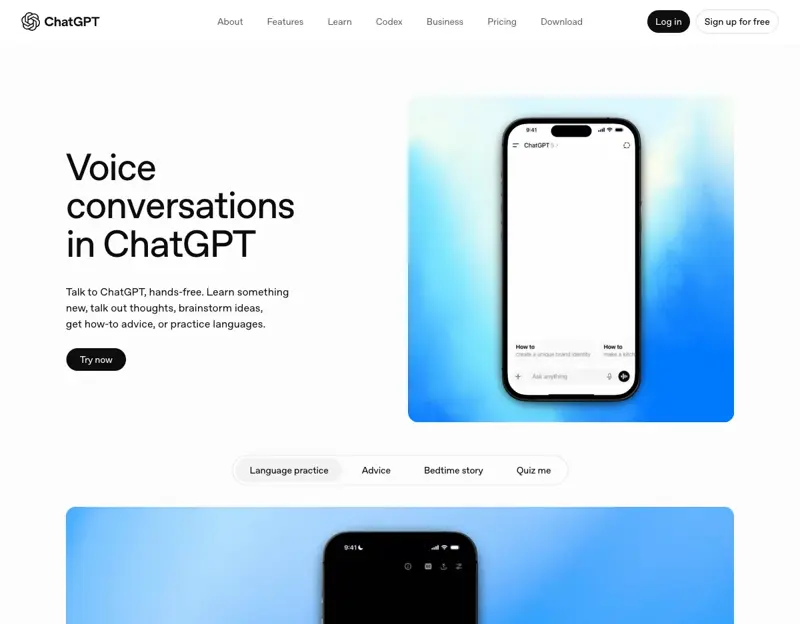
What actually changed on June 26
OpenAI put out a new speech-to-text model for dictation “across all plans” — Free, Go, Plus, Pro, Business, Enterprise. All of them. The way you start dictation didn’t change at all. They just made the engine underneath it better.
How much better? In their own testing, the word error rate dropped by at least 10% for the top languages — that’s the standard way of measuring how many words it gets wrong. Ten percent fewer mistakes doesn’t sound huge until you’re the one dictating a long note and you’re not fixing a typo every third sentence.
The gains showed up especially in:
- Other languages — Japanese, Korean, Chinese, Urdu, Vietnamese, and long stretches of Spanish, French, Italian, and Portuguese.
- Accented English — like my friend. This is the big one for a lot of people.
- Mixing languages mid-sentence — if you naturally switch between two languages when you talk (a lot of people do), it handles that better now.
- Noisy places — a café, a busy office, the street.
- Quiet or whispered speech — for when you can’t exactly shout at your phone.
- Letters and numbers together — like reading out a code, an address, or a part number.
None of that needs a subscription. That’s the part worth repeating: the free plan got this too.
How to actually do it (on your phone)
I’ll keep this dead simple.
To voice-type a prompt:
- Open the ChatGPT app and start (or open) a chat.
- Tap the little microphone icon inside the message box — the one next to where you’d type.
- Talk. You’ll watch your words appear as text.
- Read it, fix anything weird, hit send.
That’s dictation. It’s still your prompt, still text, you just said it out loud.
To have a spoken conversation:
- In the app, look for the bigger voice button (usually a sound-wave or headphone-looking icon, off to the side of the text box).
- Tap it. It’ll start listening.
- Just talk, like a call. It answers out loud. You can cut in whenever.
- Tap to end when you’re done.
On desktop (chatgpt.com in your browser), it’s the same idea — the mic is in the composer for dictation, and there’s a voice option to start a spoken chat. Voice conversations work for anyone logged in, on mobile apps and desktop web.
Quick note on the free-vs-paid line for voice chat specifically: free users get voice conversations, but with a daily cap (a couple hours) and the lighter model. Paying users get the fuller, more natural voice and basically unlimited daily use. But — and this matters — the dictation accuracy upgrade isn’t gated. Everyone got that one.
What real people are using it for
I dug through what folks are actually saying online — not the marketing, the real reactions. A few patterns kept coming up, and honestly they’re the ones I’d recommend to a total beginner too.
Thinking out loud on a walk. This one comes up constantly. People go for a walk, open dictation or voice mode, and just ramble — half-formed ideas, “wait no, scratch that,” the whole messy way you actually think. One person described stepping onto their balcony to talk through a stuck problem instead of staring at a blank page. It’s faster than typing and, weirdly, more honest. You say what you actually mean before your inner editor cleans it up.
Drafting the annoying email or message. You hold the mic and just say the thing — “tell my landlord the boiler’s been out since Tuesday, be firm but polite, ask when someone can come.” It reconstructs what you meant surprisingly well, even with all your “um"s and “actually make it"s in there. Then you read it and send.
Practicing another language. This is a great one and a lot of people love it. You can have a mock conversation in Spanish, Mandarin, whatever you’re learning — and because the hearing got better for non-English, it actually understands your attempts now. Ask it to correct you as you go.
Just talking through your day. Some folks use voice mode almost like a sounding board — a way to get a thought out of their head and hear it back. Not therapy. But not nothing, either.
What this means for you
Depending on who you are, here’s where I’d actually start:
You’ve got an accent, or English isn’t your first language. Start here, today. This upgrade was practically built for you. Try voice-typing one email you’ve been putting off and watch how much it gets right now. This is the single biggest reason to give voice another shot in 2026.
You hate typing on your phone. Use dictation for everything — texts you’re drafting, notes, quick questions. Tap the mic, talk, send. You’ll wonder why you thumbed out paragraphs for so long.
You’re learning a language. Turn on voice chat and have it be your practice partner. Ask it to speak slowly, correct your grammar, and stay in the target language. It’s a tutor that never gets bored of you.
You think better out loud than on paper. Take a walk, open voice mode, and talk through whatever you’re stuck on — a plan, an email, a decision. Let it ask you questions back. You’ll leave the walk with something written.
You’re brand new to all of this. Just do the four-step dictation thing once. That’s it. Tap the mic, say “explain what a mortgage is like I’m 12,” and read the answer. Voice is the gentlest possible on-ramp to using AI, because you already know how to talk.
What it can’t do (and what to never say out loud)
Voice is genuinely good now. It is not magic. Here’s where it still bites people — and where you need to be careful.
It still jumps in when you pause to think. The most common complaint by far. You stop for a second to gather your thought, and it assumes you’re done and starts answering. Annoying. If you’re a slow, thoughtful talker, dictation (talk-to-type) is often less frustrating than full voice chat, because it won’t interrupt you.
It mishears names, brands, and jargon. Unusual names, product names, technical terms, someone’s weird spelling of “Aimee” — it’ll guess, and guess wrong. Always read a dictated message before you send it. Every time. The one time you don’t is the time it changes a name.
It can be flat-out wrong, and hearing it out loud makes it sound more sure than it is. When ChatGPT talks confidently, your brain treats it as more trustworthy — that’s just how voices work on us. But it can still make things up. If it tells you a fact, a date, a dosage, a legal thing, a price — verify it. Don’t act on a spoken answer you didn’t check.
Talking out loud in public is… talking out loud in public. The person next to you on the train can hear your whole conversation. Which means: don’t dictate anything private in public — passwords, your address, medical stuff, account numbers, your friend’s secrets. If it’s sensitive, type it, or wait until you’re alone.
Noisy rooms and accents still trip it sometimes. It got better at both. “Better” isn’t “perfect.” In a loud bar with a strong accent, expect some misses. Quiet spots give you the cleanest results.
None of this means don’t use it. It means use it the way you’d use any tool that’s 90% reliable — great for a first draft, checked before it counts.
The bottom line
Talking to ChatGPT in 2026 is a genuinely different experience than it was even six months ago. The dictation upgrade landed for everyone on June 26 — free plan included — and if you’d written off voice because it never understood you, that reason is mostly gone now. Tap the mic. Say something. Read what it typed. That’s the whole skill.
And if you want to get properly good at what to say once you’ve got the talking part down — the actual prompting — that’s the fun part, and it’s very learnable. Our AI Fundamentals course walks you through it from zero, no experience needed, and its first 2 lessons are free. Our Prompt Engineering course goes deeper once you’re hooked. And if you’re weighing ChatGPT against the alternatives, ChatGPT vs Claude breaks down which one fits how you actually work.
Start by talking to it today. Worst case, it mishears you and you have a laugh. Best case, you never type a long message on your phone again.
Sources
- ChatGPT Release Notes — OpenAI Help Center — the June 26, 2026 dictation model rollout across all plans, and the word-error-rate and language details.
- Advancing voice intelligence with new models — OpenAI — the underlying next-generation voice/audio work.
- Voice Mode FAQ — OpenAI Help Center — how voice conversations work, free vs paid limits.
- ChatGPT Voice mode — OpenAI — the official feature page.
- OpenAI updates ChatGPT’s voice mode with more natural-sounding speech — TechCrunch — the natural-voice refresh and low-latency response times.
- Talking to ChatGPT just got better, and you don’t need to pay — TechRadar — confirmation that the improvement reaches free users.
- Your ChatGPT voice mode experience just got a big upgrade: 5 things to know — TechRadar — a plain-English walkthrough of the changes.