
Every iOS 27 headline this week is about Siri. Fair enough — a Siri you can actually talk to is a big deal. But if you look at what’s reportedly coming on June 8, the changes you’ll touch most often aren’t the assistant at all. They’re in Photos, in Wallet, in the Camera, and in the way the whole phone looks. Those are the features that quietly change your daily routine.
Here’s what’s reported, what it actually does for you, and how sure we are about each one before Apple confirms it at the keynote.
A quick honesty note first
None of this is official until Apple takes the stage on Monday, June 8. The items below come from consistent, credible reporting (Bloomberg, MacRumors, and others), and I’ve flagged how solid each one is. Treat it as a well-informed preview, not a spec sheet.
Photos gets real AI editing tools
This is the big one for most people, because everyone has a camera roll. iOS 27 is reported to add a new set of AI editing tools — gathered into an “Apple Intelligence” section inside the Photos editor — that go well beyond the current sliders.
- Enhance — one tap to fix color, lighting, and overall quality. Think “auto-improve,” but smarter than the old auto button.
- Extend — generatively fills in beyond the edges of a photo, so you can widen a too-tight crop or fix a frame where you cut off someone’s head. (This is the same idea as the “generative fill” tools on competing phones.)
- Clean Up — an upgraded version of the object-remover that’s already in Photos, for getting rid of photobombers and clutter.
- Reframe — reported as a way to adjust the framing or perspective of a shot after you’ve taken it.
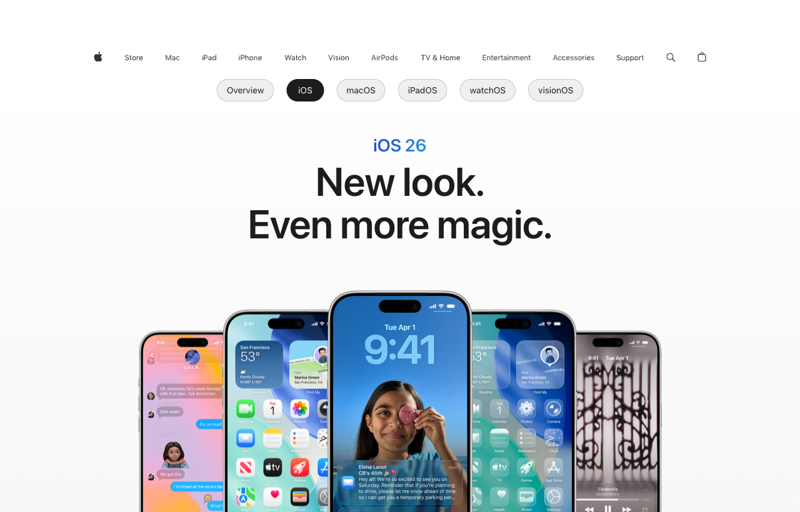
One important catch: the genuinely generative tools (Extend, the heavier AI editing) are expected to require Apple Intelligence hardware — an iPhone 15 Pro or newer. So while iOS 27 itself runs on iPhone 12 and up, the fanciest Photos features may not show up on older models. (Confidence: strongly reported.)
Wallet can turn a physical card into a digital pass
This one’s small but genuinely useful. Wallet is reported to gain a “Create a Pass” feature that lets you scan a physical ticket, membership card, or loyalty card and turn it into a digital pass right in Wallet — no waiting for the business to support Apple Wallet officially.
If your wallet is stuffed with gym cards, library cards, event tickets, and punch cards, this is the kind of quiet feature you end up using constantly. (Confidence: reported.)
The Camera gets simpler — and a little smarter
The Camera app is reported to get a cleaner, more customizable layout, plus a dedicated Siri/Apple Intelligence mode that sits alongside Photo, Video, and Portrait. The idea is fewer buttons cluttering the viewfinder and quicker access to the modes you actually use. (Confidence: reported.)
Everything looks different: “Liquid Glass”
The change you’ll notice first, before you even open an app, is the new look. iOS 27 is reported to bring a translucent, layered design — nicknamed “Liquid Glass” — with frosted panels, depth, and light-reactive surfaces across the system. Bloomberg’s reporting frames it as Apple’s biggest visual overhaul in years.
Design refreshes are always divisive — some people love them, some miss the old look — but unlike the AI features, a new design typically reaches every iPhone that runs iOS 27, not just the newest ones. (Confidence: strongly reported.)
What this means for you
If you mostly use your phone as a camera: The Photos upgrades are the headline for you — especially Enhance and Clean Up for quick fixes. Just check whether your model qualifies for the AI-powered ones (iPhone 15 Pro or newer for the heaviest tools).
If your wallet is a mess of cards and tickets: Create-a-Pass is the sleeper hit. Worth trying the moment you update.
If you just want a fresh-feeling phone: Liquid Glass will make your current device feel new without buying anything — and it should reach every iOS 27-compatible iPhone, even older ones.
If you’re on an iPhone 12, 13, or 14: You get iOS 27, the new design, and Wallet’s improvements, but likely not the generative Photos tools, since those lean on Apple Intelligence hardware. Good to know before you go looking for a button that isn’t there.
If you mostly want to do more with AI, not just edit photos: The on-device tools are handy, but the real leap this year is conversational AI — the kind you type or talk to. That skill transfers far beyond your phone, into work and everyday tasks.
What these features can’t do (yet)
- They’re not confirmed. This is credible reporting, not an Apple announcement. Names and details can change at the keynote.
- The best Photos tools need newer hardware. Running iOS 27 doesn’t guarantee you get Extend or the full AI editing suite — those are tied to Apple Intelligence devices.
- Generative editing has limits. AI fill can invent details that weren’t there, which matters if accuracy counts (real-estate listings, journalism, anything you’d swear is “the real photo”). Use it knowing it’s generating, not recovering, content.
- A redesign is an adjustment. Liquid Glass will move things around. Expect a few days of “where did that button go” before it feels normal.
- Features can arrive late. Even confirmed features sometimes ship weeks after launch or in certain regions first.
The bottom line
Siri will own the headlines, but Photos editing, Wallet’s Create-a-Pass, a cleaner Camera, and the Liquid Glass redesign are the parts of iOS 27 you’ll actually touch every day — and most of them don’t need a brand-new phone.
Here’s the thing worth sitting with, though: the most powerful new tool Apple’s adding isn’t a button in Photos — it’s an AI you can have a real conversation with. That same skill, talking to an AI to get things done, is the one that pays off everywhere, not just on your iPhone. Our AI Fundamentals course (first 2 lessons free) teaches it from scratch, and if you love the new Photos tools, AI Photo Editing goes deep on getting professional results from AI editing across any device. Learn the skill once, and every new feature Apple ships just becomes easier to use.