

If you’ve searched “when is iOS 27 coming out” in the last few days, you’ve probably hit a wall of rumor roundups and YouTube thumbnails and walked away without a straight answer. So here’s the straight answer, with the one date that’s actually locked in and the ones that are educated predictions — clearly labeled, so you know what you’re planning around.
The one confirmed date
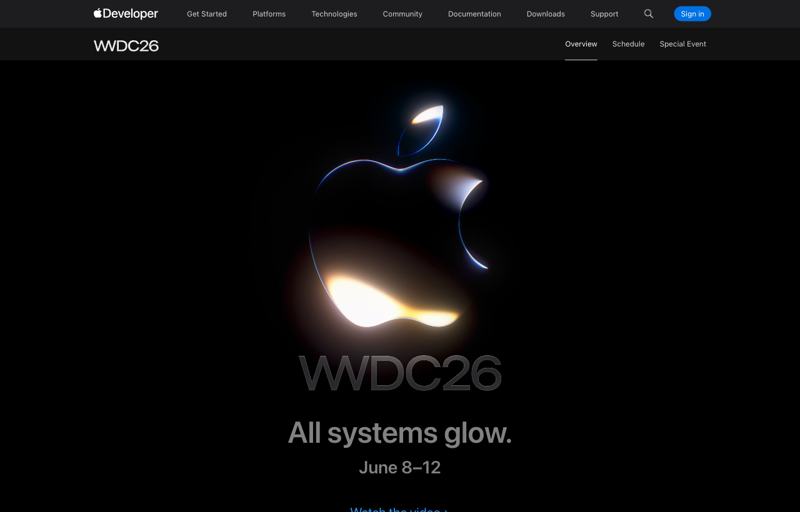
Apple reveals iOS 27 at the WWDC 2026 keynote on Monday, June 8, at 10:00 a.m. Pacific Time. That part is official — Apple announced the date itself. WWDC runs June 8–12, but the keynote on Monday is when iOS 27 gets its big on-stage moment.
Everything after that follows Apple’s very predictable yearly rhythm. The dates aren’t promised, but Apple has run the same playbook for years, so the predictions are about as reliable as predictions get.
The full timeline (what to expect, and when)
June 8 — Reveal + developer beta. Apple shows off iOS 27 at the keynote, and the first developer beta usually drops the same afternoon, a few hours later (around 1 p.m. Pacific). This is the earliest you can possibly put it on a phone.
Mid-July — Public beta. A few weeks after the developer beta, Apple opens a public beta. This is the more sensible “early access” path for regular people: it’s a bit more stable than the day-one developer build, and you don’t need to be a developer to get it.
September — Final release. The polished version arrives in September, alongside the new iPhones. The exact day isn’t set, but Apple typically picks a Monday or Tuesday in mid-September; some tracker sites are pencilling in around September 14, while being honest that it’s a pattern-based guess, not a leak.
So if you just want iOS 27 the way most people get it — safe, finished, automatic — the answer is September. It’ll show up as a free update in Settings, and you tap install.
Should you install the beta early?
Tempting, right? The new Siri, the redesign, months ahead of everyone else. Here’s the honest tradeoff before you do it.
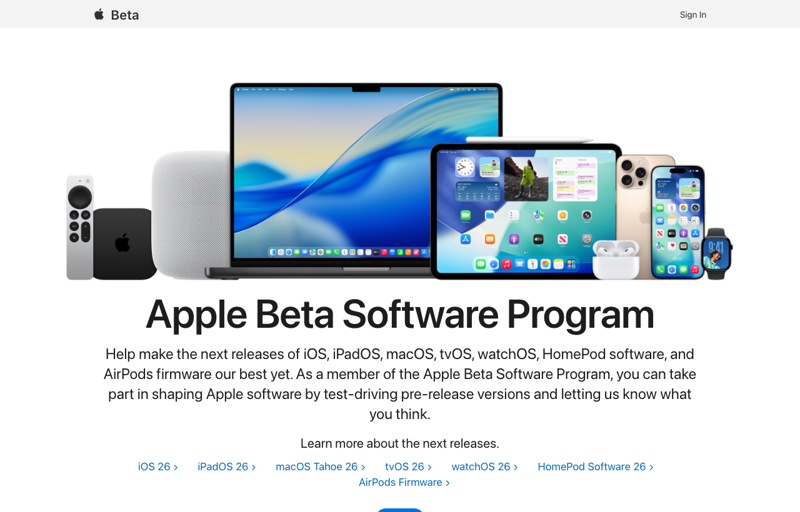
The good news: Apple made developer betas free back in 2023. You no longer need a paid $99 developer account — any Apple ID can enroll at beta.apple.com. The line between “developer beta” and “public beta” is now mostly about timing and stability, not access.
The catch: a beta is unfinished software. Early builds can drain your battery faster, crash apps, break your banking or work apps, and occasionally misbehave in ways that are genuinely annoying on a phone you depend on every day.
If you decide to try it, do these four things first:
- Back up to a computer, not just iCloud. An archived backup on a Mac or PC can be restored later. An iCloud backup made on the beta can’t always be restored onto the older iOS, which is how people get stuck.
- Use a spare device if you have one. The cleanest way to play with a beta is on a phone or iPad you don’t rely on. Your daily driver is the riskiest place to do it.
- Wait for the public beta if you’re nervous. That mid-July build is meaningfully more stable than the June 8 developer build. A month of patience saves a lot of headaches.
- Know that going back is a hassle. You can leave the beta, but rolling back to the stable iOS usually means erasing the phone and restoring from that pre-beta backup you (hopefully) made. There’s no clean one-tap downgrade.
What this means for you
If you just want the finished thing: Do nothing until September. iOS 27 will arrive as a normal free update. This is the right choice for almost everyone.
If you’re curious but cautious: Wait for the public beta in mid-July, and put it on a secondary device if you can. You get an early look without betting your main phone on unfinished code.
If you’re an early-adopter who can’t wait: The developer beta on June 8 is yours — just back up to a computer first and accept that things will occasionally break.
If you’re on an iPhone 11 or 2020 SE: Heads up — iOS 27 isn’t expected to support your model, so the beta won’t be an option. You’ll stay on iOS 26.
If the new AI Siri is your whole reason: Don’t rush the beta for it. The biggest Siri features tend to roll out in stages over the months after launch, so being on the beta on day one doesn’t guarantee you get the full assistant any sooner.
What this timeline can’t promise
- Only June 8 is confirmed. The July and September dates are based on years of Apple’s consistent behavior, not on an announcement. Apple could shift them.
- Beta ≠ stable. Anything you read about “trying iOS 27 now” comes with real risk to battery life, app compatibility, and reliability. That’s the nature of beta software.
- Backups are not optional. If you skip the computer backup and later want to go back, you may not be able to restore your data cleanly. This is the most common regret.
- Features can slip. Even after the September release, individual features (especially AI ones) may arrive later, in stages, or in some regions first.
The bottom line
Mark June 8 for the reveal, mid-July if you want the safer public beta, and September for the version most people should actually wait for. The only firm date is June 8; everything else is Apple running its usual, dependable playbook.
While you wait, the smartest prep isn’t watching another rumor video — it’s getting comfortable with the kind of AI assistant the new Siri is becoming. Our AI Fundamentals course (first 2 lessons free) teaches you how to actually talk to an AI and get useful answers back, and ChatGPT vs Claude shows you how today’s assistants differ so the new Siri makes sense the moment it lands. Spend the summer getting fluent, and iOS 27 will feel less like a gadget and more like a tool you already know how to use.