Search “AI for photographers” and you’ll get a wall of culling and editing tools — Aftershoot, Imagen, Evoto, Topaz, the lot. Every single result is about your photos.
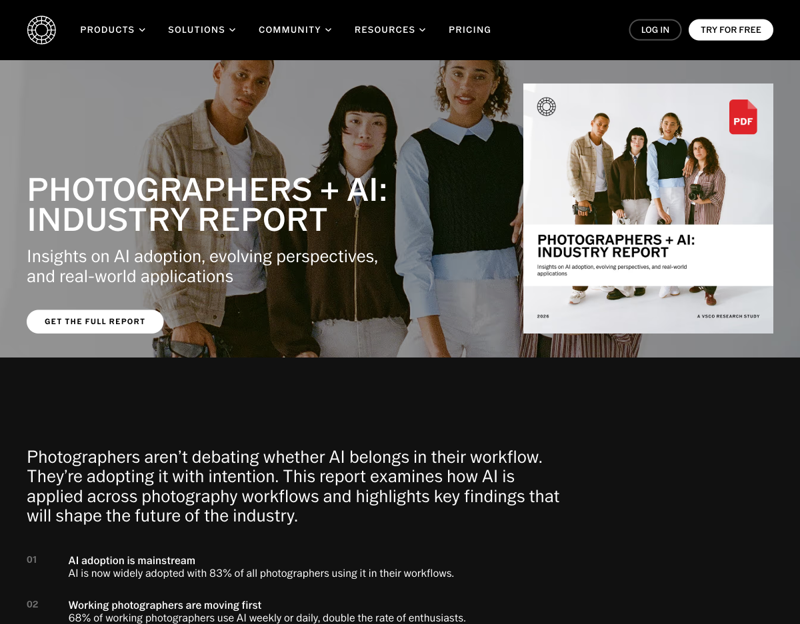
But here’s the funny thing: that’s not mainly how photographers are actually using AI. When VSCO surveyed 401 photographers across the U.S. and Canada, 88% of the working photographers said they use AI (weekly or daily, no less) — and the most common job they hand it isn’t retouching. It’s the paperwork. The emails. The captions. The pricing questions. The half of the job that has nothing to do with a camera and everything to do with running a business.
There’s a real gap here, and it’s costing you evenings. So let’s fill it. Here are six admin tasks you can hand to ChatGPT tonight — no new editing software, no learning curve, just the boring stuff off your plate.
Why this matters (the part the survey nailed)
The VSCO research is blunt about where photographers’ time actually goes. As CEO Eric Wittman put it: “Nearly half of photographers spend between a quarter and half of their working hours on tasks that bring little creative satisfaction — file organization, planning, communication, promotion.”
Look at what working photographers said they most want AI to help with:
- File organization — 42%
- Contracts and invoicing — 37%
- Client communication — 30%
- Marketing — 28%
Notice the theme: not one of those is editing. They’re the admin tasks that eat your week. And those are exactly the tasks a general assistant like ChatGPT is genuinely good at. (PetaPixel summed up the survey perfectly: photographers use AI “for tedious tasks, not creative editing.”)
Do this first: teach ChatGPT your voice (5 minutes)
Before the six tasks, one setup step that makes all of them dramatically better. Out of the box, ChatGPT writes like a polite robot. The photographers getting real results all do the same thing first: they give it a “brand brief” to work from.
Open ChatGPT, start a new chat, and paste something like this:
“You’re helping me run my photography business. Here’s who I am: I’m a [wedding/portrait/commercial] photographer in [city]. My brand voice is [warm and unhurried / fun and casual / polished and editorial]. My packages start at [price]. I shoot [style]. From now on, when I ask you to write something for clients, sound like me — not like a corporate template. Got it?”
Keep that chat open and reuse it, or save it as a saved prompt. Now everything below comes out sounding like you instead of like everyone else. This single step is the difference between “this is useful” and “this sounds fake.”
The 6 admin tasks ChatGPT can do tonight
1. Reply to a client inquiry in two minutes. Paste the inquiry email and say: “Write a warm reply that answers their question, gently moves toward booking a call, and sounds like me.” This is the single most-used photographer workflow, and the time savings are immediate. (We’ve got a full walkthrough of the inquiry-reply system here.)
2. Build a shot list from one prompt. “Make me a shot list for a [outdoor fall engagement / corporate headshot day / newborn] session, grouped by location and time, with must-have shots and a few creative extras.” You’ll edit it, but you start from a full draft instead of a blank page.
3. Generate a pre-shoot questionnaire. “Write a client questionnaire for a wedding I’m shooting — cover timeline, family groupings, must-have moments, vendors, and any sensitive family dynamics to know about.” The kind of thing you keep meaning to systematize and never do.
4. Turn one shoot into a week of captions. Describe the gallery and ask for five Instagram captions in your voice, plus a content-calendar order. Photographers report batching a month of social in a single sitting this way. Just don’t ship the defaults (more on that below).
5. Write your pricing guide and FAQ. “Draft a one-page pricing guide and an FAQ that answers my five most common objections — including ‘why are you more expensive than [competitor].’” Confident, on-brand sales copy you can reuse for every inquiry.
6. Draft a get-found blog post. Feed it your shoot notes and ask for a short, location-based blog post optimized for “[city] [type] photographer.” This is how wedding photographers quietly build a marketing engine — and increasingly, how they get surfaced in AI search too.
The mental model that works: start with one task this week (most people start with inquiry replies), get it sounding like you, then add the next. Don’t try to automate everything at once.
What this means for you
If you’re a wedding photographer: Inquiry replies and the pre-shoot questionnaire are your biggest wins — that’s where your unpaid hours hide. Location-based blog posts are your long-game marketing.
If you shoot portraits or families: Lean on captions, the pricing guide, and FAQ. Your booking volume is higher and more repetitive, so reusable copy pays off fast.
If you’re a commercial photographer: Proposals, scope summaries, and turning a brief into a shot list are the leverage points. Keep your tone “polished and professional” in the brand brief.
If you’re just starting out solo: This is your unfair advantage. The admin systems that take established photographers years to build, you can draft in an evening — pricing guide, questionnaire, inquiry templates, all at once.
If you’re a busy full-timer drowning in email: Start with #1 and #5 only. Getting inquiries and pricing off your plate is the fastest way to feel the time come back.
What ChatGPT can’t do for your photography business
Be honest with yourself about the limits, because that’s what separates “useful tool” from “embarrassing mistake.”
- It can’t keep your voice without help. Skip the brand-brief step and everything sounds generic. Clients can smell a template, and a fake-sounding reply does more harm than no reply.
- It invents facts confidently. It will make up a venue detail, a vendor name, an award, or a “fact” about a location. Never publish anything about a specific person, place, or business without checking every line.
- Its default captions are cliché. “Love is in the details.” “Timeless moments.” Those phrases actively hurt your engagement and SEO because everyone’s AI writes them. Always rewrite the captions in your own words.
- It is not your lawyer. It can draft contract language, but a real engagement contract should be reviewed by an attorney in your state. Use it for a first draft, not a final one.
- It doesn’t touch your actual photos. This is the business side. Culling, editing, retouching — that’s a different category of tool, and your creative eye still runs the show.
The bottom line
The internet decided “AI for photographers” means editing software. The data says photographers actually reach for AI to kill the admin — and that’s the part with no learning curve and the fastest payoff. Teach ChatGPT your voice once, hand it one task tonight, and start clawing back the hours that were never about photography in the first place.
If you’d rather follow a step-by-step path than piece it together prompt by prompt, our AI for Photographers (Business) course builds the whole system with you — inquiry replies, pricing, content, and a reusable prompt library — so the business side runs in half the time and you get back to shooting. Pair it with Social Media Marketing with AI if captions and content are your biggest time sink.
