

Someone on X put the pitch-deck question better than any reviewer has: can a tool “ship a 24-slide pitch deck at 11pm before a 9am board meeting without melting?”
That’s the real benchmark. Not feature lists. The 11pm test.
Since Claude Design launched in April 2026, there are now three serious AI options for that 11pm panic — Claude Design, Canva, and Microsoft PowerPoint Copilot. They are not the same tool with different logos. They’re built on different assumptions, and the right pick depends entirely on what you’re walking into at 9am. Here’s the honest breakdown.
The three tools, quickly
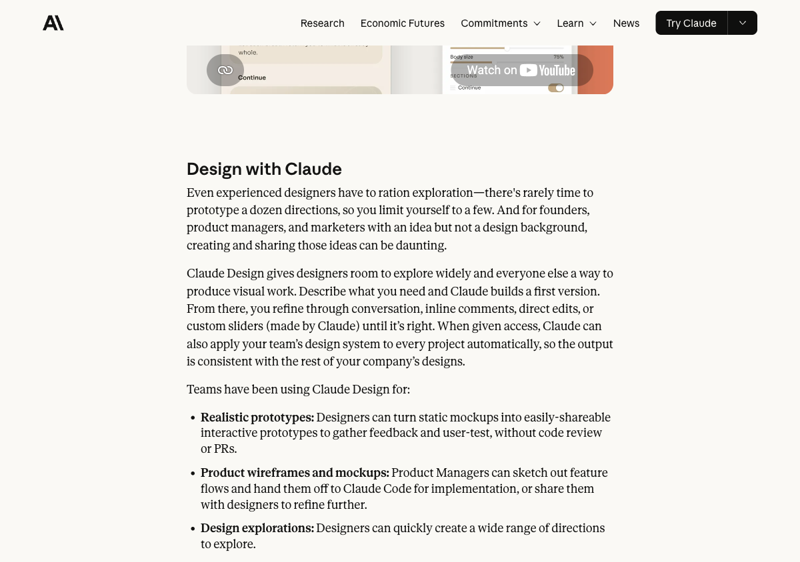
Claude Design is Anthropic’s AI design workspace, launched April 17, 2026. You describe a deck; it builds one on a live canvas, on-brand if you’ve set up a design system. It’s included with Claude Pro ($20/mo), Max, Team, and Enterprise.
Canva is the one most people already know — the GA presentation platform with a free tier and AI features (Magic Design, and AI 2.0 rolling out through 2026). Canva Pro runs about $15/month.
PowerPoint Copilot is Microsoft’s AI built directly into PowerPoint. No new app, no export step — it lives where your decks already live. It’s a $20/month add-on for individuals, $18–30/user for businesses.
Same brief, three very different decks
Put the same prompt into all three and the differences show up fast.
Claude Design gives you the best first draft. This is its real strength. One founder reported building an 18-slide investor deck — fully branded, speaker notes included — and needing only 15 minutes of cleanup afterward. His comparison: that used to be a week of back-and-forth with a designer and $2,000–3,000. When Business Insider ran Claude Design head-to-head against Canva on the same slide-deck brief in May 2026, Claude Design won — the reviewer said it “anticipated every need,” self-corrected better, asked smart follow-up questions, and needed far less manual fixing.
Canva gives you the cleanest hand-off. Canva’s output is built natively as slides. No conversion step, no fidelity surprises. And Canva is still the king of collaboration — if three people need to touch the deck before the meeting, Canva’s where that’s painless. It also has a free tier, which neither competitor does.
PowerPoint Copilot gives you zero friction. If your board expects a .pptx and your life already runs on Microsoft 365, Copilot builds the deck inside PowerPoint. There’s no export, no new tool to learn, no “how do I get this into the format finance wants.” It can also generate a deck straight from an existing Word doc or PDF — turn the memo you already wrote into slides.
Where does each one stumble? Claude Design’s weak spot is polish-level layout — testers report it can misalign boxes and needs a human pass to get spacing pixel-right. Canva’s AI decks can look a little templated next to Claude’s. And Copilot is the most expensive, and the least surprising — competent, rarely brilliant.
The comparison table
| Claude Design | Canva | PowerPoint Copilot | |
|---|---|---|---|
| Status | Research preview (Apr 2026) | Generally available | Generally available |
| Price | In Claude Pro, from $20/mo | Free tier; Pro ~$15/mo | $20/mo individual; $18–30/user business |
| Best at | The first draft, on-brand, fast | Collaboration + clean export | Living inside PowerPoint |
| Brand system | Reads your codebase + design files | Brand Kit, Templafy | Brand Kit, templates |
| Export | PPTX, PDF, HTML, Canva, Claude Code | Native — no export step | Native — no export step |
| Speaker notes | Yes | Yes | Yes, with tone controls |
| Free tier | No | Yes | No |
| Interactivity | Native HTML — animation, video | Limited | Limited |
One detail worth knowing: Anthropic didn’t go to war with Canva. Claude Design exports directly to Canva, and Canva’s product chief gave a friendly quote in Anthropic’s launch post. So “Claude Design or Canva” is a false choice — you can draft in Claude and finish in Canva. That’s a genuinely strong workflow.
The PowerPoint export catch
If there’s one thing to understand before you commit, it’s this.
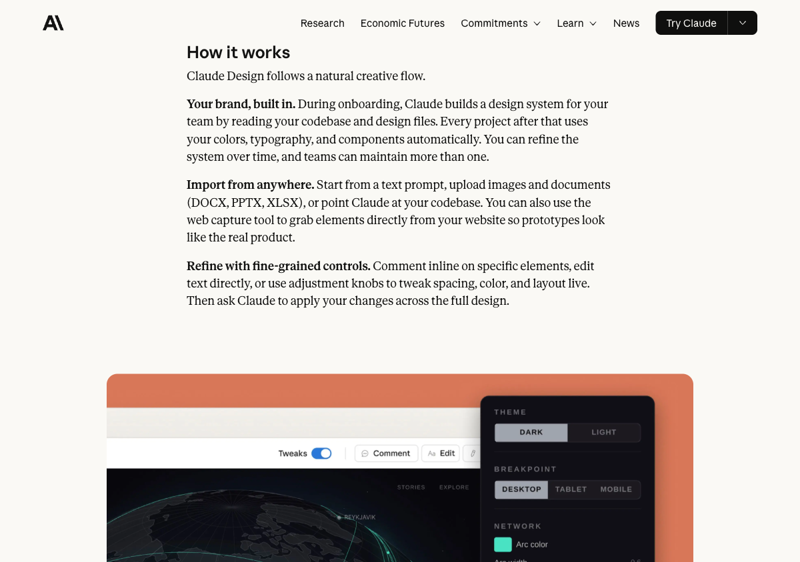
Claude Design builds your deck as live HTML. PowerPoint is a different kind of file — built around master slides and editable shapes. Translating one to the other is lossy. A design review of Claude Design’s PPTX export found the predictable failure modes: text can flatten into images on complex slides (so the recipient can’t edit the words), fonts can substitute, master slides go missing, layouts reflow, and subtle effects drop silently.
What that means in practice: if your deck needs to land as a fully editable PowerPoint that other people will revise for weeks, Claude Design’s export will frustrate you. If the deck is yours to present and you keep it on Claude’s canvas, it looks fantastic. Know which situation you’re in before you pick.
What this means for you
If you’re a founder building an investor deck, start in Claude Design. The first draft it produces — branded, structured, with speaker notes — is genuinely close to done. Budget 15–20 minutes to fix alignment, and you’ve saved a week.
If you’re an account executive or salesperson churning out client decks, weigh two things. On Microsoft 365 with clients who expect .pptx? Copilot’s zero-friction wins. Want each deck to look sharp and distinct? Claude Design’s draft, exported to Canva for the final polish.
If you’re a project manager or team lead and the deck needs three sets of hands before the meeting, Canva. Collaboration is its founding strength, and the export is clean. Nothing beats it for a group effort.
If you barely make decks at all and just need something passable, fast — Canva’s free tier, no subscription, no learning curve. Don’t overthink it.
If you live in Microsoft 365 and changing tools is a non-starter, Copilot. It’s not the most exciting option, but “works inside the app you already use” is worth a lot at 11pm.
What none of them fixes
Here’s the part the demos won’t tell you: an AI tool builds the slides. It does not build the argument.
A pitch deck fails or wins on the story — the problem, the insight, why now, why you. No tool decides that. Feed any of these three a weak narrative and you get a beautifully designed weak narrative. As one designer noted, it’s “pretty clear when someone has had Claude Design generate them a pitch deck” with no real substance behind it.
So the AI saves you the hours of formatting. It doesn’t save you the thinking. That part’s still the job.
The bottom line
There’s no single winner, and anyone who tells you otherwise is selling something.
Claude Design for the strongest first draft. Canva for collaboration and a clean export — or as the finishing step after Claude. PowerPoint Copilot for staying inside the Microsoft world with no friction at all.
The skill that actually carries you isn’t picking the tool. It’s knowing how to structure a deck that persuades — so that whichever AI you point at it has something worth designing.
That’s what our AI for presentations course is built around. Presentations covers the storytelling craft underneath, and Claude Design Essentials gets you fluent in the tool that gives you the best head start.
Pick the tool that fits your 9am. Then go make the story worth the slides.