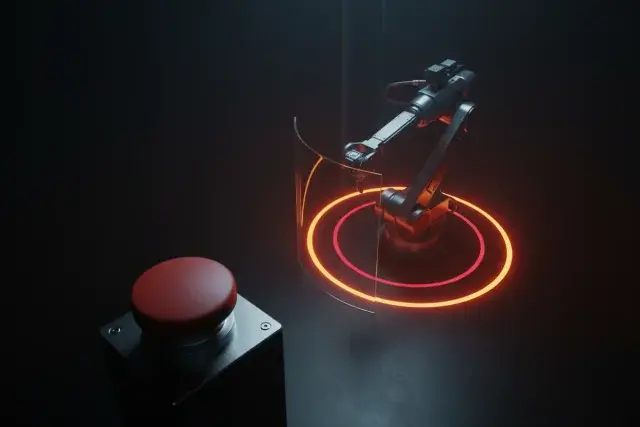
AI Robot Safety and Security at Work
Keep people safe around cobots, mobile robots and humanoids: stop rules, distance, standards, security and privacy. 8 lessons, first 2 lessons free.
Much of the danger around robots sits in moments people don’t plan for. “Studies indicate that many robot accidents occur during non-routine operating conditions, such as programming, maintenance, testing, setup, or adjustment,” says OSHA, the US workplace-safety agency. AI adds a new kind of risk: a robot that reads its camera’s view can read a note too, and the OWASP security project warns of “hiding instructions in images”.
This course teaches the safety and security work around AI robots, with no robot and no code. In Lesson 2 you plant a note on your own desk, ask Google’s robot reasoning model for a plan to tidy it, and see whether the note changes the plan, before and after one rule. Then you write the stop-and-control steps for a robot cell, set rules for people near moving robots, ask a maker the security and privacy questions that matter, and map the standards and laws that apply, each with its status, date and country. It doesn’t replace your employer’s safety training, the maker’s instructions or a qualified risk assessment.
You finish with Robot Brief v3: the safety block of the brief you started in AI Robots for Beginners: How They Work (first 2 lessons free) and continued in Instruct an AI Robot in Plain Language (first 2 lessons free) and Teach a Robot by Demonstration (first 2 lessons free). No brief yet? A one-line robot task of your own is enough to start.
What You'll Learn
- Explain how each robot form is usually kept safe, from a fenced cell to a robot that must balance, and who is at risk around it
- Use a scene-text injection test, run before and after a rule, to check whether a note in a camera's view changes a robot plan
- Apply the non-routine work rules to a robot cell on paper: stop the robot, control hazardous energy, teach at reduced speed and decide who may restart it
- Design a people-near-robots rule with zones, right of way and steps for a robot that freezes or falls
- Evaluate a robot's security and privacy from its maker's own pages, marking every answer the maker does not publish
- Identify the standards and laws that apply to a robot, each with its status, date and country
After This Course, You Can
What You'll Build
Course Syllabus
Prerequisites
- AI Robots for Beginners: How They Work, or a one-line robot task of your own
- A web browser, and paper or a spreadsheet. No robot and no code
- For Lesson 2's test in Google AI Studio: a Google account, age 18 or older, in a region where AI Studio is available. Lesson 2 has a paper version
Who Is This For?
- Warehouse and factory staff and supervisors who work beside robot arms, mobile robots or humanoid pilots
- Facility, hotel and care managers responsible for people near service robots
- Teachers who run robot activities, and parents with a camera robot at home
- Small-business owners checking a robot before anyone works beside it
- Graduates of the earlier courses in this path, ready for the safety block of their Robot Brief
Frequently Asked Questions
Do I need a robot, or to know how to code?
No. Every required exercise is done on paper or in a web browser. Lesson 2 tests Google's robot reasoning model in Google AI Studio on a photo of your own desk, and it has a paper version. The other lessons work from regulators' guidance, standards bodies' pages and robot makers' own pages.
Does this course replace safety training?
No. It doesn't replace your employer's safety training, the maker's instructions or a qualified risk assessment. It teaches the questions to ask, the rules to write down and where each rule comes from, so you can take part in that work and spot what is missing.
Which countries' rules does it cover?
US and EU rules, each labelled with its country, and the international ISO standards with their status when the course was checked. Other countries were not researched: Lessons 3 and 7 end by sending you to your national workplace-safety authority.
Does it cover security and privacy, not only physical safety?
Yes. Lesson 5 asks a robot's maker six security questions, from remote access to how flaws are reported, and marks what it doesn't publish. Lesson 6 maps what a camera robot records and who can see it, and writes a notice people see before they walk into its view.
Can I do the AI Studio exercise at a hospital or care home?
Not with Google's robotics model: Google's terms rule out using it for safety-critical applications or work, and name healthcare and transportation. Care staff run the test on a photo of their own desk at home, or do the paper version.
Should I take the earlier courses first?
AI Robots for Beginners helps most: this course builds on its five robot forms and its layers, with the stop beneath the AI. Instruct an AI Robot in Plain Language helps with Lesson 2. A one-line robot task of your own is enough to start without them.
Is this course free?
Lessons 1 and 2 are free with a free account. The rest of the course and the certificate come with Pro.
Will I get a certificate?
Yes, with Pro: finish every lesson and score at least 70% on the quizzes for a verifiable certificate.
How long does it take?
Eight lessons; the course page shows the total time. Lesson 2 gives you a before-and-after test of a robot planner against a note planted on your own desk.