Instruct an AI Robot in Plain Language
Instruct an AI robot in plain words, check its plan and what it sees before it moves, and test it over 3 runs. No code. 8 lessons, first 2 lessons free.
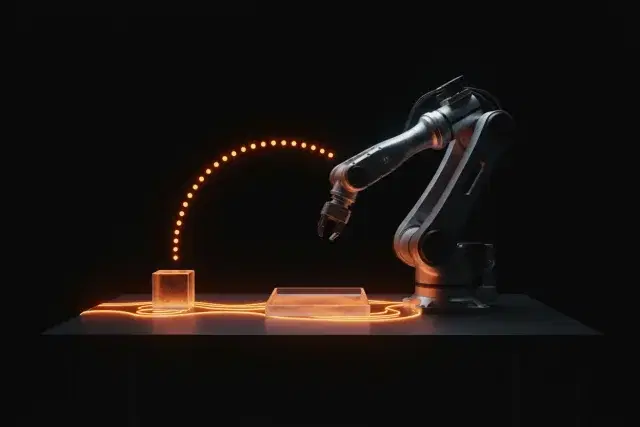
Google’s robot reasoning model, Gemini Robotics ER 2, takes a photo and a sentence and answers in text: points on the objects it found, and a plan in numbered steps. On a real robot, Google’s docs say, it carries out those steps “by calling your robot functions or running generated code”. So the words you give it, and the check you make before anything moves, shape what a robot does. Google’s docs also warn: “Generative AI models can make mistakes, and physical robots can cause damage.”
This course teaches that job, with no code and no robot. In Lesson 2 you give the model a task with limits, a done-when and a rule to stop and ask, then check its plan step by step. Then you write task specs a stranger could check, test what the model sees (one object that isn’t there included), run the same tasks three times against criteria you wrote first, decide between plain words, a fixed program and demonstrations, and write the brief a technical colleague needs before connecting an AI assistant to a real robot. Every AI Studio exercise has a paper version.
You finish with Robot Brief v1: the instruction block of the brief you started in AI Robots for Beginners: How They Work (first 2 lessons free). No brief yet? A one-line task of your own is enough to start.
What You'll Learn
- Explain what a robot reasoning model returns, what it cannot do on its own, and which Google robot models the public can try
- Apply a seven-part checklist to turn a vague request into a robot task spec with a checkable end state, limits and a time limit
- Use a perception check to confirm the model sees every object a plan relies on, and refuse a plan whose check fails
- Calculate a planner's hit rate over several tasks and runs, with pass criteria written before any run
- Evaluate a robot plan step by step against its instruction, and whether a task suits plain words, a fixed program or demonstrations
- Design hand-back and approval rules for a robot task, and a one-page brief a technical colleague can act on
After This Course, You Can
What You'll Build
Course Syllabus
Prerequisites
- AI Robots for Beginners: How They Work, or a one-line robot task of your own
- A web browser, and paper or a spreadsheet
- For the Google AI Studio exercises: a Google account, age 18 or older, in a region where AI Studio is available. Each of them has a paper version
Who Is This For?
- Supervisors and floor staff in warehouses and factories who will tell robots what to do
- Small-business owners weighing a robot for one job
- Hotel, office and facilities staff who will work beside service robots
- Teachers planning robot activities for a class
- Graduates of AI Robots for Beginners ready for the next step
Frequently Asked Questions
Do I need a robot, or to know how to code?
No. Every exercise runs in a web browser or on paper. The exercises that ask Google's robot reasoning model for points or a plan use Google AI Studio, and each of them has a paper version. The brief for a technical colleague in Lesson 7 is written on paper.
What do I need for the AI Studio exercises?
A Google account, age 18 or older, in a region where Google AI Studio is available. Google's terms say AI Studio is for professional or business purposes, so the course treats it as checking a robot model for your work. Anyone else, or anyone who prefers not to sign in, does the paper version.
Can I do the exercises at a hospital or care home?
Not with Google's robotics model: Google's terms rule out using it for safety-critical applications or work, and name healthcare and transportation. Care staff run the AI Studio exercises on a photo of their own things at home, and write their care tasks as paper specs.
Should I take AI Robots for Beginners first?
It helps. This course adds to the Robot Brief v0 you write there, and uses its words for a robot's layers and its marks for a plan's steps. A one-line task of your own is enough to start without it.
Is this course free?
Lessons 1 and 2 are free with a free account. The rest of the course and the certificate come with Pro.
Will I get a certificate?
Yes, with Pro: finish every lesson and score at least 70% on the quizzes for a verifiable certificate.
How long does it take?
Eight lessons; the course page shows the total time. Lesson 2 gives you a robot plan for your own desk, checked against limits you wrote.