

Short answer: yes — but probably not for the reason you’re hoping.
AI call-screening apps are genuinely good at one job — burying the robocalls, the spoofed “your car warranty is expiring,” the numbers you’ve never seen. If your phone rings a dozen times a day with junk, they’ll hand most of your afternoon back. That’s real, and it’s worth switching on.
But if you’re here because of the voice-cloning stuff — the panicked call that sounds exactly like your kid — you need the honest version. No AI call-screening app on the market stops that call. Here’s what they actually do, what the paid ones add, and where every one of them goes quiet.
What AI call-screening actually does
The whole category runs on one idea: decide whether a call is worth your attention before it rings. Here’s the current lineup.
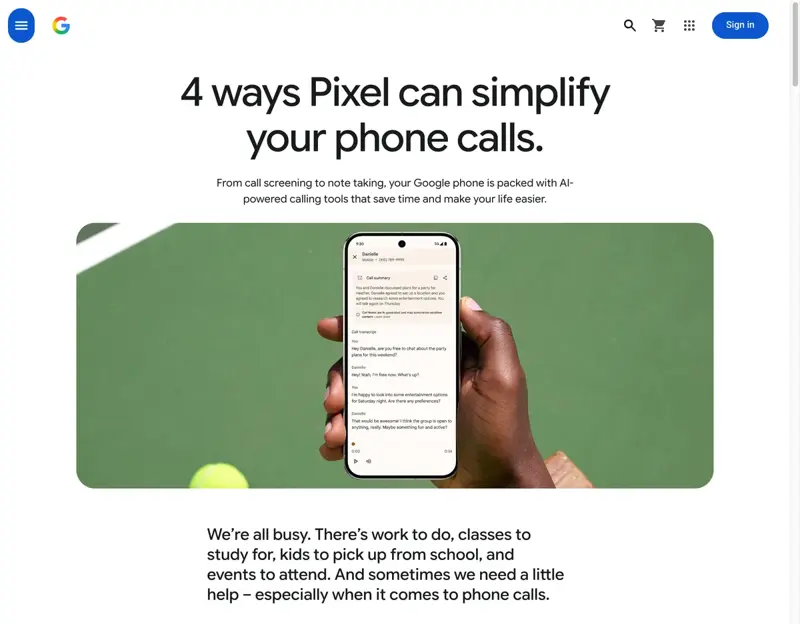
Google Pixel — Call Screen and Call Assist. The strongest built-in option, free on Pixel phones. When an unknown number calls, Google’s assistant can answer for you, ask who’s calling and why, and show you a live transcript of their reply while your phone stays silent. Spam it recognizes gets waved off automatically — you see “potential spam” and never hear a ring.
iPhone — Silence Unknown Callers and Live Voicemail. Apple’s tools are quieter but they work. Turn on Silence Unknown Callers and anyone not in your contacts goes straight to voicemail without ringing. Live Voicemail shows you a real-time transcript as someone leaves a message, so you can grab it if it’s real. And iOS 26 adds a proper call-screening step that asks unknown callers to say who they are before your phone ever lights up.
Savi — the new paid entrant. Launched July 7, 2026 with $7 million in seed funding led by Acrew Capital, Savi is a subscription app for iOS and Android, built by brothers Patrick and Ryan Coughlin after their own mother got a fake AI “kidnapping” call. It automatically routes scam texts to junk and screens voicemails from unknown numbers. Its headline feature is “On Call”: during a call that feels suspicious, you can add a live AI agent as a listener, and it warns you in real time if it sounds like a known scam. It’s $8 a month, or $63 a year for a whole family.
Notice the shape of Savi’s flagship feature — you switch it on when a call already feels wrong. It’s a second opinion you reach for, not an automatic net over every call. That distinction matters in a second.
The honest comparison
So what catches what? Here’s the layered picture — and the gap it leaves.
The free built-ins handle the volume problem — the daily spam, the unknown numbers, the robocalls. Pixel’s is the most hands-off; Apple’s takes about thirty seconds to switch on. For most people that alone is the win, and it costs nothing.
Savi’s live “On Call” agent adds something the built-ins don’t: a calm second opinion in the moment, on a call you’ve already answered. That’s genuinely useful if you or someone you help tends to get talked into things — a steady voice saying “this matches a known scam” while a stranger piles on pressure. Whether it’s worth $8 a month is a personal call. It’s a nice layer. It isn’t a force field, and to their credit, Savi doesn’t pretend it is.
The limit that matters
Here’s what every one of these tools has in common, free or paid: they all work on numbers you don’t know. Unknown callers, unrecognized numbers, strangers. That’s the entire design.
Which means they share one blind spot — the exact one behind the scam people are actually scared of. If a scammer clones your daughter’s voice and spoofs the caller ID so the call appears to come from a number already in your contacts, it rings straight through. No screening. No transcript. No warning. Your phone lights up with her name, because as far as it can tell, it is her.
That’s not a knock on any single app. It’s the ceiling on the whole category. Screening decides whether to let a call through based on who’s calling — and the one attack that should worry you most is built entirely on faking who’s calling.
So the durable defense isn’t a subscription. It’s the free thing from the voice-cloning guide: a family password. A secret word only your real people know. When a call comes through that sounds like your kid — from her number, in her voice — you ask for the word. A cloned voice can’t say it. And if any caller ever steers you toward gift cards, a wire, crypto, or a cash pickup, you don’t need an app to flag that one either — that demand is the scam. Don’t argue with them and don’t confirm a thing. Hang up and call the person back on the number you already have.
What this means for you
If you’ve got a Pixel: turn on Call Screen and let it run. It’s the best built-in defense against spam calls you can get, and it’s already in your phone. You don’t need Savi on top unless you specifically want that live second opinion.
If you’ve got an iPhone: switch on Silence Unknown Callers and Live Voicemail today (Settings → Apps → Phone), and use the call-screening step in iOS 26 when you’re on it. Free, quick, and your spam problem mostly melts away.
If you’re setting this up for a parent: enable the free built-ins on their phone — but don’t stop there and assume it’s handled. Screening won’t catch the cloned-voice call, and that’s the one aimed squarely at them. The most protective move costs nothing: agree on a family password, and drill the “hang up and call me right back” habit until it’s automatic. A paid app like Savi can be a reasonable extra layer if they’re a frequent target, but it’s the word, not the subscription, that closes the real gap.
The bottom line
Do AI call-screening apps work? For spam, yes — turn the free ones on right now and enjoy the quiet. For the voice-cloning scam that probably brought you here, no app fully does, because the whole trick is impersonating a caller your phone already trusts.
Enable the built-ins because they’re free and they crush the everyday junk. Consider a paid app if a live second opinion is worth it to you. But put your real trust in the two things no scammer can clone: a family password, and the reflex to hang up and call back on a number you already have. And if you’ve already lost money, report it — the FTC at reportfraud.ftc.gov, the FBI at ic3.gov (or the Elder Fraud Hotline, 833-FRAUD-11), and the free AARP Fraud Watch Helpline at 877-908-3360.
Want to understand why these tools can — and can’t — do what the ads claim? That’s exactly the clear-eyed AI literacy in AI Fundamentals and Cybersecurity Basics. Learn how the machine actually works, and the marketing stops fooling you as easily as the scammers do.
For the full playbook on the cloned-voice call itself — how it’s made and the ten-minute setup that beats it — read The AI Voice-Cloning Scam: How It Works and How to Stop It.
Sources
- Pixel Call Assist — Google Store
- Screen your calls before you answer (Call Screen) — Google Phone Help
- Silence unknown callers on iPhone — Apple Support
- Use Live Voicemail on iPhone — Apple Support
- Savi’s app aims to protect consumers from realistic AI scams — TechCrunch (July 7, 2026)
- Savi Security launches app to protect families from AI scams and fraud — GlobeNewswire (July 7, 2026)
- Report fraud to the FTC — reportfraud.ftc.gov
- File a complaint with the FBI — ic3.gov