

Verisk announced a connector on Tuesday that puts Xactimate pricing intelligence inside Claude — and if you run a restoration shop, this is the first time AI tooling has shown up in your actual workflow instead of in a marketing email. Verisk’s claim is 30 minutes to 2 hours saved per estimate for an experienced contractor. That’s the kind of math that compounds across an estimator’s week.
What’s notable about the SERP today: the restoration trade press has the announcement (Restoration & Remediation Magazine ran it overnight), the insurance trade press has it (Reinsurance News, Insurtech Insights), but zero practitioner walkthroughs exist anywhere. No estimator-voice posts. No “I drafted three water-damage estimates with Claude+XactRestore yesterday — here’s what it got wrong” threads. That gap is the reason this post exists.
This is the install-and-run frame for an independent water, fire, mold, or storm shop owner. What it can do, what it gets wrong, and the four line items every estimator will end up adding back by hand.
What just shipped
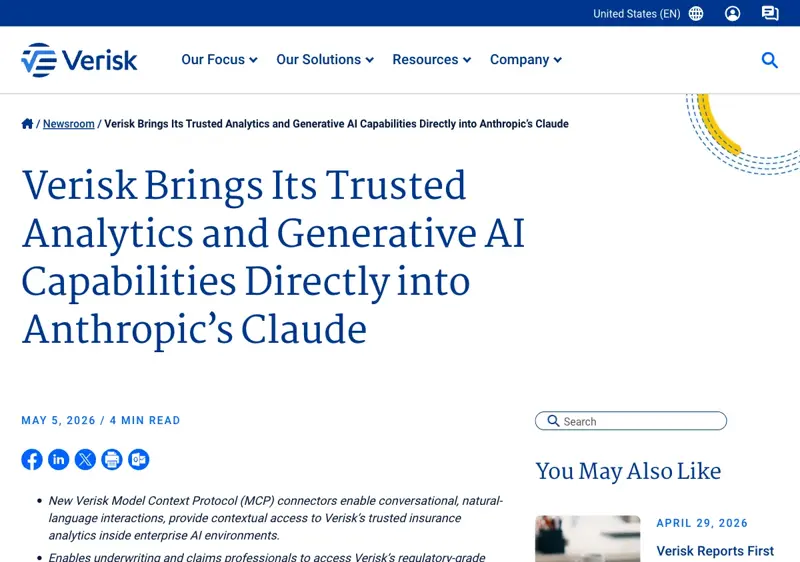
On May 5, 2026, Verisk — the company behind Xactimate, the standard estimating tool insurance carriers use to settle restoration claims across North America — published two MCP connectors for Anthropic’s Claude.

What changes for an estimator: instead of opening Xactimate, navigating to a price list lookup, and typing line items by hand, you can describe the work in natural language (“Cat-3 water in a 1,200 sq ft kitchen + dining area, two-story townhouse, drywall and subfloor down, contents pack-out needed”) and get a structured first-pass estimate back with Verisk pricing already applied to the specific zip code. Then you review, edit, and export to your existing Xactimate workflow.
Verisk’s own time-saving claim — 30 minutes to 2 hours per estimate for experienced contractors — is conservative for the right shop. For shops running 5–10 estimates a week per estimator, that’s 2.5 to 20 hours of estimator time back per week. Even at the low end, you’re recouping a half-day of estimator labor at $80–120 per hour loaded cost.
The 30-minute first-job test
This assumes you already have a Xactimate license, an XactAnalysis profile your carriers know about, and a Claude subscription (Pro or Team — $20/month is enough). If you don’t have Xactimate, the connector is not for you yet; it’s pricing-data for licensed Xactimate users.
Minute 0–5: Connector setup.
The connector is governed by Verisk’s existing data-entitlement framework. If you’re already a Verisk subscriber for Xactimate’s pricing data, your access is on the same entitlement; if not, the connector is gated behind that subscription. The exact onboarding workflow as of Day 1 of the launch goes through Verisk customer support — the public press release doesn’t publish a self-serve signup link, and the rollout will likely formalize over the next 2-4 weeks. The right action this week if you’re not already a Verisk pricing subscriber: email your Xactimate account manager and ask about XactRestore Claude connector access on your existing license tier.
If you are already a subscriber, the connector appears in your Claude connector list once Verisk provisions it — same pattern as other governed-data MCP connectors. (Anthropic’s bundled finance-services connectors work the same way.)
Minute 5–10: Walk a control job.
Pick a closed estimate from the past 60 days. Don’t run this against a job you’re estimating tomorrow — the point is to compare the AI’s draft against your finalized work, not to use the AI for a live job on the first try.
Take the job-site photos you already had. Drop them into Claude with a short memo: client name, address (zip code matters — Xactimate pricing is zip-specific), category of damage, square footage affected, structural type, and any obvious carrier-specific quirks (which insurer, which TPA if relevant).
Minute 10–25: Draft the estimate.
Ask Claude to draft a Xactimate-format estimate with line items pulled from the Verisk pricing data for that zip code. The agent will return a structured list — water extraction, demo, drying equipment, anti-microbial application, drywall replacement, paint, baseboards, content pack-out, etc. — with quantities estimated from the photo set and pricing applied per the zip-code rate.
Compare to your finalized estimate side by side. Where did it match? Where did it under- or over-scope? Note the deltas; these are the patterns that’ll repeat on subsequent jobs.
Minute 25–30: Identify the gaps and export.
Most estimators will find the AI’s first pass is 80-90% of a usable estimate, missing 4-6 specific line items that almost always need to be added back by hand. The agent’s draft is meant to be reviewed and edited — Verisk’s framing is “supports scoping, estimate development, and iteration alongside existing estimating processes,” not “replaces the estimator.” Once you’ve added the missed items, export to Xactimate’s standard estimate format and into XactAnalysis as you would for any other estimate.
The four line items the AI typically misses
Patterns across early practitioner experience with Xactimate-pricing-driven AI tools — these are the items that tend to come back as “AI under-scoped this” reviews:
Asbestos and lead overlay. Pre-1980 buildings often need asbestos testing or lead encapsulation on demolition; the AI doesn’t see “this is a 1972 build” from a photo. Add the test cost and any abatement contingency manually. If you skip this on a Cat-3 water job in a 1970s townhouse, you’ll be eating the abatement cost out of margin.
Tenant-relocation expenses. If the affected unit is occupied, the policy may cover ALE (Additional Living Expenses) or tenant-relocation that gets billed under your line items rather than the policy’s separate ALE coverage. Carriers vary — the AI defaults to assuming this is on a separate ALE rider. Add a placeholder line and check the policy.
Mold remediation tier transitions. Cat-3 water often becomes a Tier 1 or Tier 2 mold remediation job 48-72 hours after the initial water event. The AI working off your initial photos won’t anticipate this; you’ve seen enough of these to know which jobs will pivot. Add the contingent mold-remediation tier as a separate scope-of-work option in your estimate, even if it’s not authorized yet.
Emergency water extraction time-and-materials vs. unit-priced work. Some carriers accept T&M for the first 48 hours of emergency extraction; others require unit pricing throughout. The AI defaults to unit pricing across the board — verify your carrier’s rules and adjust the first-48-hours portion if T&M is the right billing posture. This matters most on after-hours and weekend dispatches.
These four are reliable misses across early use. Build them into your review checklist; the AI does the structural drafting work and you do the local-knowledge layer. That division of labor is where the time savings come from.
When to skip this — three honest gates
Three “this isn’t ready for your shop yet” patterns. Be honest with yourself before you go through the 30-minute test.
Your carrier requires manual originator signature on every estimate. Some carriers explicitly do not yet accept AI-prepped estimates. If you have a written carrier guideline that the originator must hand-key the estimate, this connector is informational until that guideline updates. Don’t burn shop credibility by submitting an AI-prepped estimate to a carrier who explicitly disallows them.
You operate in a zip code where Verisk pricing data lags more than six weeks. Xactimate pricing updates monthly, but a handful of regional zips run on stale pricing for 4-6 weeks during data refresh cycles. If your shop is in a slow-update territory and you’ve been compensating with manual cost overrides on every estimate, the AI’s first pass will inherit the lag and you’ll spend the time you’d have saved correcting prices. Validate the most recent Verisk pricing date for your zip before you commit a workflow to this.
You’re a single-estimator shop running fewer than 3 estimates per week. The setup time, learning curve, and review-pattern calibration all need 8-12 estimates of usage before the time savings stabilize. If you’re running 1-2 estimates per week, the math doesn’t work this quarter. Revisit in Q4 when the connector and your familiarity have both matured.
If none of those three gates apply, you’re a candidate. Run the control-job test this week, run a second one with a different damage type (water → fire, water → mold), and decide on a Q3 rollout.
The hours-saved math at $80–120/hr loaded labor
The honest cost-benefit at typical shop economics:
For a shop running 5 estimates per week per estimator, at the low end of Verisk’s claim (30 minutes saved per estimate), that’s 2.5 estimator-hours per week, or 130 hours per year. At $80/hr loaded labor, that’s $10,400 per year per estimator. At $120/hr loaded labor, $15,600 per year per estimator.
For a shop running 10 estimates per week per estimator, at the high end (2 hours saved per estimate), that’s 20 estimator-hours per week, or 1,040 hours per year. At $80/hr, that’s $83,200 per estimator-year — which would be unusual but not impossible for a high-volume CAT-response shop running emergency work.
The actual middle of the distribution is something like 1 hour saved per estimate at $80/hr loaded labor across 7 estimates per week per estimator: 364 hours saved per year × $80 = $29,120 per estimator per year. Subtract a Claude Team subscription (~$30/month per seat), the existing Verisk pricing-data subscription you already have, and the 8-12 hours of one-time learning calibration, and the net Q3 ROI is solidly positive at typical shop volumes.
What today’s release can’t fix
Five honest limits that the launch energy hides.
The connector doesn’t replace your Xactimate license or your XactAnalysis profile. It’s a pricing-and-scoping data layer that draft-creates structured estimates inside Claude. The export workflow back to Xactimate and your carriers is unchanged.
Verisk pricing is regulatory-grade for U.S. and Canadian markets where Xactimate has dominant carrier penetration. International markets — including Australia, where Verisk has an Australasia presence but smaller restoration penetration — get fewer of the zip-code-specific data benefits. If you’re operating outside US/CA, the connector is informational until Verisk publishes a localized data feed for your market.
The agent does not adjudicate scope disputes with adjusters. If a carrier’s adjuster is going to disagree with your Cat-3 mold-remediation tier assessment, that’s a human-to-human negotiation; the AI-prepped estimate is the opening bid, not the final agreement. Don’t assume the AI’s pricing automatically becomes the settled scope.
Insurance-carrier policies on AI-prepped estimates are still evolving. The current Day-1 environment is heterogeneous: some carriers are explicitly accepting AI-assisted estimates, some are quiet, some are pushing back. Document your AI-prepped vs originated estimates separately for the next 60 days while your major carriers’ policies clarify; you’ll want the data when an adjuster questions an estimate’s origin.
State contractor-licensing boards have not yet weighed in on AI-prepared estimates as part of licensed restoration work. The IICRC has not published specific guidance for AI-assisted estimating as of this week. The current consensus among trade lawyers is that AI-assisted estimating is fine because the licensed contractor still owns the final estimate sign-off — but if you’re operating in a state with a more restrictive contractor practice act, check with your association.
The bottom line
Tuesday’s Verisk-Anthropic announcement is the first time AI tooling has plugged into the actual workflow most restoration shops use, not into a generic “AI for trades” marketing pitch. The Xactimate connection is what makes this real — Xactimate’s pricing data is the trade’s source of truth, and putting that source of truth inside a conversational interface is a meaningful workflow change.
For a shop running 5+ estimates per week per estimator, the 30-minute control-job test this week is the highest-leverage thing you can do. If the first pass matches your finalized work to within ~85%, you have a Q3 productivity story that compounds across the year. If it doesn’t, you’ve learned the gap and you’ve burned 30 minutes — cheap.
The SERP for “AI for restoration contractors” is empty of practitioner content as of today. Whoever publishes the first credible estimator-voice walkthrough in the next two weeks will own the search-result top for the rest of Q3. That’s a marketing hand-off — but it’s also a signal: the gap exists because your trade has been underserved by the generic-AI tooling cycle. The Verisk connector starts to close that gap.
If you want a structured course that goes deeper than this — including the carrier-policy framework, the per-trade variations for fire and mold, and the estimator-coaching pattern for using AI-prepped drafts — our AI for Contractors: Winning Bids course walks the install, the workflow, and the bid-pricing calibration. It’s the operational playbook for shops moving from “we should look at this” to “this is how we estimate now.”
Sources
- Verisk Brings Its Trusted Analytics and Generative AI Capabilities Directly into Anthropic’s Claude — Verisk Newsroom (May 5, 2026)
- Verisk Brings Its Trusted Analytics… — GlobeNewswire (full release)
- Verisk integrates analytics into Anthropic’s Claude via MCP — Let’s Data Science
- Verisk integrates insurance analytics & gen AI with Anthropic’s Claude via MCP connectors — Reinsurance News
- Restoration & Remediation Magazine coverage
- Verisk XactRestore product page
- Verisk Launches MCP Connectors — Quiver Quantitative
- Mastering Xactimate Water Damage Estimates — Operations Army