
At 1:55 PM Eastern on September 1, 2026, OpenAI’s health lead posted a thread that quietly changed what “AI in the exam room” means. ChatGPT can now read directly out of Epic — the electronic health record system that holds current charts for more than 325 million patients, running underneath roughly 78% of U.S. hospitals. Labs, medications, notes, appointment history: authorized clinicians can pull it into ChatGPT, or in some hospital setups, ChatGPT sits right inside the patient chart itself. UCSF Health is the named pilot partner, alongside HCA and Cedars-Sinai. Within fourteen hours the announcement post had over 1,200 likes and 230,000 views, and physicians on X were already arguing about what it means.
Here’s the thing almost nobody explains clearly: this isn’t a feature you can just turn on Monday morning. It’s gated behind your hospital’s IT department, an Epic administrator, and a signed Business Associate Agreement — and if you’re an individual nurse or doctor without admin-enabled access, you’re in exactly the same position you were in August, except now you’ve heard the headline and might be tempted to work around it. This guide covers both halves: what the new Epic integration actually does for the clinicians who get it, and — more urgently, for most readers — the safe way to use general ChatGPT with patient information today, whether or not your hospital ever flips the switch.
What just changed on September 1
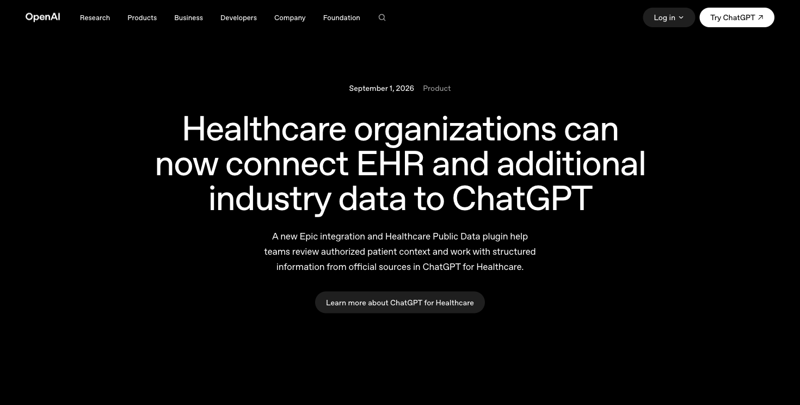
OpenAI shipped two related but separate things at once, and mixing them up is the single most common source of confusion in the first 24 hours of coverage.
The Epic EHR integration. This is a workspace-level connector, not a personal setting. A health system’s Epic administrator has to register or approve an OAuth application, supply a FHIR R4 base URL and OAuth credentials, and choose which data scopes are approved — patient demographics, conditions, allergies, medications, lab results, diagnostic reports, clinical notes, encounters, and depending on configuration, appointments, procedures, immunizations, and care plans. Each clinician then signs in with their own existing Epic account, and the connector inherits whatever chart-access permissions that clinician already has. It does not grant new access to any record you couldn’t already open in Epic.
OpenAI built two ways to use it. In “EHR context in ChatGPT,” you work in a regular ChatGPT for Healthcare session and pull in a patient’s authorized chart data to review history, catch what changed since the last visit, or prep for an upcoming appointment. In “ChatGPT in the EHR workflow,” available in supported deployments, ChatGPT is embedded directly inside the Epic chart interface, so you never leave the record you’re already working in. Both modes are strictly read-only. ChatGPT cannot update the medical record, place an order, message a patient, or write anything back to Epic. That boundary is enforced at the connector level, not left to the model’s judgment.
The Healthcare Public Data plugin. This is a separate feature that has nothing to do with any specific patient’s chart. It connects ChatGPT to nine official public healthcare data sources — OpenAI’s announcement names PubMed, ClinicalTrials.gov, RxNorm, DailyMed, CMS coverage data, and openFDA among them, without confirming all nine publicly. The point is to let a clinician ask “does this patient qualify for any active trials,” “what’s the current CMS coverage rule for this procedure,” or “confirm this drug’s exact identifier” and get a cited answer without opening five different government websites. Unlike the Epic connector, the Public Data plugin is available to both ChatGPT for Healthcare workspace users and individual ChatGPT for Clinicians accounts — which matters, because it means most of you reading this can use half of what launched on September 1 without waiting on your IT department at all.
Who actually gets the Epic connector, in plain terms:
| You are… | Epic chart access | Public Data plugin | What you can do today |
|---|---|---|---|
| Individual clinician on ChatGPT for Clinicians (free/verified tier) | ❌ Not available | ✅ Available | Look up trials, drug identifiers, coverage rules — no chart access |
| Employee at a hospital on ChatGPT for Healthcare, admin hasn’t enabled Epic yet | ❌ Not until IT flips it on | ✅ Available (if plugin also enabled) | Same as above; push your CMIO/informatics team if you want the Epic layer |
| Employee at a hospital where IT has approved and configured the Epic connector | ✅ Available, inherits your existing chart permissions | ✅ Available | Pull authorized patient context into ChatGPT or use it inside the chart, subject to your role’s normal access |
| Anyone using consumer ChatGPT Plus/Free (not a healthcare-tier product) | ❌ Never — wrong product entirely | ❌ Never | Nothing changed for you; see the de-identification section below if you’re tempted to paste chart data anyway |
If you land in that fourth row, keep reading — this is where most of the real risk in this launch actually lives, and it’s the part OpenAI’s own press release spends the least time on.
The physician safety numbers, and what they don’t tell you
OpenAI published a safety evaluation alongside the launch: physicians rated responses across 27 clinical use cases connected to real (authorized) EHR context — pre-visit review, clinical timelines, medication review, handoff summaries — and across 4,363 individual ratings, 99.1% of responses were judged safe. For the Public Data plugin, a separate two-round evaluation reported more than 93% of answers rated “good or better” across the five data sources tested, with contemporaneous reporting attributing a range from 93.2% (CMS Coverage) up to 98.6% (DailyMed).
Those numbers are genuinely reassuring at first glance, and they’re also exactly the kind of number that deserves a second look before you build workflow trust around it. Here’s the honest read: this is a manufacturer-reported, physician-rated evaluation of individual response quality — not an independent clinical validation study, not a randomized trial, and not evidence about patient outcomes. OpenAI hasn’t published the raters’ names, credentials, independence, or blinding protocol; the case-mix or sampling method behind the 4,363 ratings; the source-by-source denominators for the public-data accuracy figures; or any confidence interval. “99.1% rated safe” tells you the outputs that were shown to physicians mostly held up under review. It doesn’t tell you what happens in the roughly 1-in-100 cases that didn’t, or in the edge cases nobody thought to test.
That gap matters because the published clinical AI literature on general large-language-model reliability in 2026 is not nearly as reassuring as a single-vendor safety statistic. One analysis found that when adversarial or fabricated clinical details were embedded in a prompt, leading models hallucinated — accepting and elaborating on invented lab results or diagnoses rather than flagging them — in 50 to 83% of tested cases. A separate independent safety evaluation found ChatGPT Health under-triaged 52% of emergency scenarios it was tested against. A 2026 systematic review of hallucination-mitigation strategies in healthcare AI found that retrieval-augmented generation (the same general approach behind grounding responses in a specific chart or a specific public database) reduced hallucination rates by 30 to 50% compared to an ungrounded model — meaningful, but nowhere close to eliminating the problem — while adding a human reviewer into the loop cut hallucinations by up to 95%.
Put those two data points together and the practical conclusion is straightforward: grounding ChatGPT in your Epic chart or in PubMed makes it meaningfully more reliable than plain ChatGPT with no data source at all, and it is still not reliable enough to skip your own review. Read the summary. Check the dates. Verify anything you’re about to act on against the primary chart entry, not the AI’s paraphrase of it.
The walkthrough: using the Public Data plugin (available to you today)
This is the part of the September 1 launch that doesn’t require your hospital’s IT department, so it’s the one worth actually trying this week if you’re on ChatGPT for Clinicians or ChatGPT for Healthcare.
Step 1 — Confirm the plugin is available in your workspace. Open ChatGPT and check your connected apps or plugins list (Settings → Connectors on most healthcare-tier accounts). If you don’t see a Healthcare Public Data option, your organization hasn’t enabled it yet — that’s a one-line request to your workspace admin, not a wait for a future product release.
Step 2 — Ask a source-specific question, not a general one. The plugin performs best when you name what you’re looking for rather than asking it to “check everything.” Examples that work well:
- “Does a 68-year-old with stage IIIB non-small-cell lung cancer, post one line of platinum chemo, qualify for any recruiting trials near [region]? Pull from ClinicalTrials.gov.”
- “What’s the current RxNorm identifier and CMS coverage status for [drug name] in [year]?”
- “Summarize the current FDA label warnings for [drug] from openFDA, current as of today’s date.”
Expected result: a cited answer that names the specific database it pulled from, with enough specificity that you can go verify the primary source in under a minute — which you should still do before it changes anything about a patient’s care.
Step 3 — Treat every answer as a lead, not a conclusion. The plugin is a research accelerant. It replaces the five-tabs-open, twenty-minutes-of-searching version of “let me check ClinicalTrials.gov and then RxNorm and then the CMS site,” not the professional judgment of whether the result actually applies to your specific patient.
A worked example. A hospitalist is discharging a 74-year-old with newly diagnosed atrial fibrillation and moderate renal impairment (eGFR 38). Before the plugin, checking the current renal-dosing guidance for a DOAC meant pulling up the manufacturer label, cross-referencing the FDA’s most recent labeling update, and separately confirming the drug’s current CMS Part D coverage tier for the discharge-planning conversation — three separate lookups, each requiring its own login or search. With the Public Data plugin: “Pull the current openFDA label renal-dosing guidance for [DOAC name] at eGFR 38, and confirm its current CMS coverage tier.” The hospitalist gets both answers in one query, cited, in under 30 seconds — then verifies the dosing figure against the primary label before it goes in the discharge summary, exactly as they would have before, just without the twenty minutes of tab-switching.
The walkthrough: getting your organization to enable the Epic connector
If you don’t have Epic-connected ChatGPT yet and want it, the ask isn’t “can I have ChatGPT” — it’s a specific, scoped IT request your CMIO or informatics team can actually act on:
- Name the exact product. “ChatGPT for Healthcare with the Epic EHR connector” — not consumer ChatGPT, not ChatGPT Plus. This distinction determines whether a BAA is even possible.
- Confirm BAA eligibility first. OpenAI currently lists ChatGPT for Healthcare, ChatGPT Enterprise with a Regulated Workspace, ChatGPT FedRAMP, ChatGPT for Clinicians, and the API with Modified Retention as HIPAA-eligible with a signed Business Associate Agreement. A workspace without a BAA covering the specific workflow you want cannot legally process PHI through it, full stop.
- Ask which scopes will be approved. Your Epic administrator controls exactly which FHIR resources the connector can read — labs, meds, notes, and so on. Request the narrowest scope that covers your actual workflow; broader access isn’t free of risk just because it’s technically available.
- Ask about the two deployment modes. “EHR context in ChatGPT” (a separate app you pull chart data into) versus “ChatGPT in the EHR workflow” (embedded inside the Epic chart interface itself) are different implementation projects with different timelines. Know which one your organization is actually planning before you set expectations with your team.
- Ask what’s explicitly excluded from the BAA. OpenAI has stated that some features — for example, event-triggered scheduled tasks that respond to connected-app activity — are disabled by default and not covered by the BAA even in an otherwise-compliant workspace. Get the exclusion list in writing before you rely on any specific feature for PHI.
Comparison: ChatGPT for Healthcare + Epic vs. the alternatives
| Product | How it connects to the chart | What it produces | Write access | Best fit |
|---|---|---|---|---|
| ChatGPT for Healthcare + Epic (OpenAI, Sept 2026) | OAuth/FHIR read from authorized Epic scopes, in-app or embedded-in-chart | Chart synthesis, pre-visit review, timeline summaries, cited public-data lookups | None — strictly read-only | Orgs wanting a general-purpose assistant across many workflows, not just documentation |
| Microsoft/Nuance DAX Copilot | Ambient audio capture of the clinician-patient encounter, via Dragon Medical One (200+ EHR integrations) | Structured clinical note drafts from the conversation | Drafts a note for clinician sign-off | Encounter documentation specifically — the “reduce my note-writing time” use case |
| Google Cloud MedLM + Vertex AI Search for Healthcare | Enterprise healthcare-data platform (Healthcare Data Engine) with a medically tuned model layer | Q&A over structured patient-record data, built for health-system developers | Depends on the deployment | Health systems building custom clinical AI tools, not a turnkey chatbot |
| Abridge Inside | Ambient encounter capture, embedded in Epic Haiku/Hyperspace via the ASAP module | Note generation; some workflows surface order-relevant medication mentions | Surfaces order opportunities for clinician action, doesn’t place them autonomously | Health systems already committed to Epic-native ambient documentation |
| General ChatGPT/Claude/Gemini, no connector | None — you paste in whatever you type | Whatever you ask for, grounded only in what you paste | None | Never appropriate for real patient identifiers — de-identify first, every time (see below) |
The honest takeaway from that table: OpenAI’s Epic integration is broader in scope (general assistant, not just documentation) but currently thinner in depth than a purpose-built ambient-scribe product like DAX or Abridge for the specific job of “turn this encounter into a note.” If note-writing time is your single biggest pain point, a dedicated scribe tool may still beat this launch. If you want one tool that can also pull labs, check a trial database, and confirm a drug label without switching apps, the September 1 release is the first time that’s existed inside ChatGPT specifically.
The de-identification workflow (this is the section most readers actually need)
Here’s the uncomfortable truth the September 1 headlines mostly skip past: most individual clinicians reading this do not have admin-enabled Epic access and won’t get it this year. What you have, right now, might be consumer ChatGPT — the free or Plus tier, with no BAA, no HIPAA eligibility, and no organizational safeguard between your keyboard and OpenAI’s servers. And Reddit threads in r/hipaa, r/epicsystems, and r/NursingAU make clear this is already happening quietly at scale: clinicians pasting real chart notes into consumer AI tools “to save time,” sometimes with names and dates left in, sometimes believing incorrectly that stripping the name alone counts as de-identification.
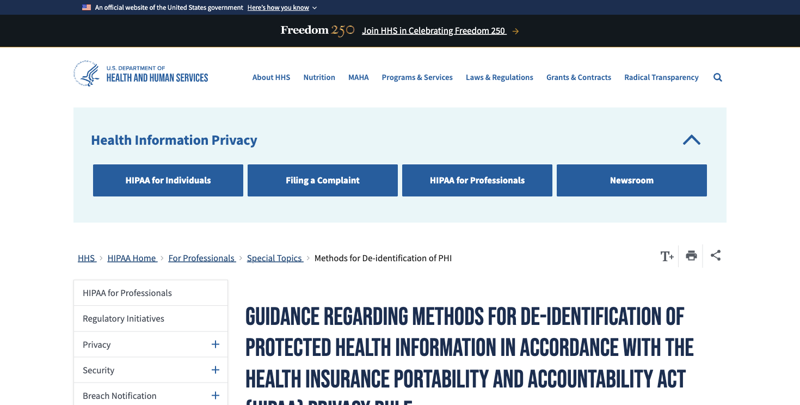
It doesn’t. HHS’s Safe Harbor standard requires removing eighteen categories of identifiers, not one. If you’re going to use general ChatGPT — the version you already have access to, today, no IT ticket required — for anything involving patient information, this is the checklist to actually follow:
Remove or generalize before you paste anything:
- Full names, initials, relationships, and employer (yours or the patient’s)
- Any geography smaller than a state — city, county, street address, and generally ZIP code
- Any date tied to the individual (birth, admission, discharge, procedure, death) — Safe Harbor generally permits year only
- Ages over 89, which must be generalized to “90 or older”
- Phone numbers, emails, URLs, IP addresses, account numbers, MRNs, health-plan numbers, device identifiers, license numbers
- Photographs, biometric data, voice recordings, and any image metadata
- Rare disease combinations, unusual occupations, small locations, or distinctive event sequences that could re-identify the patient in combination, even with the obvious fields stripped
- Any reversible pseudonym or local patient code (“Case 12345”) that someone with chart access could use to trace back to the real person
A concrete before-and-after. Unsafe: “Jane Nguyen, MRN 184920, a 63-year-old from District 7, was admitted August 29 with metastatic cholangiocarcinoma. Her CT and labs are attached — recommend the next treatment.” That single prompt violates HIPAA’s Privacy Rule the moment it’s sent to a non-BAA-covered consumer tool — full identifiers, exact dates, and specific imaging data all present.
Safer, and just as useful for the actual question being asked: “Create a general clinician-facing checklist for reviewing systemic-treatment options in an adult with advanced biliary tract cancer after first-line therapy. Do not make patient-specific recommendations. Include questions to verify molecular testing, organ function, performance status, prior toxicities, current guideline version, and trial eligibility.”
Notice what changed: the second prompt asks for an educational framework, not a decision about a specific identifiable person. You still apply your own clinical judgment to the actual patient in front of you — the AI just built you a checklist to work from, using zero identifiable information. That’s the entire trick, and it works for almost any real workflow: draft the general structure with AI, apply the patient-specific facts yourself, in your head or in your EHR, never in the AI tool.
One more caution from the research: removing names alone is not de-identification. Free-text clinical narratives leak identity through dates, rare diagnoses, treatment sequences, geography, occupation, and unusual circumstances even after the obvious fields are stripped. If you’re doing this repeatedly, for research, or for any operational (not one-off) use, loop in your organization’s privacy office or a qualified de-identification expert before data leaves your EHR environment — Reddit’s r/epicsystems community makes the same point bluntly: even fully de-identified data pulled for research generally requires an IRB and a designated honest broker, not an individual clinician doing it themselves at their own discretion.
What this means for you
If you’re a bedside nurse with no Epic-connector access: You’re in the fourth row of the table above, and that’s fine — nothing about your daily workflow changes today. What does apply to you is the de-identification checklist. If you’re already using general ChatGPT to help draft patient-education handouts or plain-language summaries, strip every identifier first, every time, no exceptions for “just this once.”
If you’re a physician at a hospital where IT is actively evaluating this: Push for the Public Data plugin first — it needs no BAA renegotiation beyond what your existing ChatGPT for Healthcare contract likely already covers, and it gives your team a genuine win (trial matching, drug-identifier lookups) while the bigger Epic-connector project works through IT’s longer approval timeline.
If you’re a CMIO or informatics lead: The scoped-request framework above is your rollout checklist. Start with the narrowest FHIR scope that covers one high-value workflow — pre-visit review is the use case OpenAI’s own evaluation tested most heavily — rather than approving broad access on day one.
If you’re a pharmacist: The Public Data plugin’s RxNorm and DailyMed access is directly useful for medication-identifier confirmation and current label lookups, and it’s available to you on the Clinicians tier without waiting on the Epic connector at all.
If you’re a nurse practitioner or PA on the free ChatGPT for Clinicians tier: Remember HIPAA compliance on that tier is optional, gated behind your employer signing a BAA. If your employer hasn’t signed one, the Public Data plugin (public information only) is safe to use as-is; anything involving a specific patient’s chart data is not, regardless of which ChatGPT product you’re technically using.
If you’re in utilization review, case management, or any AI-adjacent administrative clinical role: This is worth reading with a different kind of attention. In July 2026, Montefiore Hospital laid off twelve utilization-review nurses — one with 39 years of tenure — after an AI review tool (Datavant) took over case-volume work that had briefly spiked during a strike-related backlog. NYSNA has grieved the layoffs as a contract violation. The Epic-integration announcement is explicitly framed around clinical decision support, not utilization review, but the pattern is the same one driving both: AI absorbing structured, high-volume review work first. If your role looks more like structured chart review than direct bedside care, this is a genuine signal worth raising with your union or department leadership now, not after the fact.
If you’re a patient-facing administrator drafting policy for AI use in your department: The read-only boundary and scoped-permission model here is a reasonable template even if your department never adopts this specific product — require any AI tool touching patient data to (1) inherit rather than expand existing access permissions, (2) log every query with user, patient, and data-source detail, and (3) stay strictly read-only unless a much higher bar of validation has been cleared.
Edge cases and troubleshooting
“My hospital says we have ChatGPT for Healthcare, but I don’t see the Epic connector.” The workspace subscription and the Epic connector are two separate approvals. Your organization’s Epic administrator has to register the OAuth application and approve specific data scopes on top of having the ChatGPT for Healthcare license. Ask your CMIO’s office specifically whether the Epic connector project has started, not just whether “we have ChatGPT.”
“I asked ChatGPT a chart question and it gave me an answer that doesn’t match what I remember from the chart.” Read-only access doesn’t mean error-free synthesis. The failure modes documented in the research above — omitting a time-sensitive lab, confusing an old medication with a current one, blending details across encounters — are real and specifically more likely in complex, high-acuity, or unusually formatted charts. Treat any Epic-context summary the same way you’d treat a resident’s verbal handoff: useful, but you still open the primary chart before acting.
“Can I use this for a curbside consult on a friend’s or family member’s medical question?” No — the connector inherits your existing Epic permissions, and using your professional chart access for anyone you’re not clinically treating is the same policy violation it would be without AI involved. This changes nothing about who you’re authorized to look up.
“What happens to my query history — is it used to train the model?” For ChatGPT for Healthcare specifically, OpenAI states customer data isn’t used for model training and describes retention controls, audit logs, and customer-managed encryption key options as part of the product. Confirm your organization’s specific configuration with your compliance office rather than assuming the general policy applies to your exact deployment.
“My organization uses Cerner/Oracle Health, not Epic — does any of this apply to me?” Not yet. This launch is Epic-specific. Several clinicians publicly asked OpenAI the same question about Meditech and Cerner integration timelines on launch day, and as of this writing no other EHR connector has been announced.
“I don’t have admin access, but I really want to try the chart-context feature — can I just ask a colleague to share their login?” No. Sharing Epic credentials violates your hospital’s access policy independent of AI, and it defeats the entire audit-trail design of the connector, which exists specifically to log which authorized user queried which patient.
“The Public Data plugin gave me a drug identifier that seems out of date.” Ask it to confirm the source date explicitly — “confirm the RxNorm identifier and the date this data was last updated” — and cross-check against the primary DailyMed or RxNorm entry before using it in documentation. Public databases update on their own schedules; the plugin reflects what’s indexed, not necessarily this morning’s version.
“Our IT department is worried about ‘shadow AI’ — staff already pasting notes into consumer tools before this launch.” That worry is well-founded and predates September 1 entirely. The de-identification workflow above is the right department-wide policy to circulate regardless of whether your organization ever adopts the Epic connector — it addresses the actual risk (untracked PHI leaving the EHR environment) rather than waiting on a product rollout to fix it.
What this can’t do
It can’t replace your review of the primary chart. Every failure mode documented above — hallucinated details, omitted time-sensitive findings, temporal confusion between old and current data — means an AI summary is a starting point for your judgment, not a substitute for it.
It can’t write anything back to Epic. No orders, no note entries, no patient messages. If your workflow needs documentation generated and filed, this specific launch doesn’t do that job — an ambient scribe tool like DAX or Abridge is built for that instead.
It can’t give you access you don’t already have. The connector inherits your existing Epic permissions exactly as they are. It’s a faster way to work with what you can already see, not a way to see more.
It can’t make consumer ChatGPT HIPAA-safe. The Epic connector and the BAA-covered Healthcare tier are entirely separate from the free or Plus consumer product most individual clinicians actually have access to. Nothing about this launch changes the rule that real patient identifiers don’t belong in a non-BAA-covered tool.
It can’t substitute for an institutional AI governance policy. A read-only, permission-inheriting, audit-logged connector is a reasonable technical foundation, but your department still needs its own rules about which use cases are approved, who reviews outputs, and how errors get reported — none of which OpenAI’s product ships with out of the box.
FAQ
Is ChatGPT for Clinicians the same product as ChatGPT for Healthcare? No. ChatGPT for Clinicians is the individual-verification tier for licensed NPs, physicians, PAs, and pharmacists, launched earlier in 2026, with HIPAA compliance optional and gated behind a separately signed BAA. ChatGPT for Healthcare is the organization-level workspace product that health systems subscribe to, and it’s the one the Epic connector attaches to.
Does my hospital need to be an Epic customer for any of this to matter? For the Epic connector specifically, yes. The Public Data plugin (trials, drug data, coverage rules) works independent of your EHR vendor, as long as you’re on an eligible ChatGPT tier.
Is this the same thing as an ambient scribe like Nuance DAX or Abridge? No — those tools listen to the clinician-patient conversation and draft a note. This launch reads existing chart data and public medical databases; it doesn’t listen to encounters or generate notes for you.
How is patient privacy actually protected in the Epic integration? Read-only access, inherited (not expanded) permissions, individual Epic authentication rather than a shared service account, and — for eligible workspaces — role-based access controls, SSO, and audit logging. None of that protects you if your organization hasn’t signed the applicable BAA, which is why confirming BAA coverage is step one of any rollout.
Can nurses use this, or is it doctors-only? Nothing in the announcement restricts the Epic connector or the Public Data plugin by license type — access depends on your organization’s ChatGPT for Healthcare configuration and your existing Epic permissions, not your title. The individual ChatGPT for Clinicians tier is currently scoped to NPs, physicians, PAs, and pharmacists specifically for its free verification pathway.
What should I do if I’ve already been pasting patient information into consumer ChatGPT? Stop, and start using the de-identification checklist above going forward. If real identifiers were involved, that’s a conversation for your organization’s privacy or compliance office, not something to quietly correct going forward without disclosure — most institutions have a defined incident-reporting process for exactly this situation.
Will this replace utilization-review or chart-abstraction roles? The Montefiore layoffs in July 2026 show that structured, high-volume chart-review work is already being automated by AI tools in some health systems, independent of this specific ChatGPT launch. If your role resembles that kind of structured review more than direct patient care, it’s worth watching this space closely and raising it with your department or union proactively.
Where can I read OpenAI’s own documentation instead of secondhand summaries? OpenAI’s announcement and Epic-plugin documentation are linked in the Sources section below — worth reading directly if your organization is actively evaluating this, since implementation-specific details (scope names, exact BAA exclusions) matter more than any summary, including this one.
The bottom line
The real story on September 1 wasn’t “ChatGPT can read your chart now” — it’s that OpenAI built a governed, read-only, permission-inheriting way to do something clinicians and administrative staff were already doing informally and unsafely: bringing patient information into an AI tool to save time. If your hospital gets the Epic connector this year, treat the safety numbers as a starting point for trust, not a substitute for reading the primary chart. If you don’t — and most of you reading this won’t, not this year — the Public Data plugin is available to you right now on the Clinicians tier, and the de-identification workflow above is the difference between using general ChatGPT safely and creating a HIPAA problem you didn’t need. Either way, the skill underneath both paths is the same one clinicians have always needed with any new documentation tool: know exactly what it can verify, and never skip verifying it yourself. If you want to build that skill systematically rather than by trial and error at 2 AM on a busy shift, FindSkill’s AI for Bedside Nurses: Charting course walks through exactly this kind of safe, de-identify-first AI workflow step by step.
Sources
- OpenAI — “Healthcare organizations can now connect EHR and additional industry sources,” September 1, 2026
- TechCrunch — “ChatGPT Health adds Epic integration for clinicians to import patient data,” September 1, 2026
- Becker’s Hospital Review — “ChatGPT for Healthcare adds Epic integration,” September 1, 2026
- PYMNTS — “OpenAI Brings Epic Health Records to ChatGPT for Clinicians,” September 1, 2026
- OpenAI Help Center — ChatGPT for Healthcare documentation, updated September 1, 2026
- Fierce Healthcare — Epic AI charting adoption coverage, September 2026
- HHS Office for Civil Rights — De-identification of Protected Health Information guidance
- PMC — “The risks of AI-generated health advice,” March 25, 2026 (hallucination-rate findings)
- PubMed — systematic review of hallucination-mitigation strategies in healthcare AI, June 6, 2026
- Microsoft — Dragon Medical One / DAX Copilot EHR integration documentation
- Abridge — Abridge Inside Epic Haiku/Hyperspace integration announcements
- Reddit r/epicsystems, r/hipaa, r/NursingAU — clinician discussion threads on pasting patient data into consumer AI tools (accessed September 2, 2026)
- X/Twitter — @thekaransinghal (OpenAI Health) announcement thread and clinician reactions, September 1–2, 2026
- The City / labor coverage — Montefiore Hospital utilization-review nurse layoffs, July 2026