Your bank probably won’t let a stranger walk into your inbox and start sending emails on your behalf. Meta just built a product that asks you to let an AI do exactly that — read your mail, touch your calendar, and spend your money — and on September 8, 2026, more than three billion people got a notification telling them it’s ready.
That product is called Muse. It’s not a chatbot. It’s an agent, meaning you give it a goal and it goes and does the work: books your flight, fills out the annoying form, emails the person who never replies, buys the thing, cancels the subscription you forgot about. It’s free to start, it lives inside WhatsApp (yes, really), and it’s already the most-discussed AI launch of the week — Meta’s stock jumped 6.5% the day it shipped. But the SERP right now is a wall of press releases and hype reels, and basically nobody has answered the one question everyone actually has: should you give this thing access to your life?
Let’s get into it.
What Muse Actually Is
Forget the marketing language for a second. Muse is Meta’s version of a “personal AI agent” — a category that’s been forming all year, with OpenAI’s Operator/Atlas lineage and xAI’s Grok Bot as the closest comparisons. The difference between an agent and a chatbot is simple: a chatbot tells you how to do something. An agent does it.
Ask ChatGPT “how do I book a flight to Munich in December,” and it’ll walk you through the steps. Ask Muse the same thing, and it opens a browser, searches actual fares, picks options that fit what you asked for, and — if you approve — buys the ticket. That’s the entire pitch.
According to Meta’s own launch page, Muse can:
- Send and manage email
- Book travel, restaurants, and appointments
- Fill out web forms
- Compare prices and negotiate with sellers
- Complete purchases
- Turn a recipe into a shopping list
- Monitor things over time (like flight prices) and act when conditions change
- Turn a vague goal (“get ready for my half marathon”) into an actual plan with milestones
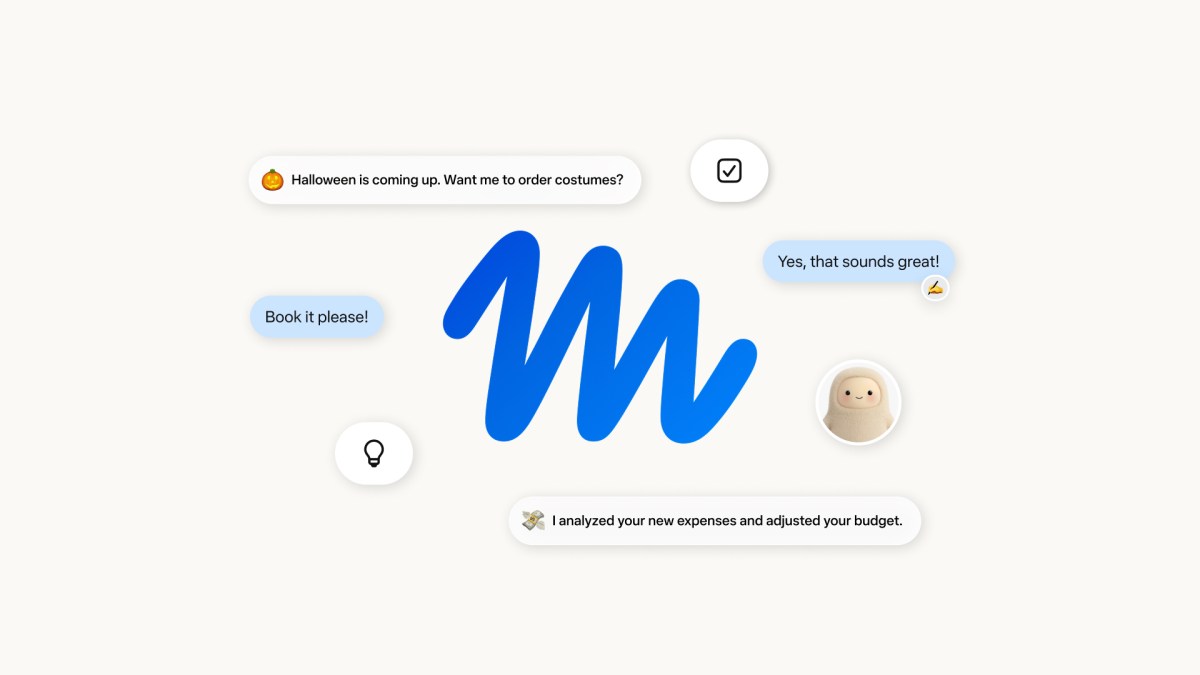
It runs on a Meta model called Muse Spark, and — this is the part that’s actually new — it doesn’t just run when you have the app open. Meta gives every user their own dedicated cloud computer (Meta calls it a Secure VM) that keeps working after you close the app. Ask it to watch for a price drop on a flight, and it’ll genuinely keep checking, days later, with the app closed on your phone.
You can reach it three ways: the standalone muse.ai website, a dedicated app on iOS and Android, and — this is the distribution move that makes it different from every competitor — directly inside WhatsApp, which is already open on the phones of roughly 3 billion people who’ve never downloaded a new AI app in their life.
What it costs
Muse has a free tier that Meta expects “most people” to stay on — up to 100 million tokens a week, which in practice covers a lot of everyday tasks. Beyond that, there are two paid tiers: Power at $20/month and Max at $100/month, for people who want heavier or faster usage. There’s no trial gate, no credit card required to start. You open WhatsApp, message it, and you’re using it.
One caveat worth stating up front: Muse is US-only right now, for users 18 and older. If you’re outside the US, you can read this to understand what’s coming, but you can’t sign up yet — Meta hasn’t announced an international timeline.
The Trust Question, Answered Honestly
Here’s the thing nobody selling you on Muse wants to lead with: this is Meta. The same company that settled with the FTC over Cambridge Analytica, that’s been fined repeatedly in the EU over data practices, that shipped an AI image generator back in July that got hammered for privacy complaints. Asking people to hand a Meta product their email, calendar, and payment methods is not a small ask, and Meta knows it — which is why the entire launch is built around proving it took security seriously.
So did it? Let’s look at the actual architecture, not the marketing copy.
How Muse tries to earn your trust
Every user gets an isolated Secure VM — think of it as your own private computer inside Meta’s cloud, separate from the systems that power Facebook and Instagram’s ad targeting. Meta says conversations and data inside that VM aren’t shared with its ad systems.
Sitting alongside the main AI is a second, smaller system Meta calls Sentinel — a separate watchdog that checks every outbound action before it happens. It’s a second set of eyes that isn’t the same model doing the task, specifically so that if someone tries to trick Muse into doing something harmful (a prompt injection attack, in security terms), there’s an independent checkpoint that can catch it.
For anything sensitive — sending an email, spending money — Muse has to ask you first. It doesn’t get to just do it. And your actual passwords and card numbers never touch the AI directly: they sit in something Meta calls Secure Credential Storage, and payments route through Stripe Link, which mints a single-use virtual card scoped to exactly the purchase you approved. If Muse gets a purchase wrong, insurance underwritten by Cover Genius (backed by AIG and CNA) covers it — price protection and damage/loss coverage up to $500 per claim, no-fee returns up to $250. That’s a genuinely new piece of the agentic-commerce puzzle: nobody else has shipped an insured mistake-guarantee on agent purchases yet.

Meta also opened a public bug bounty the same day it launched, with paid rewards for anyone who finds a real vulnerability. And there’s a Confidential VM coming later this year — built with Moxie Marlinspike, the guy who created Signal — that would encrypt your entire VM with a key only you hold, so that even Meta couldn’t read the contents if it wanted to.
The honest asterisk
Here’s what the polished launch coverage mostly skipped: Meta has publicly acknowledged that, as things stand today, it can technically access standard Secure VM data if it needed to. The Confidential VM is specifically meant to close that gap — which tells you it currently exists. And according to Reuters’ reporting, Meta shipped Muse despite internal concerns that the technology mismanages access to sensitive personal data — and internal testers reportedly found a guardrail bypass, before launch, that exposed private iCloud photos it shouldn’t have had access to.
That’s not a reason to panic. It’s a reason to be precise about what “secure by design” actually means here: a genuinely thoughtful architecture, built by a team that clearly thought hard about the failure modes — shipped by a company whose own testers found a real hole in it days before launch, on a foundation the company itself says isn’t airtight yet. Sound design, imperfect execution. That’s the honest read, and it’s a very different sentence than “Meta says it’s secure, so it’s secure.”
Early hands-on accounts back up the “sound design, real rough edges” read. One person who’s been Meta’s own former ML staff wrote after a day of testing that a transcription task printed a proxy URL with an unmasked username and password/token directly in the visible execution trace — the kind of small leak that shouldn’t happen in a consumer product, even if it turned out harmless. Others hit smaller friction: Muse needing to re-enter saved credentials mid-task for no obvious reason, bot-detection blocks on sites like Wayfair, and an onboarding flow several early testers described as confusing — some reported hitting a waitlist despite Meta support saying there wasn’t one.
So — should you trust it?
That depends entirely on what you’re willing to hand over, and Muse actually gives you real control here: you choose which apps and services it can access, one at a time, and you can revoke any of them whenever you want. The sensible approach for week one:
- Start with low-stakes connections. Calendar and a shopping account you don’t mind experimenting with. Skip your primary email and any brokerage/banking connection for now.
- Watch what it actually asks approval for. If it tries to send an email or spend money without prompting you first, stop and disconnect — that’s not supposed to happen.
- Check Meta’s AI training opt-out in your settings if you don’t want your Muse conversations used to improve the model.
- Wait for the Confidential VM before connecting anything you’d genuinely be upset to lose control of — medical information, legal documents, financial account numbers.
Muse vs. the Competition
You’ve got three real options right now if you want an AI that does tasks instead of just answering questions: Meta’s Muse, OpenAI’s agent lineage (Operator, which became Atlas, now folded into ChatGPT Work), and xAI’s Grok Bot.
| Meta Muse | ChatGPT (Atlas/Work) | Grok Bot | |
|---|---|---|---|
| Free tier | Yes — up to 100M tokens/week | Limited, paid tiers do more | Limited on free X/Twitter accounts |
| Paid tiers | $20 (Power) / $100 (Max) | Plus $20, Pro $200, Work varies | Bundled with SuperGrok |
| Lives inside | Standalone app, muse.ai, WhatsApp | ChatGPT app, browser (Atlas) | X/Twitter app, grok.com |
| Runs after you close the app | Yes, dedicated cloud VM | Limited, task-dependent | Limited, task-dependent |
| Insured purchases | Yes — Stripe Link + Cover Genius | No | No |
| Independent safety watchdog | Yes — Sentinel, separate from the main model | Not publicly documented | Not publicly documented |
| Best at | Everyday personal tasks, shopping, admin | General workplace tasks, coding, documents | Fast responses, X/Twitter-native tasks |
| Availability | US only, 18+ | Broader rollout | Broader rollout |
Worth being precise here: no outlet has documented a Grok Bot trust architecture equivalent to Sentinel, so don’t take that table as “Muse is definitively safer than Grok Bot” — it’s “Muse is the only one of the three with a publicly documented, independent safety-checking layer and an insured-payment guarantee.” That’s a real, specific advantage. It’s not the same as a proven track record, which none of these three have yet, because none of them are old enough to have one.
What This Means for You
If you’re a WhatsApp regular who’s never touched an AI tool: Start here. You don’t need to download anything or learn a new interface — message it like you’d message a friend, starting with something low-stakes like “turn this recipe into a shopping list.”
If you already use ChatGPT or Claude daily: Muse won’t replace your main AI workflow, but it’s worth testing for the one thing neither of those does well yet — tasks that need to keep running after you close the app. Set it up to monitor a flight price and see how it handles a multi-day background task.
If you’re privacy-cautious (rightly so, given Meta’s history): Wait for the Confidential VM before connecting anything sensitive. In the meantime, test it on genuinely low-stakes tasks — calendar, a throwaway shopping list — and watch whether it actually asks permission before every sensitive action, the way Meta says it will.
If you’re a parent or shared-device user: Muse is 18+ only, and it’s built around a single person’s accounts and preferences. Don’t set it up on a shared family device without separate logins.
If you run a one-person business: There’s a real admin-offload use case here, and it deserves its own answer — we wrote a separate guide on using Muse for solopreneur and freelance admin specifically, including the guardrails you actually need.
If you’re outside the US: There’s nothing to set up yet. Bookmark this and check back — Meta hasn’t given a timeline, but the WhatsApp integration alone (WhatsApp is enormous outside the US) makes international expansion likely at some point.
If you’re just curious what all the buzz is about: The lowest-risk way to try it is a task with zero real-world consequence if it goes wrong — ask it to research something, draft something you’ll review before sending, or build you a plan. Save the purchases and email-sending for once you’ve watched it work.
Edge Cases and Things That Go Wrong
Real accounts from the first 48 hours surfaced a handful of recurring snags:
- Bot-detection blocks. Some retail sites (Wayfair was mentioned repeatedly) flag Muse’s automated browsing and block the purchase outright. It’s not a Muse-specific failure — most sites with anti-bot protection will do this to any automated agent.
- Credential re-entry. Even with saved logins, Muse sometimes has to sign in again mid-task, which is mildly annoying but not a security problem — it’s a reliability rough edge.
- The WhatsApp connector isn’t flawless. At least one early user reported it “not working well, unable to connect” on day two. If this happens to you, try the standalone app or muse.ai directly instead.
- Onboarding confusion. Several testers hit an unexpected waitlist, or found the mobile app listing hard to locate, or restricted for reasons that weren’t clear. If you hit this, it’s worth trying again in a day or two rather than assuming it’s permanently unavailable to you.
- It doesn’t always reuse saved logins for 2FA-protected sites, which can turn a “set it and forget it” task into one that needs a check-in from you partway through.
- The interface can feel cluttered. Between the main chat, side chats, a feed, an ideas tab, goals, and dashboards (Meta calls these “artifacts”), some early users found it harder to navigate than a simple chat window.
- It’s not great at knowing what it doesn’t have access to yet. A few testers noted Muse assumes a connection is live even when it isn’t, rather than flagging the gap upfront.
None of these are dealbreakers on their own. But if your first task hits a snag, it’s more likely one of these known rough edges than something you did wrong.
What Muse Can’t Do (Yet)
Being straight about the limits matters more than the hype does:
- It’s US-only, 18+. No international rollout date has been announced.
- It’s not a financial advisor. In testing, when asked anything beyond simple subscription/cash-flow questions, Muse correctly deferred to “consult a financial advisor” rather than guessing.
- It’s not immune to bot-blocking. Sites with strong anti-automation defenses will stop it, same as they’d stop any agent.
- The security model isn’t airtight today. Meta’s own admission that it can currently access standard Secure VM data — and the pre-launch guardrail bypass Reuters reported — mean “secure by design” is an aspiration in progress, not a finished guarantee.
- It doesn’t replace a human for anything high-stakes. Legal documents, medical decisions, or anything with real consequences if it gets misread deserves your own eyes on it, every time, regardless of how good the agent gets.
FAQ
Is Meta Muse actually free? Yes, for most everyday use — Meta’s free tier covers up to 100 million tokens a week, which is a genuinely usable amount for most people’s actual task volume. Heavier users can upgrade to Power ($20/month) or Max ($100/month).
Can I use Muse outside the United States? Not yet. It launched US-only for users 18 and older, with no announced international timeline.
Does Muse see my passwords? No — Meta says your credentials live in a separate Secure Credential Storage system that Muse itself can’t read. Payments route through Stripe Link, which generates a single-use virtual card for each approved purchase rather than exposing your real card number.
What happens if Muse makes a mistake on a purchase? Eligible purchases are covered by insurance (underwritten by Cover Genius, backed by AIG and CNA) — price protection and damage/loss coverage up to $500 per claim, plus no-fee returns up to $250.
Is Muse the same as “Muse Image” or “Muse Spark”? No — and this trips people up. Muse Image (launched July 2026) is Meta’s separate image generator. Muse Spark is the name of the underlying model family. The Muse discussed here is the new personal agent product, announced September 8, 2026, which happens to run on a version of Muse Spark under the hood.
Can I access Muse through WhatsApp? Yes — that’s one of Muse’s three access points, alongside the dedicated app (iOS/Android) and the muse.ai website. Meta AI glasses support is coming later.
Is Muse safe to connect to my email? Meta’s architecture — the Secure VM, the Sentinel watchdog, the approval-before-action design — is genuinely thoughtful. But Meta’s own privacy history and the pre-launch security issue Reuters reported mean “yes, but start cautious” is the honest answer, not an unqualified yes.
How is Muse different from ChatGPT’s agent features? Both can browse, fill forms, and complete tasks. Muse’s distinguishing features are its native WhatsApp access, its insured-purchase guarantee, and a dedicated cloud VM that keeps working after you close the app. ChatGPT’s agent tools currently lean more toward workplace tasks — documents, coding, research.
The Bottom Line
Muse is a real, working answer to “I wish an AI would just do this instead of telling me how” — free to try, genuinely capable in early hands-on tests, and built with more security thought than most consumer AI launches bother with. It’s also a Meta product asking for access to your email, calendar, and payment methods, shipped days after the company’s own internal testers reportedly found a hole in the guardrails. Both things are true at once.
The practical move: try it on something that doesn’t matter if it goes sideways, watch whether it actually asks permission the way it’s supposed to, and expand what you connect only as it earns that trust. If you want to go deeper on using AI agents responsibly — for yourself or your team — our Agentic AI course walks through exactly this kind of connect-carefully approach, and AI Agent Security is the natural next stop if the trust architecture section above is the part you want to actually understand, not just take on faith.
Sources
- Meta Newsroom — Introducing Muse: The World’s First Personal AI Agent Built for Everyone
- Reuters — Meta launches AI agent that can access other apps to send emails, make payments
- TechCrunch — Meta debuts its Muse AI agent. Will consumers trust it?
- WIRED — Muse, Meta’s New Personal AI Agent, Needs You to Trust It
- CNBC — Meta pushes into personal AI agents
- Meta AI Research — Security and Safety for AI Agents: Our Approach with Muse
- SiliconANGLE — Meta debuts its ‘secure by design’ personal AI agent Muse
- WSJ — Meta Launches a Personal AI Agent Designed to Be Easy to Use
- Yahoo Finance — Meta Surges Over 6.5% on Muse AI Agent Launch
- X/Twitter posts from @finkd (Mark Zuckerberg), @alexandr_wang, @shivambharuka, @KenWattana, @justinmateen, and other early testers, September 8–10, 2026
- Perplexity Deep Research dossier, 59 sources, compiled September 10, 2026
