A youth pastor tightened his Sunday message with ChatGPT one week this spring — just the intro, just to make it punchier. A few weeks later, a teenager in his own congregation typed the sermon’s title into the same tool, out of pure curiosity, and got back something close enough to word-for-word that she asked her mom if her pastor had “used AI to steal a sermon.” He hadn’t stolen anything. He’d just left a trail he didn’t know he was leaving.
That story has been bouncing around church circles for months now, and it’s not really a story about plagiarism. It’s a story about how little most church leaders understand what happens on the other side of the send button. And it sits right next to a second, quieter story: the one where a pastor pastes a grieving family’s situation into an AI tool to help draft a sympathy card, without ever stopping to ask where that information goes once he hits enter.
Both things are true at the same church, often in the same week. AI is already inside how churches run — the sermon prep, the newsletter, the volunteer schedule. Nobody’s arguing about whether that’s happening anymore. The argument that’s actually worth having is narrower and more useful: which parts of this are fine, and which parts should never happen at all.
What’s actually happening in churches right now
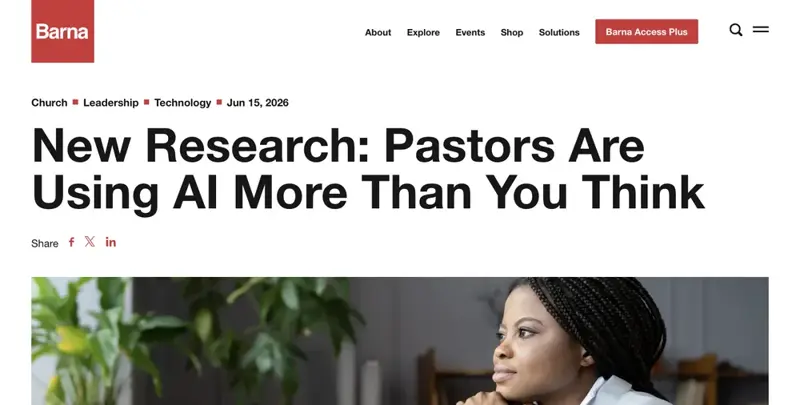
Start with the plain numbers, because they’re bigger than most pastors would guess. A 2026 survey of 442 U.S. Protestant pastors, run by Barna as part of its State of the Church research, found that only 13% say they don’t use AI at all. Everyone else is doing something with it — half use it for brainstorming and idea generation, 37% for graphic design, 36% for biblical or theological research, and 34% for discussion questions or admin tasks like scheduling and email. The number that jumps out is sermon writing: 24% of pastors now use AI in writing or editing sermons, up from just 12% in 2024. That’s a doubling in two years, in the one area churchgoers are most sensitive about.
And Pushpay’s 2026 State of Church Technology report, built on a survey of 1,306 church leaders conducted with Barna, backs that up from the tech-adoption side: 93% of leaders are actively using or exploring AI. ChatGPT is the clear leader at 84% adoption among church leaders, Google Gemini has climbed to 38%, and Claude sits at 21%. This isn’t a fringe experiment anymore. It’s closer to email or PowerPoint — a tool most staff touch without thinking twice.
But — and this is the part that doesn’t show up in the adoption stats — pastors feel conflicted about all of it. In that same Barna survey, 71% describe themselves as cautious about AI, 40% feel outright conflicted, 79% worry about AI functioning as a stand-in for God, and 63% worry about it replacing the role of a pastor or spiritual leader. Most pastors describe using AI as a “thought partner” working quietly behind the scenes, not as something that touches the actual moment of ministry. They’re using it. They’re also not entirely at peace with using it. Both.
That tension shows up publicly, too, and it’s mostly not about privacy — it’s about authenticity. The sermon-title incident above is the version that went viral in church-tech conversation this year: a congregant’s family member typed a sermon’s title into ChatGPT and got back something close enough to what the pastor had just preached that it sparked real anger, not because anyone thought the tool had “stolen” the sermon, but because it made the moment feel manufactured. One well-known preacher summed up the mood by telling other pastors, bluntly, to “leave that ChatGPT alone” during sermon-prep crunch weeks. Multiple pastors and priests have drawn the same hard line since: research with AI, sure — but writing the actual sermon is different, because that’s supposed to come out of, in their words, an actual walk with God, not a chat window.
There’s a second, uglier cautionary tale worth knowing, and it has nothing to do with sermons. A Catholic priest, Fr. Joseph Krupp, found himself publicly and confidently misdescribed by an AI chatbot that simply invented false facts about him — a real, documented case of a model hallucinating specific, wrong claims about a specific, real person. It’s a useful reminder that AI doesn’t just risk leaking what you tell it. It can also confidently manufacture things you never told it, about people who are very real.
Now the part that matters most for this guide: the confidentiality risk is real, it’s documented, and it’s already showing up in official church policy — even though it hasn’t yet produced its own viral scandal the way the sermon-authenticity debate has. Barna’s 2026 tech report found that data privacy and security is church leaders’ number one fear about AI adoption — 83% of leaders named it as a top concern. And here’s the gap that should worry every pastor reading this: 64% of church leaders say it’s important for their church to have a formal AI use policy. Only 5% actually have one. Denominations, dioceses, and individual church-tech consultants have quietly started writing the policies that most local churches haven’t gotten around to — and those policies are blunt in a way that’s worth reading directly, which is exactly what the checklist further down does.
One more honest data point, because it belongs in a “what’s actually happening” section: nearly half of church leaders who use AI in sermon prep haven’t told their congregations they do it. That’s not necessarily dishonest. But it’s a decision, and it’s one a lot of pastors are making by default rather than on purpose.
Put all of that together and you get a strange, specific moment. AI adoption in churches: high and rising fast. Formal policy covering that adoption: almost nonexistent. Public anger, when it flares up, is mostly about whether a sermon still feels like your sermon — not about where a counseling conversation ends up stored. The confidentiality risk is the one nobody’s shouting about yet. It’s also the one with the clearest, most specific rules already written down. That’s what the rest of this guide is for.
The 5 things AI is actually good for at a church
Skip the vague “AI can help with ministry” advice. Here are five specific tasks that take a chunk out of a normal week at a normal-sized church, each with a prompt you can copy, paste, and adjust today. None of them involve anything confidential — that’s the point. These are the genuinely safe, genuinely useful uses, and they cover more of a typical week than you’d think.
1. The weekly all-church email
Somebody has to write this every week: announcements, a Scripture reference, service times, a volunteer plug, maybe a birthday shoutout. It’s not hard, but it eats twenty or thirty minutes that could go somewhere else.
You're helping me write this week's all-church email for [church name].
Here's what needs to go in it:
- Sunday's sermon topic: [topic/passage]
- Service times: [times]
- This week's announcements: [bullet list of 3-5 items]
- One volunteer need: [role and how to sign up]
- Closing verse or blessing: [optional]

Write a warm, plain-spoken email (not corporate, not overly formal) with a
short subject line, a one-sentence opener, clear sections with headers, and
a friendly sign-off from [staff name/role]. Keep it under 300 words —
people skim these on their phones.
Swap the bracketed details every week and you’ve got a first draft in under a minute, one you’ll still read over and adjust in your own voice before it goes out.
2. Turning Sunday’s message into a small-group discussion guide
This is the task that usually falls to whoever’s leading small groups that week, and it’s the one that most benefits from having Sunday’s actual content to work from — not a generic set of “getting to know you” questions.
Here's the outline of Sunday's sermon: [paste your own sermon outline or
main points — not a transcript of anyone else's message]

Turn this into a small-group discussion guide with:
1. A 1-2 sentence recap of the main idea
2. 4-5 open-ended discussion questions (not yes/no) that connect the
   passage to everyday life
3. One "go deeper" question for groups that have extra time
4. A short closing prayer prompt tied to the theme

Keep the tone conversational, like you're talking to a group of adults
who've had a long week — not academic.
Notice the instruction to paste your own outline, not someone else’s sermon word-for-word. That distinction matters more than it sounds like it should, and the edge-cases section below explains exactly why.
3. Event announcements and volunteer-schedule reminders
Every church runs on volunteers, and every volunteer coordinator spends real time writing “hey, you’re on for Sunday” messages, sign-up blurbs, and last-minute reminder texts.
Write three short reminder messages for volunteers serving this Sunday:
1. A text message reminder (under 160 characters) for the [nursery/parking/
   greeting] team, sent Saturday evening
2. A slightly longer email reminder with arrival time, what to bring, and
   who to contact if they can't make it
3. A one-line thank-you message to send after the service

Volunteer role: [role]
Arrival time: [time]
Contact person: [name/number]
Keep the tone friendly and appreciative, not like a work shift reminder.
This one alone can save a volunteer coordinator a genuinely frustrating hour a week — the kind that used to mean rewriting three near-identical messages by hand for three different teams.
4. Summarizing a board or staff meeting recording into action items
If your leadership team records meetings (a lot do now, mostly for members who couldn’t attend), turning an hour of audio into a clean list of decisions and next steps is exactly the kind of task AI handles well — as long as the content of the meeting is administrative, not personnel-related or confidential (more on that line in a minute).
Here's a transcript of today's [board/staff/ministry team] meeting: [paste
transcript — only for meetings covering administrative topics like budget
line items, event planning, facilities, or programming, NOT personnel
matters, complaints, or anything about a specific staff member or
congregant]

Summarize this into:
1. Key decisions made (bulleted)
2. Action items with who's responsible and when it's due
3. Open questions that need follow-up
4. A 2-3 sentence summary suitable for sharing with the full team

Keep it factual and neutral — no editorializing.
That bracketed warning isn’t decoration. Board and staff meetings drift into personnel discussions constantly, and the moment they do, this prompt stops being safe — see the checklist below.
5. A first-pass newsletter draft
Monthly or quarterly newsletters are a slog: pulling together upcoming events, a pastor’s note, a ministry highlight, maybe a giving update (without actual dollar figures or donor names — just the general ask). AI is genuinely good at turning a pile of bullet points into a structured first draft.
Help me draft this quarter's church newsletter. Here's what I've got:
- Theme/focus for this quarter: [theme]
- 3-4 upcoming events: [list with dates]
- A ministry highlight: [brief description, no names of vulnerable
  individuals — general description of the ministry's activity]
- A short note from the pastor: [key points, 2-3 sentences]
- A general giving reminder: [no specific names or dollar amounts]

Structure this as a newsletter with a headline, short intro, event
calendar section, ministry spotlight, pastor's note, and closing. Keep
paragraphs short — this will go out as both print and email.
Five prompts. None of them touch a name tied to a private struggle, a dollar figure tied to a specific giver, or a note from a counseling session. That’s not an accident — it’s the whole design principle behind this list. Which brings us to the other half of this guide.
The 7-item never-paste checklist
Every real church AI policy that’s been published in the last two years — and there are now several — converges on more or less the same list. Here it is, built directly from what those policies actually say, not a paraphrase softened for comfort.
| # | Never paste this into any AI tool | Why (in the policy’s own words) |
|---|---|---|
| 1 | Pastoral counseling notes or session references | ChurchTechToday’s guidance is blunt: “No. Avoid entering confidential or personal data into ChatGPT. It is not built for private recordkeeping.” Aligned.church’s policy template classifies this as “Tier 3: Confidential Data” — “This information must never be entered into any AI tool under any circumstances. This is non-negotiable.” |
| 2 | Crisis disclosures or confidential prayer requests | Aligned.church again: “No information from counseling sessions, prayer meetings, or confidential pastoral conversations may be entered into AI tools. This includes anonymized versions unless the tool’s data retention policies have been reviewed and approved.” |
| 3 | Minors’ personal information | The Archdiocese of Seattle’s guidance names this explicitly, prohibiting the use of open or free AI platforms to “process, store, upload, analyze, or generate content” using student educational records, accommodations, or disciplinary information involving minors. |
| 4 | Individual giving records and donation amounts | Aligned.church lists “individual giving records and donation amounts” directly under Tier 3. The Archdiocese of Seattle’s policy separately bars donor and financial data from open AI tools. |
| 5 | Staff salary information and personnel files | Aligned.church’s Tier 3 list includes “staff salary information,” “personnel files and performance reviews,” and background check results — the same category that would cover a performance review draft or an HR complaint. |
| 6 | Safeguarding and mandated-reporting details | The Archdiocese of Seattle’s policy specifically names “pastoral communications or counseling information” and safeguarding-related data as categories that must never touch an open AI platform, given the legal sensitivity of mandated-reporting situations. |
| 7 | Attorney-client privileged communications | Aligned.church’s Tier 3 list closes with “attorney-client privileged communications” — a category that matters more than most churches realize once any dispute, HR issue, or insurance claim involves outside counsel. |
That table is the whole guide, if you only have thirty seconds. But three details underneath it are worth slowing down for.
“Anonymized” doesn’t mean safe. Aligned.church says it directly: “Even anonymized details can be identifying in a small church.” A combination like “a 14-year-old in the youth worship band whose parent serves on the finance team” identifies a specific real person the moment two people in a congregation of 200 read it — no name required. Removing the name is not the same as removing the identity.
The plainest version of the rule comes from Aligned.church, and it’s worth pinning above your desk: “If you would not print it on the church bulletin board, do not put it in an AI tool.” If a piece of information would never go on a physical bulletin board in the lobby, it doesn’t belong in a chat window either — even one that feels private.
This isn’t unique to Catholic or Protestant or Presbyterian churches. The Methodist Church in Britain’s interim guidance says churches are “strongly advised not to enter any sensitive or personal information — such as names, contact details, or other confidential information — into AI tools or platforms,” citing GDPR and PECR risk directly. The Presbytery of Baltimore’s guidance for PC(USA) staff says flatly: “You must not submit sensitive, confidential, or any personally identifiable data/information (PII) … about members of the PC(USA), donors or colleagues … to public AI systems” — and explains exactly why: “AI systems typically have user agreements that provide that the information that users download into their system can be accessed by the AI system owner and shared with third parties.” Every major tradition that’s bothered to write this down has landed on the same seven categories, more or less word for word. That’s not a coincidence. It’s because the underlying risk — a public AI tool retaining what you type — is the same no matter what’s on the sign outside your building.
Safe to paste vs. never paste
Here’s the same information organized the other way, as a quick-reference table for the moment you’re about to paste something and aren’t sure.
| Safe to paste | Never paste |
|---|---|
| Your own sermon outline or notes, for editing help | Someone else’s sermon, word for word, to “check” or reproduce it |
| General event details, dates, and public announcements | A specific congregant’s crisis, illness, or personal struggle |
| Aggregate attendance or budget-category numbers | Individual giving amounts or donor names |
| A generic volunteer role description | Background check results or a specific volunteer’s personnel file |
| A theological or biblical research question | Anything shared in a counseling session or confidential prayer request |
| Public-facing newsletter or bulletin copy | Minors’ names, photos tied to identifying details, or disciplinary records |
| A meeting’s administrative agenda items (budget, facilities, events) | Personnel discussion from that same meeting — HR complaints, performance issues |
| A draft email to the whole congregation | A draft email addressing one member’s specific pastoral situation |
And because the choice of tool matters almost as much as the choice of content, here’s how the main options actually compare on the data question — built from what each type of platform discloses, not marketing copy:
| Tool type | Examples | Data handling | Best for |
|---|---|---|---|
| General consumer AI (free tier) | ChatGPT free, Gemini free | No enterprise data agreement; provider may retain and use inputs to improve models unless you actively opt out | Public-facing drafts only — newsletters, announcements, general research |
| General AI (paid business tier) | ChatGPT Team/Enterprise, Claude for Work, Gemini for Workspace | Business/enterprise tiers typically exclude customer data from model training and offer stronger retention controls — but still no church-specific data processing agreement by default | Internal admin work, still avoiding Tier 3 confidential categories |
| Dedicated church AI platform | Aligned.church, church-specific AI tools built on top of enterprise APIs | Built around a data processing agreement and tiered-access design specific to congregational data | Any workflow that touches member records, giving history, or pastoral-care systems |
The honest takeaway: a paid business tier of a general AI tool is meaningfully safer than the free version most staff default to — but “safer” is not the same as “cleared for confidential data.” Nothing in that middle row changes the answer for the seven-item list above.
What this means for you
If you’re a solo or bi-vocational pastor at a small church: you’re doing sermon prep, counseling, admin, and communications with no staff to delegate to — which means you’re also the only line of defense on the confidentiality checklist. First action: pick one of the five safe workflows above (the weekly email is the easiest starting point) and run it for two weeks before touching anything else. Don’t try to fix everything at once.
If you’re a church admin or office manager: you’re the one most likely to be handed a spreadsheet of giving records, a volunteer background-check result, or a personnel file “just to summarize it real quick.” First action: print the never-paste table above and tape it near your monitor. It sounds low-tech. It works.
If you’re a youth pastor: you’re managing minors’ information constantly — permission slips, disciplinary notes, parent contact details — which puts you squarely in the highest-risk category on the checklist. First action: separate your AI use into two lanes explicitly. Lane one (event flyers, general communication drafts) is fine. Lane two (anything with a specific kid’s name attached to a specific situation) never goes near an AI tool, full stop.
If you’re a worship or communications director: you’re closest to the five safe uses in this guide — newsletters, announcements, social copy — and furthest from the confidential categories, which makes you a good candidate to build the first informal “here’s what we do and don’t do” guidance for your team, even before the church has a formal policy.
If you’re at a larger, multi-staff church with an existing safeguarding policy: you likely already have language covering background checks and minors’ data. First action: don’t assume that policy covers AI — go back to it and add an explicit AI clause, because a safeguarding policy written in 2019 almost certainly says nothing about ChatGPT.
If you’re a board or elder deciding whether to write a formal AI policy: the Pushpay/Barna data makes the case for you — 64% of church leaders say a policy matters, and only 5% have one. First action: don’t start from scratch. Aligned.church’s tiered template (public/internal/confidential) is a genuinely usable starting draft; adapt it rather than reinventing it.
If you’re a congregant wondering whether your pastor uses AI: given that 87% of pastors use it in some form and nearly half haven’t disclosed it, the honest answer is: probably, in some form, and you may not have been told. First action, if it matters to you: just ask. Most pastors, per the same research, are using it as a thought partner behind the scenes, not as a replacement for their own preparation — but you’re allowed to want to know.
Edge cases and troubleshooting
“A congregant typed my sermon title into ChatGPT and got back something close to what I preached.” This is exactly the incident that’s been circulating in church-tech conversation this year — a pastor’s message came back nearly verbatim when a family member searched the sermon’s title out of curiosity. It happens because AI tools draw on huge amounts of public and semi-public text, and a sermon posted online, transcribed, or discussed publicly can end up recognizable. The fix isn’t to stop using AI for sermon help — it’s to use it for structure and research, not for generating the actual language of the message, and to be mindful of what you’ve posted publicly beforehand.
“AI confidently told someone false things about a real, named person.” This is the Fr. Joseph Krupp situation — a priest publicly and falsely described by an AI chatbot that simply invented details about him. Treat any AI-generated claim about a specific, real, named person — congregant, staff member, or public figure — as unverified until you’ve checked it yourself. This applies double if you’re ever tempted to ask an AI tool to “tell me about” a specific person in your congregation.
“We anonymized the counseling note, so it should be fine to paste, right?” No — and this is the trap that catches well-meaning staff most often. In a congregation small enough that people know each other’s kids, jobs, and family situations, a description like “a member going through a difficult divorce who serves on the worship team” is identifiable without a name attached. Aligned.church’s guidance is explicit that anonymized details can still identify someone in a small church. If you wouldn’t say it out loud in the lobby, don’t paste a “de-identified” version either.
“Our staff use AI for sermon prep but haven’t told the congregation.” This isn’t a technical problem, it’s a trust one — and it’s common enough that a 2026 survey found nearly half of church leaders using AI in sermon prep hadn’t disclosed it. There’s no universal right answer on how much disclosure a church owes its congregation. But the safest default, given how much anger the authenticity debate has already generated elsewhere, is to say something simple and low-drama before someone else notices and makes it a bigger story than it needs to be.
What AI can’t fix
It can’t replace the thing pastors describe as “the walk with God” a sermon is supposed to come from. Multiple pastors and priests have drawn this line publicly and specifically — research is fair game, but the act of writing the message itself is where they don’t want a shortcut, because the discipline of sitting with a passage is part of what the sermon is for.
A written policy doesn’t enforce itself. You can adopt the best tiered-data policy template available and it will do exactly nothing if the person entering data into ChatGPT at 9pm on a Tuesday has never read it. Policy without training is a document, not a safeguard.
Turning off “chat history” or “improve the model” settings doesn’t make a consumer AI tool safe for confidential data. It reduces one specific risk. It doesn’t create a data processing agreement, doesn’t guarantee deletion, and doesn’t change the fact that the tool’s terms of service were never written with pastoral confidentiality in mind.
Most general AI tools have no data-processing agreement with your church at all — and that’s the actual legal gap. A DPA is what would formally bind a vendor to specific handling rules for your congregation’s data. A free or even a paid personal ChatGPT account isn’t that. If your church handles enough sensitive data to worry about HIPAA-adjacent or GDPR-adjacent obligations, that gap is the whole ballgame, not a technicality.
AI can’t tell you which of your own church’s situations count as “Tier 3.” The categories in the checklist above are a strong starting point, but real situations are messy — a “general prayer request” that mentions a specific illness, a “public” testimony that names a family member who didn’t consent to the story being shared. Judgment calls still belong to a person, every time.
FAQ
Is it wrong for a pastor to use AI for sermon prep? Most pastors don’t think so, and the data backs that up — 87% use AI in some form, and a quarter now use it in writing or editing sermons. The line most draw isn’t “AI vs. no AI,” it’s research-and-structure vs. having AI generate the actual message. That’s a personal and theological call each pastor has to make, not a settled industry rule.
What’s the difference between a general AI tool and a dedicated church AI platform? A general tool like ChatGPT or Gemini is built for the widest possible audience and has no agreement covering how it handles your congregation’s specific data. A dedicated church AI platform is built around a data processing agreement and access tiers designed for exactly the kind of sensitive information churches handle. If your workflow touches giving records, counseling references, or minors’ data, that difference stops being theoretical.
Do we need a written AI policy? Given that 64% of church leaders say yes and only 5% currently have one, the honest answer is: almost certainly, and you’re not behind some unusual curve by not having one yet — most churches don’t. Starting from an existing template, like Aligned.church’s tiered structure, is faster and more thorough than writing one from scratch.
Is anonymizing a counseling note enough to make it safe to paste? No. In a small congregation, removing a name doesn’t remove identifying detail — job, family relationships, and specific circumstances can still point to one person. Treat pastoral and counseling content as off-limits regardless of how it’s phrased.
Should we tell the congregation we use AI? There’s no universal rule, but nearly half of leaders currently don’t disclose AI use in sermon prep, and that silence has already fueled anger elsewhere when discovered after the fact rather than announced ahead of it. A short, plain statement from leadership tends to land better than an explanation offered only after someone asks.
Can AI accidentally leak something even if we never mean to share it? Yes — this is the core mechanism behind every policy in the checklist above. Consumer AI tools’ terms of service typically allow the provider to retain and, in some cases, use what you type. There’s no “delete” button that undoes that once it’s been entered, which is why every policy quoted in this guide says: don’t put it in in the first place.
What if our meeting recording mixes admin topics and personnel issues? Split it before you paste anything. Summarize the admin portions (budget, events, facilities) with AI freely. Handle the personnel portion the old-fashioned way — by a person, in a private document, never fed into an AI tool.
Is ChatGPT’s free tier definitely unsafe for church data? For the seven categories in the checklist, yes, definitively — no free consumer AI tier has a data agreement built for confidential congregational information. For the five safe uses in this guide, it’s a genuinely fine, low-cost place to start.
Bottom line
The uncomfortable truth is that most churches have already answered the “should we use AI” question without meaning to — 93% of leaders are using or exploring it, whether or not anyone formally decided that was okay. The actual decision still in front of you is narrower and more useful: which five things earn a place in your weekly workflow, and which seven things never touch a chat window no matter how convenient it would be. Get those two lists right and you’re ahead of the vast majority of churches that haven’t written either one down yet.
If you want to go deeper — sermon prep workflows, pastoral-care communication, and the specific tool comparisons that go with day-to-day ministry work — FindSkill’s AI for Church Ministry course walks through it lesson by lesson, built specifically for pastors and church staff rather than a generic office workflow. And if you’re trying to decide between a general AI subscription and a dedicated church platform, the Pastor’s AI Tool Stack Comparison course breaks down the actual pricing and fit question this guide only touches on.
Sources
- Barna Group — How Church Leaders Are Using AI (And What Concerns Them Most)
- Barna Group — New Research: Pastors Are Using AI More Than You Think
- Pushpay — The State of Church Technology 2026
- Pushpay/Barna 2026 State of Church Technology Report — press release
- Aligned.church — Church AI Policy Template: A Complete Guide for Pastors (2026)
- ChurchTechToday — AI Ethics and the Church’s Most Sensitive Data
- ChurchTechToday — The Church AI Policy Every Pastor Needs in 2026
- The Methodist Church — Embracing AI With Care and Caution: Interim Guidance for Methodist Churches
- Presbytery of Baltimore / PC(USA) — Artificial Intelligence Guidelines (PDF)
- PC(USA) — Pastoral Care in the Age of AI
- The Pillar — How Are Dioceses Handling AI Policies?
- Archdiocese of Seattle
