On September 10, 2026, McClatchy laid off more than 90 unionized journalists across 17 local papers in a single week. The Charlotte Observer lost its only two investigative reporters. The Idaho Statesman lost 10 of its 18 journalists. El Nuevo Herald’s writing staff was eliminated entirely. A deputy editor at the Miami Herald, who joined the paper in 2000 when the newsroom had roughly 300 journalists, said it would soon have fewer than 50.
That’s one company, one week, in a year that’s already cut more than 2,300 journalism jobs across the US and UK. And it’s why searches for “AI for journalists” have gone from about 40 a month a year ago to 1,300 in August 2026 — a demand curve nobody has built a real answer for yet. Every result that ranks for it is a journalism-school training program, a tool directory, or an AI Overview. None of them is the thing a working reporter actually needs at 4 p.m. with a story due at 6: a fast, honest way to use AI on today’s assignment without inventing a quote, leaking a source, or getting the story wrong.
This is that guide. Six workflows, real prompts, and — just as important — the specific things you should never paste into ChatGPT, Claude, or Gemini as a reporter.
What’s Actually Changed for Reporters in 2026
Two things are true at once right now, and most coverage only tells you one of them.
The first is the layoff math. Reuters Institute data shows resource pressure on the journalists who remain has nearly doubled — from 29% to 49% of surveyed newsroom staff — in a single year, as shrinking budgets and shrinking staff push more of the same workload onto fewer people. The Washington Post cut roughly a third of its newsroom — more than 300 of about 800 journalists — in February 2026, shutting down the sports desk and books coverage in the process. The BBC announced 1,800 to 2,000 organization-wide job cuts in April. UK publisher Reach cut about 220 editorial jobs in September and killed three local news sites outright, with one employee putting it bluntly: “AI didn’t ’take’ the byline. It ate the door people used to walk through” — referring to the 46% collapse in Google referral traffic that made those sites unprofitable.
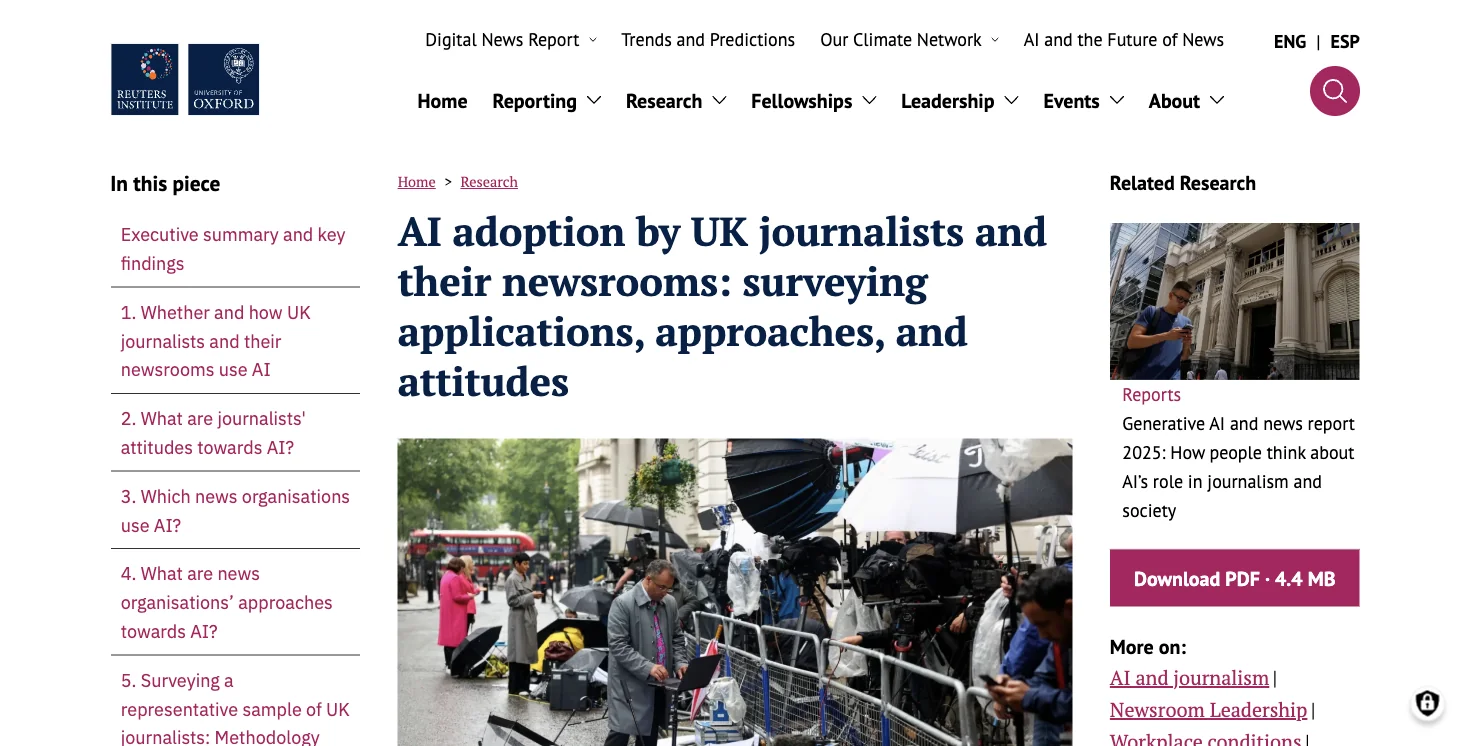
The second is that AI adoption inside newsrooms isn’t a hypothetical anymore — it’s routine, and it’s specific. A Reuters Institute survey of UK journalists published in November 2025 found that transcription and captioning is already the single most common monthly AI use among reporters: 49% said they use it regularly. Not “AI writes my stories.” Not “AI replaces reporting.” Transcription. The unglamorous, time-consuming grunt work that used to eat an hour after every interview.
That’s the actual shape of “AI for journalists” in 2026: not a robot writing the news, but a small set of unglamorous tasks — cleaning up a transcript, finding the sharpest quote in 40 minutes of tape, turning a 200-page records dump into something a human can actually read — that AI does fast enough to matter when you’re covering more beats with fewer people.
The catch is that both AP and Reuters have been explicit about the risk. AP updated its newsroom AI standards on July 22, 2026, and it treats every AI output as “unvetted source material” — not fact, not a draft you can lightly edit, but a claim that needs the same verification as a tip from a stranger. Reuters requires independent verification of every fact, source, and claim an AI produces before it goes anywhere near a story. That’s the frame for everything below: AI can do the sorting. It cannot do the verifying. That’s still you.
The 6 Workflows, With Real Prompts
Here’s a single story carried through all six, so you can see how they chain together in practice: a city council vote on a $4.2 million road resurfacing contract, covered by a reporter with a 40-minute recording of the meeting, a 60-page contract PDF from the city clerk’s office, and a 6 p.m. deadline.
1. Clean Up a Raw Transcript — Without Letting the AI “Improve” It
The goal: turn a messy auto-generated transcript into something readable and searchable, without the model quietly rewriting what someone actually said.
Why it matters: transcription is the single most common AI use among journalists surveyed by Reuters Institute (49% do it monthly) — and it’s also the easiest place to get burned, because a model that’s been trained to be “helpful” will smooth over stutters, false starts, and awkward phrasing in ways that can subtly shift meaning if you’re not watching for it.
How to do it right:
- Save the original recording locally first, and never delete or overwrite it — it’s your ground truth if a quote is ever disputed.
- Use a tool your organization has actually approved for this — the data-handling risk here isn’t the transcription itself, it’s what happens to the audio and text afterward (more on that below).
- Give the AI one job: clean up punctuation and paragraph breaks. Nothing else.
- Spot-check names, numbers, and any contested statement against the actual audio before you rely on the transcript for a quote.
The prompt:
“Clean up this transcript for punctuation, paragraph breaks, and clearly identifiable filler words only. Preserve the exact word choice and order — do not add missing words or ‘improve’ phrasing. Mark anything unclear as [UNCLEAR hh:mm:ss], mark speaker changes as SPEAKER A/B, and keep timestamps on every paragraph.”
For our city council example: you’d run the full 40-minute recording through this, get back a clean, timestamped transcript in under a minute, and now have a searchable document instead of an audio file you’d have to scrub through by ear.
A joint AP research project on automated press-conference transcripts found there’s no such thing as a perfect AI transcript — a human review step between transcription and any use of the material stays necessary. Keeping timestamps in the transcript is what makes that review step fast instead of painful: when you want to verify a quote later, you jump straight to the moment instead of re-listening to 40 minutes of tape.
2. Pull the Sharpest Quotes — Without Turning a Paraphrase Into a Quote
The goal: find the 5-10 most usable quotes in a long interview or meeting without accidentally quoting something the model paraphrased.
How to do it right: only feed the model your already-verified transcript (never the raw, unchecked one), and be explicit that you want exact language, not a summary dressed up as a quote.
The prompt:
“Find up to 10 passages about [topic] in this transcript. Quote them word-for-word, note the speaker and timestamp, and add one sentence of context before and after each. Do not correct grammar. If the exact wording is uncertain, flag it instead of guessing. Keep direct quotes clearly separate from your own summary.”
For the council story: this is how you’d surface the one council member’s line — “We’re resurfacing roads that don’t need it and ignoring the ones that do” — out of 40 minutes of procedural discussion in about 10 seconds, with the timestamp attached so you can verify it against the recording before it goes in the story.
Traditional interview practice already requires a full transcript for anything longer than a quick exchange, plus clear, transparent markers for any cuts within an answer. AI doesn’t change that standard — it just makes it faster to apply.
3. Turn a Records Dump Into a One-Page Brief — With Every Claim Sourced Back to a Page Number
The goal: take a large batch of public documents — a contract, a budget, a FOIA release — and get a structured brief you can actually work from, without the model inventing details that aren’t in the documents.
How to do it right: first check whether your PDFs are real, searchable text or just scanned page images (if it’s the latter, you’ll need OCR first — image-only PDFs are a common reason “the AI can’t find it” turns out to be a formatting problem, not a limitation of the AI). Then instruct the model to answer strictly from the documents and cite a page for every claim.
The prompt:
“Build a research brief using only the attached documents. For every factual claim, cite the file name and page number, plus a short supporting excerpt. Organize into: confirmed findings, contradictions, people and organizations named, dollar amounts, timeline, and open questions. If something isn’t supported in the documents, write ’not supported’ — don’t use outside knowledge.”
For the 60-page contract PDF: this turns a document you’d otherwise skim for an hour into a structured brief in a couple of minutes — dollar amounts, the contractor’s name, the timeline, and a flag on a clause that contradicts the city’s public statement about the project budget, each one pointing back to an exact page you can pull up and check.
OpenNews’ longstanding guidance on document-based reporting recommends exactly this discipline: digitize and OCR first, extract tables separately, and verify AI-flagged excerpts against the source page rather than taking a summary at face value.
4. Test Headlines — as Real Options, Not a Fake Experiment
The goal: generate genuinely different, accurate headline options and pick a winner with actual data, instead of guessing which one “sounds better.”
How to do it right: lock the non-negotiable facts first, generate a batch of accurate variants, have an editor screen every one of them, then test a small number of real variants on the same placement — headline testing works, but only when it’s an actual A/B test with real readers, not a model predicting which headline will perform best (research shows LLM predictions of headline performance aren’t reliable; only real reader data is).
The prompt:
“Generate 8 factually accurate headlines for this approved article: two direct, two explanatory, two that lead with the key number, and two phrased as a question. No new claims, no unsupported causal language, no clickbait. For each, note the editorial risk in one sentence.”
Real A/B tests on headlines have shown winning variants pulling more than 20% higher click-through rates than the losers — but researchers are equally clear that you can’t generalize a single test into a permanent writing rule, and you can’t skip the human editorial check on accuracy before anything goes live.
5. Prep Sharper Interview Questions — Grounded in What’s Already Public
The goal: go from “I have a general topic” to a tight list of specific, well-sourced questions and follow-ups before you sit down with a source.
How to do it right: feed the model only published, already-public material — prior statements, filings, your own past coverage — and ask it to tie every question back to a specific piece of evidence.
The prompt:
“Based on the attached public sources, draft 15 open-ended interview questions grouped by theme. Under each question, note the source that prompted it (with URL and date) and suggest two follow-ups in case the subject deflects. Flag any factual premise in a question that needs to be verified before the interview.”
For the council story: ahead of a follow-up interview with the contractor, this turns three prior city budget documents and a past news article into a themed question list — cost overruns, prior contract history, timeline — each with the receipt attached, instead of you re-reading everything from scratch the night before.
Good interview practice still means setting ground rules at the start, confirming names and titles, and being ready to re-ask a question a source dodges. AI can widen your prep. It can’t read a room or judge whether a source is telling the truth — that’s still entirely on you.
6. Run a Claims Check on Your Own Draft Before You File
The goal: catch unverified numbers, dates, names, and causal claims in your own copy before an editor — or a reader — does.
How to do it right: this is a pre-publication safety net, not a fact-checker with authority. The model flags what needs a source; it doesn’t get to decide something is true.
The prompt:
“Extract every checkable factual claim from this draft. Build a table: claim, category (number / date / name / causation / quote / legal claim / disputed characterization), existing source, primary source, publication date, supporting excerpt, conflicts, and status (open / verified / needs correction). Don’t invent sources, and mark anything unsupported as open.”
Run on the finished council story, this catches that the “$4.2 million” figure in your draft came from a press release, while the actual signed contract PDF says $4.35 million — a discrepancy worth one more phone call before 6 p.m., not a mistake that runs in print.
Both AP and Reuters are explicit that this kind of AI output is a checklist, not a verdict — a human still has to open the original source and confirm it.
What’s Safe to Paste — and What Never Is
This is the table that matters most, and it’s the one most “AI for journalists” content skips entirely. Based on AP’s and Reuters’ current published newsroom AI standards, here’s how to classify material before it goes anywhere near a public AI tool:
| Material | Public ChatGPT/Claude account | Org-approved secure environment | The rule |
|---|---|---|---|
| Published press release or public report | OK if house policy allows | OK | Document source and version |
| Public interview, no sensitive metadata | Use caution | Preferred | Manually verify recording and quotes |
| Unpublished draft | Never | Only with explicit sign-off and matching contract terms | Minimize; work locally if needed |
| Embargoed material | Never | Only with sign-off, access limits, and embargo compliance | An embargo is a confidentiality promise |
| Confidential source’s identity or contact info | Never | Generally no; only a specially secured, approved workflow | Keep identity separate from any AI input |
| Off-the-record / background notes | Never | Only after legal, security, and editorial sign-off | Promises to sources come first |
| Leaked, privileged, or personal documents | Never | Only for a specific, controlled purpose | Minimize data, control access, plan deletion |
| Passwords, API keys, internal credentials | Never | Never | Use a secrets manager, not a prompt |
AP explicitly advises against entering confidential or sensitive information into AI tools at all. Reuters bars uploading unpublished stories to open AI services and warns that sharing material with a third party — which is what a consumer AI product is — can itself count as a form of publication, undermining the confidentiality of journalistic work product.
One detail worth being precise about, because it gets flattened into “AI companies don’t use your data” a lot: OpenAI says temporary chats aren’t used for model training but can still be retained for up to 30 days for safety reasons, and content from Business, Enterprise, Edu, and API tiers isn’t used for training by default. Anthropic says the same for its commercial products by default, unless you explicitly opt in to share feedback. None of that is a substitute for your organization’s confidentiality rules, a data processing agreement, privacy law, or your own judgment about a specific source’s risk. “The company says it doesn’t train on my data” and “this is safe to paste” are two different questions, and only you can answer the second one.
There’s also a sharper reason to take this seriously than a training-data policy: OpenAI has publicly said it’s fighting a court order — tied to lawsuits including one from the New York Times — requiring it to retain and potentially hand over some ChatGPT conversation logs as part of legal discovery, even ones users had deleted. Whatever the final outcome, the episode is a plain demonstration that “I deleted the chat” is not the same as “this information no longer exists anywhere.” If it would be a serious problem for a source’s identity, a legal claim, or an unpublished story to surface in discovery someday, don’t put it in a chat window in the first place.
What This Means for You
If you’re a staff reporter at a newsroom that’s already been cut: start with workflow #1 (transcripts) and #3 (records briefs) — they save the most time on the tasks that pile up fastest when you’re covering more beats solo. First action: pick your next interview and run the clean-transcript prompt on it before you do anything else with the recording.
If you were just laid off or are going freelance: you’ve lost the research desk, the transcription budget, and the copy editor a staff job used to give you. Workflows #1, #2, and #6 are the closest free substitute for that support — a claims check before you file is now doing part of the job an editor used to do. First action: build a standing prompt template for claims-checking and use it on every piece before you pitch it.
If you cover courts, city hall, or public records: workflow #3 is built for you. A 60-page contract or a FOIA dump stops being a dreaded afternoon and becomes a 10-minute first pass. First action: try it on the next records request you get back, and treat the brief as a map to the documents, not a replacement for reading them.
If you’re an editor managing a smaller team: your leverage point isn’t doing the workflows yourself, it’s setting the guardrails — which tools are approved, what the data-classification rule is, who signs off on exceptions. First action: turn the safety-tier table above into a one-page team policy this week, before someone pastes something they shouldn’t by accident.
If you’re early-career or a journalism student: learn the discipline now, while the stakes are low. The habit of treating every AI output as “unvetted source material” — AP’s phrase, not ours — is the single skill that will separate you from a colleague who gets burned. First action: practice workflow #6 (claims check) on your own writing before you ever use it on deadline.
If you handle sensitive or investigative material: none of the six workflows above should touch your actual sensitive documents in a public AI tool. Use them on the parts of your work that are already public — background research, headline testing, published-source interview prep — and keep source-identifying material entirely off any AI system that isn’t specifically vetted, access-controlled, and approved by your organization’s legal and security teams.
If you’re a broadcast or multimedia journalist: transcription (#1) and quote extraction (#2) apply directly to raw tape and interview footage. The same rule holds: the master recording stays the ground truth, and anything an AI pulls from it gets checked against the original before it airs.
Edge Cases and Troubleshooting
“Gemini can’t find the court transcript I need.” That’s not a bug — it’s because the document isn’t online. As one journalist put it after hitting exactly this wall: “That doesn’t mean it doesn’t exist. You have to go to court and ask for it.” AI search tools only find what’s been digitized and indexed. Plenty of public records still require an in-person request, a mailed FOIA letter, or a trip to a records office. If an AI tool comes up empty, that’s a prompt to do old-fashioned reporting, not evidence the document doesn’t exist.
“The AI just confidently told me something completely wrong.” This happens even to people who use AI daily for research — one described Claude “boldly” stating a fabricated fact that would have wrecked a project if they hadn’t caught it. The fix isn’t a better prompt, it’s a standing rule: nothing an AI outputs is a fact until you’ve independently confirmed it against a primary source. Treat every AI-generated claim exactly like an anonymous tip.
“A published piece still had ChatGPT’s own instructions visible in it.” This has actually happened publicly, and it’s a real embarrassment, not a hypothetical: a clearly AI-drafted article ran with the prompt still stuck in the copy. It’s a caution about workflow, not AI itself — always read your final draft as a reader would, start to finish, before it goes out.
“My PDF looks fine but the AI says there’s no text to search.” Check whether the PDF is real text or a scanned image. Many government and court PDFs are just photographs of paper pages. Run OCR first (many tools do this automatically now), then re-check that a few known facts from the document actually appear in the extracted text before you trust a summary of it.
“I got a great quote, but I can’t tell if it’s word-for-word or a paraphrase.” This is exactly the failure mode workflow #2 is built to prevent — but if you’re reviewing older AI output that wasn’t run that way, the fix is the same either way: pull up the original recording and listen to that exact timestamp before you put it in quotation marks. If you can’t verify it, attribute it as paraphrase, not quote.
“Legal or my editor is asking whether we need to disclose AI use on this piece.” A study of 52 newsroom AI policies found that roughly 90% require disclosure when AI plays a role in a story or investigation — and 54% specifically flag AI as a risk to source protection. A practical test: disclose when AI meaningfully shaped the published wording, meaningfully affected which stories got covered or how they were ranked, would let the audience misunderstand how the piece was made, was itself methodologically important (like an AI-assisted document analysis), or when synthetic material is the actual subject of the story. Routine, fully human-checked spell-check or transcription usually doesn’t need a per-article note — a general newsroom AI policy covers it.
“Someone found old AI chat logs with sensitive information in them.” This isn’t hypothetical — there was a real incident in 2026 where shared Claude conversations, including some containing personal and business documents, turned out to be indexed and searchable by outside search engines before it was patched. Never assume a “private” or “temporary” AI chat is permanently invisible to everyone else. Treat anything you wouldn’t want searchable as something you don’t type into a consumer AI tool at all.
“I’m not sure if my AI-cleaned transcript counts as the ‘real’ transcript for a dispute.” It doesn’t — the original recording is always your ground truth. Keep the raw audio and the AI-cleaned version as clearly separate files, and if a quote is ever challenged, you go back to the recording, not the transcript.
What This Can’t Do
It can’t develop sources. No AI tool can build the years of trust that gets someone to talk to you off the record, or judge whether a nervous source is telling the truth in the room. That’s still entirely human work.
It can’t verify itself. Reuters requires independent verification of every AI-generated fact, source, and claim. AP calls AI output “unvetted source material.” Neither organization treats an AI’s confidence as evidence — and neither should you.
It doesn’t have legal privilege. A conversation with ChatGPT or Claude isn’t protected the way a conversation with a doctor, therapist, or lawyer is. As OpenAI’s own CEO has publicly acknowledged, those chats can potentially be compelled as evidence in litigation — a meaningfully different risk profile than talking to a source protected by shield laws or an editor bound by newsroom confidentiality policy.
It can’t get you records that aren’t digitized. If a document isn’t online, no AI search tool will find it. That still requires an actual records request, an actual phone call, or an actual trip to a courthouse.
It can’t replace an editor’s judgment on fairness, context, or risk. Headline testing, claims-checking, and transcript cleanup are all still subject to human review before anything reaches an audience — every workflow above assumes an editor or the reporter themselves makes the final call, not the model.
FAQ
Which AI is best for journalists? There isn’t a single winner — most working journalists use a mix. Claude and ChatGPT both work well for the workflows above (transcript cleanup, quote extraction, document briefs). The meaningful difference is less about raw quality and more about your organization’s data policy: check what your newsroom has actually approved before you standardize on one tool for anything beyond your own public-source research.
Are journalists allowed to use AI? Yes, and every major standards body — AP, Reuters, the Council of Europe, and Reporters Without Borders’ Paris Charter on AI and Journalism — has published guidance assuming AI use is normal, not forbidden. What they all require is disclosure when it materially shapes a story, human verification of every fact, and editorial responsibility staying with a named person, not the tool.
Is it against journalism ethics to use ChatGPT? Not inherently. The ethical line isn’t “did you use AI,” it’s “did you verify what it gave you, disclose it when it mattered, and keep a human accountable for the result.” Passing off an AI’s unverified claim as a fact, or letting it write a quote that sounds plausible but isn’t real, is the actual ethics violation — not the tool itself.
Will AI replace journalists? The layoff wave is real, but the causation is messier than “AI took the jobs.” Companies cite falling ad revenue, collapsing search and social referral traffic (Reach’s 46% Google traffic drop is a clean example), and general cost-cutting alongside AI adoption — and the timing of a layoff doesn’t by itself prove AI caused it. What’s harder to dispute: AI can’t replace the specific, hard-won relationships and years of source-building that come with covering a beat, which is exactly why local government, courts, and community reporting are the hardest jobs to automate away even as newsroom budgets shrink around them.
Can I paste a leaked or confidential document into ChatGPT to summarize it? No. This is the single clearest “never” in every major newsroom AI policy. Leaked, privileged, or source-identifying material should never go into a consumer AI tool — only into a specifically secured, access-controlled, organization-approved system, and even then only with legal and editorial sign-off.
Does Claude or ChatGPT keep my prompts completely private? Not in the way “private” usually implies. Both companies say they don’t use commercial-tier conversations for training by default, but that’s a training policy, not a confidentiality guarantee — data can still be retained for a period, accessed for safety review, or in rare cases compelled through legal process. Treat any AI chat as something that could theoretically be read by someone else eventually, and paste accordingly.
How do I decide whether to disclose AI use to readers? Use the practical test from earlier in this piece: disclose if AI meaningfully shaped the wording, materially affected story selection, could be misunderstood by the audience if left unmentioned, was itself methodologically significant, or if synthetic content is the actual subject of the story. Routine, fully-checked transcription or spell-check usually just needs a general newsroom AI policy, not a per-article note.
Can AI transcribe interviews accurately enough to trust? Close, but not perfectly, and AP’s own testing backs that up — there’s no such thing as a flawless AI transcript, which is why a human review pass stays required. Keep timestamps in every AI-cleaned transcript so that review step is fast, and always confirm a contested or important quote against the original audio.
What’s the fastest way to start if I’ve never used AI for reporting before? Start with workflow #1 on your next interview. It’s the lowest-risk, highest-time-savings entry point, and it forces you to build the habit — checking AI output against the original source — that every other workflow depends on.
The Bottom Line
The honest version of “AI for journalists” in 2026 isn’t a robot writing the news. It’s a shrinking newsroom’s most realistic way to claw back time on the parts of the job that were always mechanical — cleaning a transcript, finding a quote, turning a records dump into something readable — so the actual reporting, the source relationships, and the judgment calls stay with a human who can be held accountable for them. AP’s standard is the right one to borrow for your own workflow: every AI output is unvetted source material until you’ve checked it yourself.
If you want to go deeper on using AI without losing your voice or your editorial judgment, FindSkill’s AI for Journalists & Media Professionals course covers research acceleration, fact-checking workflows, and building your own AI toolkit lesson by lesson — and AI for Writers is a strong companion if headline testing and drafting are where you want the most help.
Sources
- Associated Press — AP updates newsroom standards for artificial intelligence (July 22, 2026)
- Associated Press — Standards around generative AI
- Reuters — Journalistic Standards
- Reporters Without Borders — Paris Charter on AI and Journalism (November 10, 2023)
- Council of Europe — Guidelines on the responsible implementation of AI systems in journalism (November 30, 2023)
- Reuters Institute — AI adoption by UK journalists and their newsrooms (November 26, 2025)
- Journalist’s Resource — AI and the news: what researchers learned from the AP + BBC (March 3, 2025)
- Press Gazette — Journalism job cuts in 2026 tracked
- Poynter — The Washington Post lays off a third of its staff (February 4, 2026)
- Poynter — McClatchy cuts more than 90 staff in its most severe layoffs in years (September 10, 2026)
- BBC — BBC to cut almost one in 10 staff to make £500m savings (April 15, 2026)
- Media Copilot — Journalism’s workforce shrinks as AI and new consumer habits reshape the industry
- OpenNews — You Got the Documents. Now What?
- Nieman Lab — How A/B testing can (and can’t) improve your headline writing
- OpenAI — How OpenAI handles data in consumer services (updated September 21, 2026)
- Anthropic — Is my data used for model training? (August 17, 2026)
