Updated May 15, 2026 (9 days later) — Two follow-on changes that matter for solo-CPA workflows: (1) Claude Office add-ins (Excel/Word/PowerPoint GA, Outlook beta) launched May 7 — the finance plugins now plug directly into the Excel/Word workflow you already live in, with cross-app context carrying between the workbook, the supporting Word memo, and the Outlook reply to the partner. (2) Code with Claude SF (May 6-7) introduced “Outcomes” — rubric-based success criteria — which fits month-end-close perfectly: define “books reconcile to within $X variance AND tie-out report is signed off” and the agent loops until both conditions are met before handing the package to you. Plugin lineup itself is unchanged from the May 5 launch as of mid-May.
Anthropic open-sourced ten finance agent plugins for Claude on Tuesday and most of the press wrote about pitchbooks for investment bankers. Six of the ten are I-banker tools and they got the headlines. The other four are squarely useful for the solo CPA running a one-to-three-partner shop, and almost no one has written about that yet. The official @claudeai launch tweet hit 23,648 likes; the practitioner reactions from the solo-CPA community are still sparse — which means a thirty-minute test on a sample period this week is genuinely first-mover work for your practice.
This is the install-and-run walkthrough I wish someone had written by lunch yesterday. What’s free, what runs, and the four things the agent will still escalate to you instead of finishing.
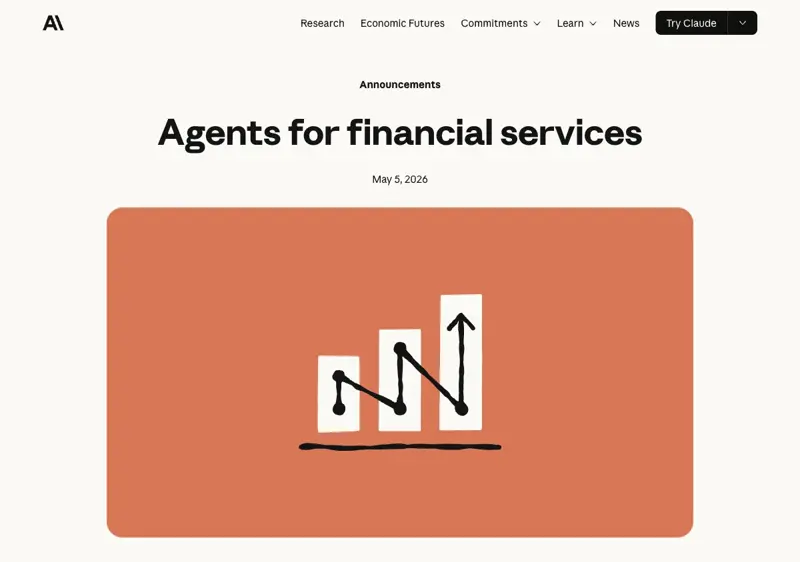
What just shipped — in plain English
Anthropic published a public GitHub repo (anthropics/financial-services-plugins) with ten ready-to-run agent templates that install as plugins in Claude Cowork or Claude Code. Apache 2.0 license — actually free, not “free trial then $99 a month.”
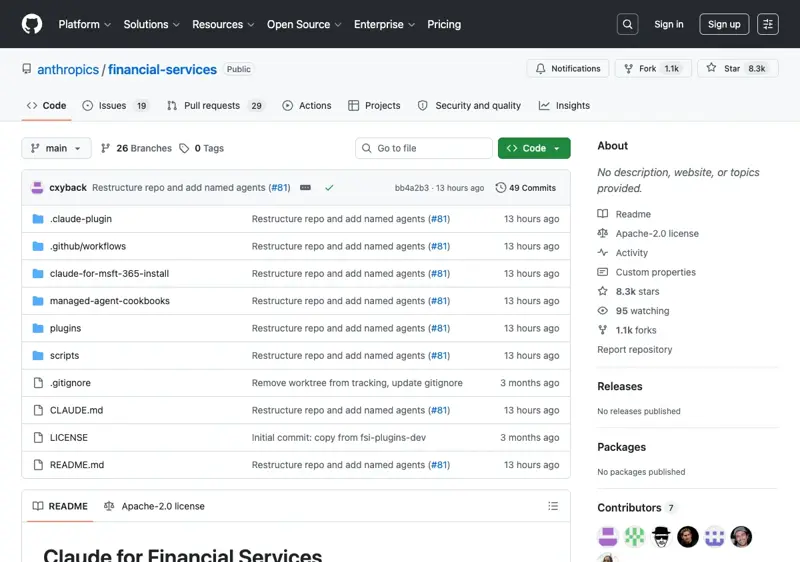
- Pitch Agent — comparable companies, precedents, LBOs into a pitch deck
- Meeting Prep Agent — briefing pack assembly before client meetings
- Earnings Reviewer — earnings calls + filings → model update + research note
- Model Builder — DCF, LBO, three-statement, comps in Excel
- Market Researcher — sector primers from research provider data
- Valuation Reviewer — methodology checks + comps refresh
- GL Reconciler — finds breaks, traces root cause, routes for sign-off
- Month-End Closer — accruals, roll-forwards, variance commentary
- Statement Auditor — audits LP or trial-balance statements before distribution
- KYC Screener — parses onboarding docs, runs rules engine, flags gaps
The first six are sell-side / banking tools — not your day-to-day if you’re closing books for a roofing contractor or an Etsy shop. The four that actually matter for a solo CPA practice are Month-End Closer, GL Reconciler, Statement Auditor, and KYC Screener. Those four are bundled inside the fund-admin and operations vertical packages, or you can install them as standalone agents.
Two things to know up front. First: these are staging agents. They draft work product for you to review and sign off — they do not post to a ledger, they do not approve onboarding, they do not execute transactions. The Apache 2.0 README is unusually direct about this: “You are responsible for verifying outputs and compliance.” Read that as: it drafts the close, you own the close. Second: the bundled connectors are not for you yet. The eleven data connectors that ship inside the core financial-analysis plugin (Daloopa, FactSet, S&P Global, Moody’s, Morningstar, PitchBook, LSEG, MT Newswires, Aiera, Chronograph, Egnyte) are all Wall Street data feeds. None of them is QuickBooks Online, Xero, NetSuite, or Wave. If your practice runs on QBO or Xero, you’ll wire that in separately — five-minute add — and we’ll cover the exact command below.
The 30-minute walkthrough
This assumes you have Claude Cowork or Claude Code installed already. If you don’t, install Claude Code first (npm install -g @anthropic-ai/claude-code, takes about three minutes); Cowork is the team-shared workspace and Claude Code is the CLI — for a solo CPA the CLI is enough.
Minute 0–3: Add the marketplace.
claude plugin marketplace add anthropics/claude-for-financial-services
This registers Anthropic’s plugin marketplace with your CLI. No payment, no API-key dance for the marketplace itself.
Minute 3–8: Install the four plugins that matter for a CPA practice.
claude plugin install financial-analysis@claude-for-financial-services
claude plugin install month-end-closer@claude-for-financial-services
claude plugin install gl-reconciler@claude-for-financial-services
claude plugin install statement-auditor@claude-for-financial-services
Install financial-analysis first — that’s the core plugin and the other agents depend on it for the underlying skills. Then install the three operations agents one at a time. (Skip kyc-screener for now unless you do credit-union compliance work — there’s a separate post on that workflow if it’s relevant.)
Minute 8–15: Wire QuickBooks Online (or Xero) in as an MCP connector.
Anthropic’s bundled connectors don’t include QBO. Intuit publishes their own MCP server (intuit/quickbooks-online-mcp-server) — Apache-licensed, Node.js, OAuth-based.
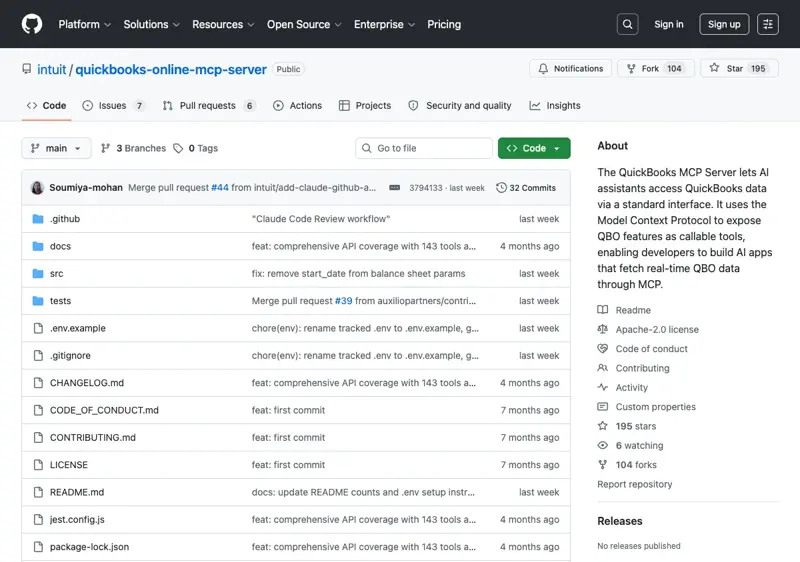
npm install -g @intuit/quickbooks-online-mcp-server
claude mcp add --transport stdio quickbooks intuit-quickbooks-mcp
When you first run an agent against your QBO data, Claude opens an OAuth flow in your browser. Authorize the app for the client realm you want to test against. The MCP server runs locally on your machine — it does not pipe your books through Anthropic. (Worth saying out loud: if your engagement letter has data-residency clauses, this is the right architecture; for clients with stricter clauses, run the agent against an exported trial-balance file instead of a live QBO connection.)
Minute 15–25: First-pass close on a control period.
Pick a closed prior month — one you’ve already finalized — for a non-sensitive client. Don’t run this against the period you’re actually closing this week. The point is to compare the agent’s draft against your finalized work, not to use it for a live close on the first try.
In Claude Code:
/month-end-closer
The agent will ask which client realm and which period. Point it at last month’s books. It will pull the GL via the QuickBooks MCP, draft accruals, build a roll-forward against the prior period, and output variance commentary against budget if you have one configured.
You’ll get back: a list of proposed accrual entries (not posted, just drafted), a roll-forward worksheet, and a paragraph-form variance commentary. Read it like you’d read a junior associate’s first pass. Where does it match your finalized work? Where does it miss? Where does it find something you missed?
Minute 25–30: Run GL Reconciler against the same period.
/gl-reconciler
Same realm, same period. The reconciler walks the bank feeds, finds breaks against the GL, and traces root cause. The output is an exception report — a list of items where the bank says one thing and the GL says another, with the agent’s hypothesis on why. Same review pattern: compare to your finalized work, score where it agreed and where it didn’t.
If you’ve stayed disciplined and used a control period instead of a live one, you’re now thirty minutes in with two pieces of agent-drafted work product and a clear sense of where it’s competent and where it isn’t.
The four things the agent will escalate (not finish)
These are the “I need a partner” patterns. The Month-End Closer is built to surface these to you rather than auto-resolve them.
Revenue-recognition judgment. If a client has multi-element arrangements (a service contract bundled with a subscription) or any ASC 606 timing complexity, the agent will draft a placeholder entry and flag it for your review. It won’t make the call. This is correct behavior — getting it wrong is the kind of error that survives review and shows up at audit.
Related-party adjustments. Owner draws, intercompany transfers between two LLCs the same family runs, payroll-to-distribution reclassifications — the agent will identify the pattern but not post the adjustment. You sign off, you book it.
Accruals that need partner sign-off. If you’re at a 1-3 partner shop and there’s a partner-only sign-off list (large customer concentrations, contingent liabilities, related-party leases), the agent flags those items separately. Don’t bypass this — the flag is the point.
IRS tax-code edge cases. If a transaction triggers a less-common code section (Section 263A capitalization, R&D capitalization rules under TCJA, basis questions in distributions), the agent surfaces the question and stops. You handle it. The agent is an analyst-class tool, not a tax-court-class tool.
The pattern across all four: the agent identifies and routes; you decide and book. That’s the right division of labor for staging tools, and it’s what keeps the workflow audit-defensible.
What the SERP looks like and why this is first-mover work
The Google SERP for “AI for bookkeepers” is dominated by vendor pages — Booke.ai, Truewind, Zeni, Bookeeping.ai. Each charges between $99 and $399 per month per client realm. None of them mentions Anthropic. None of them references the May 5 release.
The AI Overview that surfaces above the organic results cites Booke.ai, Zeni, and Truewind. Anthropic isn’t in the citation list because the open-source release happened yesterday. That’s a temporary AI-Overview citation lock — for the next few weeks, blog posts that walk through the Anthropic plugin install have a real shot at displacing the vendor-citation default.
The X community signal is in the same shape: the official @claudeai launch tweet got 23,648 likes; the small-CPA community has been mostly quiet about the new templates specifically (per searches across small-firm-CPA accounts on May 5-6). A handful of solo CPAs posted enthusiasm about Claude Cowork generally — @releve68 (“I am currently using Claude Cowork and I am doing some amazing things”), @The_Ai_CPA (“Things Claude Code is faster at than me: Reading 60-page docs, Refactoring botched spreadsheets”), @HouseofRoscoe sharing that Claude handled “ALL the bookwork… within mins” for client work — but none of them has yet posted a walkthrough of the month-end-closer plugin specifically. That’s the gap.
The economic frame the SaaS bookkeeping vendors don’t want surfaced: Anthropic’s plugins are Apache-licensed open source. Your only running cost is a Claude Pro or Team subscription — $20/month for Pro is enough to run the four agents we covered. If you’re currently paying $99-$399/month per client realm to a Booke.ai-style SaaS, the math is uncomfortable for the SaaS.
What this means for you
If you’re a solo CPA running 10-30 client closes a month on QuickBooks or Xero: spend thirty minutes this week on a control-period test. If the Month-End Closer’s first pass matches your finalized work to within 80%, that’s enough signal to run a live test next month. The SaaS-vendor cost-comparison gets sharper at your billing structure.
If you’re a 1-3 partner small firm with a junior associate doing the first pass: the agent is competing with your associate’s $30-50/hr loaded labor on a per-close basis. The right reframe is: the associate moves up the value chain (controller-level work, advisory) and the agent does the first pass. That’s an associate-retention strategy, not a layoff strategy — bookkeeping-only firms are losing associates to controllers and advisory-track shops anyway.
If you bill at $400+/hr and only do 1-2 closes a month (advisory-anchored practice): skip this. The setup time isn’t worth it for two engagements. Stay focused on advisory and let the agents catch you in 12-18 months when the eligible-client list grows.
If you’re a bookkeeper running an Etsy or Shopify-seller-anchored practice on Xero: the GL Reconciler is the highest-leverage of the four agents for you specifically. Etsy and Shopify payouts split across reconciliation cycles in a way that eats hours of manual work; the reconciler’s break-finding traces these correctly when pointed at QBO/Xero data. Run the same control-period test, same review pattern.
What today’s release can’t fix
Five honest limits, because the launch energy hides them.
These agents do not post entries to your GL. The README disclaimer is explicit, and the runtime behavior matches: every entry is drafted, every reconciliation is suggested, every audit finding is flagged. Your sign-off is required at every commit point. Don’t try to script around this — the staging-only design is what makes the workflow audit-defensible. If you build automation that auto-posts the agent’s drafts, your engagement-letter compliance posture changes substantively.
The bundled data connectors are not for solo-CPA practices. Daloopa, FactSet, S&P Global, Moody’s, PitchBook — these are I-banker and equity-research data feeds. None of them is in your typical workflow. Install the QuickBooks MCP server separately (and the Xero one if you use Xero — there are community MCP servers for it).
State-by-state regulatory variance still applies. The agent doesn’t know your state’s continuing-education requirements, the practice-act language for AI-assisted work product, or the AICPA peer-review board’s evolving guidance on automated drafts. A handful of state boards have started publishing GenAI guidance for licensed CPAs; check yours before you formalize the workflow into your engagement letter.
The agent doesn’t replace your judgment on hairy clients. If you have a client with related-party complexity, IRS audit history, or contested tax positions, the staging agent’s draft is a starting point, not a finished close. Those clients need partner sign-off on every entry the agent suggests. That’s the right control posture.
Anthropic may iterate the plugin behavior over time. The Apache 2.0 license means the GitHub repo is your stable target — clone or pin a specific commit if your firm’s policy requires reproducibility. The OAuth-token rotation pattern for the QuickBooks MCP server is also worth checking quarterly.
The bottom line
Tuesday’s release is the first time a major AI lab has shipped accounting-operations agents as open-source plugins instead of as a $200/month SaaS. The Month-End Closer, GL Reconciler, Statement Auditor, and KYC Screener are the four that matter for a solo CPA or small-firm practice. They’re staging tools, not autonomous tools — you sign off at every commit point — but they are competent staging tools, and they’re free.
The thirty-minute test on a control period this week is the highest-leverage thing you can do for your practice in May. If the first pass matches your finalized work to within 80%, you have a Q3 productivity story. If it doesn’t, you’ve learned where the agent’s edges are and you’ve burned thirty minutes — cheap.
If you want a structured walkthrough that goes deeper than this — including the Xero connector, the four escalation patterns, and the calibration rules for when the agent should call you — our AI for Solo CPAs Advisory System course covers the install, the workflow, and the engagement-letter language for billing this work to clients.
Sources
- Agents for financial services and insurance — Anthropic blog (May 5, 2026)
- anthropics/financial-services-plugins on GitHub
- Install financial services plugins for Cowork — Anthropic Help Center
- Claude finance plugin landing page
- intuit/quickbooks-online-mcp-server on GitHub
- Anthropic unveils 10 agent templates for financial services — Seeking Alpha
- Anthropic ships ten AI agents for finance — The Decoder
- Anthropic unleashes finance agents for Claude — The Register
- Anthropic launches 10 AI agents for banks and insurers — Yahoo Finance
- Anthropic Launches Ten Finance Agent Templates for Claude — Let’s Data Science
