In May, Wharton professor Ethan Mollick posted that OpenAI had “silently removed” one of ChatGPT’s best features — no announcement, no deprecation notice, just gone. The post got 914 likes. A Hacker News thread on the same complaint pulled 178 upvotes and 77 comments of confused users. Three months later, back-to-school season is here and Study Mode is suddenly everywhere in OpenAI’s marketing again — like it just launched.
It didn’t just launch. It never actually left. What happened in between is a small, dumb UI story that’s worth five minutes, because if you gave up looking for Study Mode sometime this spring, you’re not going to stumble back into it by accident.
What actually happened to Study Mode
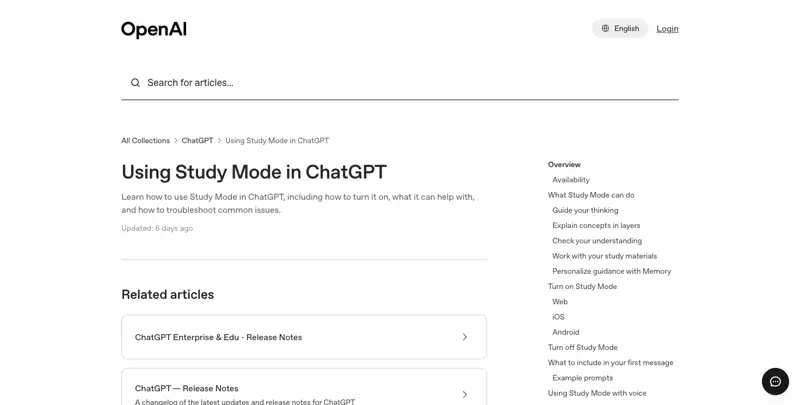
Study Mode is ChatGPT’s tutoring mode — instead of handing you a finished answer, it asks clarifying questions, breaks a problem into steps, and checks whether you actually understood the last step before moving to the next one. OpenAI built it with teachers and learning scientists, not as a new underlying model but as a set of custom instructions layered on top of whatever model you’re using. You can find it today from the message composer’s “Tools” menu by selecting “Study and learn,” or by typing a shortcut in the chat box, or by going directly to chatgpt.com/studymode. It’s free on every plan — Free, Go, Plus, Pro, Team, and Edu — on web, iOS, Android, and desktop.
Here’s the part that actually explains the “it disappeared” panic: the keyboard shortcut changed. Earlier in 2026, typing /study in the chat box triggered it instantly. By July, OpenAI’s own help documentation had quietly shifted the trigger to @study instead — with /study still working as a fallback on some platforms, like iOS, but not reliably everywhere. Mollick flagged this specifically on X in July: “ChatGPT still has study mode, but rather than /study you now have to type @ study,” calling it “small but real friction” that most people would never notice or figure out on their own.
That shortcut swap landed on top of an April 2026 wave of reports — the Hacker News thread, a widely watched YouTube walkthrough — claiming the feature had vanished from the “+” tools menu entirely for some users. It had, for some accounts. But the backend never changed: the YouTube walkthrough that confirmed the menu entry was gone also showed the feature still triggered fine via the old slash command or by appending ?hints=study directly to the URL — proof the feature was intact even where the visible button had disappeared. OpenAI never issued a public statement acknowledging a removal. Its Help Center, updated as recently as late June, has continuously stated Study Mode is available globally. A multi-model fact-check run by Silico.ai in April concluded the “silently removed” framing wasn’t supported by the official documentation, and pointed instead to a UI change or account-specific rollout glitch — not a real deprecation. A Russian-language tech outlet ran the same check independently and landed on the same conclusion.
So: real confusion, for a real subset of users, over a genuinely undocumented UI change — but not the deliberate kill-off the loudest posts implied. That distinction matters for what you do next. You’re not “getting Study Mode back.” You’re relearning where the door is.
It’s landing in the news cycle again for a reason that has nothing to do with the shortcut, too. chatgpt for students searches are climbing the same seasonal curve they climb every August — averaging around 23 on Google Trends this week with daily spikes to 85–100, on their way toward the roughly 9,900-searches-a-month peak the term hit last September. OpenAI’s back-to-school push landed right on top of that ramp, on purpose, bundling Study Mode’s re-highlight together with the new K-12 teacher plugins announced the same week. The timing isn’t coincidental. It’s just marketing riding a wave that was already forming.
How to actually find and use it
Step 1: Open a new main ChatGPT conversation. Study Mode doesn’t work inside GPTs, Projects, or other specialized surfaces — only in a standard chat.
Step 2: Trigger it one of three ways. Click Tools in the message composer and select “Study and learn.” Or type @study in the chat box (the current shortcut, as of July 2026). Or go straight to chatgpt.com/studymode. If you’re on iOS and @study doesn’t fire, try the older /study — it’s still wired up as a fallback there.
Step 3: Tell it what you’re studying, honestly. The more specific your framing, the better the tutoring. “Help me understand photosynthesis” gets generic Socratic questions. “I have a bio exam Thursday on the light-dependent and light-independent reactions, and I keep mixing up where each one happens in the chloroplast” gets you a tutor that starts exactly where your actual confusion is.
Worked example. I gave it this: “I’m prepping for a stats exam. I understand what a p-value is in theory but I always freeze up applying it to a real problem. Quiz me.” It didn’t explain p-values back to me — it asked me to define one in my own words first, caught that I was fuzzy on the null hypothesis specifically (not the p-value itself), backed up one step to drill that, then handed me a made-up scenario — a coin that landed heads 62 times out of 100 flips — and walked me through setting up the hypothesis test myself, only confirming each step after I attempted it. That’s the mechanism working as designed: it found the actual gap instead of the gap I thought I had.
Step 4: Attach source material when it matters. You can feed Study Mode your actual notes, a PDF of a problem set, or a photo of a worksheet, and it’ll tutor against that specific material instead of a generic version of the topic — useful if your teacher’s framing or your textbook’s notation differs from the internet’s default explanation.
Step 5: Ask for the direct answer if you genuinely need it. Study Mode isn’t a lock. Say “just give me the answer” and it will — this is a study aid, not a restriction, and it’s worth knowing the escape hatch exists so you don’t feel trapped mid-panic before a deadline. One honest caveat: independent testing by Mashable found Study Mode isn’t airtight even when you don’t ask — it occasionally volunteers a solution unprompted despite the Socratic instructions. The guardrails are strong, not absolute.
Step 6: Try the interactive visuals for math and science. Separately from Study Mode itself, OpenAI added draggable, manipulable diagrams back in March 2026 — around 70 core concepts in physics and geometry, from the Pythagorean theorem to Ohm’s law to kinetic and potential energy, aimed at high school and college level. You drag a slider or change a variable and watch the diagram update instantly. This isn’t new for August and it isn’t Study-Mode-exclusive — OpenAI confirmed to Mashable it’s rolling out across all ChatGPT experiences and every plan, free. If you’re a visual learner and words-on-a-screen tutoring hasn’t clicked for you, this is worth trying specifically for a physics or geometry unit.
I tested it on Ohm’s law — the relationship between voltage, current, and resistance that trips up a lot of intro physics students because it’s three variables moving at once, hard to hold in your head from a static equation. Asking for a visual explanation of V=IR returned a circuit diagram with a slider on resistance; dragging it toward zero visibly spiked the current line on the paired graph, dragging it up flattened the current curve, and the voltage stayed pinned exactly where I’d set it — which is the whole concept, watched happening instead of just read as three letters in an equation. It’s a small thing. It’s also exactly the kind of “oh, that’s what that means” moment a textbook diagram can’t produce, because a textbook diagram can’t move.
For parents: the linked-teen default. If you’ve linked your teen’s ChatGPT account through Parental Controls, you can now set Study Mode as the automatic default for every new conversation they start — a setting OpenAI added July 16, 2026, inside its broader teen-safety framework (which also covers quiet hours, break reminders, and safety alerts for high-risk content, without giving you access to read their actual conversations). It’s worth understanding exactly what this does and doesn’t do before you flip it on, which I cover in the troubleshooting section below.
How it compares to what else is out there
Every major AI lab now has some version of “don’t just give me the answer.” The philosophy and the price differ more than the marketing suggests.
| Platform | Feature | Pedagogical approach | Free access | Notes |
|---|---|---|---|---|
| ChatGPT | Study Mode | Socratic questioning, scaffolded steps, knowledge checks | Yes, all plans (Free through Team; Edu rolling out) | New drag-slider visuals for ~70 math/science concepts, free across every plan, not Study-Mode-exclusive |
| Claude | Learning Mode | Guided discovery — asks “what do you already know?” before answering; a coding variant pauses on #TODO prompts | Yes, free and paid tiers via a “Learning” style dropdown | Mollick noted in July that Claude “seems to have lost” prominence for its own study mode — worth checking it’s still surfaced before you rely on it |
| Gemini | Guided Learning / Study and Learn Notebooks | Adaptive diagnostic quiz maps your gaps, then builds lessons and tracks a dashboard | Yes, inside the Gemini app | Lesson delivery is more static/text-heavy than ChatGPT’s interactive visuals |
| NotebookLM | Learning Guide, flashcards, quizzes, mind maps | Source-grounded — builds a tutor around your own uploaded material | Core features free; Cinematic Video Overviews reserved for paid or 18+ | Best when you want tutoring grounded in your specific notes rather than general knowledge |
| Khanmigo | Curriculum-integrated inquiry | Formative feedback tied to a fixed syllabus | Requires district/school licensing | Built to complement classroom curriculum, not as a general consumer tool |
A March 2026 paper from researchers at the University of Economics Varna tried to characterize each lab’s pedagogical “DNA”: ChatGPT leans on active questioning, Google on source-grounded multimodal scaffolding, Anthropic on visible reasoning and ethical framing, Khanmigo on tight curriculum alignment. That same paper reported 20–30% greater-than-expected learning gains across these approaches — worth knowing, though it’s one conceptual analysis, not a randomized trial, so treat it as directional rather than proof.
Why the Socratic approach isn’t just a nicer UX
This is the part I didn’t expect to find, and it’s the strongest reason to actually use Study Mode instead of defaulting to a plain chat.
A Wharton/University of Pennsylvania randomized controlled trial — published in 2024, run across nearly 1,000 high-school math students in 50 Turkish classrooms, and widely cited through 2025 and 2026 — split students into groups. One used unrestricted GPT-4 chat (“GPT Base”). Another used a version with teacher-designed guardrails that gave hints instead of direct answers (“GPT Tutor”). The GPT Base group scored 48% higher than a no-AI control group while using the AI during practice — but when the AI was taken away for the real exam, that same group scored 17% worse than students who’d never used AI at all. The tool had substituted for learning, not supported it.
The GPT Tutor group told a completely different story. They scored an even bigger 127% higher than the control group during AI-assisted practice — and showed no significant drop on the unassisted exam. An independent replication found nearly the same pattern: GPT Base improved practice scores but cut unassisted exam scores by roughly 17% (a statistically strong result, p<0.001), while GPT Tutor’s practice-score gains held up with no meaningful exam penalty. This is about as close to hard proof as exists that Socratic, hint-based AI tutoring protects what you actually retain, in a way that answer-dispensing chat does not.
There’s a second study that makes the stakes feel less abstract. MIT Media Lab’s “Your Brain on ChatGPT” study — an EEG-based preprint from June 2025, 54 participants split across brain-only, search-engine, and LLM-assisted essay writing — found neural connectivity dropped in proportion to how much external help a writer leaned on. The LLM group showed the weakest brain coupling, and 83% of them couldn’t accurately quote a line from an essay they’d finished writing minutes earlier. The researchers called this pattern “cognitive debt” and warned it could erode independent problem-solving over time if AI becomes a substitute rather than a supplement. That study measured direct-answer AI use specifically, not Socratic tutoring — so it doesn’t contradict the Wharton finding, it reinforces the same mechanism from a different angle: getting handed an answer degrades what sticks; getting walked through one mostly doesn’t.
It’s not a clean, universal win for AI tutoring, though — a 2023 study on algebra hints found ChatGPT-generated hints produced smaller, non-significant learning gains compared to human-tutor-authored ones. A larger 2024 follow-up with 274 participants found ChatGPT-generated help matched human-authored help across four math topics, though the AI version sometimes failed quality checks the human version passed. And a Khanmigo evaluation in undergraduate physics found no significant outcome difference between a Khanmigo group, a plain-search-engine group, and a paper-only group — a reminder that having an AI tutor doesn’t automatically beat simpler methods. A June 2026 review synthesizing 41 studies coined a useful term for the risk that survives even inside guided modes: “fluency illusion” — the tendency for an AI explanation to feel easy to follow, and therefore get mistaken for deep understanding, even when it hasn’t actually happened. Use Study Mode. Don’t assume feeling like you get it means you get it — quiz yourself without the tool open once in a while and see what actually stuck.
The “is this cheating” question, from people actually living it
This debate isn’t theoretical on X right now — it’s a mess of individual anecdotes rather than one dominant thread, which is honestly a more accurate reflection of where most families actually are than a clean consensus would be. One parent posted, only half-joking, about trying to keep their kid off ChatGPT even though the teacher explicitly said to use it. Another admitted asking ChatGPT to write a report, feeling guilty, then asking Claude to make the ChatGPT draft “sound more human” before submitting it — a small, honest window into how messy the actual incentive structure is for a stressed-out student, and exactly the pattern the Wharton study’s “48% better practice, 17% worse on the real test” finding predicts.
The comparison I keep coming back to came from a parent, not a company: a school teaches many kids the same lesson at the same pace, which isn’t a knock on teachers — it’s just math. An AI tutor can slow down, speed up, and repeat itself for the fifth time without getting frustrated, genuinely useful. But it doesn’t know your kid’s been quiet at dinner all week, or that she just got dropped by her friend group. That’s not the syllabus. That’s the parent’s job, and no tutoring mode replaces it — the teacher is the cinematographer, the AI is the editor, and the parent is still the only one directing the whole picture.
One teacher’s read from the classroom, a year into this, tracked with that: roughly a fifth of teachers are genuinely excited and already building AI into how they teach; about half are curious and actively adjusting their curriculum around it; the rest are still uneasy, mostly worried about what it does to their ability to actually assess what a kid learned. A year ago, that same teacher said, the mood was closer to frustrated than curious — most classrooms have since shifted back toward more handwritten, in-class work specifically to keep assessment honest, alongside deliberate AI-literacy instruction. That shift — not banning AI, not ignoring it, but redesigning what gets assessed and how — is probably the most practical response to come out of this whole debate so far.
What this means for you
If you’re a student with an exam coming up: use Study Mode for the concept you’re shakiest on, not for review of things you already know — that’s where the hint-based approach earns its keep over just asking for a summary.
If you’re a self-learner picking up a new skill: attach your actual source material (a textbook PDF, a course syllabus) rather than asking generic questions. The tutoring gets noticeably sharper when it’s grounded in your specific material instead of an average version of the topic.
If you’re a parent of a teen with a linked account: the July 16 default setting is worth turning on, but understand its real limits before you treat it as a guardrail — it only affects new main ChatGPT conversations, not GPTs or Projects, and it’s off by default until you switch it on yourself.
If you’re a parent of a younger student who’s more visual than verbal: try the interactive math and science diagrams before you try text-based Study Mode. Dragging a slider and watching a formula respond in real time reaches some kids that a Socratic question-and-answer chat never will.
If you’re a parent worried this is just a fancier way to cheat: the honest answer, backed by the Wharton data, is that it depends entirely on which mode your kid is actually using. Plain ChatGPT with no guardrails measurably hurt unassisted exam performance in that study. Study Mode’s whole design is the guardrail — it’s built specifically to not just answer.
If you’re a teacher recommending this to students: be specific about what to say to it. “Quiz me on the exact thing I’m confused about” gets dramatically better tutoring than “help me study chapter 4.”
If you’re an adult upskilling for work — a new certification, a career pivot: the same hint-based mechanism applies to professional material, not just K-12 subjects. Attach the actual study guide or practice exam for whatever you’re preparing for.
If you’re a student who’s always relied on ChatGPT to just write the thing: the Wharton numbers are the argument for switching, not a lecture about ethics. Unrestricted use measurably cost that study’s participants 17% on the unassisted exam. That’s not a moral failing, it’s a predictable outcome of how the tool works when nothing’s guiding it — and it’s directly fixable by using the mode built to guide it.
If you’re homeschooling and building your own curriculum: Study Mode’s ability to tutor against material you attach — your own lesson plans, a specific curriculum’s worksheets — makes it more useful for you than for someone following a standard school syllabus, since you can keep the tutoring consistent with exactly what you’re teaching that week.
Edge cases and troubleshooting
The shortcut you remember probably doesn’t work anymore. If /study used to work and suddenly doesn’t, try @study instead — that’s the current trigger as of July 2026, though /study still functions as a fallback specifically on iOS.
You genuinely can’t find it in your Tools menu. Go directly to chatgpt.com/studymode rather than hunting through menus. If it’s still missing entirely, it may be an account-specific rollout issue rather than something wrong with your settings — this happened to a real subset of users earlier in 2026 with no clear pattern to who was affected.
The parental default doesn’t block anything. A detailed breakdown from felloai.com is blunt about this: turning on the linked-teen Study Mode default “does not block Study Mode, it does not force it, and it does not apply to GPT or Project conversations.” A determined teen can still navigate to a non-default surface. Treat it as a nudge toward better habits, not a lock.
It occasionally answers anyway. Independent testing found Study Mode sometimes volunteers a direct solution even without being asked, despite its Socratic design. If that happens, just redirect it — “walk me through this instead of telling me” usually gets it back on track.
Claude’s equivalent feature may be harder to find right now. If you’re comparing tools, don’t assume Claude’s Learning Mode is as prominently surfaced as it was — Mollick’s July post specifically flagged it as feeling like it “lost” visibility. Check the style dropdown directly rather than expecting it front and center.
Feeling like you understand something isn’t the same as actually retaining it. This is the “fluency illusion” risk from the research above, and it’s real even inside Study Mode’s guardrails. Close the chat occasionally and try to explain the concept cold, with nothing open, before you trust that a study session actually worked.
GPTs and Projects don’t inherit Study Mode. If you’ve built or are using a custom GPT for a specific class or subject, Study Mode’s Socratic behavior won’t carry over automatically — it’s a main-conversation-only feature.
It’s built as instructions, not a separate model — which cuts both ways. OpenAI has described Study Mode as a set of custom system instructions layered on top of whichever model you’re using, not a distinct trained model. That’s exactly why it was so easy for a menu entry point to quietly break without any backend change — and it’s also why the underlying capability could be restored or extended (like the March 2026 interactive visuals) without a new model launch. Understand it as a mode, not a product, and its occasional inconsistency makes more sense.
Screenshots and old tutorials may show the wrong trigger. Anything published before mid-2026 referencing /study as the way in is now describing a fallback, not the primary method. If a guide you find doesn’t mention @study or chatgpt.com/studymode, assume it’s stale.
What it can’t do
It’s not a hard restriction. Anyone can ask for the direct answer and get it. Study Mode is a default behavior, not a lock — which is the right design for a study aid, but means it can’t force learning on someone determined to skip it.
It doesn’t guarantee retention. The Wharton study shows a real statistical advantage for hint-based tutoring over direct answers — it doesn’t show that using Study Mode makes learning automatic. The “fluency illusion” risk (feeling like you understand something you don’t) survives inside guided modes too.
The interactive visuals only cover about 70 concepts so far, concentrated in physics and geometry at a high-school-to-college level. It’s not a general-purpose visual explainer for every subject yet.
The teen default setting isn’t a content filter. It changes what mode a new conversation starts in — it doesn’t block topics, monitor content in real time, or apply outside main conversations.
There’s no independent, peer-reviewed study specific to the teen default feature itself. OpenAI describes early internal research showing “promising gains in student performance” from this kind of default, but that’s the company’s own characterization, not a published, externally reviewed study.
FAQ
How do I use ChatGPT Study Mode? Open a new main conversation, select “Study and learn” from the Tools menu, or type @study in the chat box, or go to chatgpt.com/studymode. Tell it specifically what you’re working on.
Is ChatGPT Study Mode free? Yes, on every plan — Free, Go, Plus, Pro, Team, and Edu (Edu rollout may lag slightly behind the others).
Does ChatGPT not have Study Mode anymore? It does — the April 2026 reports of it disappearing were tied to a UI change and, for some users, a rollout glitch, not an actual removal. OpenAI’s Help Center has continuously listed it as available.
ChatGPT study mode removed — is that true? No, not in any way OpenAI has confirmed. The most likely explanation, per an independent multi-model fact-check, is a temporary UI or account-specific issue combined with the shortcut changing from /study to @study without a clear announcement.
ChatGPT study mode gone — what do I do? Try chatgpt.com/studymode directly, or the @study shortcut. If it’s still missing, it may be a rollout issue on your specific account rather than a setting you can fix.
Does ChatGPT Go have Study Mode? Yes — it’s available across Free, Go, Plus, Pro, and Team plans.
Is ChatGPT Study Mode vs. NotebookLM a fair comparison? They solve different problems. Study Mode tutors you Socratically on a topic; NotebookLM builds a tutor grounded specifically in documents you upload. Use NotebookLM when you have specific source material; use Study Mode for general concept tutoring.
How do I use the new interactive visuals? Ask ChatGPT a math or science question in a supported area (currently around 70 physics and geometry concepts) and look for a diagram with adjustable sliders or variables in the response — it’s free across all plans, not limited to Study Mode conversations.
What age is Study Mode built for? It’s not age-gated to a specific range — it works the same for a middle schooler and an adult prepping for a professional exam. The teen-specific layer is the parental default setting, not Study Mode’s pedagogy itself.
Can a parent or teacher see what happened inside a Study Mode session? Not directly. OpenAI’s parental controls give a linked parent settings and safety alerts, not a transcript of the conversation — so you can set the default, but you can’t read the session afterward.
The bottom line
Study Mode’s “disappearance” was mostly a shortcut nobody announced changing, layered on top of a real but limited rollout hiccup — not the quiet kill-off the loudest posts made it sound like. It’s back in OpenAI’s marketing for back-to-school because the underlying tool never actually left, and the Wharton data gives you a real reason to reach for it over a plain chat: hint-based tutoring protected exam performance in a way unrestricted AI chat measurably didn’t. Bookmark chatgpt.com/studymode so you never have to hunt for the button again, and try the interactive visuals if a topic still isn’t clicking in text.
None of this requires a subscription, a new account, or a settings change you’ll forget you made. It requires exactly one thing: remembering the door moved. Do that, and the tool that Ethan Mollick’s 914-like post mourned as gone is sitting right where it’s always been, quietly better-documented than it was in the spring.
If you want a structured path through using AI to actually study — not just this one feature — our Study Smarter with AI course walks through note-taking, essay prep, and exam review with AI the right way, free to start.
Sources
- OpenAI Help Center — Using Study Mode in ChatGPT
- OpenAI — New ways to learn and teach with ChatGPT Work and Codex (Aug 4, 2026)
- OpenAI — Introducing parental controls
- OpenAI — Why teens deserve access to safe AI
- OpenAI Help Center — Parental controls in ChatGPT FAQ
- Mashable — ChatGPT’s interactive visual explanations for math and science
- felloai.com — ChatGPT for Kids: is it safe and how to set it up
- Appscribed — ChatGPT Study Mode in 2026: how it works, memory, access & limits
- The Wharton School / Knowledge at Wharton — GPT tutoring study
- MIT Media Lab — Your Brain on ChatGPT (preprint, June 2025)
- EdTech Innovation Hub — OpenAI adds education plugins for K-12, college faculty and students
- TUN — OpenAI expands teen safety features and Study Mode in ChatGPT
- EdTech Innovation Hub — OpenAI expands ChatGPT teen controls and safety alerts
