
On September 7, OpenAI’s official account posted this: “ChatGPT Work can now pick up on what makes your writing sound like… you. Your favorite phrases. Your very specific sign-off. Your capitalization quirks.” Within a day, that post had over 5,400 likes and 500,000 views. It also had a comment thread full of people asking a version of the same question: wait, it read my what to figure that out?
Here’s the honest answer, without the marketing gloss.
What it actually is
The feature is called Writing Style, and it’s not available to everyone — it’s specifically for ChatGPT Work, OpenAI’s business-tier product, not the free or Plus consumer app most people use. You connect Gmail, Google Drive, Slack, or SharePoint, and ChatGPT reads what you’ve actually written in those tools — real emails, real messages, real documents — and studies your phrasing, sentence structure, and habits. Then it carries that voice into whatever you ask it to write next, instead of defaulting to the generic, slightly-too-formal tone ChatGPT normally produces.
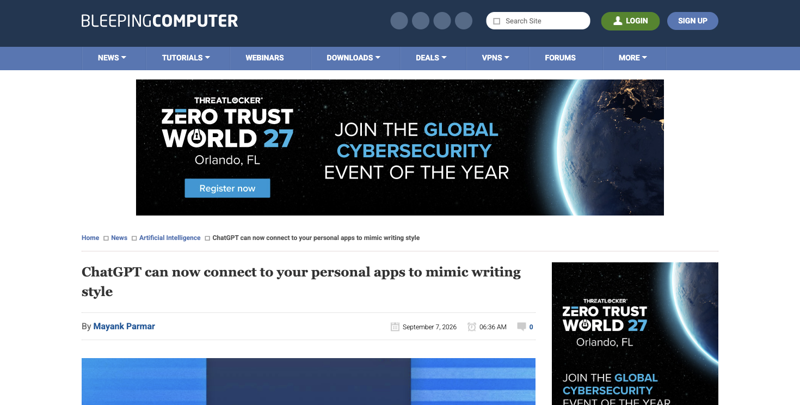
Setup is a few clicks: Settings → Personalization → Writing Style, then a toggle to reference your connected apps. No general public release date exists yet — as of this week it’s rolling out to a limited set of ChatGPT Work users, and OpenAI hasn’t published a dedicated help-center article explaining exactly how the underlying data is handled. Everything currently known about the mechanics comes from screenshots and reporting (BleepingComputer, PCMag, a testingcatalog leak on September 4-5), not an official OpenAI announcement.
That’s a smaller detail than it sounds like. If you’ve been searching for “how do I make ChatGPT sound like me” hoping this is the answer, it isn’t — not yet, not for you, unless your company specifically pays for ChatGPT Work.
The old way vs. the new way
Before this, making ChatGPT sound less like ChatGPT meant one of two things. Either you pasted 2-3 of your own emails into the chat every single time and said “match this tone” — which works, but it’s tedious enough that most people stop doing it after a week. Or you wrote a custom instruction once (“write casually, use contractions, keep sentences short”) and hoped it held up across different kinds of writing, which it usually doesn’t for anything beyond basic tone.
Writing Style is trying to remove that manual step entirely. Instead of you feeding it samples, it goes and finds them itself, continuously, from wherever you already write. In theory, that means better accuracy over time and zero extra effort. In practice, it also means a company’s AI product now has standing access to read your inbox and your team’s Slack — which is exactly the part generating the most reaction.
The walkthrough: getting a “sounds like me” result today, without waiting
You don’t need Writing Style to get most of this benefit. Here’s the manual method, and it takes about three minutes to set up once.
Step 1: Pick 2-3 emails or messages you’re proud of
Not your best writing ever — just a few normal examples that sound like you on an average day. A client update, a message to a coworker, whatever’s typical. Strip out anything identifying (names, account numbers, anything private) before you paste it anywhere.
Step 2: Ask ChatGPT to build you a reusable style profile
“Here are three examples of my writing [paste them, PII removed]. Analyze the tone, sentence length, and any recurring phrases or habits. Then write me a short ‘voice guide’ I can reuse — a paragraph describing exactly how I write, so I can paste it at the start of future conversations.”
Expected result: ChatGPT hands back something like: “Direct and conversational. Short paragraphs, 1-2 sentences most of the time. Uses ‘honestly’ and ‘here’s the thing’ as transitions. Avoids corporate phrases like ‘circle back’ or ‘per my last email.’ Ends messages with a clear next step, not a generic sign-off.”
Step 3: Save that voice guide somewhere reusable
Paste it into ChatGPT’s Custom Instructions (Settings → Personalization → Custom Instructions) so it applies automatically to every new chat, or save it as a note you paste in manually when you need it. Either way, you now have a durable style profile that took three minutes to build instead of a feature you’re waiting on.
Step 4: Test it against something real
“Using my voice guide above, write a follow-up email to a client who hasn’t responded in a week. Keep it under 80 words. No guilt-tripping, just a clear, friendly nudge.”
Compare the output to how you’d actually write that email. If it’s close, you’re done. If something’s off — usually it’s tone, not structure — tell it specifically what’s wrong (“too formal,” “too many exclamation points”) and ask it to adjust the voice guide itself.
Step 5: Update the guide every few months
Your writing changes. Revisit the voice guide occasionally, especially after a stretch where you’ve noticed your own style shifting (more casual after a new job, more formal after moving into a client-facing role).
Should you connect your inbox once Writing Style reaches you?
This is the actual decision this piece exists to help with, and the honest answer is: it depends on what you’re weighing it against, and it’s genuinely mixed even among people excited about the feature.
The reaction on X split cleanly into three camps. The largest was straightforward enthusiasm — “another common W from OpenAI,” “this is actually super useful,” people specifically excited that AI agents drafting on their behalf could finally sound human without constant manual correction. A second group raised the privacy point directly and plainly: “now your work email sounds ’like you,’ except it’s been read and synthesized by a company that also has access to your entire Gmail, Slack and SharePoint history. Very personal, very private” — sarcastic, but not wrong about the mechanism. A third group was skeptical the output would even be good: “training on Slack and Gmail is how you get a model that writes like your worst threads,” as one person put it, pointing out that a lot of workplace writing isn’t actually writing you’d want mimicked.
None of those reactions are unreasonable. Here’s the actual tradeoff, stripped of the reactions.
What you gain: less manual prompting, a style match that improves as it reads more of your writing, and — for teams using AI agents to draft on people’s behalf — outputs that don’t read as obviously synthetic.
What you’re trading: standing, continuous read access to whatever apps you connect, on a feature where OpenAI hasn’t yet published clear documentation on how long the referenced samples are retained or whether they factor into any other use. That’s not a claim that something bad is happening with the data — it’s that the documentation gap itself is the risk, until OpenAI closes it.
How this compares to what Claude and Gemini already do
This isn’t the first style-matching feature in the market — it’s just the first one that continuously scans connected apps instead of working from samples you choose once.
| ChatGPT Writing Style | Claude Custom Styles | Gemini in Docs/Gboard | |
|---|---|---|---|
| Availability | Limited test, ChatGPT Work only | Generally available, all Claude plans | Generally available, Workspace + consumer |
| How it learns your voice | Continuously reads connected Gmail/Drive/Slack/SharePoint | One-time sample upload or manual style description | Learns from documents you’re actively editing |
| Ongoing inbox/chat access required | Yes | No | No |
| Setup effort | One toggle, but requires connecting live accounts | Paste samples once, reuse the style preset | Built into the editor, no separate setup |
| Best for | Teams already using ChatGPT Work who want zero manual upkeep | Anyone who wants voice-matching without granting standing access | Writing inside Google Docs specifically |
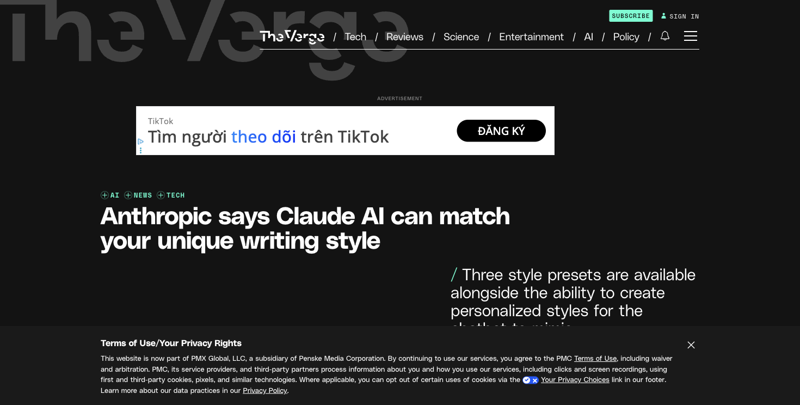
The pattern is clear: Anthropic and Google both shipped voice-matching as a one-time, user-controlled input. OpenAI’s version is the only one that works by granting continuous access instead of a snapshot — which is exactly why it’s the one generating both the most excitement and the most pushback.
What this means for you
If you use free or Plus ChatGPT (not Work): You don’t have this feature yet and there’s no confirmed date for when — or if — it comes to non-business tiers. Use the manual voice-guide method above; it costs nothing and works today.
If your company already pays for ChatGPT Work: Ask your IT or security team whether Writing Style is enabled before you turn it on yourself — connecting your own Gmail is one thing, but if your team’s Slack gets connected, that’s shared workspace data, not just yours.
If you’re privacy-cautious by default: Skip this one entirely for now. The manual method gets you 80-90% of the benefit with zero standing data access, and you can revisit once OpenAI publishes clearer retention terms.
If you manage a team that drafts a lot of similar-sounding client communication: This is genuinely useful once it’s out of limited testing and better-documented — but pilot it with one person’s account first, not the whole team’s shared tools at once.
If you’re a solo consultant or freelancer: The manual method is almost certainly the better fit long-term anyway — you’re the only “brand voice” that matters, and a reusable voice guide you control directly is simpler than a connected-app dependency.
If you’re currently paying for a third-party “write like me” tool: Compare it against the free manual method above before renewing. Several of the paid style-training tools ranking in search results right now are doing exactly what a well-built custom instruction does for free.
If you’re waiting specifically for the Gmail integration: Note that the official OpenAI announcement lists Gmail, Google Drive, Slack, and SharePoint — not Notion, despite some early leak coverage mentioning it. Don’t build a workflow around an app connection that hasn’t been officially confirmed.
Edge cases and real problems people are hitting
“I don’t have ChatGPT Work — can I request early access?” Not currently. There’s no public waitlist or opt-in form; access is limited to a subset of existing ChatGPT Work accounts OpenAI selected internally.
“My writing style is different depending on who I’m talking to.” This is worth building into your manual voice guide directly: ask ChatGPT to create two or three variants (client-facing, internal team, casual) rather than one blanket style.
“The AI output sounds like me, but it’s picking up bad habits — filler words, run-on sentences.” This is the exact concern several skeptics raised about the automated version, and it’s a real risk with any style-mimicking approach, manual or automated. When you build your own voice guide, explicitly exclude habits you don’t want repeated.
“I tried the manual method and the output still sounds generic.” Your samples are probably too polished or too short. Use full, unedited messages — the awkward, real ones — not your best writing.
“I’m worried about my team using this without approval.” This is a legitimate operational question, not just a technical one — treat it like any other new tool connecting to company email or chat systems, with the same approval process you’d use for a new browser extension or Chrome plugin.
“Does this affect what ChatGPT trains on? OpenAI hasn’t published feature-specific documentation for Writing Style. General OpenAI data policy (separate from this feature) treats Business/Enterprise/Edu accounts differently from consumer Plus/Pro accounts for training purposes — check your specific plan’s data controls rather than assuming.
“Will this replace me needing to proofread AI drafts?” No — voice-matching changes tone, not accuracy. Every draft still needs the same fact-check and read-through you’d give any AI output.
What this feature can’t do
It can’t make ChatGPT’s factual accuracy better — a draft that sounds exactly like you can still contain a wrong date or an invented detail. Voice and accuracy are separate problems, and this only solves one of them.
It can’t currently be turned on by individual consumer users — access is gated at the organizational plan level, not something you can enable on a personal free account regardless of how badly you want it.
It doesn’t retroactively fix years of generic ChatGPT output sitting in old chat threads — it only affects new drafts going forward.
It can’t guarantee your team’s Slack messages stay private from the AI system reading them, if a team-wide connection gets set up without individual awareness — this is a governance question your organization needs to answer explicitly, not something the feature resolves on its own.
It won’t tell you when OpenAI plans to document the data-retention specifics — that information simply isn’t public yet.
FAQ
Is ChatGPT Writing Style available to everyone? No. It’s in limited testing for ChatGPT Work accounts only, with no announced timeline for consumer Plus or free tiers.
What apps can it connect to? Per OpenAI’s own announcement post: Gmail, Google Drive, Slack, and SharePoint. Some earlier leaked screenshots mentioned Notion, but that wasn’t in OpenAI’s official list.
Does OpenAI train its models on my connected emails? OpenAI hasn’t published feature-specific retention terms for Writing Style. Its general data policy differs by plan tier — Business/Enterprise/Edu accounts get no default training use, while consumer accounts may be used for training unless you opt out. Check your specific plan’s settings.
Can I get this feature on the free version of ChatGPT? Not currently, and there’s no confirmed plan to bring it to free or Plus tiers.
How is this different from just pasting writing samples into ChatGPT? Pasting samples is a one-time, manual snapshot you control. Writing Style continuously reads your connected apps without you re-uploading anything — more automatic, but with ongoing access instead of a single input.
Do Claude or Gemini have something similar? Yes — Claude’s Custom Styles (generally available since late 2024) and Gemini’s writing tools in Docs and Gboard both offer style-matching, but neither continuously scans your connected accounts the way this feature does.
Is it safe to connect my personal Gmail to this? The feature is scoped to ChatGPT Work (business accounts), so a personal Gmail connection would typically be a work-related choice, not a personal one. Whether it’s “safe” depends on data-retention terms OpenAI hasn’t fully published yet — a reasonable default is to wait for clearer documentation before connecting anything with sensitive content.
What’s the fastest way to get a “sounds like me” result without any of this? Build a reusable voice guide with the manual method above — three minutes of setup, works on any ChatGPT plan today, and gives you full control over exactly what gets analyzed.
The bottom line
Writing Style is a genuinely useful idea wrapped in a feature that’s still short on documentation and available to almost nobody reading this yet. The excitement is earned — automatic voice-matching from real writing is a better long-term approach than manually re-pasting samples. But “better long-term approach” and “ready to connect your inbox today” are different claims, and right now only the first one is true. Build the manual voice guide instead; it works immediately, costs nothing, and you’ll have already solved the problem by the time this feature reaches your plan.
If you want to go deeper on writing well with AI — prompts, tone control, and the habits that make any AI draft sound like you instead of like AI — FindSkill’s Email Writing with AI course covers the full workflow in eight short lessons, with the first two free.
Sources
- BleepingComputer — ChatGPT can now connect to your personal apps to mimic writing style (Sep 7, 2026)
- BetaNews — ChatGPT tests writing style feature from connected apps
- Windows Report — ChatGPT may soon mimic your writing style across emails and documents
- PCMag — ChatGPT May Soon Learn Your Writing Style From Your Slack or Gmail
- OpenAI Help Center — Apps in ChatGPT (connected apps overview)
- OpenAI Help Center — Data sharing and privacy for apps in ChatGPT
- The Verge — Anthropic says Claude AI can match your unique writing style (Nov 26, 2024)
- Google — Write & edit with Gemini in Docs
- @ChatGPT on X — official Writing Style announcement (Sep 7, 2026)
- Zapier — How to Train ChatGPT to Write Like You