
On October 21, Anthropic opened a research preview of Claude Duet, an app where Claude doesn’t wait for you to open a chat. It sends you a morning brief of what needs attention, works on tasks in its own cloud computer while you’re away, and stops to ask before it sends a message, pays for something, signs a document or deletes anything.
If that sounds like what Meta’s Muse and OpenAI’s dots already do, it’s the same category. CNBC calls Duet an agent “that will likely challenge OpenAI’s Dots and Meta’s Muse offerings.” What’s different is who it’s for and how it’s gated: it’s aimed at professionals and small business owners, it’s included in Claude Pro and Max, and for now it’s US-only and waitlisted.
I don’t have an invite yet, and I’d rather say so than fake a review. This guide is built from Anthropic’s own pages (the product page, the launch article and three Help Center articles), what Engadget, CNBC, 9to5Google and Every wrote after hands-on or launch-day coverage, a Grok pass over what people are saying on X, and a Perplexity research thread. Everything here was checked on October 22, the day after launch, and the product is moving: where something is “coming soon” or “in the coming days”, I say so instead of guessing.
TL;DR. Claude Duet is a separate Claude app (iOS, Android, and claude.ai on a computer) that acts as a proactive agent. You can join the waitlist if you’re on a US Claude Pro or Max plan; invitations go out in waves. It costs nothing extra during the preview, but its background checks and bigger jobs count against the same usage limits as the rest of Claude. It asks before it sends, pays, signs or deletes, and it will not trade securities or move money between accounts even if you approve.
What Claude Duet actually is
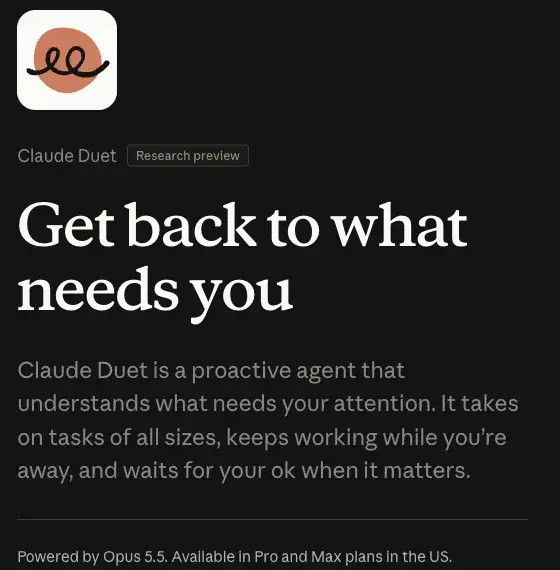
Anthropic’s one-line description is: “Claude Duet is a proactive agent that understands what needs your attention. It takes on tasks of all sizes, keeps working while you’re away, and waits for your ok when it matters.”
Take that apart and there are four ideas.
It comes to you. The Claude app waits for you to open a chat and work alongside it. Anthropic’s own FAQ puts the difference plainly: “Claude Duet comes to you.” Each morning it sends a brief of what needs your attention across your connected apps, drafts next steps, and then, in Anthropic’s words, “goes quiet until something needs you.” During the day it watches those apps and messages you only when something needs attention.
It works somewhere else. Duet runs on “its own virtual machine with its own browser,” so your laptop or phone doesn’t have to be on. You hand it a job by message (typed or voice), and Anthropic says it “returns finished work like a doc, sheet, or deck for your review.” Larger jobs arrive as files in the app’s Make tab.
It’s already you. It uses your Claude account, so the memory, skills and connectors you’ve already set up are there from the first message, all in one ongoing thread. Anthropic names Gmail, Google Calendar, Google Drive, Slack and Stripe among the connectors it works with, out of “more than 6,000 connectors and plugins” in the Claude Marketplace.
It checks with you. Anthropic says it “reads, drafts, and prepares work on its own,” and shows you the exact action before it sends a message, makes a payment, signs a document or deletes anything. The next sections cover where that line sits.
The jobs Anthropic uses as examples
The launch material is consistent about the kind of work it has in mind, and it is more office admin than personal errands:
- A morning brief that flags what needs you in your inbox and calendar, with drafted replies for you to approve.
- “Finding unpaid invoices and drafting the reminders,” “preparing payroll for you to review,” and “getting contracts ready to send.”
- Putting together a brief, a deck or a dashboard; setting up a meeting; building financial or sales forecasts, prototypes and web apps.
Anthropic is also upfront about what it’s weaker at. CNBC reports that because Duet is designed mainly for the workplace, personal errands like booking tickets are not “quite as strong.” Every’s review passes on Anthropic’s note that personal uses such as trip planning and haircut booking “still have rough edges.”
Claude Duet vs the Claude app vs Cowork
Anthropic now has three ways to ask Claude to do something, and the names are similar enough to confuse anyone. The Help Center article on Duet doesn’t compare it with Cowork directly, so this table is built from the product page, the Duet help article and the separate Cowork help article. Where a page is silent, the cell says so.
| Question | Claude Cowork | Claude Duet |
|---|---|---|
| Who starts the work? | You, by describing an outcome | Duet reaches out, or you message it |
| Where does the work run? | Anthropic’s servers in an isolated environment; for local files and your browser, keep the desktop app open | Its own cloud computer and browser |
| Can it run on a schedule? | Yes: tasks run on demand or on a recurring schedule, and scheduled tasks run in the cloud | It checks your connected accounts “every few hours” |
| Does it send a morning brief? | Not on its help page | Yes, every morning |
| Which plans? | Paid plans: Pro, Max, Team, Enterprise | Pro and Max, US only, by waitlist |
| What can it see? | Local files and your browser, when the desktop app is open | It “can’t see all of your projects or the files on your computer” |
The plain Claude app is the third piece. Anthropic’s Duet FAQ says it “waits for you to open a chat, and you work on something alongside Claude.”
The line Anthropic draws is about initiative. Cowork carries out multi-step work you describe, and it can already run scheduled tasks in the cloud. Duet adds a piece that Cowork’s help page doesn’t describe: it decides for itself what deserves your attention and tells you. The digitalapplied explainer puts it as “Duet adds initiative,” which is a fair way to say it, though that site is a secondary source.
Two further practical differences come from the Duet help article. Duet is a standalone app, “separate from the main Claude app”, so it’s one more icon on your phone. And its view of your Claude work is read-only: it “can read your work in Claude but can’t change it.” Every’s reviewer ran into the same boundary from the other side: Duet “can see the Claude sessions on my computers, but it can’t direct them.”
If you’re deciding between them, our guide to what Claude Cowork is and how it works and whether Cowork is free on your plan cover the other side of the comparison.
A day with Duet, step by step
Duet launched yesterday and I don’t have access yet, so I can’t show you a real log. What I can do is lay out the loop Anthropic describes and show what each stage should look like. The sample below is written by us to show the shape; it is not output from Duet.
Step 1: The morning brief. Your phone shows a short message from Duet. Anthropic’s product page demo reads “Morning, Maya. 5 things in progress and 2 that need you.” Here’s a sample, written by us to show the shape:
Morning. Two things need you, three are moving without you.

Needs you:
1. An invoice from a client is 14 days past due. I drafted a polite reminder. Approve to send?
2. A contract from a new vendor arrived overnight. I summarized the changes. Nothing is signed.

In progress:
- Weekly sales dashboard: updating at noon.
- Meeting with the accountant: waiting on her reply.
- Inbox: 31 newsletters ignored, 4 replies drafted.
What you should see: a short list, with the actions that need a decision separated from the ones that don’t.
Step 2: You hand it a job. You message Duet like a teammate: “Chase every invoice over 30 days late, draft the emails, don’t send anything until I’ve read them.” Anthropic’s product page says it works “through text or voice with no prompts or setup.”
What you should see: Duet replies with what it will do and where it will look, then goes to work in its cloud computer.
Step 3: It works while you’re away. It reads your invoicing connector, finds the late ones and drafts the emails. Large jobs like a financial model or a deck “require more model turns and background work,” Anthropic says, and those use more of your limits.
What you should see: a notification when it finishes or needs a decision, and the finished work as a file in the Make tab.
Step 4: You approve. Before an email goes out, Anthropic says Duet “shows you the exact action and waits for approval.” Read the draft. Check the amount, the date and the name. Then approve or edit.
What you should see: an approval card for each send, not one blanket “OK” for all of them. If you can’t approve right away, the Help Center says Duet “finishes the rest of the task and brings the approval back to you later.”
Step 5: You steer it. Anthropic says “You can see what Claude Duet has done and is doing for you, and steer it.” If it chased the wrong client, tell it in plain words. Duet may suggest a task is done, but “only you can mark a task as completed.” The app also keeps separate channels for different topics that share the same memory, and a Tasks tab for ongoing work and tasks waiting on you. The Help Center says to report problems the same way: tell Duet in plain words what happened in the chat, and it passes your report to the team.
Who can get Claude Duet, and how to join the waitlist
Per the Help Center article, you need three things: a Pro or Max plan, a US Claude account, and an invitation from the waitlist. Team and Enterprise plans are not included yet, and Anthropic says it plans to bring Duet to them later.
To join:
- Open the Claude Duet product page on claude.com and select “Join the waitlist.”
- Enter your name and the email address on your Claude account. The form also asks for your company name and what you’d hand off to Duet first.
- Choose your plan and phone type, iPhone or Android.
- Submit, then wait for an email.
- When you’re invited, follow the setup steps on your phone using the Apple or Google account linked to that email.
Two details matter. “Access is tied to the email address you gave us,” so use the one on your Claude account. And “Invitations go out in waves, so joining the waitlist doesn’t guarantee a specific date.” On a computer you can open Duet on the web at claude.ai once you’re in, but the setup steps run on your phone.
What Duet costs, and the usage-limit catch
During the preview, Duet is “included with the Pro and Max plans at no extra cost.” Engadget notes the contrast with OpenAI’s dots, which it describes as currently only available on ChatGPT’s Pro tier, with plans starting at $100 a month, while it prices Claude Pro at $20 a month.
The catch is that Duet doesn’t have its own meter. Anthropic’s FAQ says it “shares your plan’s usage limits with the rest of Claude, and uses them differently than a typical conversation.” The details, from Anthropic’s pages:
- Duet uses your limits “at the same rate as chats in Claude,” and the Help Center says usage counts against your plan’s “five-hour session and weekly limits.”
- Its background checks count toward those limits, and a larger task like a financial model or deck needs more model turns and background work.
- To keep this in check, Duet checks your connected accounts “every few hours” rather than constantly, “because checking nonstop would use up your plan’s limits much faster.”
- You can tell it what you want to hear about and how often.
- Everyone admitted gets “one full limit reset”, available until November 30, 2026.
Engadget draws the obvious worry: Duet shares usage with all your other Claude tools, including Code, “which sounds like a recipe for the new agent to blow through your rate limits, but Anthropic at least appears to be thinking ahead.” Early posts on X, according to our Grok pass, have the same theme: one person who got in posted about higher usage afterwards. I couldn’t find anyone who has published numbers, so treat “how much of my limit does it eat?” as an open question and measure it yourself (the test is below).
What it can and can’t do on its own
This is the part most readers care about. The rules, as Anthropic states them:

What Anthropic says it built to keep this safe
The launch article lists the protections, and it says more detail will follow “in the coming days”, so expect this to change.
- Duet follows Anthropic’s trustworthy-agents framework and uses the same credential design as Claude Managed Agents. It never directly sees your passwords or sign-in tokens.
- Approvals, logins and safety checks run in its own cloud computer, “so sensitive details stay private.”
- A dedicated classifier and safety prompt check messages for sensitive information. The strictest tier, such as credit card numbers and government ID, is rejected. Health and personal finance information is shared only when you explicitly tell Duet to.
- Actions are approved by Anthropic’s auto mode classifier, and the defenses against hidden instructions (prompt injection) draw on its browser-use research.
- Red teams tested it and an external firm penetration-tested it. It is covered by Anthropic’s public bug bounty program.
The Help Center is candid about it. It says “no defense is perfect, which is one reason consequential actions need your approval,” and tells you to “Review drafts and approval requests before you confirm them.” Treat the rest of this list as Anthropic’s description of its own product: the design intent. The approval step is the part you personally control. For the wider picture of what can go wrong when an agent reads your inbox, our guide to Claude Managed Agents explains the credential design Duet borrows.
Payments: Link and Shop Pay
Anthropic’s launch article says purchases use Link, Stripe’s digital wallet, with a virtual card, so your real card number isn’t shared. Shop Pay from Shopify is also supported. According to the Shop Pay help article:
- Duet is designed to “ask before each purchase.” It finds the item, you click “Review in Shop Pay” and you approve before it’s paid.
- Each purchase uses a one-time card that works only for that purchase, scoped to the amount you approved.
- Claude can see card type, last four digits, nickname and expiry date of your saved payment methods and your shipping addresses. It doesn’t get your full card number or your bank account number.
- Shop Pay works only in Duet, not in Claude, Cowork or Claude Code. You connect it from your avatar, then payments.
- Some sites may block Duet from paying. Then you finish the purchase yourself.
- Refunds, returns and order problems go through the store you bought from.
To disconnect, go to your avatar, then payments, then Shop Pay, and choose Disconnect.
What early reviewers say
Duet launched yesterday, so hands-on write-ups are thin. This is what’s out there, with what each source can and can’t tell you.
Every (Dan Shipper). The only hands-on review I could find that is more than launch-day coverage. Shipper calls Duet “the first personal agent I’d call a pro tool,” says it “splits recurring topics into their own channels” and that “It sends suggestions I actually want.” He’s also candid about the gaps: it can see the Claude sessions on his computers but can’t direct them; its email drafts are worse than OpenAI’s Dot; scheduled runs can’t reach his custom connectors; and there’s no real voice mode, only transcription. He says Dot “has become less proactive” and has lost tasks, and that he has “landed closer to 50/50 between ChatGPT and Claude.” His verdict: “if you’re a Claude subscriber who does knowledge work, get on the waitlist.” The article is paywalled after its opening, so I’ve only read what’s visible, and it says nothing about usage limits.
Engadget (Igor Bonifacic). Calls it Anthropic’s answer to Muse and Dots, notes that Anthropic is “late to the party,” and makes the point that matters most: “how much you’ll get out of Duet will depend on just how trusting you are of Anthropic.” Context is everything to AI models, he writes, and “for some, sharing their entire digital life with an AI agent, is just too much to ask.”
CNBC (Ashley Capoot). Notes that competing products from Meta and OpenAI “have started to show real traction with users.” Meta’s Muse launched in September and “rocketed to the top of Apple’s App Store,” and on Meta’s October 21 earnings report Zuckerberg told analysts that more than 10 million people in the US and Canada “have set up Muse personal agents” over the previous month and a half.
Anthropic’s own testers. The launch article quotes three, including “I don’t need to open up 100 tabs” and “I love that proactivity.” Treat these as marketing, not evidence.
People on X. In our Grok search of posts from the first day, most were announcement reactions, waitlist screenshots and comparison charts, with few detailed reports. The recurring themes were enthusiasm for the morning brief and approvals, worry about shared usage limits, annoyance at the US-only waitlist, and fatigue over yet another separately named Claude app. One person who got an invite reported an email link that kept opening the regular Claude app instead of Duet. These are impressions from a first day, not a survey.
Duet vs OpenAI dots vs Meta Muse
All three now run an agent in the cloud that keeps working after you close the app, according to their own descriptions (Duet’s in this guide, ours for the other two). Here’s how they differ on the points the sources let me state. For the other two, our own explainers cover them in more depth: OpenAI Dots explained and what Meta Muse is and whether to trust it.
| Question | Claude Duet | OpenAI dots | Meta Muse |
|---|---|---|---|
| Who it’s pitched at | Professionals and small business owners | Straddles enterprise and consumer, per CNBC | Primarily consumers, per CNBC |
| Launched | October 21, 2026 (research preview) | Introduced at OpenAI’s developer conference, “a few weeks earlier” than Duet per 9to5Google | September 2026, per CNBC |
| Who can get it | US Pro and Max plans, via waitlist | ChatGPT Pro tier, from $100 a month, per Engadget | Our Muse guide says it has a free tier |
| Strength Anthropic and press name | Work tasks: invoices, payroll, contracts, dashboards | Not covered here | Not covered here |
| Admitted weakness | Personal errands like booking tickets | Not covered here | Not covered here |
I left cells blank (as “Not covered here”) where I didn’t read a source that supports them. The honest summary is that the three are close in shape and different in audience and access, and none has been reviewed side by side by anyone I’d trust yet. If you want a head-to-head, wait a few weeks.
Get ready while you wait for an invite
Waiting lists reward the people who are ready on day one. Here’s a prep list that costs nothing and doesn’t need an invite. Only the first step touches Duet itself.
Step 1: Join the waitlist with the email on your Claude account
Use the address you sign in to Claude with. Since access is tied to that email, a different one means your invite goes somewhere you won’t look.
What you should see: a confirmation, then an email when you’re let in.
Step 2: Choose one first job
Anthropic’s own examples work best as a template: a job with a clear source and a clear end. “Find unpaid invoices and draft the reminders” has both. “Manage my business” has neither. Choose a job whose output you can read in two minutes before anything leaves your account.
What you should see: one sentence you can say out loud, like “Duet drafts my late-invoice reminders and I send them.”
Step 3: Connect only what that job needs
The Help Center says you start every connection yourself, and you can disconnect any app at any time. Disconnecting stops access from that point on, but “past memory is kept.” So connect one app, not ten.
What you should see: the connector listed in your Claude settings, and nothing else new.
Step 4: Check your memory settings
Duet uses your Claude memory. The Help Center says turning off “Search and reference chats” in Settings, then Memory, stops it searching past chats. Look at what Claude remembers about you today and decide what you’re comfortable with Duet carrying into a background agent.
What you should see: a memory screen you’ve actually read.
Step 5: Write down your usage before you start
Since Duet shares your plan’s limits, the only way to know its real cost is to compare. Note how fast you normally reach your limit in a normal week, then compare after your first full week with Duet. I couldn’t find a published figure, from Anthropic or anyone else, for how much a morning brief or a background check uses.
What you should see: two numbers you wrote down yourself.
What this means for you
Seven situations, each with a recommendation and a first action.
If you’re a small business owner on Claude Pro or Max in the US. You’re the audience Anthropic names (“professionals and small business owners”). Your best first job is the one you dread: chasing late invoices or sorting the inbox. First action: join the waitlist with your Claude email today and pick the one job above.
If you’re a solo freelancer or consultant. The morning brief and the invoice reminders are the pitch, but the connector list matters. Anthropic names QuickBooks, Stripe, Gusto, Docusign and HubSpot, so check yours is there. First action: open your Claude connectors and see whether the tools you actually use are listed.
If you’re on Claude Free or outside the US. You can’t use Duet yet. There’s no non-US timeline in the sources I read. First action: keep using Claude chat and Cowork where available, and look at OpenAI dots or Meta Muse if their availability fits you better.
If you’re on a Team or Enterprise plan. Anthropic says it plans to bring Duet to those plans later. Don’t point work data at a personal Pro plan to get around that. First action: ask your admin whether and when it’s coming, and what policy will apply.
If you use Microsoft 365 for work. The Help Center says “Microsoft 365 isn’t available yet” for Duet. First action: check whether your inbox and calendar are in Google or Microsoft before planning around it.
If you handle client or patient data (accounting, law, health, HR). An agent that reads your inbox is a data-handling decision before it’s a productivity one. Anthropic’s own classifier rejects the strictest sensitive data, such as credit card numbers and government ID, and shares health and finance details only if you tell it to, but that’s Anthropic’s design, not your professional obligations. First action: check your confidentiality duties before you connect anything, and see our guide to AI and privacy (first 2 lessons free).
If you’re curious but not in a hurry. Waiting is fine. The product is a research preview, the safety details are still arriving, and limits may change. First action: join the waitlist anyway, since joining costs nothing, and decide when your invite comes.
Edge cases and troubleshooting
These come from Anthropic’s Help Center, the launch article, Every’s review and the first-day posts we found.
You got an invite but the link opens the regular Claude app. One person on X reported this. The Help Center says to follow the setup steps on your phone with the Apple or Google account linked to the invited email, so check that you’re using that account.
You hit your usage limit earlier than usual. Background checks and larger jobs count against the same limits. Reduce how often it checks, narrow what you hear about (you can tell it), and avoid asking it to build big decks or models on days you need your limit for something else.
An urgent email arrived and Duet didn’t flag it. Anthropic says it checks accounts at intervals (“every few hours”) and “may misread a thread or miscalibrate what’s urgent.” Don’t use it as your only alert for anything time-critical.
A scheduled job can’t reach one of your tools. Every’s reviewer found scheduled runs couldn’t reach his custom connectors. If a job relies on one you built yourself, test it manually first.
A purchase didn’t go through. The Shop Pay help article says some sites may block Duet from paying. Complete the purchase yourself.
A Slack or Microsoft 365 job doesn’t work the way you expect. The Help Center says “Some connectors, such as Slack, work with limits in Claude Duet,” without saying what the limits are, and “Microsoft 365 isn’t available yet.” Test your connector with a small job first.
You want to see what the browser is doing. You can’t yet: the launch article lists “Can’t yet show you its browser” among the limits, and the Help Center says you can’t watch or take over its browser. You see what it has done and is doing in the app, and you can steer it.
You want to stop it searching your old chats. Turn off “Search and reference chats” in Settings, then Memory.
You want to delete the app and its data. The Help Center describes disconnecting apps, but it doesn’t describe turning Duet off entirely, and the launch article doesn’t describe deleting its data. Ask Anthropic before relying on that.
What it can’t do
Honest limits, from Anthropic’s pages unless noted:
- It may be wrong about what’s urgent. Anthropic’s words: it “may misread a thread or miscalibrate what’s urgent, and it can miss something that arrives between checking in with you.”
- It doesn’t pick up the phone. It doesn’t make phone calls or send texts, and emails need your approval.
- It can’t move money, trade or use someone else’s account. Those stay off-limits even with approval.
- It can’t see your computer. It “can’t see all of your projects or the files on your computer.”
- You can’t choose the model. It runs on Claude Opus 5.5 “and decides how much effort a job needs.”
- Personal errands are weaker. Booking tickets and similar jobs are not “quite as strong,” per CNBC’s report of Anthropic’s statement.
FAQ
What is Claude Duet? It’s a research-preview app from Anthropic where Claude acts as a proactive agent. It sends a morning brief, works on tasks in its own cloud computer, and checks with you before it acts on your behalf.
When did Claude Duet launch? Anthropic announced it on October 21, 2026, as a research preview. Engadget and CNBC both dated their coverage that day.
Is Claude Duet free? There’s no separate charge during the preview. Anthropic says it’s included with Pro and Max “at no extra cost.” But it uses your plan’s usage limits, including for background checks, so it isn’t free in terms of what you can do with Claude.
Who can use it? US Claude Pro and Max subscribers with an invitation from the waitlist. Team and Enterprise aren’t included yet, and Duet isn’t available outside the US in the sources I read.
Do I need an iPhone or Android phone? The waitlist form asks which you use, and the setup steps run on your phone. On a computer you can open Duet at claude.ai.
Can Duet send emails or spend money without asking? No. Anthropic says it shows you the exact action and waits for approval before it sends a message, makes a payment, signs a document or deletes anything. Shop Pay purchases use a one-time card scoped to the amount you approved, and Anthropic’s launch article says Link purchases use a virtual card.
Can I choose which apps it uses? Yes. You start every connection yourself and can disconnect any app at any time, in your Claude settings.
How is it different from Claude Cowork? Cowork carries out multi-step work you describe, and it can run on a schedule. Duet adds a morning brief and the initiative to flag what needs you. Anthropic’s help article for Duet doesn’t compare the two directly.
Is it better than OpenAI’s dots or Meta’s Muse? Nobody has tested the three against each other in a way I’d trust yet. Every’s reviewer calls Duet a pro tool and says he’s now “closer to 50/50 between ChatGPT and Claude.”
Is it safe to connect my email? Anthropic describes classifiers, approvals, credentials Duet never directly sees, red-team testing and a bug bounty. Those are the company’s own claims about a day-old product. The approval step is the part you control, so keep it on, read each action, and connect as little as you need.
The bottom line
Claude Duet is Anthropic’s answer to a question people have been asking about AI for a while: why do I always have to start the conversation? The pitch is a brief in the morning, work done in the background and a stop before anything that can’t be undone. For a small business owner or a freelancer on Pro or Max in the US, it’s worth joining the waitlist today, because joining costs nothing and the invites come in waves.
It isn’t a reason to switch plans, and it isn’t a finished product. The usage-limit question is open, the safety details are still being published, and the only hands-on review I found is one person’s, behind a paywall. If you get in, start with one low-risk job whose output you can read, keep approvals on, and write down your usage before and after.
Whatever agent you end up with, the habits are the same: bounded jobs, drafts before sends, and a human check on anything that matters. Claude Cowork Essentials (first 2 lessons free) teaches those habits with the closest tool you can use today.
Sources
- Claude, “Claude Duet” product page
- Claude, “Introducing Claude Duet” (October 21, 2026)
- Claude Help Center, “Get started with Claude Duet”
- Claude Help Center, “How to use Shop Pay with Claude Duet”
- Claude Help Center, “Get started with Claude Cowork”
- Engadget, “Claude Duet is Anthropic’s answer to Meta Muse and OpenAI Dots” (October 21, 2026)
- CNBC, “Anthropic announces preview of Claude Duet, a personal AI agent to take on Muse, Dots” (October 21, 2026)
- 9to5Google, “Claude Duet is Anthropic’s proactive AI agent (waitlist)” (October 21, 2026)
- Every, “Vibe Check: Duet, Anthropic’s Always-on Agent”
- Digital Applied, “Claude Duet: Anthropic’s Always-On Agent, Explained”