

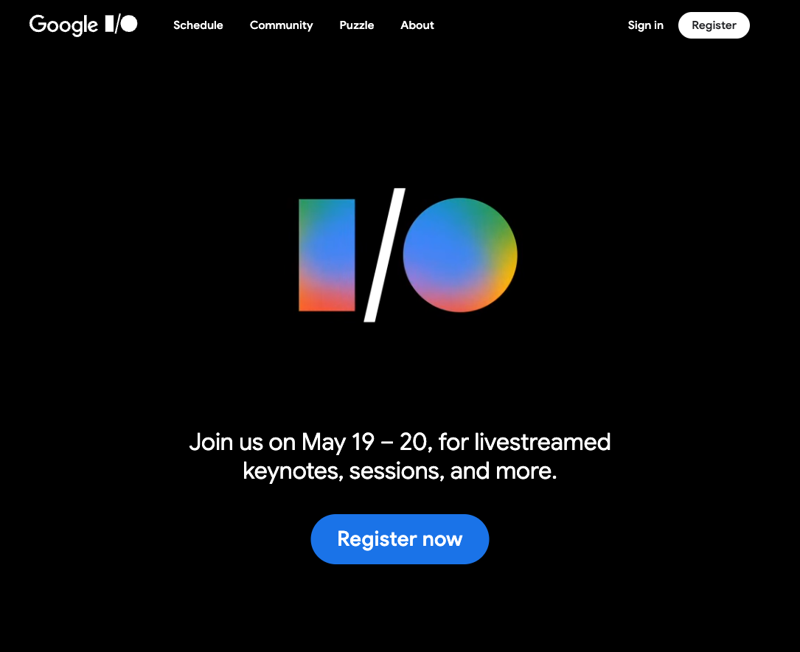
Google I/O starts Tuesday, May 19 at 10 AM Pacific, with a second day of sessions on Wednesday. By Wednesday afternoon, every tech outlet will publish the same “everything Google announced” roundup, and most of it will be developer plumbing you do not need to know about.
This guide is the opposite. I went through the leaks, the Android Show pre-event on May 12, and Google’s own pre-keynote teasers, and ranked the announcements by whether they will change anything in your day-to-day. Six matter. Four will get airtime but will not matter to you specifically. The split is more useful than the list.
How to actually watch on Tuesday
The keynote runs about two hours starting at 10 AM PT (1 PM ET, 6 PM UK, 7 PM Central Europe). The livestream is at io.google/2026 and on Google’s YouTube channel. The developer keynote follows immediately after the main keynote and is where the API and SDK details land — skip it unless you are shipping code.
Cheap tip: if you are watching at work, the first 25 minutes are setup and one big AI demo. The substantive announcements bunch up in the middle hour. If you can only watch one block, jump in 20 minutes after start.
The 6 things that matter
1. Gemini’s next version — probably 4.0, possibly with voice as the headline
The centerpiece will almost certainly be a Gemini model bump. Industry chatter has consistently pointed to Gemini 4.0, with one of the more reliable pre-show leaks suggesting the voice side is in for a bigger jump than the text side. That tracks with the May 12 Android Show preview of “Rambler” — the feature that turns a voice ramble into a polished message — which only makes sense if the underlying voice model is meaningfully better.
Why this matters: every Gemini-powered surface inherits the upgrade automatically. The Gmail smart-reply, the Google Docs help-me-write, the Workspace summaries, the Pixel call-screening, the Nest Hub answers — all of them. If you have not been impressed with Gemini in the last six months, this is the moment to retest the assistant on your phone after Wednesday morning.
What to watch for during the keynote: the benchmark slide. Google usually puts Gemini next to GPT and Claude. The interesting thing is not which one wins on which benchmark — it is which benchmarks Google chose to show. That tells you what they think their advantage is.
2. Aluminium OS — the laptop conversation finally gets simple
A 16-minute Aluminium OS walkthrough leaked on Reddit on May 13, which means Google is past the “is this real” stage and into the “set buyer expectations” stage. The pitch: one operating system for laptops that runs Android apps natively, modern web apps through Chrome, and Linux containers for developers, all on the same hardware. The internal codename has been around long enough that the Sameer Samat confirmation earlier this year did not surprise anyone.
Why this matters: if you have been waiting for a clean answer to “should I get a Chromebook or a MacBook?”, this is what makes Chromebook a real conversation again — at least for the kind of laptop you would buy for a school-age kid, a parent, a part-time work-from-home setup, or a low-cost work fleet. Watch the demo for these three things: does it actually run the Android apps that matter to you (banking, school, transit)? Does it handle the web apps you use at work without choking? Does the trackpad and the keyboard finally feel like a laptop instead of a Chrome browser bolted to plastic?
What to watch for: the hardware partners. Aluminium OS only matters if there are good laptops to put it on. If Google announces names like Lenovo and HP making Aluminium OS premium devices, the platform is real. If it is just generic education-market hardware, this rollout will be quieter than the demo suggests.
3. Android XR glasses — the form factor demo, not the product launch
Google has already confirmed it will preview Android XR glasses at the keynote. Two products are expected: a display-free pair with a camera, microphone, and speakers for hands-free Gemini, and a more ambitious pair with a tiny in-lens display for things like translation captions, walking directions, and meeting reminders. Both run Android XR, the same OS shipping in the Samsung Galaxy XR headset from October 2025. Partners include Samsung, Qualcomm, Gentle Monster, and Warby Parker.
Why this matters: not because you will buy them on Wednesday — you almost certainly will not, and there is no reliable consumer-ready price hint yet. But this is the form factor that determines whether AI assistance moves from your phone screen to a thing that lives on your face. The translation caption use case alone is the kind of thing that, once people experience it on a trip, they cannot unhear.
What to watch for: the “what does the wearer actually see” demo. If Google shows a first-person POV with subtle, well-positioned text — translation captions on the wall during a Tokyo dinner, walking arrows floating six feet ahead of you — the product team has cracked the UX. If the demo is all-camera-feed and the AI commentary is in voice only, the in-lens display is still cooking.
4. Gemini Intelligence rolling out to your existing Android phone
This one was announced on May 12 at the Android Show pre-event but will get more stage time on May 19. Gemini Intelligence is the proactive layer that handles multi-step tasks — “build my cart at this grocery store, then book a 7 PM reservation at the restaurant nearby, then text my partner the address” — and rolls out to Samsung and Pixel phones this summer.
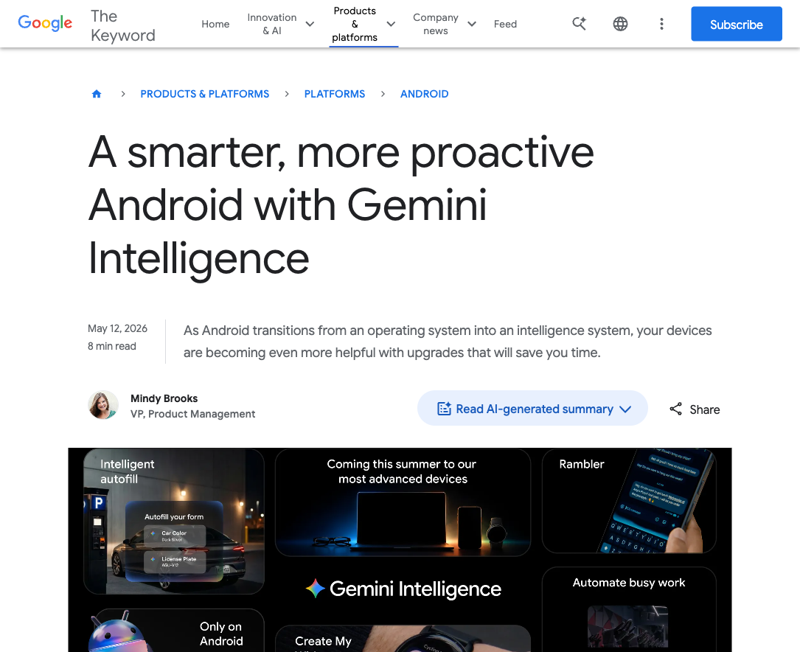
Why this matters: if your phone is your main computer — and for most people under 35, it is — this is the most concrete day-to-day change to come out of the I/O cycle. It is also the feature where Apple’s WWDC reveal in June will be judged directly against Google’s. Whichever of the two does multi-step tasks more reliably wins the next phone upgrade cycle.
What to watch for: the live demo failure rate. Multi-step tasks are hard to demo because they touch real APIs. If Google’s demos visibly stumble on a booking or a checkout, the rollout is going to be cautious. If they sail through, expect aggressive availability dates.
5. Veo and Lyria — the consumer-facing creative tools
Google’s video model (Veo) and music model (Lyria) usually get stage time at I/O. This year they should get more, partly because the competition (Sora from OpenAI, Suno for music, Pika for video) has gotten genuinely good and partly because both tools have been quietly maturing for a year inside the Google AI Studio.
Why this matters: if you are a content creator, social media manager, or anyone who has been hand-rolling stock-video searches and copyright-cleared music, the question is whether Veo and Lyria are now production-usable. Watch the keynote demos for length (anything over 8 seconds is the new bar) and for audio sync — that is the part the competitors are weakest on.
What to watch for: the pricing and availability slide. If Veo/Lyria stay locked inside Google AI Studio at developer pricing, they are still aimed at the early adopter market. If they show up in YouTube Shorts or in Google Photos with a one-click button, the consumer rollout is the real story.
6. Agentic AI — the new word for the same thing, except this time it might be real
“Agentic AI” is the developer-track buzz term for AI that takes multi-step actions on your behalf without close supervision. Anthropic shipped its version through Claude Cowork in March; OpenAI did it through ChatGPT Computer in April; Microsoft has Agent 365 generally available since May 1. Google’s version will probably be called something like “Gemini agents” and will plug into Workspace.
Why this matters: not because the term itself matters — it does not, and you can safely ignore the word “agentic” forever — but because this is the surface where Gemini either matches Claude and ChatGPT on doing the boring stuff (filing receipts, drafting follow-ups, building meeting prep) or stays a search-and-summarize tool that loses on workflows. The Workspace integration is the part to watch.
What to watch for: whether the agentic features ship on the free Google Workspace plan, on Workspace Business, on a new Gemini Advanced tier, or all of the above. The pricing tier where it lands tells you who Google is fighting for first.
The 4 that will get airtime but won’t matter
1. Android 17 itself, in the abstract
Google will spend serious stage time on Android 17. Most of it will be developer-facing — new APIs, new permissions models, new privacy granularity — which is fine but does not change anything visible to a person using a phone. The visible changes (UI updates, animations, theme refinements) will reach your phone in stages over the rest of the year. Skip ahead.
2. Firebase, Google Cloud, and the AI developer platform
If you are not shipping code, the entire developer platform conversation is noise. It will be 25 to 35 minutes of the keynote depending on how Google decides to structure it. The headlines you might see — “new Gemini API features,” “Firebase AI Logic upgrades,” “Cloud Run hits version X” — only matter if you are building.
3. Pixel feature drops and Android-on-Wear
Pixel-specific features (call screening, Magic Compose, the Recorder tool) and Wear OS updates will get a few minutes of stage time. They are real features and useful if you own those devices, but they are a side-platform story and there will be a dedicated Pixel Feature Drop event later in the year for the meaningful changes.
4. The “AI for science” set piece
Google traditionally does a moving demo about AI for medicine, AI for climate, or AI for scientific research. It will be well-produced. It will get applause. It will not change anything in your week. The actual impact of those tools — DeepMind’s protein folding work, the climate modeling collaborations — happens in academic publications and government partnerships, not in any product you can install.
What this means for you
You do not need to watch live. The recap clips that go up Tuesday evening will be tighter than the keynote. But if you want a rough plan for the week:
If you carry an Android phone: the Gemini Intelligence demo is your priority. Watch the multi-step task section closely and decide whether to update your phone the moment the feature is available, or wait for the second-wave reviews. Both are reasonable.
If you are choosing your next laptop: wait. Aluminium OS announcements should give you the data you need to decide MacBook vs. Aluminium OS vs. Windows by Friday. Hardware partners and price ranges will be the part that matters.
If you are at a small business or solo shop that uses Workspace: the agentic AI / Gemini-in-Workspace announcements decide whether you will run into Workspace doing more for you automatically or whether you will need to keep stacking Claude or ChatGPT on top of it. The tier where the features land is your signal.
If you are an educator, a parent, or anyone buying a kid a first laptop: Aluminium OS is the announcement to pay attention to. The Chromebook conversation in classrooms has been stuck for two years; Aluminium changes the buying decision.
If you are a creator on YouTube, TikTok, or Reels: Veo and Lyria are the ones. The 8-second video bar is the line between “fun demo” and “actually usable in a content workflow.” Check for it.
What this can’t tell you
Three honest gaps in this guide that no preview can answer until Tuesday afternoon.
- Pricing tiers for Gemini Advanced. Google may or may not separate the new features into a higher tier. Until they say, you cannot plan a budget around it.
- Whether the smart glasses are real products or two-year-out previews. Both partner glasses are confirmed for a preview, not necessarily a launch. The price tag at the bottom of the demo slide is the only thing that decides.
- Aluminium OS hardware availability. The OS demo will be impressive; the question of which laptops you can actually buy this year is a separate slide that may or may not appear. Watch the Q&A in the press briefings the day after the keynote — that is where you usually find out.
The bottom line
Watch Tuesday for Gemini 4.0, Aluminium OS, the Android XR glasses demo, the Gemini Intelligence multi-step section, the Veo/Lyria pricing slide, and the agentic AI surface. Skip the Android 17 developer detail, the Firebase / Cloud chunk, the Pixel-only mini-segment, and the AI-for-science set piece. That gets you the keynote in about 45 minutes of actual content out of two hours, which is the right time investment.
We have a short course on getting practical value out of Gemini at work — Gemini for Personal Intelligence at Work — that goes deeper on the workflows behind the headlines once you have decided whether to switch.
Sources
- Google I/O 2026 event page — official
- What to Expect from Google I/O 2026: Gemini upgrades, Android features, Aluminium OS, and more — Android Authority
- Gemini Intelligence brings proactive AI to Android — Google blog (May 12)
- Everything Google announced at its Android Show — from Googlebooks to vibe-coded widgets — TechCrunch
- Google races to put Gemini at center of Android before Apple’s AI reboot — CNBC
- Google I/O 2026: How to watch and what to expect including Android 17, Gemini announcements and more — Yahoo Tech
- New Google Smart Glasses Are Coming — Here’s What We Know So Far — BGR