A therapist in Ohio logs into a Tuesday session. It’s a couples appointment — her, the client, and the client’s spouse dialing in from a work parking lot. Three people. She doesn’t think about it, because she never thinks about it. Forty minutes later she gets an email: a Google Doc titled “Meeting Summary,” sitting in a Drive folder, with a clean paragraph describing what her client said about an affair, a diagnosis, a custody fear. Nobody asked her to turn that on. Nobody asked the client either.
That’s not a hypothetical anymore. As of September 21, 2026, Google Meet auto-generates AI notes for any meeting with three or more people on Business Standard and Business Plus plans — the two tiers that cover most solo and small-practice therapists, lawyers, and financial advisors in the country. If you already read our piece on the general rollout, you know the mechanics: pencil icon, on-screen banner, a recap Doc that lands in the host’s Drive. That post is written for consultants and project managers, and it’s a genuinely good “how do I use this well” guide.
This one isn’t that. If you bill by the hour under a license, sign engagement letters, or sit for FINRA exams, a Google Doc quietly summarizing a client conversation isn’t a productivity feature. It’s a confidentiality event — the kind that shows up in a bar complaint, a HIPAA breach log, or a subpoena response. Here’s what actually changed for you, what to shut off before your next appointment, the consent language that holds up under your profession’s actual rules (not the generic “just tell people” advice), and — because this is the part nobody else is covering — what to do if a session already got swept up before you noticed.
What Just Changed (And Why the Headline Undersells It for You)
The short version, if you skipped the companion post: Google added a third admin policy option in July 2026 — automatic notes for meetings with 3+ people — and set it to on by default for Business Standard and Business Plus tenants starting September 21. Enterprise Standard, Enterprise Plus, and Education tiers stay off by default. The rollout is gradual, up to 15 days, so if nothing’s changed for you yet, that’s normal, not exemption.
Here’s the detail that matters more for you than for almost anyone else reading that other post: the trigger is three or more live participants, not “any meeting.”
Sit with that for a second, because it cuts a different way in your work than it does for a sales call or a status meeting. A solo therapist running individual sessions — one clinician, one client — never crosses the 3-person line. The September 21 default, on its own, doesn’t touch a standard 50-minute individual session. Neither does a single attorney on a one-on-one call with their own client, or a financial advisor doing a solo check-in with an individual account holder.
But look at how much of your actual calendar isn’t that:
- Couples or family therapy. Two clients plus you is three people, automatically.
- A supervised session for licensure hours, with a supervisor sitting in silently. Three people.
- Group therapy, obviously — often eight or more.
- Any attorney-client call with a paralegal or associate on the line, which is standard practice at every firm above one person. Three people, and every word is privileged.
- A financial advisory call with a client and their spouse, which is close to the default format for household wealth management, not the exception. Three people, and often material nonpublic information about accounts, allocations, or estate plans in the room.
So the honest read isn’t “this doesn’t affect me because I only do 1:1s.” It’s “this silently activates the exact moment your session stops being 1:1 — which, if you practice couples work, run a group, work with an associate, or serve households instead of individuals, is most of your week.” Nobody else covering this rollout has walked through that math for you, and it changes what you actually need to check.
One more thing worth knowing before you go looking for the toggle: no U.S. jurisdiction currently treats a visible on-screen icon as legally sufficient consent to record. Google’s pencil-icon notice is real notice — it’s just not the same thing as documented, informed consent under wiretap law, HIPAA, or your bar’s ethics rules. That distinction runs through almost everything below.
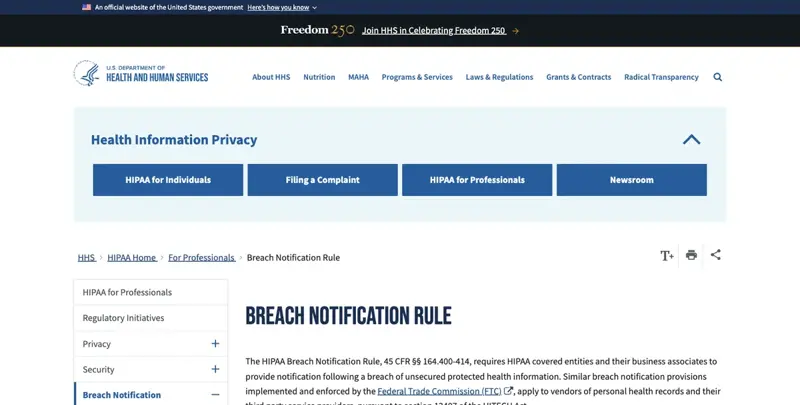
The federal rule that governs what you owe a client if an AI-generated transcript of a session goes somewhere it shouldn’t. Source: HHS.gov — Breach Notification Rule.
The Walkthrough: Check, Disable, Consent, and Clean Up
Step 1: Find out if it’s actually on — for you specifically
Don’t assume. Two different checks, depending on who controls your account.
If you’re a solo practitioner (most therapists in private practice, solo attorneys, independent RIAs), you’re very likely also your own Google Workspace admin — you set up the account, you pay the bill. That means you check both places yourself:
- Admin console (admin.google.com, if you have one set up — many true solo accounts don’t and just use the standard Business Standard settings): Apps → Google Workspace → Google Meet → Meet video settings → look for “Take notes for me.” You’ll see whether your org-unit default is off, on for all meetings, or on for meetings with 3+ people.
- Your personal Meet settings: open Meet (not mid-call), click the gear icon, find “Take notes for me.” This shows your individual setting, which can differ from — or simply inherit — the admin default.
If you work at a group practice, a firm, or under a broker-dealer, you almost certainly don’t control this setting yourself. Someone else — an office manager, an IT contractor, a compliance officer — owns the admin console. You need to ask them directly, and “is AI notetaking on for our Meet calls” is a fair, normal question to ask this week, not a paranoid one.
Exact language to send your admin:
“Quick compliance check — can you confirm our Google Workspace’s ‘Take notes for me’ policy in the Meet admin settings? I need to know if it’s set to on for meetings with 3+ people, and if so, whether the ‘require explicit consent’ option is also enabled. If we handle [client sessions / privileged calls / customer account discussions], I’d like us to default this off unless a specific session calls for it.”
That last clause matters. Don’t just ask if it’s on — ask about the separate “require explicit consent” setting too, because that one is off by default even when notes are on, and it’s the difference between a passive on-screen icon and something closer to documented consent.
Step 2: Turn it off before your next appointment
If you’re your own admin: flip the org-unit default to off, or set your individual toggle off, before your next session. This takes about ninety seconds and doesn’t require IT help.
If someone else is the admin: you have two options while you wait for them to change the tenant default. First, your individual Meet setting may let you override the org default downward (off), even if you can’t push it upward. Check your own gear-icon setting first — sometimes that’s enough. Second, mid-call: click the pencil icon during the meeting and select “stop taking notes.” Practice this once, before you need it live. Fumbling for it while a client is watching is worse than the notes themselves.
Neither of those substitutes for the actual firm-level decision, though. If you’re at a group practice or a firm above two or three people, this genuinely needs to become a written policy, not something each clinician or associate handles ad hoc — see the edge cases section below for what happens when it isn’t.
Step 3: The consent language — and why “just announce it” isn’t enough for you
The general advice — say out loud that AI notes are running, give people a chance to opt out — is fine for a status call. It is not sufficient for what your license, your bar, or FINRA actually requires. These three professions have different rules, and treating them as interchangeable is exactly the mistake that turns a settings oversight into a real complaint.
For therapists and counselors (HIPAA): A therapy transcript is protected health information (PHI) the moment it exists. Under HIPAA, using any AI tool that creates, stores, or transmits PHI on your behalf requires a signed Business Associate Agreement (BAA) with that vendor — full stop, before a single session runs through it. This is separate from client consent; it’s a contractual requirement between you (or your practice) and Google. Most therapists on Workspace already have a BAA covering core services like Gmail, Calendar, and Drive. What’s genuinely unclear, and worth confirming directly with your Workspace reseller or Google’s sales team rather than assuming: whether your existing BAA’s list of “covered services” explicitly includes Gemini’s AI note-generation feature, since many vendors’ BAAs predate their newest generative AI features and require an updated addendum to cover them. Don’t assume last year’s signed BAA automatically extends to a feature that shipped this year.
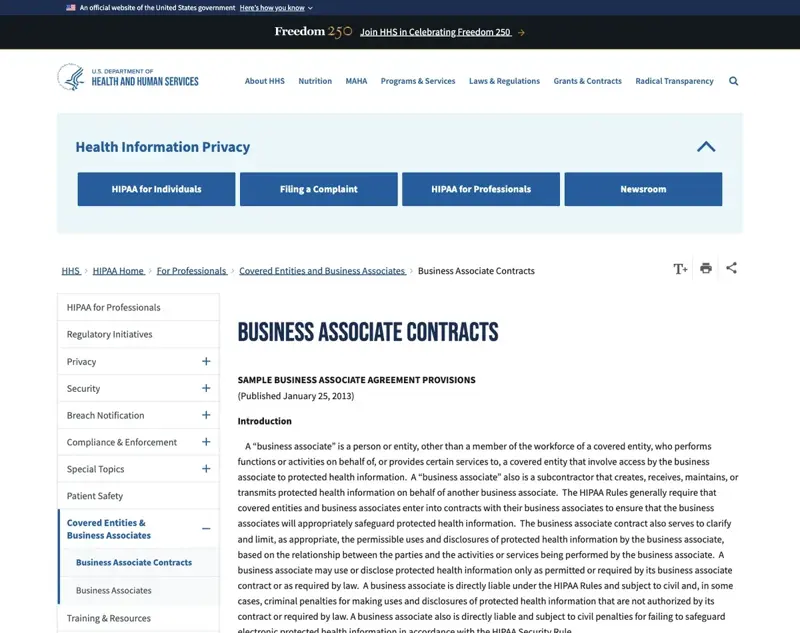
The federal guidance behind the BAA requirement — note the direct liability language, which is why “our IT team probably handled this” isn’t a safe assumption. Source: HHS.gov — Business Associate Contracts.
Beyond the BAA, HIPAA’s “minimum necessary” standard is genuinely hard to satisfy with a feature that transcribes continuously rather than capturing only what’s needed. A workable script for the start of a session where notes will run:
“Before we start, I want to flag that our video platform can generate an AI summary of today’s session, which would go into your file the same way my handwritten notes do. It’s covered under our practice’s privacy agreement, and I’ll only ever use it to support your care — not shared outside what’s already in your consent forms. Are you comfortable with that, or would you rather I take notes the old-fashioned way today?”
Get a yes on record — a checkbox in your intake form covering AI-assisted documentation generally, refreshed at least annually, is the standard the APA’s December 2025 “Guidance for the Evaluation of AI Scribes” points toward, alongside vendor BAA verification as a non-negotiable first step.
For lawyers and paralegals (attorney-client privilege + ethics rules): This is where “just announce it” actively fails you, because two different New York City Bar opinions — and the trend nationally — draw a hard line between recording your own client and recording anyone else on the call.
Formal Opinion 2025-6 covers client conversations: get your client’s informed, documented consent before AI records or transcribes, and don’t bury it in boilerplate engagement-letter language — per ABA Formal Opinion 512, consent has to be specific to the AI use, not a general “we may use technology” clause.
Formal Opinion 2026-2, issued August 5, 2026, goes further and covers non-client conversations — opposing counsel, witnesses, a paralegal from another firm, anyone on the call who isn’t your client. The opinion’s default position: don’t record unless you have a good reason and everyone’s consent, because of the ethical and tactical risk of an AI transcript existing at all. That’s not a “notify them” standard. It’s a “get to yes from everyone, or don’t run it” standard.
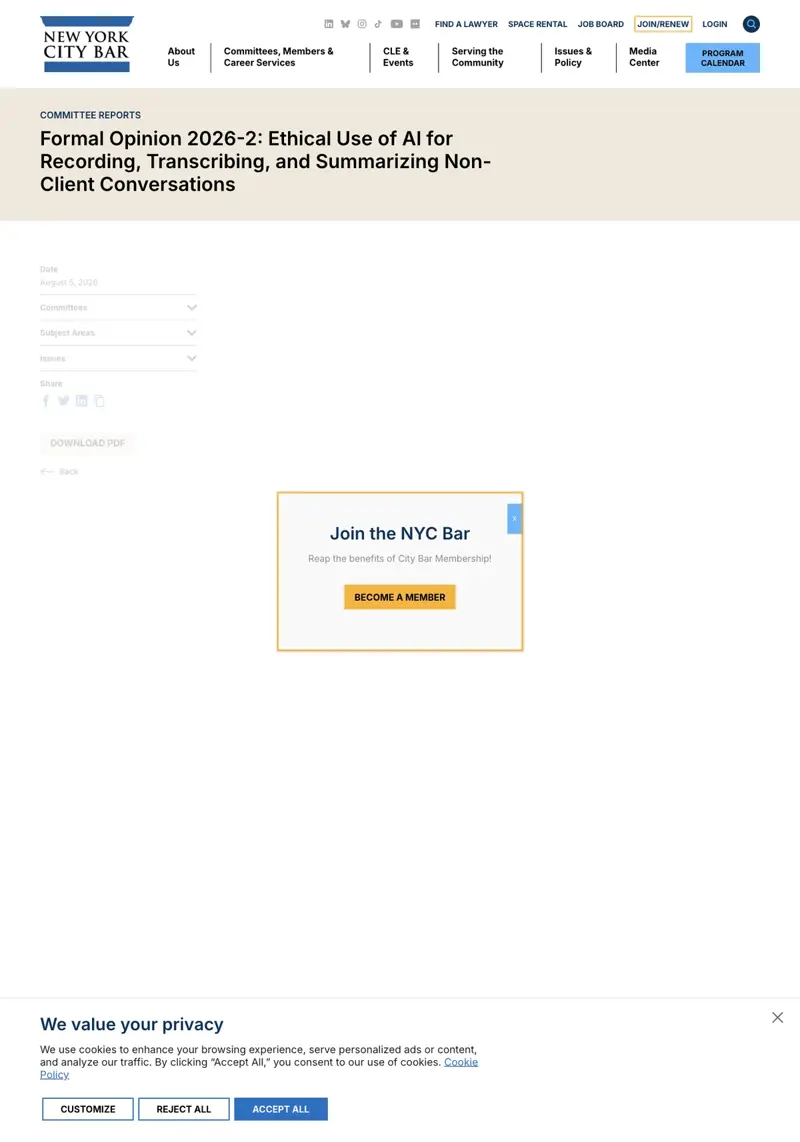
The opinion that draws the line lawyers keep missing: consent from your own client isn’t the same as consent from everyone else on a privileged call. Source: New York City Bar Association.
Script for a client call:
“I want to let you know our call today may be transcribed by an AI note-taking tool built into our video platform, purely to help me document our conversation accurately. This is covered by the confidentiality terms in your engagement letter. I need your okay to proceed with it running — otherwise I’m happy to take notes manually instead.”
Script for a call involving opposing counsel, a witness, or any non-client party:
“Before we get into this, I want to flag that our video platform has an AI note-taking feature that’s on by default for calls like this one. I’d rather turn it off unless everyone here is specifically comfortable with an AI-generated transcript existing — what’s everyone’s preference?”
Note what that second script does: it defaults to off and requires affirmative buy-in, matching what Opinion 2026-2 actually recommends, instead of defaulting to on and hoping nobody objects.
For financial advisors (FINRA/SEC): Your situation is structurally different from the other two, and it’s worth understanding why. HIPAA and privilege are fundamentally about consent — can this recording exist at all. FINRA and SEC rules are fundamentally about recordkeeping and supervision — if a business communication happens, it generally needs to be captured, retained, and reviewable, not avoided.
FINRA Regulatory Notice 24-09 (June 2024) is explicit that existing rules apply to generative AI tools without carving out an exception — including Rule 3110’s supervisory requirements. If your firm’s compliance system already reviews electronic correspondence, an AI-generated meeting summary is a business communication that needs to flow into that same supervisory review, not exist as an orphaned Google Doc nobody’s compliance team knows to check. Books-and-records obligations (FINRA Rule 17a-4 for broker-dealers, Advisers Act Rule 204-2 for RIAs) mean a client-meeting transcript may need to be retained on the same schedule as any other business record — which, notably, means simply “turning it off” isn’t automatically the safe move if your firm has decided these summaries should be captured and retained as part of your compliance record. And if the call touches material nonpublic information, Exchange Act §15(g) information-barrier obligations apply to wherever that transcript lands and who can see it — a Doc that auto-shares to “all invitees” can breach an information barrier as easily as a misdirected email.
The practical script here isn’t really a consent script — it’s a policy question you need answered by your compliance officer, not something you resolve solo:
“Should client-meeting AI transcripts be treated as records subject to our retention policy and supervisory review, or should this feature be disabled for client-facing calls entirely? I need a documented answer before I keep using it.”
If you’re independent with no compliance department, treat that question as your own to answer in writing, dated, and kept in your own compliance file — regulators expect a documented decision, not a default nobody chose.
Step 4: What to do if a session already got captured before you noticed
Here’s the worked example promised up top. The Ohio therapist from the opening — call her Dana — checks her Drive two days after that couples session and finds the “Meeting Summary” Doc she never asked for. Here’s the actual sequence she should run, and you should too if you find the same thing.
First, locate everything, not just the one Doc you found. Notes save to the host’s Drive in a “Google Meet” folder, one subfolder per meeting, and also attach to the Calendar event. If you weren’t the one who clicked “Start meeting” — an office manager scheduled it, say — the actual notes may sit in someone else’s Drive entirely. Check both.
Second, check who can already see it. Open the Doc’s sharing settings immediately. Google’s default is “invited guests in your organization,” but if a client joined from outside your domain, or if your admin’s sharing default is broader, the exposure could already extend past just you. This determines almost everything about what happens next — a Doc only you have seen is a very different situation than one already emailed to three people.
Third, assess whether this is a reportable event. This is a judgment call worth making carefully, not skipping. Under the HIPAA Breach Notification Rule (45 CFR §§ 164.400-414), a breach requiring notification generally involves impermissible use or disclosure of unsecured PHI to someone not authorized to see it. If the transcript never left your own Drive and no unauthorized person accessed it, you likely don’t have a reportable breach — but you do have a documentation gap and a client conversation to have. If it went further — shared broadly, emailed externally, accessible to staff without a need to know — that changes the analysis, and this is the point where a quick call to a healthcare attorney or your malpractice carrier’s risk-management line is worth the twenty minutes.
Fourth, have the conversation with the client before they find out another way. Dana’s actual move: at the start of the next session, before anything else — “I want to flag something. Our last session got automatically transcribed by a feature I didn’t realize was on. I’ve reviewed where it went, it hasn’t been shared beyond what’s already covered by your privacy consent, and I’ve since turned the feature off. I wanted you to hear that directly from me.” That’s uncomfortable for about ninety seconds and it’s the right call every time, compared to a client discovering it independently.
Fifth, decide what happens to the document itself. Depending on your practice’s documentation policy, the summary might genuinely belong in the clinical record (many practices do want AI-assisted session notes, just not accidentally and without consent) — in which case, keep it, but log how it was created and get retroactive consent on file. Or it doesn’t belong there at all, in which case delete it and document that you did, including the date and reason.
Sixth — and this is the step people skip — fix the setting and confirm it stuck. Recheck your Meet settings a day later. Admin-level changes can take time to propagate, and “I turned it off” without verification is how this happens twice.
For attorneys, the same sequence applies with privilege substituted for HIPAA: locate the transcript, check its access list, assess whether privilege has actually been put at risk (a transcript that never left your own systems is a different animal than one that got forwarded), disclose to your client, and document your remediation — because if privilege is ever challenged later, “I found it and fixed it the same week” is a meaningfully better position than silence.
HIPAA vs. Attorney-Client Privilege vs. FINRA/SEC: What Each Actually Demands
These three frameworks get lumped together as “AI compliance,” but they protect different things, in different ways, with different consequences for getting it wrong. Here’s the comparison nobody else covering this story has bothered to build.
| HIPAA (Therapists/Counselors) | Attorney-Client Privilege (Lawyers) | FINRA/SEC (Financial Advisors) | |
|---|---|---|---|
| What’s protected | Protected Health Information (PHI) — anything identifying a patient tied to health info | Confidential communications made for the purpose of seeking/giving legal advice | Business communications, customer records, material nonpublic information (MNPI) |
| Core legal basis | 45 CFR §160.103, §164.502(e), §164.504(e) (Privacy Rule, Business Associate provisions) | Common law privilege + state bar ethics rules (e.g., ABA Model Rule 1.6, NYC Bar Opinions 2025-6 & 2026-2) | FINRA Rule 3110, Rule 17a-4; Advisers Act Rule 204-2; Exchange Act §15(g); Reg S-P |
| Is a vendor agreement required? | Yes — signed Business Associate Agreement (BAA) before any PHI touches the tool | No formal agreement required, but informed consent is mandatory per ABA Op. 512 | No BAA-equivalent; instead, the tool’s output must flow into supervisory/recordkeeping systems |
| Consent standard | Documented client consent, ideally in intake paperwork, tied to a “minimum necessary” use | Separate consent needed from your own client (Op. 2025-6) AND any non-client party on the call (Op. 2026-2) | Not consent-based — it’s a recordkeeping and supervision question your compliance officer must answer |
| Does turning the toggle off “fix” it? | Only prevents new exposure — doesn’t undo a BAA gap or past PHI disclosure | Only prevents new exposure — doesn’t retroactively restore privilege on an already-created transcript | No — the firm may need it captured, not disabled; the real fix is a documented retention/review policy |
| Who’s liable if it goes wrong | You (as covered entity) and the vendor (as business associate) can both face direct HIPAA liability | You, personally, under bar disciplinary rules — plus potential malpractice exposure if privilege is waived | You and your firm, under FINRA/SEC enforcement — the individual rep is rarely shielded |
| Realistic worst case | HHS Office for Civil Rights complaint, breach notification obligations, state AG action | Bar disciplinary complaint, waived privilege used against your client in litigation | FINRA exam finding, fine, or referral; SEC enforcement for RIAs |
Which states require everyone’s consent before you can record at all
If you’re a solo practitioner (in any of the three professions) working with clients across state lines — increasingly the norm for telehealth therapists and remote-first advisors — the state where each participant sits matters more than where you sit. Thirteen states currently require all-party consent for recording a conversation: California, Connecticut, Delaware, Florida, Illinois, Maryland, Massachusetts, Michigan, Montana, Nevada, New Hampshire, Pennsylvania, and Washington. Everywhere else follows one-party consent (meaning your own consent as a participant is legally sufficient).
The practical move if you work across states: default to the all-party-consent standard for every call, regardless of where you happen to be. It’s not extra work — the consent scripts above already meet that bar — and it means you’re never relying on the wrong state’s law by accident. Verify current law for your specific states before relying on any list, including this one; state legislatures have been active on this exact question throughout 2026.
What This Means for You
If you’re a solo therapist doing individual sessions: The September 21 default technically doesn’t auto-activate for you — your calls are two people. Don’t get complacent, though. Confirm your Meet setting isn’t already set to “on for all meetings” from an earlier opt-in, and if you ever do couples, family, or group work, that’s your trigger point. First action: check your setting this week, regardless.
If you run a group practice with multiple clinicians: This can’t be each clinician’s individual decision anymore. Set the org-wide admin default to off, require the “explicit consent” setting be turned on for anyone who wants to use notes at all, and put one paragraph in your practice’s documentation policy about when AI notes are and aren’t appropriate. First action: get five minutes with whoever holds your Workspace admin login this week.
If you’re a solo attorney: You’re both the biggest risk and the easiest fix — you control the setting, and you don’t have to convince anyone else to change it. First action: turn off the 3+ threshold default today, and build the two consent scripts above into your client intake and call-opening routine.
If you’re an associate or paralegal at a firm that doesn’t control this centrally: You’re in the hardest spot — you can see the risk clearly but can’t unilaterally fix the tenant setting. First action: raise it with whoever manages your firm’s Workspace admin (often IT or a managing partner’s assistant) this week, in writing, so there’s a record you flagged it.
If you’re an independent (RIA) financial advisor: You’re your own compliance department, which means the FINRA/SEC recordkeeping question in Step 3 above is yours to answer and document — not something you can leave undecided. First action: write a one-paragraph internal policy this week stating whether AI meeting transcripts are retained as business records, and where.
If you’re a broker-dealer-affiliated advisor: This is almost certainly already being decided above your head — check with your compliance department before you independently disable or enable anything, since your firm may have a specific policy requiring these transcripts be captured, not blocked. First action: ask compliance directly whether Meet’s AI notes are approved, prohibited, or undecided for client calls.
If you’re a telehealth-only therapist working across state lines: Your consent bar should be the strictest state your clients live in, applied to every session by default, since you likely can’t always predict every participant’s location in advance. First action: update your telehealth consent form to cover AI-assisted documentation generally, and default the all-party-consent script into your session opener regardless of where you’re dialing in.
Edge Cases and Troubleshooting
“My clinic uses a shared Workspace admin, and I can’t change the setting myself.” This is the most common version of the problem, and it’s genuinely not something you can fully solve alone. Your best move: get the admin to enable per-user override so individual clinicians can set their own default off even if the org-wide default stays on, and in the meantime, use the mid-call “stop taking notes” button as your workaround for any specific session that shouldn’t be recorded.
“A client’s insurance company subpoenaed my session notes, and now there’s an AI transcript I forgot even existed.” This happens more than you’d think, precisely because these Docs sit quietly in Drive without being top-of-mind. Any document that exists is potentially discoverable, AI-generated or not — treat every Meet transcript as part of your record from the moment it’s created, not an unofficial byproduct you can pretend isn’t there when a subpoena lands. If you don’t intend to keep them, delete them on a defined schedule, not reactively when legal trouble appears (which can itself look like spoliation if done after a hold is in place).
“I’m a solo attorney and I am my own admin — but I forgot my Workspace tier doesn’t even include the toggle.” Business Starter doesn’t carry this entitlement at all, which sounds like good news but isn’t necessarily — it likely means you also don’t have a formal BAA-equivalent data processing relationship with Google covering these features, and any Meet call you host could theoretically still get flagged by an admin default down the line if you upgrade tiers. Know your plan’s actual feature set rather than assuming silence means safety.
“A paralegal joined our privileged client call, and I just realized that made it ’three people’ and auto-recorded.” This is the single most common way privilege exposure will happen under this new default, precisely because including support staff on a client call is normal, necessary practice — not a mistake. The paralegal being present doesn’t waive privilege (they’re part of your legal team), but an AI transcript existing without consent addressed under Opinion 2025-6 is a separate problem layered on top. Build “notes off, or get consent” into your call-scheduling habit whenever a third person from your own team joins.
“Our RIA uses Granola for internal notes and Meet’s built-in feature for client calls — are we covered either way?” Not necessarily, and this is worth checking specifically: Granola currently offers no Business Associate Agreement at all, and Otter and Fireflies gate BAA availability behind their Enterprise tiers. If any of these tools touch PHI or privileged content and you’re not on the tier that includes a BAA, you have a gap regardless of what Google’s own settings look like. Audit every AI notetaker in your stack, not just Meet.
“A telehealth platform routes our sessions through Google Meet on the backend — who’s actually responsible if notes are on?” You are, generally. Google’s Cloud Data Processing Addendum treats Google as the processor and your practice as the controller — meaning the legal responsibility for a valid basis to process a client’s information sits with whoever’s actually running the session, not the platform underneath it, even when that platform is a few layers removed from what you see on screen. Confirm with your telehealth vendor specifically whether they’ve configured Meet’s AI notes off by default on your behalf, and don’t assume.
“My co-host turned notes off mid-call without telling me, and now I don’t have a record I actually wanted.” Host controls can let anyone with co-host status start or stop notes for the whole meeting. Useful for delegating the “remember to stop it” job to someone else; also means you can’t assume a session was or wasn’t captured just because you set it up that way — check the actual Drive folder afterward if it matters, every time.
“We’re a financial advisory practice and compliance said transcripts must be retained — but our clients weren’t told that.” This is a real tension: FINRA/SEC retention expectations can point toward keeping AI transcripts as business records, while client-facing consent norms point toward telling clients clearly what’s captured and why. The fix isn’t picking one — it’s disclosure language in your client agreement (not a verbal aside) stating that meeting communications, including AI-generated summaries, may be retained as part of your firm’s compliance record. Get that written and signed, not assumed.
What This Can’t Fix
Turning the toggle off is necessary. It is not sufficient, and pretending otherwise is exactly how a settings fix becomes a false sense of security.
It doesn’t undo a consent failure that already happened. If a session ran without proper disclosure before you caught it, disabling the feature going forward doesn’t retroactively create the consent you didn’t get. That’s a separate conversation with your client — the one described in Step 4 above — not something a settings change resolves.
It doesn’t make your practice HIPAA-compliant, or your firm privilege-safe, on its own. A BAA gap, a missing written policy, an undocumented client consent process — none of that gets fixed by a toggle. The toggle stops new exposure. The underlying compliance work is separate and ongoing.
It doesn’t restore privilege on a transcript that already exists. Once an AI-generated summary of a privileged conversation has been created, whether privilege survives depends on facts — who has access, whether it was shared, how it was stored — not on whether you later disabled the feature that created it. Courts look at what happened, not what you changed afterward.
It doesn’t satisfy your state’s consent law by itself. An icon and a banner are notice. In any of the thirteen all-party-consent states, notice alone falls short of the documented, affirmative consent the law actually requires — you still need the script, not just the setting change.
It doesn’t resolve a firm-level policy question with an individual-level fix. If you’re at a group practice, a firm, or a broker-dealer, one person disabling their own notes doesn’t protect the organization if the tenant default stays on for everyone else, or if compliance hasn’t actually decided what the firm’s policy should be. That decision has to be made and documented at the organizational level.
FAQ
Does Google offer a HIPAA Business Associate Agreement that covers Gemini’s AI notes specifically? Google does offer BAAs covering core Workspace services for HIPAA-covered entities. Whether your specific, currently-signed BAA extends to Gemini’s generative note-taking feature is worth confirming directly with your Workspace reseller or Google — don’t assume an older BAA automatically covers a feature that shipped after it was signed.
Is a verbal consent script enough, or do I need something in writing? For therapists, a signed intake-form acknowledgment covering AI-assisted documentation, refreshed periodically, is the safer standard the APA’s guidance points toward — verbal consent alone is harder to document later. For attorneys, ABA Formal Opinion 512 specifically warns that boilerplate engagement-letter language isn’t sufficient; get consent that’s specific to the AI use, ideally documented in writing.
What if a client says no to AI notes mid-session? Stop it immediately via the pencil icon, and take notes manually for the rest of that session. Their “no” doesn’t need justification, and pushing back on it is its own problem.
Can a subpoena reach the AI-generated Doc even if I delete it afterward? If a legal hold is already in place or reasonably anticipated when you delete it, yes — deletion after that point can look like spoliation. Delete on a defined, routine schedule before any specific matter arises, not reactively once one has.
Does disabling “Take notes for me” also stop the call from being transcribed at all? Not necessarily — transcription and note-generation are related but separate settings in Meet’s admin console. If you need certainty that no transcript exists in any form, check both settings specifically, not just the notes toggle.
My state is one-party consent — does that mean I’m in the clear? For wiretap law specifically, closer to yes than in an all-party state — but HIPAA’s BAA and minimum-necessary requirements, and bar ethics rules on informed consent, apply regardless of your state’s recording-consent law. One-party consent solves one problem, not all three frameworks in the comparison table above.
Does the Otter.ai lawsuit apply to Google’s built-in Meet feature too? The surviving claims in In re Otter.AI Privacy Litigation rest on a “third-party eavesdropper” theory — the idea that Otter’s bot functions as an outside party intercepting the call. Gemini-in-Meet is architecturally different, built into the platform itself rather than joining as a separate bot, which is a meaningful legal distinction. That said, the case establishes that AI notetaking tools generally aren’t automatically exempt from wiretap-law scrutiny, which is relevant context for any AI notetaker, including Meet’s.
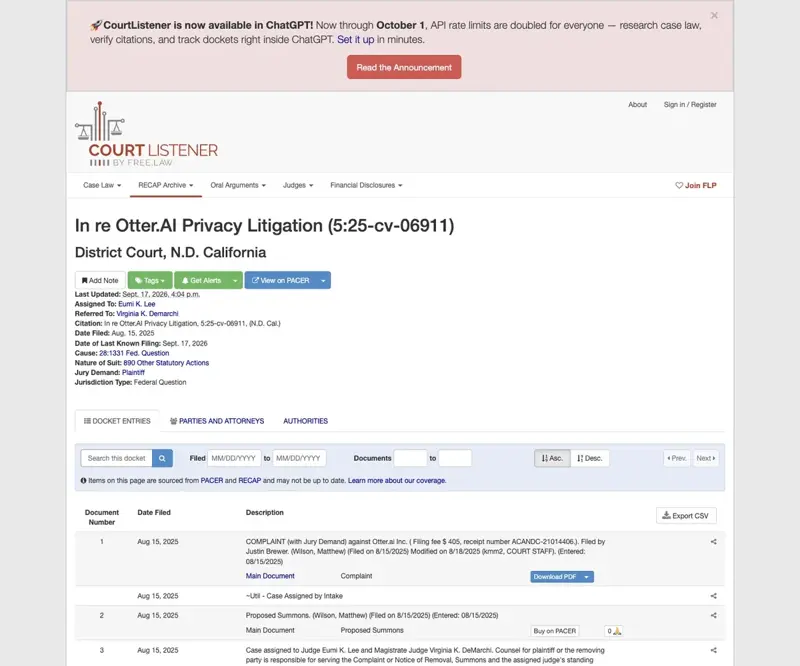
The actual federal docket behind the AI-notetaker wiretap precedent everyone’s citing secondhand — filed August 2025, with the motion-to-dismiss ruling landing August 13, 2026. Source: CourtListener.
What’s the actual difference between my situation and the general “announce it out loud” advice everyone else is giving? That advice satisfies a general social expectation and, in one-party-consent states, roughly matches the legal bar. It does not satisfy HIPAA’s BAA requirement, does not satisfy the specific dual-consent standard NYC Bar Opinions 2025-6 and 2026-2 lay out for attorneys, and doesn’t answer the recordkeeping question FINRA/SEC rules actually ask of financial advisors. “Announce it” is step one for you, not the whole answer.
The Bottom Line
Google didn’t hide this rollout — it gave admins six weeks of notice back in July. What it didn’t do is flag, anywhere in that notice, that the “3+ people” trigger lands squarely on couples therapy, paralegal-joined client calls, and joint-account advisory meetings: the exact conversations your license, your bar, or FINRA already told you to protect. That gap between a routine admin update and what it actually means for regulated work is where the real risk sits, and it’s on you to close it, not Google.
The fix isn’t complicated, even if it’s more layered than “just turn it off.” Check your setting this week. Use the consent script built for your actual profession, not a generic one. And if you find a session already got swept up before you caught this, run the incident-response sequence in Step 4 rather than hoping it goes unnoticed.
For the deeper, ongoing workflow — not just this one settings fix — our AI Therapy Notes: The HIPAA-Safe Workflow course walks through building AI documentation into your practice the right way from day one, with the first two lessons free and no login required. If you’re on the legal side, AI for Paralegals covers the daily workflow questions this piece only had room to touch. And for a deeper look at where the compliance line actually sits for AI meeting tools in financial services, our piece on AI notetakers and SEC Rule 204-2 is the direct follow-up read. Therapists navigating state-by-state AI restrictions on top of this should also read our state law breakdown — this post and that one solve different problems that often show up in the same week.
Sources:
- Google Workspace Updates: New Google Meet “Take notes for me” settings for admins and end users
- HHS.gov — Business Associate Contracts (Sample Business Associate Agreement Provisions)
- HHS.gov — Breach Notification Rule
- New York City Bar Association — Formal Opinion 2026-2: Ethical Use of AI for Recording, Transcribing, and Summarizing Non-Client Conversations
- New York City Bar Association — Formal Opinion 2025-6: Ethical Issues Affecting Use of AI to Record, Transcribe, and Summarize Conversations with Clients
- American Bar Association — Formal Opinion 512: Generative Artificial Intelligence Tools
- Harvard Law Review Blog — United States v. Heppner
- CourtListener — In re Otter.AI Privacy Litigation, 5:25-cv-06911 (N.D. Cal.) docket
- FINRA — Regulatory Notice 24-09: Artificial Intelligence
- APA — Guidance for the Evaluation of AI Scribes
- Google Cloud — Workspace Data Processing Addendum
- Our companion piece: Google Meet AI Notes Just Went Automatic. Now What?
- Our related piece: AI Meeting Notes for Financial Advisors: The Compliance Line
- Our related piece: Can Therapists Use AI in 2026? The State-by-State Rules
