If you have a favorite ChatGPT model, this one’s for you.
On June 27, 2026, OpenAI is pulling GPT-4.5 out of ChatGPT for good. It’s the end of a 30-day countdown the company started back in late May. And if you’re one of the people who quietly stuck with 4.5 — the model a lot of writers swore by because its emails actually sounded like them and its stories didn’t read like a robot typed them — you’ve probably already felt the little nudge to switch.
Here’s the good news, and I’ll just say it up front: for almost everyone, the right move is to do nothing. The harder part is for the small group who genuinely liked 4.5’s voice. So let’s cover both.
What’s actually happening
GPT-4.5 is being removed from ChatGPT’s model picker on June 27, after a 30-day sunset window. This isn’t some dramatic deletion — it’s the same housekeeping OpenAI has been doing all year. GPT-5.2 came out of the lineup on June 12. The older o3 model is scheduled to go on August 26. GPT-4.5 is just next in line.
One detail that matters if you’re a builder: this is a ChatGPT change, not an API change. If your app or automation calls GPT-4.5 through the API, that’s a separate track with its own timeline — the June 27 date is about the model you see in the ChatGPT app, on the web and on your phone.
Why clear it out? Two reasons, really. OpenAI says GPT-5.5 is just better across the board now — and running half a dozen overlapping models is expensive and confusing. Fewer models, less clutter in the picker. That’s the pitch, anyway.
What replaces it: GPT-5.5
The short answer is GPT-5.5, and specifically GPT-5.5 Instant, which has actually been ChatGPT’s default model since May 5. So if you never touched the model dropdown — if you just open ChatGPT and type — you’ve been on the replacement for weeks already. You didn’t have to do anything, and you still don’t.
What is 5.5, in plain terms? It’s the everyday model. Fast, good at normal questions, web-connected, and OpenAI spent the spring tuning it to write in a more natural, less stiff style. That last bit is the whole reason this transition is smoother than it sounds: the team specifically worked on making 5.5 read better, partly because of how many people complained that newer models lost the warmth older ones had.
What happens to your old chats
Nothing scary. Your saved conversations don’t vanish. When OpenAI retires a model, your existing threads keep their history — you can still scroll back and read everything. What changes is that new messages in those chats run on the current model instead. When GPT-5.2 got pulled on June 12, OpenAI quietly moved those conversations onto GPT-5.5, and the same thing happens here.
So you won’t lose your work. You just can’t pick 4.5 for your next message after the 27th.
What this means for you
Let me break it down by who you are, because the honest answer really does depend.
If you only ever use the default. You’re done. You’ve been on GPT-5.5 since May. June 27 is a non-event for you — close the tab.
If you’re a free user. Same deal. Free accounts run on GPT-5.5 Instant. You were never picking 4.5 in the first place, so nothing changes.
If you’re a creative writer who loved 4.5’s tone. This is the group that actually feels it. One Pro subscriber put it well online — losing 4.5 “feels like losing a creative partner.” That’s real, and I’m not going to pretend a settings change fixes it. But you can get most of the way back with a prompt. Instead of relying on the model’s built-in voice, tell 5.5 the voice you want: paste two or three paragraphs of writing you like and say, “Match this tone — warm, a little informal, short sentences, no corporate buzzwords.” Models respond to that far more than people expect.
If you built a custom GPT or a workflow around 4.5. Go check it before the 27th, not after. Open it, look at the model setting, and switch it to GPT-5.5. Then run your usual prompt once and eyeball the output. Most things transfer fine. The ones that don’t are usually fixable by adding a sentence about tone or format to your instructions.
If you’re on a Team, Enterprise, or Edu plan. Your admin may have a bit more breathing room — these plans sometimes get legacy-access toggles that consumer accounts don’t. Check with whoever manages your workspace if a specific model is baked into a process you can’t easily change.
What this can’t fix
A few honest limits, because the cheerful “just switch!” version leaves stuff out.
GPT-5.5 is not 4.5 with a new sticker. The tone is genuinely different. If you had a workflow tuned to 4.5’s exact quirks, you’ll need to re-tune it — a prompt gets you close, not identical.
You can’t get 4.5 back after the 27th in ChatGPT. There’s no hidden setting, no “legacy mode” button for regular users. Gone is gone.
And switching models won’t fix the bigger thing people are annoyed about: the picker itself is still confusing. Instant, Medium, High, Extra High, Pro… it’s a lot. (We wrote a plain-English guide to the whole menu — link below.) Retiring 4.5 actually makes the list shorter, which, fine, is a small mercy.
The bottom line
For 90% of people, June 27 changes nothing — you’re already on GPT-5.5 and you’ll never notice. For the writers and the workflow-builders, spend ten minutes this week: check your custom GPTs, switch any pinned model to 5.5, and save a “match this tone” prompt so you stop depending on whichever model happens to be the default next month. Because there’s always a next month.
If the whole model menu still makes your eyes glaze over, that’s normal — and it’s exactly the kind of thing our AI Fundamentals course is built to demystify, in plain language, without assuming you already speak fluent OpenAI.
Sources
- ChatGPT — Release Notes (OpenAI Help Center)
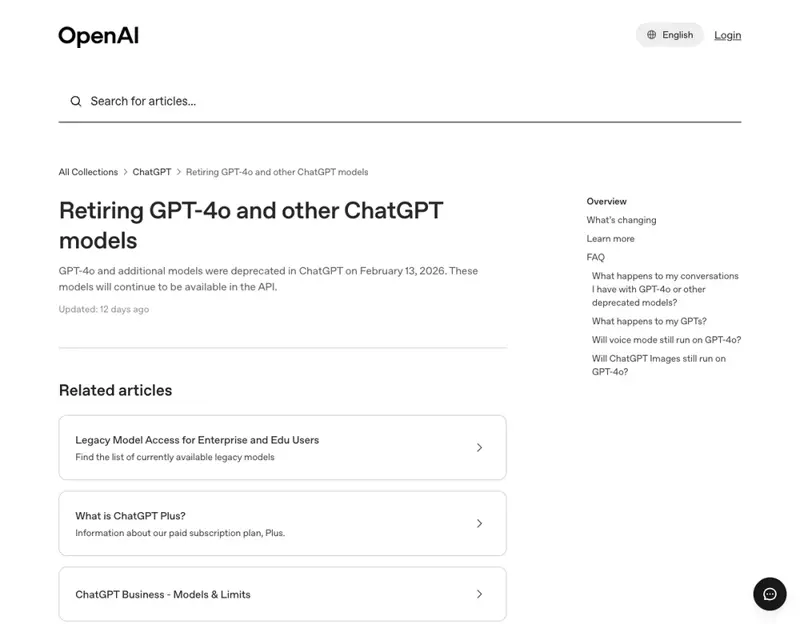
- Retiring GPT-4o and other ChatGPT models (OpenAI Help Center)
- OpenAI upgrades GPT-5.5 Instant and confirms retirement of o3 and GPT-4.5 models (gHacks)
- OpenAI upgrades GPT-5.5 as it plans to retire legacy ChatGPT models (BleepingComputer)
- OpenAI releases GPT-5.5 Instant, a new default model for ChatGPT (TechCrunch)
