Samsung finally put a computer on your face. At its Galaxy Unpacked event in London on July 22, the company showed off Galaxy Glasses — its first pair of AI smart glasses, with Google’s Gemini assistant built right in.
But the frames aren’t the interesting part. The interesting part is the assistant living inside them. So let’s skip the hype reel and answer the question you’d actually ask before spending real money: what can Gemini on these glasses genuinely do — and what’s just a nice demo?
What Samsung actually announced
The Galaxy Glasses look like normal (nice-looking) eyewear. No bulky headset, no screen floating in your vision. Here’s the plain-English spec sheet:
- No display. This surprised people. There’s no little screen projected onto the lenses. Samsung skipped it on purpose — the glasses work through a camera and audio instead, which keeps them light and normal-looking. Gemini sees through the camera and talks to you through tiny speakers by your ears.
- A camera and open-ear speakers. A built-in 12-megapixel camera gives Gemini eyes. Open-ear audio means you hear it without blocking out the world.
- Powered by a Qualcomm Snapdragon AR1 chip and running Android XR, Google’s software for this kind of device.
- They need your phone. The glasses aren’t a standalone gadget — they have to be paired to a Galaxy smartphone to work. Think of them as a smart accessory for your phone, not a replacement.
- Battery: up to about 9 hours on a charge, with the case holding roughly 7 more full charges.
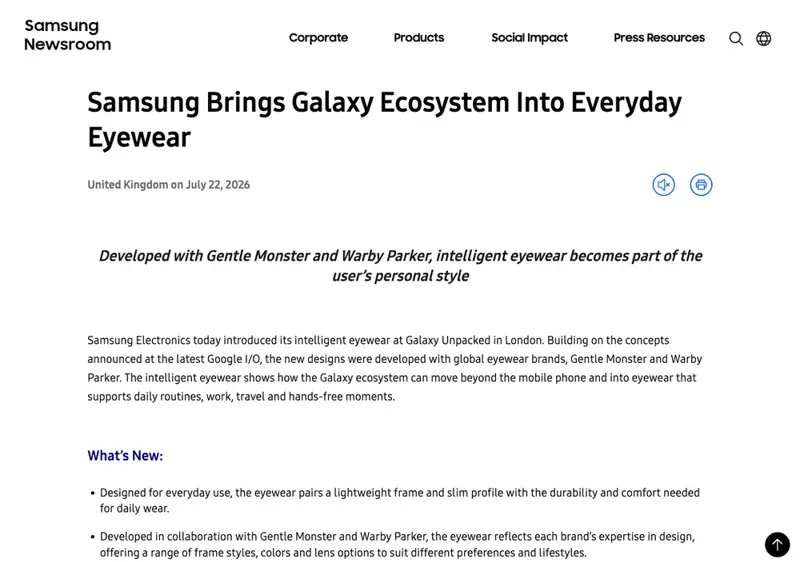
- Two designer versions, made with eyewear brands Gentle Monster (a slim black rounded frame) and Warby Parker (a tortoise-brown one). Samsung’s going for “actual glasses people would wear,” not “obvious gadget.”
You can control them with a tap on the frame, and — if you own one — with gestures on a Galaxy Watch.
What Gemini can actually do on them
This is the whole point of the product. Because there’s no screen, everything runs through “look and ask, then listen.” You glance at something, ask Gemini out loud, and it answers in your ear. Here’s what that unlocks:
- Live translation. Look at a menu, a street sign, or a person speaking another language, and Gemini translates in near-real time. This is the single most convincing use — it solves a real, common problem the moment you step off a plane.
- Look-and-ask (visual search). Point your eyes at a thing and ask about it. “What plant is this?” “What’s this building?” “How much is this in dollars?” Gemini uses the camera to see what you see and answers.
- Message summaries. Long text or email comes in, and instead of pulling your phone out, Gemini reads you the short version.
- Whiteboard and note capture. Snap a photo of a whiteboard, a slide, or a page, and Gemini turns it into organized notes in Samsung Notes. Handy in a meeting or a lecture.
- Point-of-view sharing. On a call, you can share what you’re looking at through the camera — useful for “show me what you mean” moments.
Notice the split. The features that work through a simple, obvious motion — see a thing, ask about it, hear an answer — are the ones reviewers found genuinely useful. Translation, visual questions, summaries, note capture. They solve small problems fast, and they don’t need a screen or a big app ecosystem to be worth it.
The fuzzier stuff is the “your AI assistant handles your whole life” promise — booking restaurants, running multi-step errands for you. Samsung showed those as examples, and turn-by-turn walking directions on this specific model haven’t been clearly confirmed the way translation has. Treat that bucket as “maybe later,” not “in the box.”
What this means for you
If you’re a gadget shopper itching to buy: the glasses look great and the useful features are genuinely useful. But there’s a catch worth knowing before you get excited — Samsung didn’t announce a price at the event, and only said they’d arrive “this fall” in select markets. You can’t actually buy them yet, and you don’t know what they’ll cost. So this is a “get on the waitlist and watch,” not a “check out now.”
If you’re buying a gift: hold off for the same reason. No price, no firm date, limited launch. A gift you can’t confirm you’ll receive by the holidays is a stressful gift. Bookmark it for next year.
If you’re deciding between Samsung and Meta’s glasses: right now, Meta’s Ray-Ban smart glasses are the safer buy-if-you-want-one-today choice — they’re already on shelves, with a mature feature set. Samsung’s are the more interesting future pick, especially if you live in the Galaxy world and want Gemini as your assistant. The honest call: if you want something to use this month, Meta. If you can wait and you’re an Android person, the Galaxy Glasses are worth watching.
If you already use Gemini on your phone: this is the pitch aimed squarely at you. The glasses are basically Gemini with eyes and a voice, hands-free. If you already lean on Gemini for translation, quick questions, and summaries, having it a glance-and-a-whisper away instead of a phone-pull away is the actual upgrade here. That’s the muscle worth building now — the glasses just make an assistant you already know more convenient.
What the Galaxy Glasses can’t do (yet)
- No screen means no true “AR.” Don’t picture arrows floating over the street or a heads-up display. There’s nothing in your field of view. It’s an audio-and-camera assistant in glasses form — closer to smart earbuds with a camera than to sci-fi AR.
- They can’t work without your phone. Leave your Galaxy at home and the glasses lose most of their brain. This is a companion device, full stop.
- You can’t buy them yet — or even know the price. Samsung gave no official pricing at launch and only a vague “fall, select markets” window. Anyone quoting you an exact price right now is guessing.
- Gemini still has Gemini’s limits. A translation or a “what am I looking at” answer can be confidently wrong, same as in the app. Great for low-stakes moments; double-check anything that actually matters (a medication label, a legal sign, an allergy on a menu).
The bottom line
Samsung’s Galaxy Glasses are best understood as Gemini you wear — light, normal-looking glasses whose real product is the AI assistant inside. The genuinely useful part is here today in spirit: live translation, look-and-ask, summaries, note capture. The catches are just as real: no display, no working without your phone, and no announced price or wide release yet.
Here’s the thing though — the glasses are just a new doorway to an assistant you can start getting good at right now, on the phone in your pocket. The people who’ll get the most out of any Gemini device are the ones who already know how to talk to it. Our Google Gemini course teaches exactly that in plain English — how to ask, what it’s great at, where it slips — so whether you buy the glasses this fall or not, you’re ready. Learn the assistant first. The hardware’s the easy part.
Tempted by the idea of Gemini on your face? Smart to be curious — just wait for the price tag before you fall in love.
Sources
- Samsung Newsroom — Samsung Brings Galaxy Ecosystem Into Everyday Eyewear
- CNBC — Samsung details features of its smart glasses as it enters market dominated by Meta
- Notebookcheck — Samsung Galaxy Glasses are official: Snapdragon AR1, Gemini cross-app AI, 2 designer frames
- Gadgets 360 — Samsung Galaxy Glasses Launched With Snapdragon AR1 Gen 1 Chip, Up to 9 Hours of Battery Life
- Newsweek — Samsung Enters Smart Glasses With Gemini AI — and Skips a Display on Purpose
- Android Central — Samsung Galaxy Unpacked 2026 live coverage
