If you own a small business and you’ve been paying roughly $30 a month per person for Microsoft Copilot, I want you to try something before you renew that subscription again. Open Word. Install the free ChatGPT add-in. Draft the next client proposal, quote, or update email you were going to write anyway. Time yourself.
Then ask: did I need to pay anything for that?
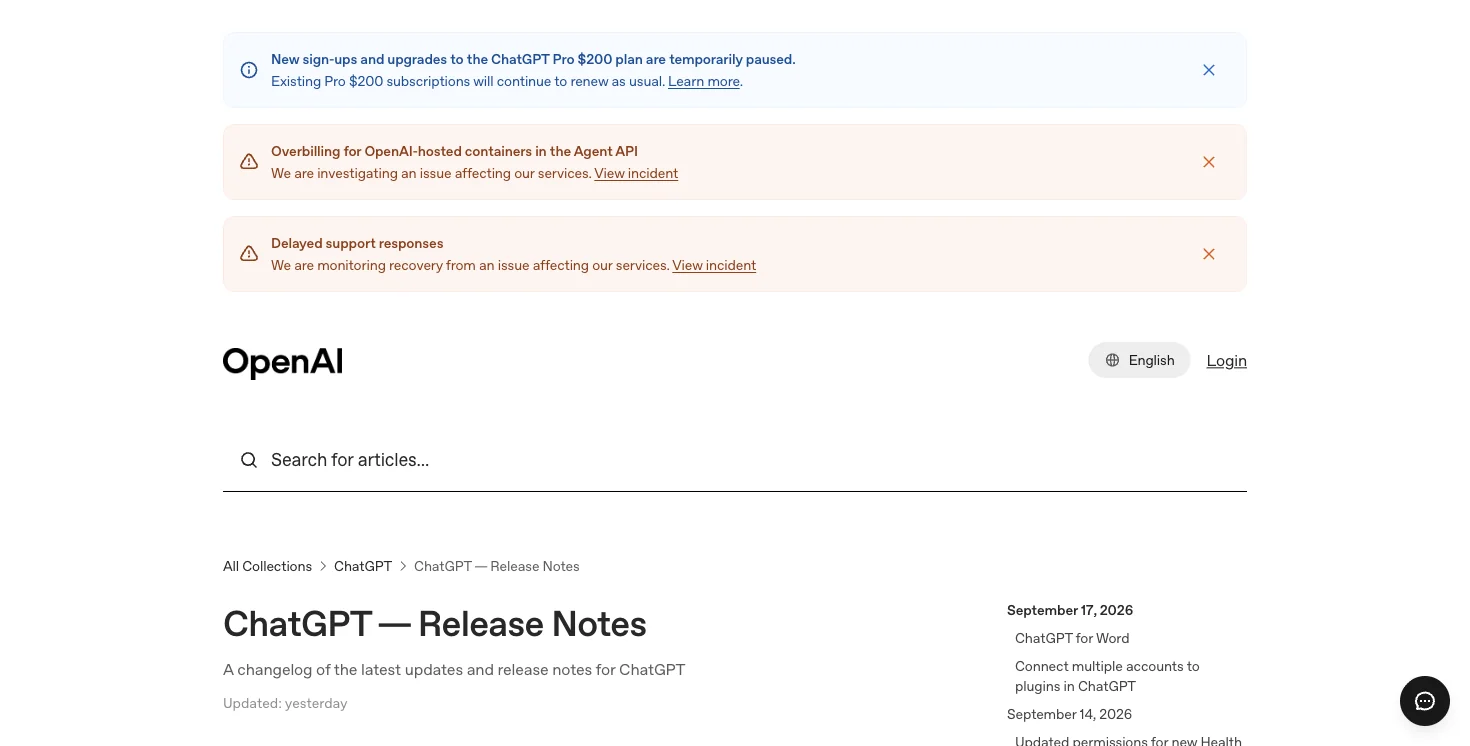
As of September 17, 2026, ChatGPT’s free Microsoft Office add-in covers Word, Excel, and PowerPoint on every plan — including the completely free one. For a lot of small businesses, that’s the exact set of tasks Copilot was bought to handle. And right now, the search results that are supposed to help you make this decision are stale. I checked this week: the top-ranking pages for “is Microsoft Copilot worth it for small business” are MSP and IT-vendor pages written for buyers, not owners, and every single one of them predates the September 17th change.
So here’s the version written for you — the person actually signing the check.
What Changed, in Plain Terms
OpenAI’s ChatGPT add-in for Microsoft Word went live on every ChatGPT plan last Wednesday, joining the Excel and PowerPoint versions that already existed. It’s a sidebar inside the document you’re working on. It drafts from notes, rewrites what you select, summarizes what’s open, and cleans up formatting — and it costs nothing if you’re on ChatGPT’s Free plan (usage is capped, but it’s genuinely free).
Microsoft Copilot’s core pitch to small businesses has always been some version of: “it’s already inside the Word, Excel, and Outlook you use every day, so why paste into a separate chatbot?” That pitch just got a lot weaker. The drafting-and-summarizing tasks most small businesses actually bought Copilot for — a client email, a quote, a one-pager — are now covered by something free.
Copilot isn’t obsolete. It kept the one thing ChatGPT’s free add-in genuinely can’t touch: it can see across your whole Microsoft 365 setup — your team’s Outlook threads, your shared SharePoint files, your Teams meetings — not just the one document open on your screen. Whether that’s worth $30 a seat depends entirely on how much your business actually leans on that.
What Other Small Business Owners Are Actually Saying
I looked for real small-business reactions before writing this — not another vendor blog post. It’s a genuinely thin field right now: most of what’s circulating about “small business + Copilot” this month is MSP and IT-partner accounts pushing 30-day trials, not owners talking about their own money decision. That’s telling on its own — nobody’s written the owner’s-side version of this yet, which is exactly the gap this post is filling.
What I did find, in the wider Copilot-cost conversation: one frustrated Copilot user summed up a feeling that shows up a lot right now — paying for an add-on that a free competitor just matched for the tasks that matter most. A Teams admin flagged their organization blowing through its Copilot budget mid-month. And one blunt comment stuck with me: “the funny part is copilot in office is still a paid add-on, and these guys shipped ai built in for free.” That’s not a scientific survey. But it matches the actual feature gap — Copilot’s price was always partly justified by “it’s already in your apps,” and that justification just got a lot thinner.
Nobody has posted the concrete “I canceled my small business’s Copilot seats and here’s what happened” story yet. The launch is nine days old. If you run the test in this post and it works out for your business, you’d be ahead of that story, not behind it.
Feature Comparison for Small Business Owners
| What you need | Free ChatGPT-in-Office | Microsoft Copilot |
|---|---|---|
| Draft client emails, quotes, proposals | ✅ Yes, no cost | ✅ Yes |
| Clean up and analyze spreadsheets | ✅ Yes (ChatGPT for Excel) | ✅ Yes |
| See what was said in a client call/meeting | ❌ No | ✅ Yes (Teams grounding) |
| Pull numbers automatically from shared files | ❌ No | ✅ Yes (SharePoint/OneDrive grounding) |
| Summarize your inbox | ❌ No | ✅ Yes (Outlook grounding) |
| Compliance/admin controls for sensitive client data | Limited | ✅ Full tenant-level controls |
| Requires Microsoft 365 Business subscription | ❌ No | ✅ Yes |
| Monthly cost per person | $0 (usage-capped) | ~$18-30 |
| Setup time | Minutes, self-serve | Often needs IT/admin approval |
The Owner’s Money Test — Five Questions
This is the decision-tree version, built for someone running a business, not an IT department.
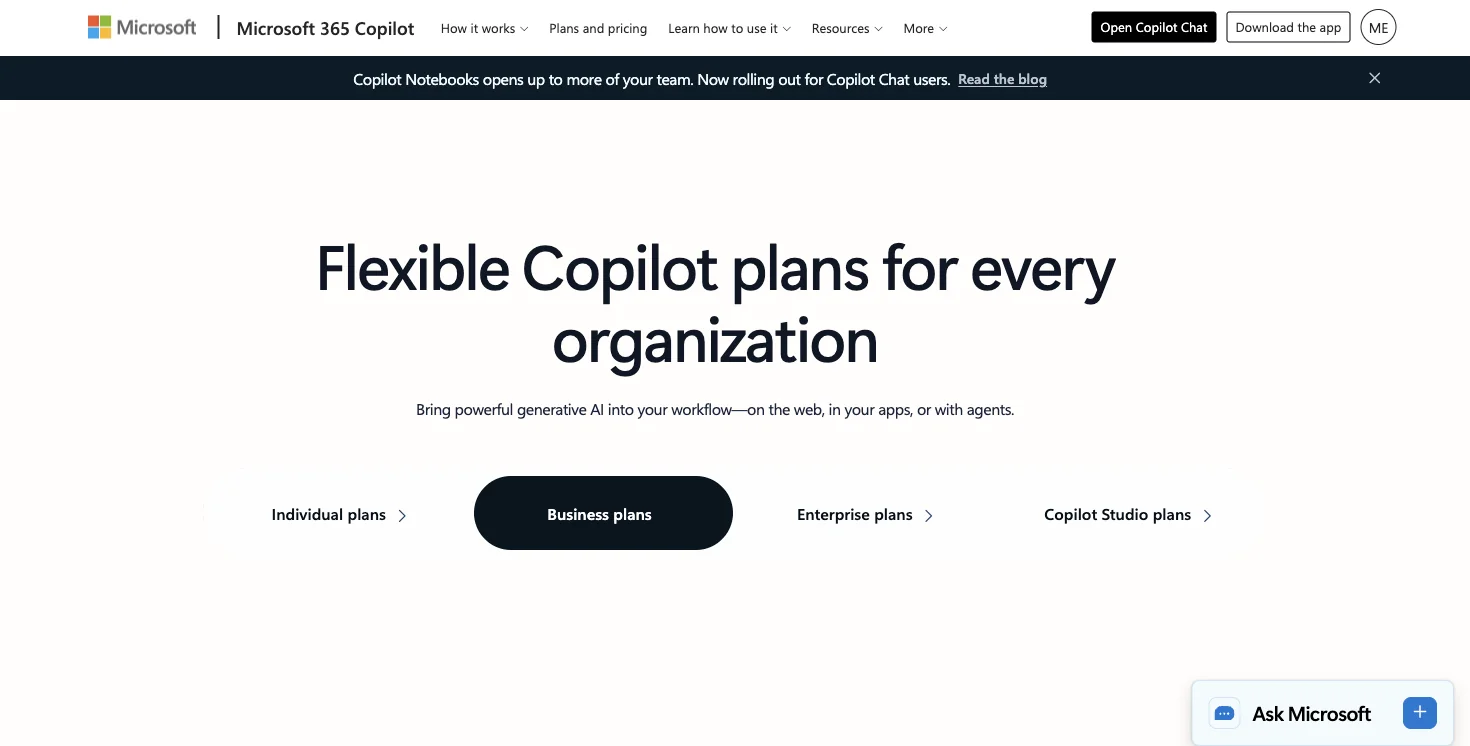
1. Do you have a Microsoft 365 Business subscription already? If yes, Copilot’s incremental cost is just the add-on price (roughly $18/user/month on the current promo, $21 at regular list price). If no, you’d be paying for a whole new base license just to add Copilot — at which point ChatGPT Business (~$20-25/seat, no M365 requirement) is almost certainly the cheaper path in, regardless of features.
2. Is your team mostly drafting and summarizing single documents, or pulling from meetings and email into what they write? If it’s mostly the former — client emails, quotes, proposals, one-page updates — the free ChatGPT add-in likely covers 80% of what you were paying for. If your team constantly needs “what did we agree on that call” or “pull the numbers from the shared budget file,” that’s Copilot’s actual job, and it’s doing real work.
3. Are you already on an annual M365 commitment? If you’re locked into an annual plan, the immediate move is testing the free tier in parallel rather than canceling anything mid-contract — you’re not saving money by breaking a commitment early. Plan the switch for your renewal date instead.
4. Does anyone on your team already use free ChatGPT for personal tasks? If your staff already has ChatGPT accounts and habits, the free Office add-in is a zero-friction upgrade — they already know the tool. If nobody’s used ChatGPT at all, budget a short adjustment period either way.
5. How many seats are we actually talking about? Two Copilot seats you don’t fully use is a rounding error. Fifteen seats where half your team only drafts documents is real money — potentially $2,700-4,500 a year sitting in features nobody touches. Do the seat-by-seat math before renewing, not after.
The Money Math: What a Small Team Actually Saves
Here’s the real arithmetic for a few common small-business shapes, using current published pricing.
| Business shape | Current Copilot cost (annual) | Free ChatGPT-in-Office equivalent | What you’d give up |
|---|---|---|---|
| Solo consultant, no team | ~$360/year (1 seat, Enterprise-equivalent) | $0 | Nothing — you weren’t using cross-team grounding as a team of one |
| 3-person shop, mostly drafting | ~$1,080-1,890/year (3 seats) | $0, or ~$720/year on ChatGPT Business if you outgrow free limits | Outlook/Teams/SharePoint cross-referencing, if you ever used it |
| 8-person team, mixed drafting + heavy email/meeting coordination | ~$2,880-5,040/year (8 seats) | Hybrid: free tier for drafting staff, Copilot Business (~$18/seat) for 2-3 coordination-heavy roles | Full-team Graph grounding — but you likely didn’t need it for everyone |
| 15-person team already on M365 Business, EA/ops-heavy | ~$5,400-9,450/year (15 seats) | Copilot for 3-5 ops/EA seats only; free tier for the rest | Nothing significant — this is the profile Copilot fits best, just not for every seat |
The pattern across all four: very few small businesses actually need Copilot on every seat. The realistic move for most teams above two or three people isn’t “cancel everything” or “keep everything” — it’s figuring out which specific roles are doing cross-document, cross-meeting work, and paying for Copilot only there.
Setting It Up: A 15-Minute Walkthrough for Your Team
Step 1: Install for one person first. In Word, go to Insert → Add-ins → Get Add-ins, search “ChatGPT,” install the official OpenAI add-in, sign in with an existing or new ChatGPT account. Takes about two minutes. Expected result: a sidebar appears, ready immediately, no trial or card required.
Step 2: Run your next real client task through it. Don’t test with a fake prompt — use an actual quote, proposal, or update you needed to write today. Worked example: I ran a rough set of six meeting-note bullets through the add-in with the prompt “Turn these into a professional client update, under 300 words.” Output in about 15 seconds: a clean three-paragraph update, properly formatted, ready to send after a once-over. That’s the exact task a lot of small businesses were paying Copilot to do.
Step 3: Try the task that’s supposed to require Copilot. Ask it to reference something from an email or meeting it can’t see. It’ll correctly tell you it can’t. This is the moment that actually tells you whether you need Copilot — not a features page.
Step 4: Roll it out team-wide before deciding on Copilot seats. Give the whole team two weeks on the free tier. Track — informally, a shared note is fine — every time someone says “I wish it could see the email/meeting/file.” That list is your actual Copilot business case, backed by real usage instead of a sales pitch.
Step 5: Buy Copilot only for the roles that hit the ceiling. If it’s your office manager and one account exec, that’s 2 seats at ~$18-21/month, not 15.
What This Means for You — by Business Type
If you’re a solopreneur or freelancer: Cancel Copilot if you have it, or don’t buy it in the first place. You are, by definition, not using cross-team grounding — there’s no team. First action: install the free add-in today and run your next invoice or client email through it.
If you run a 2-5 person shop doing mostly client-facing writing: Test the free tier across the whole team for two weeks before renewing anything. First action: pick your three most common documents (proposal, invoice note, follow-up email) and draft each with just the free tool this week.
If you’re a bookkeeper or run a small accounting practice: ChatGPT for Excel (free) handles formula-writing and data cleanup well. Copilot’s edge is pulling numbers automatically from files scattered across your firm’s SharePoint — real if your data lives spread out, unnecessary if you work mostly inside single client workbooks. First action: time your next three formula-heavy tasks with just the free tool.
If you’re an office manager or the person who “does the AI stuff” at a 10-20 person company: You’re the right person to run the two-week team test from Step 4 above. First action: propose it in writing to whoever approves the Copilot renewal, with a specific date to report back.
If your business already has an EA or ops coordinator managing multiple inboxes and calendars: That role is close to Copilot’s actual sweet spot — keep or add Copilot there specifically, rather than across the whole team. First action: audit exactly what that person uses Copilot for weekly before deciding to keep or cut it.
If you’re deciding whether to buy Copilot for the first time (never had it): Don’t. Start with the free ChatGPT add-in for 30 days across your team, and only shop for Copilot once you’ve documented specific tasks the free tier can’t handle. First action: skip the sales call, install the free add-in this week instead.
If you’re a nonprofit or mission-driven small org on a tight budget: Free ChatGPT-in-Word/Excel/PowerPoint likely covers grant narratives, donor updates, and newsletters without any subscription cost at all. First action: route your next grant draft through the free add-in before considering any paid tool.
Edge Cases and Real Problems
“My Microsoft 365 admin blocked the add-in.” Some Business-tier tenants restrict third-party Office Marketplace add-ins by default. If Insert → Add-ins doesn’t show it, that’s an admin policy — ask whoever manages your tenant to allow it, or approve it yourself if you’re the admin.
“We’re locked into an annual Copilot contract.” Don’t try to break the contract mid-term — you won’t save money that way. Run the free-tier test now, and use what you learn to make the renewal decision at the actual renewal date.
“Some of my team already hit ChatGPT’s free usage limit.” Free-tier usage is capped, and Office add-in usage can draw from the same pool as other ChatGPT use. If that’s happening often for someone, ChatGPT Plus (~$20/mo) is likely still cheaper than a Copilot seat for that one person.
“I don’t know if my team is actually using Copilot’s cross-file features or just the drafting part.” This is extremely common and the whole reason the two-week test in Step 4 matters — most Copilot admins genuinely don’t know this without checking, and per-seat usage data from your Microsoft admin center will show you directly.
“Our client work involves sensitive data and I’m worried about compliance either way.” Copilot’s admin controls, Conditional Access, and MFA integration are real compliance tools that a personal ChatGPT account doesn’t have. If you’re in a regulated industry, that’s a legitimate reason to keep Copilot for at least the roles handling sensitive files, independent of the cost math.
“The free add-in gave me a worse-formatted result than I expected.” Give it more specific formatting instructions in the prompt itself — “match this heading style,” “keep to three short paragraphs.” It responds well to specificity; it just won’t guess your house style on its own the way a trained Copilot deployment with your templates might.
“I run a business with international clients and need multilingual output.” The add-in follows your Office UI language by default, not your document’s language — tell it explicitly which language to use if you’re working across languages regularly.
What Free ChatGPT-in-Office Can’t Do for Your Business
To be fair to the other side of this decision: there are real things you’d lose.
No memory of your business’s history. Every session is blank except the document open in front of you. Copilot can be grounded in weeks of your team’s Teams and Outlook activity — genuinely useful if your business runs on a lot of email and meeting coordination.
No cross-app action in a single request. “Update this quote based on what the client said in yesterday’s call” — free ChatGPT-in-Word can’t do that at all. You’d have to paste the relevant content in yourself.
Thinner compliance and admin controls. If you’re in a regulated industry or handle sensitive client data, Copilot’s tenant-level admin tools are a real, defensible reason to keep it for at least some seats.
No meeting recap or inbox summary. These Teams/Outlook-tied features aren’t part of the free Office add-in at all — for some small businesses, that’s actually the more-used part of Copilot, more than the Word drafting itself.
Free-tier caps are real for heavy users. A high-volume team member will hit limits a paid tier would remove — factor that into the per-seat math rather than assuming “free” means “free for everyone at any volume.”
FAQ
Is Microsoft Copilot worth it for a small business in 2026? Only for the specific roles whose daily work depends on the AI seeing things outside the one document open in front of them — meeting notes, shared files, email threads across the team. For most small businesses, that’s a handful of roles, not everyone.
How much does Copilot actually cost for a small business? Currently around $18/user/month on the Business promotional rate ($21 regular list price), on top of an existing Microsoft 365 Business subscription — or roughly $30/user/month for the Enterprise tier with fuller Graph and Work IQ grounding.
What are the downsides of canceling Copilot for my whole team? You’d lose cross-document reasoning, meeting recap and inbox-summary features, and tenant-level admin/compliance controls. For teams that genuinely use those daily, that’s a real loss — the test in this post is designed to tell you honestly whether that’s your team or not.
Is ChatGPT better than Copilot for a small business? Neither is universally “better” — they solve different problems. ChatGPT’s free Office add-in is better value for drafting and summarizing single documents. Copilot is better for teams whose work depends on pulling context from across email, meetings, and shared files.
Can I use the free ChatGPT add-in for client-facing work? Yes — nothing about the free tier restricts commercial use. Review AI-drafted client communications the same way you’d review any first draft before sending.
Should I buy Copilot for my whole team or just some seats? Just some, in almost every case. Run the two-week free-tier test in this post, then buy Copilot seats only for the specific roles that hit a real ceiling — usually EAs, office managers, or heavy meeting-coordination roles.
What happens to documents I created with Copilot if I cancel? Nothing gets deleted — your files and their content remain exactly as they are. You lose the AI features going forward, not anything already created.
Does my business need to be on Microsoft 365 to use free ChatGPT in Word? You still need Word itself, through a Microsoft 365 or standalone Office license — the free ChatGPT add-in adds AI features inside Word, it doesn’t replace the need for Word.
The Bottom Line
The MSP and IT-vendor pages currently ranking for “is Copilot worth it for small business” were all written before September 17th, when the drafting-and-summarizing tasks most small businesses buy Copilot for became free. That doesn’t mean cancel everything blind — it means run the two-week test with your actual team on your actual work, and buy Copilot only for the specific roles that prove they need cross-file, cross-meeting reasoning. For most small businesses, that’s a handful of seats, not the whole roster.
Start with the free add-in this week. If you want a structured way to figure out which AI tools actually fit your team’s workflow — not just this one decision — FindSkill’s small business AI course walks through the same kind of tool-by-tool decision-making for the rest of your stack.
Sources
- OpenAI Help Center — ChatGPT Release Notes
- Windows Report — ChatGPT Comes to Word, PowerPoint, and Excel for All Plans
- Microsoft — Microsoft 365 Copilot Plans and Pricing
- Microsoft Learn — Microsoft Copilot architecture and how it works
- Microsoft Learn — Microsoft 365 Copilot overview
- Live September 19, 2026 “is Microsoft Copilot worth it for small business” SERP (AI Overview + MSP/IT-vendor results, all pre-dating the Sept 17 change)
- X/Twitter small-business and IT-admin reactions, September 2026 (via Grok research)
- Perplexity Deep Research, September 19, 2026 (152 sources on Microsoft 365 Copilot pricing and architecture)
