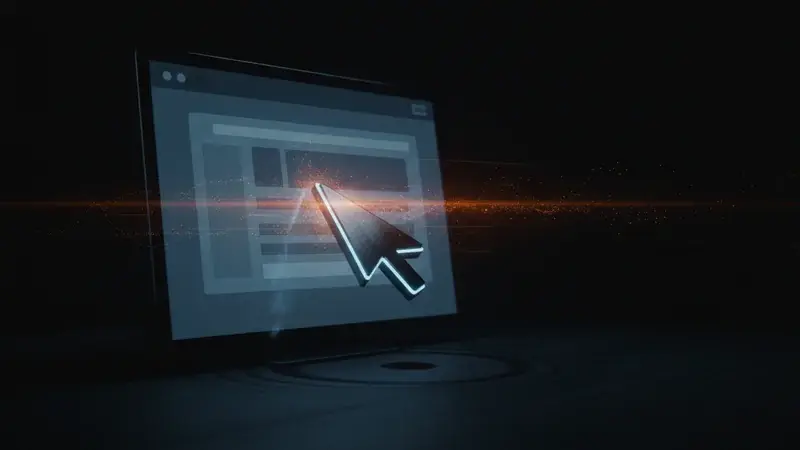
A computer-using agent — CUA for short — is an AI system that operates a real computer the way a person would, by interpreting what’s on the screen and producing clicks, keystrokes, and scrolls to drive the apps you actually use. OpenAI shipped Operator in January 2025 as the first widely-available consumer CUA. Anthropic released Computer Use as an API capability in October 2024. By May 2026, Microsoft’s Copilot Studio Computer-Using Agents went generally available (May 13), Google’s Gemini gained computer-control capabilities, and every major AI vendor has at least one CUA in production.
If “AI that does things in my browser” or “automation without the brittle scripts” sounds like the next thing you’ve been hearing about — this is it. CUAs are the bridge between traditional Robotic Process Automation (RPA) and modern AI agents.
What a computer-using agent actually is, in plain language
A CUA is software that takes a screenshot of your screen, understands what’s on it the way a human would, decides what to click or type, and then does it. It’s vision plus reasoning plus simulated input — the three pieces that turn a chat-based AI into something that can drive a UI.
The simplest mental model: imagine a remote employee who only sees screenshots of your computer and only types or clicks. They can’t access your file system directly, can’t call your APIs, can’t read your databases — they’re working from what the screen shows them. That’s what a CUA does. The reason it works at all is that vision-language models in 2026 are very, very good at reading screens.
Three concrete things distinguish a CUA from a chatbot:
- It sees pixels, not text. A chatbot reads what you type. A CUA reads what’s painted on the screen — buttons, menus, error popups, dropdown labels, half-loaded forms.
- It acts on pixels. Output isn’t a paragraph — it’s “click at coordinates (847, 412)” or “type these characters into the focused input field.”
- It loops. A CUA doesn’t answer once and stop. It clicks, takes another screenshot, reads the new state, decides what’s next, repeats. The loop is what makes multi-step workflows possible.
Why CUAs exist (and what came before)
For 15 years, the answer to “I need to automate this app that has no API” was Robotic Process Automation. Tools like UiPath, Blue Prism, and Microsoft’s Power Automate Desktop scripted user-interface clicks against fixed coordinates or DOM selectors. If the app changed its layout, the script broke. Maintaining a fleet of RPA bots became a full-time job for a category of work nobody enjoys doing.
CUAs solve the “what if the layout changes” problem by not relying on fixed coordinates. The AI re-reads the screen every step, finds the button it needs by what it looks like, and adapts. The same agent can drive yesterday’s version of your vendor portal and tomorrow’s redesign without anyone updating a script.
The shift happened fast because three things converged in 2024:
- Vision-language models got good enough. OpenAI’s GPT-4o, Anthropic’s Claude 3.5 Sonnet, and Google’s Gemini 1.5 Pro all hit screen-reading accuracy that made UI automation reliable.
- The compute economics worked. Per-screenshot inference cost dropped enough that multi-step workflows were no longer prohibitive.
- The vendor pressure was real. Microsoft, Google, and OpenAI all saw the same opportunity — replacing RPA’s $20B+ market with AI-native automation.
By mid-2025, every major vendor had a CUA on the roadmap. By May 2026, every major vendor shipped one.
How a computer-using agent works under the hood
The five-step loop that defines almost every CUA:
Take a screenshot. The runtime captures the current state of the screen (or the browser, or the virtual machine — depending on the CUA’s scope).
Send the screenshot + the task description to the model. “Here’s the screen. Your goal is to download invoice #12345 from the vendor portal. What should I do next?”
The model responds with an action. Typically a structured output like
{"action": "click", "coordinates": [834, 412], "reasoning": "the 'Invoices' tab is at the top right"}or{"action": "type", "text": "12345", "reasoning": "filling the invoice number search field"}.The runtime executes the action. A mouse driver, keyboard driver, or browser DOM API actually performs the click or keystroke on the real machine.
Loop. Take the next screenshot, send the new state to the model, get the next action. Continue until the task is done or a stop condition fires (the user cancels, the model declares completion, a guard rail trips, etc.).
The user-visible difference between watching a CUA work and watching a slow human do the same task is that the cursor jumps abruptly between clicks instead of moving smoothly. Everything else looks the same.
Underneath, there are architectural choices that differ across vendors:
- Browser-only vs full-desktop. OpenAI Operator (initially) was browser-only. Anthropic’s Computer Use is desktop-wide. Microsoft Copilot Studio CUA targets both Windows desktop apps and browser-based apps. Browser-only is safer (smaller blast radius) but limits the scope of automation.
- Local execution vs cloud execution. Some CUAs run on your local machine (you watch them work in real time). Others run in cloud-hosted virtual machines or Windows 365 Cloud PCs. Cloud execution is better for security and scale; local is faster and gives you direct visibility.
- Synchronous vs background. Synchronous CUAs need you watching — they pause for permission on sensitive steps. Background CUAs run autonomously on a schedule, with audit logs as the after-the-fact accountability.
What CUAs look like in practice (May 2026)
The May 2026 CUA market has five named products you’ll actually encounter:
| Product | Vendor | Scope | Tier |
|---|---|---|---|
| OpenAI Operator | OpenAI | Browser (initially) | ChatGPT Pro / Pro+ |
| Anthropic Computer Use | Anthropic | Full desktop, API-driven | Claude Pro / API |
| Microsoft Copilot Studio CUA | Microsoft | Windows desktop + browser | Power Platform license |
| Google Project Mariner / Gemini Computer Use | Browser | Gemini Advanced / Workspace | |
| Amazon Nova Act | Amazon | Browser, API-driven | AWS Bedrock |
Most CUA workflows in production fall into a handful of repeating patterns:
- Vendor portal scraping. “Log into our supplier portal, look up invoice X, download the PDF.” This is the canonical RPA replacement workflow.
- Form filling at scale. “Open these 50 customer records in the CRM and add a tag.” Especially common when the CRM doesn’t expose a bulk-edit API.
- Cross-app data shuffling. “Read this email, find the order number, look it up in the ERP, send a reply with the status.”
- Legacy-app survival. Companies running a 2007 Java thick-client they can’t decommission use CUAs to give it modern AI-driven workflows.
- Web automation for citizen developers. Marketing operators, finance analysts, and operations leads run their own CUAs for tasks IT used to script.
The community of CUA workflows is converging on patterns that look much like RPA bots — but without the brittle selector dependence.
Why CUAs matter for your job (by profession)
The technical bits matter less than what changes for the work you actually do.
If you’re a small business owner or operator:
CUAs are the technology behind the “AI that actually does things for me” promise. Before CUAs, you’d hire a part-time admin to log into your vendor portals, download statements, file them in Drive, and tag invoices in your accounting tool. After CUAs, an AI agent can do that work overnight while you sleep. The skill to develop is not building the agent — it’s writing the natural-language brief that describes what you want, and reviewing the audit trail to catch errors. Start with one workflow you do every week (downloading reports, reconciling bank statements, updating a spreadsheet) and watch a CUA run through it once.
If you’re a marketer:
The CUA use case for marketing is “doing the thing the ad-platform API doesn’t expose.” When Meta or Google Ads ships a new feature on the UI but not in the API, a CUA can drive the UI to use the feature. This is real and common in growth marketing — campaign duplication across regions, bulk audience updates, screenshot capture for performance reports. If your marketing tech stack has any tool with a flaky or incomplete API, a CUA is the workaround.
If you’re an accountant or finance professional:
Month-end close, audit-evidence collection, and journal-entry posting are the three workflows where finance teams are piloting CUAs heaviest in 2026. The CUA logs into the bank portal, downloads the statement, opens QuickBooks or NetSuite, finds the matching transactions, and produces a reconciliation. The hard part is the audit trail and segregation-of-duties controls; the easy part is the actual work. Compliance-first CUA deployments (Microsoft Copilot Studio with Purview audit logs, Anthropic Computer Use with the Compliance API trail) are the ones gaining traction.
If you’re in operations or project management:
Operations is the highest-leverage CUA category. Every “I have to log into this tool and update something” task in your day is a CUA candidate. The pattern that works: write the description of one specific task, run the CUA once with you watching, refine, then schedule it. The wins compound — every workflow you automate frees a slot for higher-judgment work.
If you’re a software developer or technical operator:
CUAs are interesting for two reasons. First, as a backstop for systems with no API — they’re the cleanest way to integrate with the 30% of enterprise software that still doesn’t expose programmatic access. Second, as an attack vector to think carefully about — a CUA with broad permissions is effectively a remote employee. The security work you should be doing today: read your vendor’s CUA permission model, scope credentials tightly, prefer cloud-execution environments over local execution for blast-radius control.
If you’re a freelancer or independent professional:
CUAs are the lever for charging more without working more. Client tasks you’ve been doing manually — formatting reports, updating client dashboards, scraping competitor data — become CUA-automated workflows you set up once and bill per use. The unbundling angle is real: if you can productize one CUA workflow into a $200/month subscription for a specific client niche, you’ve built a micro-SaaS without writing code.
Common misconceptions about computer-using agents
CUAs are not the same as RPA. RPA scripts are deterministic — they click the same coordinates every time. CUAs are probabilistic — they read the screen and decide what to do each step. The implication: RPA is reliable for stable apps; CUAs are robust to UI changes but can occasionally make wrong decisions on ambiguous screens.
CUAs are not “AI replaces all the work.” They replace the specific bit of work that involves clicking through known-shape UI flows. They don’t replace judgment, creative work, or anything that requires reading nuanced context outside the screen.
CUAs are not all the same. OpenAI Operator, Anthropic Computer Use, Microsoft Copilot Studio CUA, Google’s offering, and Amazon Nova Act all have different scopes, governance models, and pricing. Picking the wrong one for your use case costs months of wasted setup.
CUAs are not safe by default. A CUA with access to your browser can, in principle, log into your bank, transfer money, and log out. Production deployments use explicit allow-lists for sites, human-in-the-loop checkpoints for sensitive actions, and short-lived credentials. If you’re piloting CUAs, build the safety rails first.
CUAs are not free. Every screenshot-plus-reasoning step costs money. A 30-step workflow might cost $0.10-$0.50 in API calls. Run it 1,000 times and the cost adds up. Estimate per-workflow cost before scaling.
Limits and risks of computer-using agents
Five specific limits that affect real deployments:
Virtualized desktop environments break things. Citrix XenApp, VMware Horizon, and published-app environments serve the desktop as a remote pixel stream. CUAs can see what’s there but click latency and missing accessibility events make reliability degrade. Stay on traditional RPA for Citrix workflows.
Legacy Java thick-client apps from the 2000s. The vision model recognizes the buttons. The apps don’t fire standard accessibility events, so the agent can’t tell whether a click landed. Plan to keep these on traditional RPA tools or invest in modernization.
Electron apps with non-standard widgets. Many internal tools (custom Slack-like apps, internal portals built with custom controls) are Electron with non-Material widgets. CUAs work but slowly and unreliably; prefer the API if one exists.
Hardware-attached automations. USB-connected scanners, label printers with proprietary drivers, RFID readers — CUAs can’t see them. Use vendor-specific connectors instead.
Audit trail granularity. Different vendors expose different levels of “what the CUA did.” Microsoft Purview captures click-level events. Anthropic’s Compliance API captures action events. OpenAI Operator’s audit is thinner. For regulated work (HIPAA, SOX, financial services), pick the vendor with the deepest audit before you pilot.
How to start learning computer-using agents
Three paths by depth:
Path A — User-level (no code):
- Sign up for one CUA product (Operator if you’re a ChatGPT user, Anthropic Computer Use if Claude, Copilot Studio CUA if Microsoft 365)
- Pick a real weekly task — downloading a recurring report, tagging emails, updating one spreadsheet
- Watch the CUA run through it once
- Refine the natural-language brief based on what you watch
- Repeat until the workflow runs without you watching
Path B — Citizen developer:
- Microsoft Copilot Studio (the easiest path) — build an agent with the Computer Use tool added
- Add governance: allow-lists, Cloud PC execution, Azure Key Vault credentials
- Connect to one Power Automate flow so the CUA runs on a schedule
- Audit logs for two weeks before scaling to a second workflow
Path C — Developer:
- Anthropic Computer Use API or Amazon Nova Act API
- Build a custom CUA in your stack with your own loop and guardrails
- Add an execution sandbox (Docker container or Cloud PC)
- Now you’re building agentic products — the cost curve and reliability work compound from here
What’s next for computer-using agents
Three trends through the rest of 2026:
Multi-modal grounding gets better. Today’s CUAs read screens at human-equivalent accuracy. The next step is reading screens better than humans — picking up on tiny error states, sub-pixel UI cues, accessibility tree information humans can’t access. This shrinks the gap between “CUA works most of the time” and “CUA is more reliable than the human it replaced.”
Standardized governance APIs. The May 25 Anthropic Compliance API drop signals where this is going — every CUA vendor will need a “show me what the agent did, scoped to my SIEM” API. Microsoft Purview already does this for Copilot Studio CUA. Expect OpenAI and Google to follow.
Agent-to-agent CUA chains. Today, you set up one CUA per workflow. Tomorrow’s pattern is one orchestrator agent that decides which CUA to invoke for each step — the CUA itself becomes a tool the agent uses, mediated by MCP. This is mostly aspirational today but the architecture work is happening.
The bottom line
Computer-using agents are the part of the AI agent stack that touches the world. They drive your browsers, your desktop apps, the legacy portals you can’t decommission, the SaaS tools whose APIs are incomplete. By May 2026, every major AI vendor ships one; the choice is no longer whether you’ll work with CUAs, but which one matches your stack and your governance posture.
For most professionals, the right level of CUA literacy is: know they exist, know which vendors ship them, know the trust boundary (allow-lists, audit trails, credential scopes) before you grant access. The actual workflow design is something you learn by running one task — pick something boring you do weekly, point a CUA at it, and watch what happens.
If you want to learn the broader AI automation stack — where CUAs fit alongside agents, MCP, and traditional Power Automate workflows — these courses are the right starting points:
- AI Business Automation — the citizen-developer-friendly course covering CUA setup, governance, and the operations workflows that justify the investment.
- Microsoft Copilot — Microsoft’s full Copilot suite including Copilot Studio Computer-Using Agents at GA.
- Automation Workflows — the broader automation course covering n8n, Power Automate, and CUA-based options side by side.
- Agentic AI — the conceptual primer on agents, where CUAs fit in the broader agent landscape.
Sources
- Anthropic: Introducing Computer Use (October 2024)
- OpenAI: Introducing Operator (January 2025)
- Microsoft: Computer-using agents in Copilot Studio are now GA (May 2026)
- Microsoft Learn: Automate web and desktop apps with computer use
- What’s new in Copilot Studio: May 2026 — Microsoft
- Google: Gemini and computer-control capabilities
- Amazon: Introducing Nova Act for agentic web automation
- Anthropic: Building agents with computer use (developer docs)
- Copilot Studio Computer-Use Agents: GA Deep Dive — DigitalApplied