You know the drill if you’ve been selling handmade ceramics or small-batch candles on Etsy: the product is ready, the packaging is done, and then you spend a Saturday trying to photograph it properly on a backdrop you draped over a chair. Natural light, fight the shadows, edit in Canva, upload, hope Etsy’s search ranks it. Repeat for every new SKU.
Starting yesterday, there’s a faster path. ChatGPT Images 2.0 — shipped April 21, 2026 — now outputs up to 2K resolution with full commercial rights on any paid plan. For the product photography workflow that most solo Etsy and Shopify sellers do themselves, it’s the first version of OpenAI’s image tool that can actually stand in for a paid studio shot.
The catch: it’s not a total replacement for Flair.ai, Photoroom, or Claid — those still win for high-volume catalogs, direct Shopify integration, and precise background consistency across SKU variations. But for the 80% of daily product imagery a solo maker produces — lifestyle shots, marketplace listings, seasonal retouches, social content — ChatGPT Plus at $20/month is now good enough to collapse the stack.
Here’s what changed, what the workflow looks like end-to-end, and a 5-prompt pack you can start using this afternoon.
What Changed in Images 2.0 for Product Photography
Four capabilities in the April 21 launch matter directly for Etsy and Shopify sellers:
- 2K resolution output (up from 1024×1024). Etsy’s main listing image requirement is 2000×2000 pixels; Shopify recommends 2048×2048 for clean zoom. Previous ChatGPT output was below both thresholds. Images 2.0 clears them.
- Flexible aspect ratios (3:1 to 1:3). Finally covers Etsy square main image, Shopify product detail, Instagram square, Pinterest pin, and story/reel dimensions without post-crop repair.
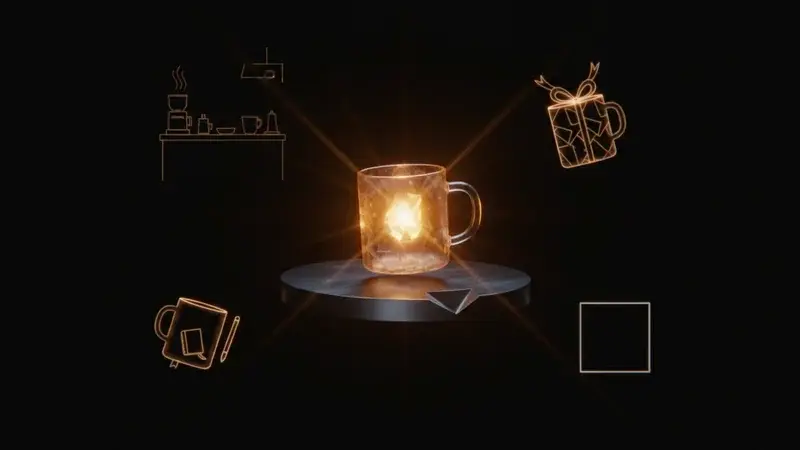
- Up to 8 outputs per batch with character and object continuity. Thinking mode (Plus+) can generate eight lifestyle variations of the same ceramic mug — kitchen shelf, coffee desk, outdoor table, gift-wrapped, flat-lay, etc. — and the mug stays visually consistent across all eight. Previously each regeneration had its own interpretation of your product.
- Full commercial rights on any paid plan. Images go on Etsy, Shopify, Instagram ads, and packaging with no licensing friction. This was the quiet blocker most casual sellers didn’t realize was limiting them.
Source: OpenAI’s launch page, TechCrunch coverage, Axios.
The Cost Stack That Just Collapsed
Most Etsy sellers running 20-50 active listings were paying some combination of:
- Flair.ai — $10/mo Pro plan for generative scenes
- Photoroom — $7.50/mo Pro for background removal and AI fills ($20.99/mo Max plan for higher volume)
- Canva Pro — $15/mo for post-composition
- Occasional pro shoot — $25-$200 per session for the hero images you can’t AI-generate
- Subscription total: ~$32/mo recurring + $400-$1,000/year in occasional pro shoots
Source: Photoroom pricing, Flair.ai pricing.
Post-April 21, a comparable workflow looks like:
- ChatGPT Plus — $20/mo (handles 80% of daily product photography + copy generation + customer email drafts + ad copy)
- Photoroom free tier — $0 (250 non-watermarked photos/month, enough for background cleanup on the hero shots you still want human-controlled)
- Canva free — $0
- Total: $20/month with zero incremental for the actual image work you do
For a solo maker selling $1,000–$5,000/month on Etsy, the subscription-stack saving is modest in absolute dollars ($15/month) but meaningful relative to margin. More importantly, the speed difference — 5 minutes per image vs 30 minutes with a background swap + Canva polish — reclaims hours per week.
Where ChatGPT Images 2.0 Still Isn’t the Right Tool
Be honest with yourself about this before canceling paid subscriptions:
Large catalogs (50+ active SKUs). Claid, Pebblely, and SellerPic have Shopify integrations that push processed images directly into your product admin. If you’re updating 50 photos this weekend, the dedicated tool wins on throughput.
Consistent backgrounds across a product line. If every single product needs the exact same pale-cream background at the exact same color value, dedicated background-swap tools are more reliable. ChatGPT Images 2.0 will drift slightly across regenerations.
True product-accurate shots (not lifestyle). A white-background hero image where the buyer is zooming in to check stitching on a bag strap — still use a real photo. ChatGPT can’t preserve product-level detail the way your camera can.
Photoroom/Pebblely-style background removal on existing photos. ChatGPT can edit images but isn’t designed for the surgical “remove this background, keep the subject pixel-perfect” workflow. Dedicated tools still win for that.
The 5-Prompt Pack for Solo Sellers
Save these. Each takes 3-4 minutes to run. All use ChatGPT Plus with Images 2.0 in thinking mode.
Prompt 1 — Clean white background hero shot
Upload your cell-phone product photo. Prompt:
Create a clean product hero photograph from this source image. Preserve the exact product — same shape, size, color, texture, materials, and proportions. Place the product against a pure white seamless background (#FFFFFF) with soft, even studio lighting eliminating harsh shadows. The product sits at a subtle 15-degree angle to show dimension. Sharp focus throughout, high detail on material texture. Aspect ratio 1:1, 2K resolution, photorealistic, publication-quality.
Prompt 2 — Kitchen/home lifestyle shot
Stage this product in a warm, lived-in kitchen scene. Preserve the exact product details. The scene: natural wood countertop, soft morning light from a window on the left, one small ceramic bowl and a linen cloth nearby for scale, minimal clutter. Composition should feel like a home cook’s real kitchen, not a showroom. Aspect ratio 4:5 (Instagram feed), 2K resolution, photorealistic. Do not alter the product — only the surrounding scene.
Prompt 3 — Flat-lay composition
Create a flat-lay photograph with this product as the centerpiece. Preserve the exact product. Add: 2-3 complementary objects (linen napkin, dried flowers, small wooden utensil — whatever fits the product aesthetic) arranged diagonally around the main subject. Background: warm beige or soft cream texture. Shot straight from above. Aspect ratio 1:1 for Instagram or 2:3 for Pinterest, 2K resolution, photorealistic.
Prompt 4 — Giftable/seasonal variation
Stage this product as a ready-to-give gift. Preserve the exact product. Add: subtle gift context — a twine-tied kraft paper wrapping partially revealed, a small handwritten tag (no readable text), dried eucalyptus or pine sprig depending on the season. Warm natural light, soft shadows. Aspect ratio 4:5, 2K resolution, photorealistic. Feel: thoughtfully handmade, not mass-produced.
Prompt 5 — Packaging mockup with brand consistency
Create a packaging mockup showing this product alongside branded packaging. Preserve the exact product. Add: a kraft paper wrapping with a single solid-colored circular sticker (the sticker should be a solid brand color — use [warm terracotta / sage green / dusty navy]). The packaging is stacked behind or next to the product. Clean but warm background. Aspect ratio 1:1, 2K resolution, photorealistic. Do not render any text on the sticker — keep it a solid color only.
The 8-Variation Shortcut (Plus+ Only)
This is the feature that actually makes the workflow stack-collapsing. With thinking mode:
Using this product photo as the source, generate 8 photographs of the product in different lifestyle contexts, keeping the product itself visually consistent across all 8 images: 1) clean white background, 2) wooden kitchen counter, 3) outdoor natural setting, 4) flat-lay with props, 5) gift-wrapped variant, 6) on a shelf with other similar items, 7) in use (context-appropriate), 8) seasonal holiday variant. Aspect ratio 1:1 for each, 2K resolution, photorealistic. Keep the product identical across all 8.
One prompt. Eight usable images. That’s the Etsy seller’s entire listing gallery + a week of social content in a single request.
What This Means for You
If you’re a new Etsy seller just starting out: ChatGPT Plus at $20/month is the cheapest professional-grade product photography you can buy. Skip the pro photographer quote for your first 10 listings. Shoot cell-phone source photos, run the 5-prompt pack, polish with Photoroom free tier if needed. Your margin improves from day one.
If you run 20-50 active Etsy listings: Layer ChatGPT Images 2.0 on top of what you already do. Use it for the lifestyle and social variations; keep your existing workflow for the hero shots. You’ll probably cancel Flair or Photoroom Pro within 3 months once you see how much they overlap with what ChatGPT now covers.
If you’re a Shopify merchant with 50+ SKUs: Don’t cancel Claid or Pebblely yet — the Shopify integration is still the fastest catalog workflow. But add ChatGPT Plus for the lifestyle, seasonal, and ad-creative work that sits outside your product admin. Those are the images your dedicated tool doesn’t handle well, and they’re the ones that actually drive conversions in 2026.
If your business depends on consistent product-line aesthetics (e.g., minimalist jewelry line with strict brand standards): keep investing in human art direction. ChatGPT Images 2.0 is good but not yet brand-perfect at consistency across a 50-image campaign. Use it for drafts and exploration; commission the final campaign to a human creative director.
If you’re a hobbyist selling on Etsy’s casual side: the $20/month ChatGPT Plus is almost certainly the best marketing investment you can make. Treat it as your visual assistant + copywriter + email helper. The product photography is just one workflow it covers.
The Etsy AI Disclosure Rule (Don’t Forget)
Etsy’s seller policy requires you to disclose in the listing description when items are created with AI tools. Importantly, this rule is typically applied to items that use AI as part of the creative process (e.g., AI-generated prints, AI-edited designs), not necessarily to using AI for marketing imagery of a handmade physical item.
The safe interpretation for 2026: if the product itself is AI-assisted (a printed design, an editable digital file, an AI-generated artwork), disclose. If the listing photograph is AI-enhanced but the product is a physical handmade item, most sellers don’t flag it — but the cautious practice is a short disclosure line like:
“Product photography includes AI-enhanced lifestyle imagery. The physical product is handmade by me in [studio location].”
This keeps you clearly within Etsy’s policy and builds trust with buyers who value handmade authenticity. Source: Etsy’s AI policy page.
Shopify has no equivalent disclosure requirement for AI-enhanced product imagery, but transparency with your buyers is a brand-trust decision regardless of platform policy.
What Images 2.0 Still Can’t Do for Sellers
Honest limitations. Skip this section and your reader doesn’t trust the rest.
- It can’t preserve fine product details like stitching, embroidery, or texture-critical close-ups. For those, use a real macro photograph of your actual product.
- It can’t match a specific brand color across every regeneration. “Sage green sticker” will come back as three slightly different sage greens. For strict brand-color products, dedicated tools win.
- It can’t add legible text on packaging that matches your brand exactly. Images 2.0 is much better at text than before, but still imperfect. Export to Canva for any text-on-image work where the wording must be exact.
- It can’t de-AI your images. Every generation carries the provenance watermark. For platforms that may flag heavily AI-generated content in search (Etsy has signaled this direction), balance AI imagery with some real product photos in your listings.
The Bottom Line
ChatGPT Images 2.0 is the first version of OpenAI’s image generator that belongs in a solo Etsy or Shopify seller’s stack. It collapses the subscription cost for daily product imagery from ~$32/month to ~$20/month, speeds up per-image time from 30 minutes to 5, and — with thinking mode — produces an entire listing gallery from one source photo in a single batch request.
It doesn’t replace Photoroom, Claid, Flair.ai, or human art direction entirely. But for the solo maker doing their own photography between orders, it’s the toolkit upgrade that actually moves the needle this week.
Start with the 5-prompt pack. Run it on one product you already sell. See if the output is good enough for your listing. If yes, it’s going to save you 2-3 hours this weekend. If not, you’ve learned something useful in under an hour.
Sources:
- OpenAI — Introducing ChatGPT Images 2.0 (April 21, 2026)
- TechCrunch — ChatGPT’s new Images 2.0 model is surprisingly good at generating text (April 21, 2026)
- Photoroom — AI Product Photography Tools for Marketplaces
- Photoroom pricing
- Flair.ai — AI Product Photo Generator & Editor
- Nightjar — AI Product Photos for Etsy
- Rajat Gautam — AI Product Photography: The Complete 2026 Guide
- Rewarx — Etsy Product Photography Guide: How to Stand Out with AI Images 2026
- Growing Your Craft — ChatGPT For Your Etsy Shop: Prompts & Examples
- Etsy — What is Etsy’s stance on AI creations?
- Shopify — AI Image Generators for Ecommerce: Top Tools
- TechRepublic — 7 Best ChatGPT Image Prompts in 2026
- SelfEmployed — Shopify AI Toolkit 2026 Arrives: What the New Plugin Means for Solopreneurs