

If you’re an advisor reading this before your next client review, here’s the shape of what just changed. Google’s Deep Research Max shipped on April 21. FactSet’s production MCP server went live on December 16, 2025. The two things plug into each other. What used to be a paraplanner’s 60-to-90-minute pre-meeting job now runs as a single prompt in under 15 minutes.
I’m not going to oversell this. There are real catches — licensing, compliance, fiduciary review — that nobody’s writing about yet. But the cost-per-brief math is now genuinely uncomfortable for anyone still billing a junior analyst to assemble fund tear sheets and FactSet exports by hand.
Here’s how it actually works, what it costs, and what you still can’t hand off to the agent.
What Shipped, In Two Sentences
Google Deep Research Max (launched April 21, 2026): An asynchronous Gemini 3.1 Pro research agent that can ingest ~900k input tokens, run up to 160 web searches, and pull data from any MCP-compatible source in a single run, producing a cited report with inline charts in roughly 30-60 minutes. Benchmark: 93.3% on DeepSearchQA, 85.9% on BrowseComp — top of the current field.
FactSet’s MCP server (launched December 16, 2025): FactSet became the first institutional data provider to ship a native MCP server, exposing nine AI-ready datasets directly to any compliant AI client — no ETL pipeline, no warehousing step. Over 800 institutional users at 45 firms tested it in the Explorer beta before launch.
Here’s why that combination matters for an RIA or wealth advisor. Deep Research Max is the first general-purpose LLM that can pull FactSet’s market data inside the same run it’s searching the open web. The research brief and the data look-up become one action.
The Nine FactSet Datasets That Plug In
Through the FactSet MCP server, the following datasets are accessible to Deep Research Max (or Claude, ChatGPT, Microsoft Copilot, and any other MCP-compatible client):
| Dataset | What’s in it |
|---|---|
| Fundamentals | Financial statement data, ratios, historicals |
| Consensus Estimates | Street analyst estimates, revisions |
| Ownership | Institutional and insider ownership tracking |
| Global M&A | Deal intelligence, private markets activity |
| Global Pricing | Real-time and historical pricing across asset classes |
| People Profiles | Executive and board-member profiles |
| Events | Live and historical earnings calls, conferences, corporate actions |
| Supply Chain | Vendor and customer linkages |
| Geographic Revenue Exposure | Revenue breakdown by region and country |
FactSet’s Chief Data Officer, John Costigan, framed it on launch as “client-centric” access — existing institutional clients get the MCP endpoint as an extension of the APIs they already pay for. This matters, so read it carefully: MCP is the delivery layer, not the license. Your FactSet subscription still controls which datasets you can actually call.
No price card is public. Smaller RIAs usually access FactSet through platform relationships or specific data packages rather than direct enterprise contracts. If you don’t already have a FactSet subscription, the MCP server doesn’t give you anything you didn’t already have access to.
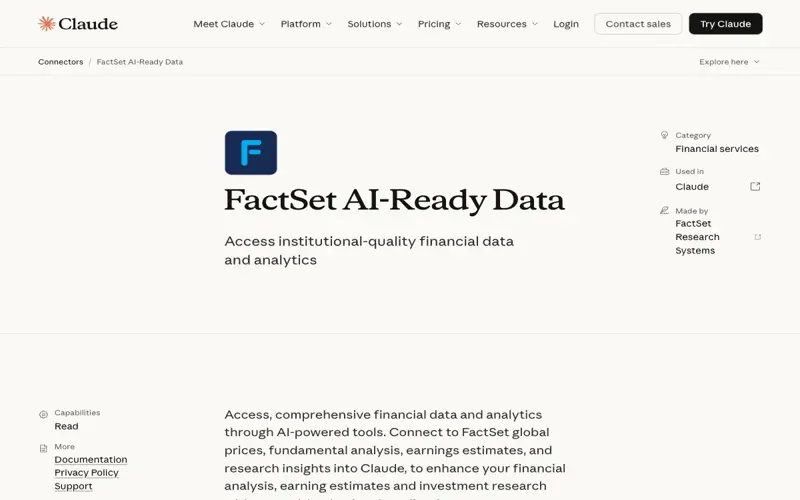
FactSet’s connector listing in Anthropic’s directory — illustrating that the same MCP-style data bridge now serves Claude, Gemini Deep Research, ChatGPT, and other compliant clients. Source: claude.com/connectors/factset.
Where This Gets Interesting for Advisors
The 2026 AI-for-advisors landscape looks like this. Most of the tools you’ve heard of are doing one specific thing:
- Jump AI ($20M Series A, 2025) — meeting notes and CRM summaries. Claim: ~1 hour per workday saved. Integrates with Zoom, Teams, Salesforce, Wealthbox, Redtail.
- Zocks — fully compliant meeting assistant for Zoom/Teams. Claim: 10+ hours per week saved through streamlined client communication and prep.
- Fintool — extracts structured data from SEC filings and 10-Ks/10-Qs. Built for public-equity analysts.
- Altitude CRM — purpose-built CRM for RIAs with AI automation on the client relationship layer.
- Finmate, Zeplyn — meeting transcription and note capture, advisor-specific.
None of these are research agents. They’re meeting assistants and CRM augmentations. They capture what happened; they don’t tell you what to bring into the next meeting.
That’s the gap Deep Research Max fills. Not a replacement for Jump or Zocks — an additional layer. The advisor stack in late 2026 is shaping up to be:
- Jump or Zocks for the client-facing meeting itself (compliant note capture, follow-up drafts)
- Altitude CRM or existing CRM for the relationship history
- Deep Research Max + FactSet MCP for pre-meeting research synthesis across portfolio data, market news, and client-specific signals
- Claude Projects or ChatGPT for the writing work — email drafts, IPS rewrites, talking points
Each does one thing well. The cost stack lands between $60-$150/month per advisor if you’re using the individual-seat versions of each.
The 15-Minute Client Prep Brief, Step by Step
This is the workflow people keep asking about. Here’s the concrete version, tested by early RIA users in the 48 hours since launch.
Step 1: Scope the meeting (2 minutes). Open Deep Research Max via Gemini API or AI Studio. Give it the structural prompt:
“Prepare a 60-minute review meeting brief for [Client Name], a 58-year-old business owner with $4.2M invested assets, target retirement in 7 years. Last meeting: 2026-01-18. Focus on portfolio risk, tax opportunities, and any life changes signaled in recent communications. Produce a client snapshot, portfolio analytics, top 3-5 talking points with citations, and an action list.”
Step 2: Attach the files (3 minutes). Upload the client’s most recent IPS, their latest custodian statement, last meeting notes from Jump or Zocks, and any recent client emails. Deep Research Max’s 1M token input window fits all of this with room to spare.
Step 3: Connect the data (automatic). Your Gemini Enterprise seat points at the FactSet MCP endpoint. The agent now has your CRM file exports, your custodial snapshot, and real-time FactSet market data in one context.
Step 4: Review the research plan (2 minutes). Deep Research Max shows you its plan before running — sub-topics, target sources, synthesis approach. You edit it. Add “concentrated stock risk analysis” or exclude “options strategies.” This is the step most early users skip, and it’s also the step that determines whether the final output is useful or noise. Don’t skip it.
Step 5: Run the agent (3-8 minutes for the shorter Deep Research, 30-60 min for Max). For most client prep work, standard Deep Research at 5-10 min and ~$1.22 per run is actually the right tool, not Max. Reserve Max for the deep quarterly reviews, the onboarding deep-dives, or the portfolio transition work where the 900k-token scope and overnight depth earn their cost.
Step 6: Review the output (5 minutes). You get a structured brief: client snapshot, portfolio vs IPS allocation drift, drawdown vs benchmark, sector and geographic exposures (from FactSet), market-news items filtered to your client’s holdings, top 3-5 talking points with inline citations, and a suggested action list.
Total meeting-prep time, assuming a clean setup: 15-20 minutes. Compare that to the 30-90 minutes industry surveys say advisors and paraplanners currently spend per client on exactly this prep work.
Zocks’s own data says their meeting-assistant layer reclaims 10+ hours per advisor per week. A research layer on top of that pushes the reclaimed time toward 15-20 hours. At that point you’re not saving time on existing clients — you’re meaningfully increasing the number of clients one advisor can serve.
The Honest Cost Math
Let’s put numbers on this, because the “is it worth it” question needs real math, not vendor slides.
| Line item | Cost | Notes |
|---|---|---|
| Gemini API (Deep Research) | ~$1.22/run | 5-10 min standard run |
| Gemini API (Deep Research Max) | ~$3-$7/run | 30-60 min deep run |
| FactSet subscription | Enterprise contract | You already have this or you don’t — MCP doesn’t change it |
| Jump AI (optional meeting layer) | $59-$99/advisor/mo | Tiered |
| Zocks (optional meeting layer) | $50-$90/advisor/mo | Per seat |
| Claude Projects (optional writing layer) | $20-$25/mo | Per seat |
The economic question: a paraplanner at a mid-sized RIA runs about $65-$95k loaded cost. At 40 client briefs a week, that’s ~$40-60 per brief of pure labor. A Deep Research Max run lands at $3-$7. The labor replacement arithmetic is real.
But — and this is the part that matters — the paraplanner isn’t just writing the brief. They’re reading the client’s last six months of communication for tone changes. They’re flagging that this client mentioned a daughter’s college fund on a November call and the advisor should ask how that’s progressing. They’re catching the one-off detail that makes the meeting feel like you remembered them. Deep Research Max will pull structured data from their files, but the “I noticed you mentioned…” warmth isn’t in the $5 per run.
The real unlock isn’t paraplanner replacement. It’s paraplanner elevation. The same human who was assembling FactSet exports now reviews agent output for anomalies, spots the human signals the agent misses, and spends the reclaimed time on client-relationship work. Throughput goes up. The cost per good brief drops. Nobody gets fired if leadership is smart about it.
The Compliance Catch Nobody’s Talking About
Here’s the part I wish someone had walked me through before my first Max run. This is the section where most of the launch coverage just… isn’t.
Fiduciary duty, Reg BI, and the “AI ate my homework” problem. If you’re an investment adviser representative subject to the SEC’s Reg BI best-interest standard, or a fiduciary advisor under the RIA framework, every recommendation still has to have your judgment behind it. The Max report is research, not advice. You cannot forward a Deep Research Max briefing pack to a client as a recommendation. The agent’s “top 3-5 talking points” are a starting line, not a deliverable.
The “Gemini paradox” matters more for advisors. Independent research has flagged that Gemini 3.1 Pro has the highest FACTS score of any frontier model (68.8) but also exhibits an 88% hallucination rate on AA-Omniscience — a metric specifically for confident-but-wrong assertions in long-horizon reasoning. Translation: Max will occasionally cite a fund that doesn’t exist, reference a rule change that didn’t happen, or confuse two similarly-named tickers. Every citation needs a human verifying the link actually supports the claim. Especially any Max output you’re using for client-facing communication.
PII and client data. The Gemini API has a commercial tier that doesn’t train on your inputs. Make sure your firm’s contract with Google is on the enterprise tier, not the consumer Gemini, before uploading a single client file. Same applies to the CRM export pipeline you connect via MCP — any data leaving your firm’s boundary has to be covered by your existing data-protection policies.
The 60-minute timeout. Very broad prompts can return partial reports. Scope your Max runs. “Prepare a comprehensive briefing on the entire wealth management landscape” will choke. “Prepare a client review for John Smith covering portfolio drift, tax opportunities, and life-event follow-ups” will not.
Documentation. Every Deep Research Max run should be logged in your compliance system the same way any other research tool is. If the SEC comes asking, “how did you arrive at the recommendation,” you want the agent output, the plan-edit log, and your human review notes in the same file.
Not one of these is a deal-breaker. All of them are “you need to know this before run #1.”
When It Earns the Wait — And When It Doesn’t
Use Deep Research Max (the 60-minute version) when:
- The brief is long-form and cross-domain — say, a quarterly review with allocation analysis, tax opportunity scan, and estate-planning prompts
- You or your team pays for FactSet, S&P Capital IQ, Morningstar, or PitchBook already
- The work can run asynchronously — overnight, during a different meeting, while you focus elsewhere
- The deliverable would take a human paraplanner 8-16 hours
Use standard Deep Research (the 10-minute version) when:
- You need a cited brief during active work — between meetings, before a call
- The scope is one client, one question, one market event
- The stakes are exploratory — informing a follow-up, not a formal recommendation
Skip both and use Perplexity Pro when:
- You’re fact-checking one claim in real time
- The question fits in a paragraph answer
- You want inline citations visible the moment the answer returns
Skip all three and call your paraplanner when:
- You’re noticing something the data can’t see — tone changes, life events, relationship signals
- A legacy client’s history outruns the six months of files in the agent’s context
- The client has asked a judgment question that should never start with “the AI said”
What This Means for You
If you’re a solo RIA: The unit economics shift toward you. A $3-$7 Max run is genuinely cheaper than a contract paraplanner, and it scales with client count in a way your previous solo practice couldn’t. Start with standard Deep Research on a single client review this week. Get comfortable. Then pilot one Max run on your biggest quarterly review before expanding.
If you lead a mid-sized RIA with a paraplanner team: This is a team-elevation moment, not a cost-cut moment. Your paraplanners go from assemblers to reviewers. Set the expectation in writing that every AI-generated brief gets a named human reviewer before it influences client-facing work. Update your compliance manual this quarter.
If you work at a wirehouse or broker-dealer: Your firm’s AI policy probably doesn’t cover MCP-connected agents yet. Before you touch Deep Research Max with client data, confirm with compliance whether the Gemini Enterprise contract is in place, whether FactSet MCP access is part of your firm’s license, and whether the output counts as research or recommendation under Reg BI. The tools are ready; your firm’s policy probably isn’t.
If you’re a paraplanner or junior analyst: This is the exact role shift the industry’s been predicting for five years. Your job moves from assembly to review and judgment. The paraplanners who learn to write the best prompts — and spot the best hallucinations — are the ones who get promoted to associate advisor faster, not laid off. Start testing this week.
If you’ve never used AI with client data: Start with non-client research first. Use Deep Research to prep a market-outlook brief for your own knowledge. Use Perplexity to check a tax rule. Get the muscle memory before you touch anything that goes near a client file.
The Bottom Line
FactSet shipping an MCP server in December changed the “can we integrate AI with our data stack” question from a six-month project to a one-week configuration. Google shipping Deep Research Max in April turned the research layer into something a general-purpose LLM can actually do at institutional-quality depth.
For RIAs and advisors already paying for FactSet, S&P Global, PitchBook, or Morningstar, this is the first week where the AI-augmented client brief stops being a conference-panel demo and starts being an actual line item in the prep workflow. The cost per run is $3-$7 for Max, ~$1.22 for standard Deep Research. The honest productivity gain, based on early usage data, is 30-60 minutes saved per client meeting prep.
The catch is the catch every AI-with-compliance story has. The output is research, not advice. Every citation needs human verification. Every run needs to land inside your firm’s existing compliance and data-protection frameworks. The “Gemini paradox” means confident-sounding errors are a real risk class, not a theoretical one.
If you’re reading this before Monday morning, do one thing this week: run Deep Research (not Max — start with the cheaper one) on a single client review you’ve already completed. Compare what the agent pulled to what you actually covered in the meeting. That’s the calibration step. Do it before your first Max run on live client prep. You’ll know within one brief whether this fits your workflow.
Sources:
- Deep Research Max: a step change for autonomous research agents — Google Blog (Apr 21, 2026)
- Deep Research Max preview — Gemini API Documentation
- FactSet Launches Industry’s First Production-Grade MCP Server — Quiver Quantitative (Dec 16, 2025)
- FactSet Meets Demand for AI-Ready Data, First to Announce MCP Sans Intermediary — FactSet Investor Relations
- FactSet AI-Ready Data MCP — FactSet Developer Portal
- FactSet AI-Ready Data Connector — Claude
- The 8 Best AI Tools for Financial Advisors in 2026 — Altitude CRM
- The 10 Best AI Tools For Financial Advisors in April 2026 — Jump
- How AI Saves Financial Advisors 10+ Hours Per Week — Zocks
- 20+ AI Tools Financial Advisors and Planners Could Leverage — SmartAsset
- Jump raises $20m to drive AI-powered efficiency for financial advisors — FinTech Global
- Why Your Deep Research Agent Fails? On Hallucination Evaluation — arXiv:2601.22984