Update, October 4, 2026: Finances in ChatGPT is now free for everyone in the U.S. (Free, Go, Plus, and Pro) as of October 2. These 20 prompts were written for the Pro-only launch, but they work the same on any plan. If you’re on Free or Go, you may see ads, so check Settings → Ad Controls before you connect.
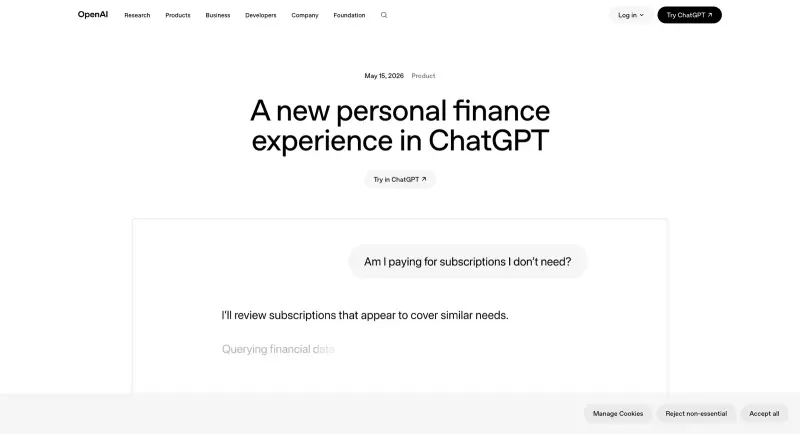
OpenAI launched Finances in ChatGPT on May 15, and the example prompts on the announcement page are fine starter material — “I feel like I’ve been spending more recently. Has anything changed?” and “Help me build a plan to be ready to buy a house in my area in the next 5 years.” They work. They’re also generic.
The interesting prompts are the ones that get past “here are five tips.” The ones that ask ChatGPT to actually compute something against your real transaction data: cross-reference subscription cadence with usage patterns, identify lifestyle inflation by isolating non-fixed spending, surface duplicate services, model debt payoff under realistic rate assumptions, find the merchants you don’t recognize. Those prompts are where the connected-data version of ChatGPT earns its $200/month.
Twenty prompts below, organized by what each is good at. Copy any of them verbatim — they’re tuned for ChatGPT Finances, not for generic prompt phrasing. The wording leans on the specific widgets and capabilities OpenAI shipped: Spending insights, Subscriptions, Upcoming payments, Investment dashboard, Categorized transactions. Each prompt assumes your accounts are already connected per the setup walkthrough.
Category 1 — Subscription Audit (Prompts 1–4)
The single highest-ROI category. Most people are leaking $30–$200/month on subscriptions they forgot about, duplicate services, or tier upgrades they never downgraded. Even one good audit is worth more than the nothing it now costs to try.
1. Full subscription inventory with quick-cancel triage
“Using my connected transactions, list every active subscription and recurring bill. For each one show: merchant, amount, billing frequency, and next charge date. Group them into three tiers — Must-keep, Nice-to-have, Probably cancel — based on how often the charge appears versus how recent the last usage looks. At the bottom, total the estimated monthly savings if I cancel everything in the Probably-cancel tier.”
What this does well: ChatGPT’s Subscriptions widget already surfaces cadence and next charge date. This prompt forces it to combine that with implicit usage signals and produce an actionable triage instead of just a list.
2. Duplicate and overlapping services
“Scan my subscriptions and recent spending for duplicate or overlapping services — for example, two cloud storage tools, two music platforms, two project management apps, or multiple streaming subscriptions. Flag each pair, note which is more expensive, and estimate the monthly savings if I keep only the cheapest of each overlap.”
OpenAI’s own help center calls out “Do I have any duplicate payments?” as a built-in capability — this prompt extends it to the more useful question of overlap rather than exact duplicates.
3. Forgotten annual renewals and silent price hikes
“Look back 12 to 24 months of my transactions and identify any annual or irregular subscriptions coming up for renewal in the next 90 days. For each, show me the last amount paid, whether the most recent charge increased compared to the prior year, and the projected renewal date. Sort by renewal date ascending.”
The annual-renewal trap is the hardest one to catch manually. ChatGPT can scan 24 months of history in one pass.
4. Tier downgrade opportunities
“For each of my active subscriptions, compare what I’m paying against the lower-tier prices you know for the same service. List every subscription where I might be on a higher tier than I actually need, suggest the realistic downgrade tier, and show estimated monthly savings.”
This one combines your transaction data with ChatGPT’s general knowledge of vendor pricing tiers — useful because most people upgrade to “Plus” or “Pro” once and never reassess.
Category 2 — Spending Pattern Analysis (Prompts 5–8)
OpenAI’s own framing of this category is “Spending insights” — the system has direct widgets for “Spend by category” and “Spend this month.” These prompts push past the dashboard view into actual diagnosis.
5. Month-over-month drift by category
“Compare my spending by category for the last six months. Build a table with each category, monthly totals, and the month-over-month percentage change. Highlight any category where my spending has grown more than 20% versus my 6-month average. For each highlighted category, suggest two specific practical changes I could make.”
The Spend-by-category widget shows current month. This prompt elicits the drift analysis — which categories are trending up — that’s the real diagnostic signal.
6. Lifestyle inflation check (excluding fixed costs)
“Using at least 12 months of transaction history, analyze how my average monthly spending has changed over time — but exclude rent or mortgage, debt payments, and recurring fixed bills. Identify whether discretionary categories like restaurants, shopping, travel, or entertainment have grown over time. Summarize the top three areas where my discretionary habits have shifted.”
This isolates the spending that’s actually under your control. Fixed costs going up isn’t actionable; discretionary creep is.
7. Seasonal patterns vs one-time spikes
“Look at my last two years of spending. Identify recurring seasonal patterns — like higher spending around the December holidays, summer travel, back-to-school, etc. Separately, identify one-time spikes such as medical bills, car repairs, or unusual purchases. For each seasonal pattern, tell me what predictable cost I should plan for in next year’s budget.”
Knowing your seasonal pattern lets you save ahead of December instead of recovering from it.
8. Diagnose the “feels off” month
“I feel like I’ve been spending more this month than usual. Compare my spending so far this month with my average month over the last six months by category. Explain in plain English what changed. Specifically call out any new merchants or new categories that are driving the difference.”
A direct riff on OpenAI’s flagship example prompt, but more specific in what it asks for. The “new merchants or new categories” framing forces ChatGPT to do attribution, not just totals.
Category 3 — Goal Planning (Prompts 9–12)
ChatGPT’s reasoning ability does well on multi-year, multi-variable planning when given real account data as the input. The classic OpenAI launch example was the 5-year house plan; these four build it out.
9. Five-year home purchase plan, grounded in real cash flow
“Using my connected accounts and current cash flow, help me plan to buy a house in about 5 years. Estimate roughly how much I could afford for a down payment if I keep my current lifestyle. Suggest a monthly savings target, recommend where to keep that money (high-yield savings vs investment, conceptually), and tell me what tradeoffs in my current discretionary spending would let me hit the target.”
The grounding-in-real-data piece is what makes this materially better than what generic ChatGPT could give you. The recommendation is specific to your actual income and spending pattern.
10. Emergency fund sizing based on actual expenses
“Calculate the size of an emergency fund that would cover 3, 6, and 9 months of my actual essential expenses, excluding discretionary categories. Use my last 12 months of transactions to determine the essentials baseline. Then tell me where I currently stand against each of those three tiers.”
The standard “3-6 months of expenses” advice is useless without “what are your actual expenses.” This prompt gives you the personalized answer.
11. Save for a child’s college (or any 18-year goal)
“My [age]-year-old child will start college in [year]. Project the realistic cost of in-state public, private, and Ivy-tier tuition at that point assuming historical inflation. Given my current cash flow, suggest a monthly contribution to a 529 plan that would cover each scenario at 6% average annual returns. Tell me what category in my current spending I should reduce by that amount.”
College cost planning is one of the genuinely hard personal finance problems. Even a rough projection beats the spreadsheet most parents are doing in their head.
12. “Can I afford this?” purchase stress test
“I’m considering a [specific purchase] for [$ amount]. Stress-test whether I can afford it. Use my last 6 months of cash flow as the baseline. Show me: (a) months until I’d recover the cost if I paid cash, (b) the monthly carrying cost if I financed at typical 2026 rates over 36/48/60 months, (c) which discretionary category I’d need to cut to make this neutral. Recommend cash vs financed, with reasoning.”
The single most useful “should I buy this” prompt. The structured output forces ChatGPT to think through the tradeoffs instead of giving you a vague “depends on your priorities.”
Category 4 — Debt Payoff (Prompts 13–15)
Debt math is where the connected-data version of ChatGPT has a real advantage over manual planning — it can pull your actual balances and rates and compare strategies.
13. Credit card payoff plan, optimized for cost
“Look at every credit card balance I have. List each card with its current balance and (if you can see it) the APR. Build a debt avalanche payoff plan that minimizes total interest paid. Show me: months to debt-free, total interest paid, monthly payment required to finish in 24 months, and which card to attack first. Compare that to a debt snowball plan (smallest balance first) so I can see the tradeoff between cost and motivation.”
Avalanche vs snowball is a real tradeoff. The prompt forces ChatGPT to compute both, not just recommend one.
14. Refinance analysis on a fixed-rate loan
“I have a [type — mortgage / auto / student] loan with a remaining balance around [$ amount] at [%] interest. Current market rates are roughly [%]. Calculate whether refinancing makes sense for me. Show: monthly payment change, total interest saved over remaining term, break-even point on closing costs (assume 1% of balance), and minimum months I’d need to stay in the loan for the refi to pay off.”
ChatGPT can run the amortization math reliably; the human input you’re providing is current market rates. Refresh those quarterly.
15. Hidden APR audit on existing balances
“Scan my recent statements and identify any credit card or revolving balance where I’m paying meaningful interest each month. For each, tell me approximately what APR that interest charge implies based on the balance. Flag anything over 20% APR as priority for payoff or balance-transfer consideration. Suggest a payoff sequence.”
Many people don’t realize their store card or buy-now-pay-later balance is sitting at 29% APR. This prompt surfaces it from the actual interest charges in your statements.
Category 5 — Investment & Net Worth Review (Prompts 16–18)
The portfolio side of Finances is more conservative — ChatGPT is explicit that it’s not financial advice — but for analysis-not-recommendation prompts it’s useful.
16. Portfolio allocation drift check
“Look at my connected investment accounts. Calculate my current asset allocation across U.S. equities, international equities, bonds, cash, and other categories. Compare that to a target of [your target — e.g., 70% equities / 25% bonds / 5% cash, or ‘standard target-date fund for someone retiring in 2050’]. Tell me which categories have drifted by more than 5 percentage points from target. Don’t recommend trades — just show me the drift.”
Annual rebalancing is the highest-leverage 30-minute task in personal finance for anyone with retirement accounts. This prompt gives you the analysis without crossing into advice.
17. Expense-ratio audit on holdings
“For each fund or ETF I hold in my investment accounts, list the ticker and (if you know it) the expense ratio. Flag any holding with an expense ratio above 0.50%, and for each flagged holding, suggest a lower-cost equivalent index fund or ETF that tracks roughly the same asset class. Don’t recommend trades; just present the comparison so I can review with my advisor.”
This is one of the highest-impact, least-glamorous portfolio reviews. Reducing a 1.0% expense ratio holding to 0.05% saves about 0.95% of that holding’s value per year, compounded for decades.
18. Net worth snapshot with monthly trajectory
“Calculate my current net worth from connected accounts: total assets (checking, savings, brokerage, retirement) minus total liabilities (credit cards, loans). Then look back 12 months and show me how net worth has changed month over month. Identify the biggest single driver of the change — was it new contributions, market performance, debt paydown, or a one-time event?”
Net worth is the only personal finance number that actually matters; cash flow is just the means to move it. The monthly trajectory tells you whether your current habits are working.
Category 6 — Cash Flow & Merchant ID (Prompts 19–20)
The defensive prompts. These two pay for themselves the first time they catch something.
19. Unknown merchant identification
“Go through my last 90 days of transactions and identify any charges from merchants I might not recognize — things with generic descriptors like ‘SP * SOMETHING’ or ‘INTERNATIONAL TXN’ or anything that looks like a recurring small charge under $10 that I haven’t called out as a known subscription. For each, tell me what the merchant likely is (best guess) and whether the charge looks like a legitimate service or something to investigate.”
Subscription fraud and card-testing fraud both depend on people not auditing small recurring charges. This prompt audits them for you.
20. Monthly cash flow gap analysis
“Calculate my net monthly cash flow over the last six months — income minus all expenses. For any month where the gap was negative or unusually thin, explain what drove it. Then project the next three months based on known upcoming bills, scheduled payments, and recurring patterns. Flag any month where my projected cash flow looks tight.”
The cash flow squeeze rarely shows up on the dashboard view — it’s a calculation across time. ChatGPT is the right tool to do that scan once a quarter.
How to Use These Well
A few patterns that improve every prompt above.
Specify time windows explicitly. “Last 6 months” or “last 12 months” produces better output than “recently.” Anything where you don’t specify a window, ChatGPT will default to the most recent — which can hide longer-term patterns.
Ask for the math, not just the recommendation. Every prompt above is structured to elicit the underlying calculation, not just the conclusion. This is what makes the connected-data version more useful than generic financial advice — it can actually do arithmetic on your real numbers.
Use temporary chats for the most sensitive ones. Anything involving debt amounts or net worth — consider running it in a temporary chat (not saved to history). Your prompt history is the leak vector if your ChatGPT account is ever compromised.
Cross-check the math. ChatGPT can still get arithmetic wrong, especially on multi-step calculations. For anything you’re acting on (refinance decisions, debt payoff plans), verify the key numbers yourself or with a calculator. The prompt structure is right; trust but verify the output.
Don’t treat the output as financial advice. OpenAI’s own disclaimer is clear: “ChatGPT can help you stay informed and feel more confident managing your finances, but it is not a replacement for professional financial advice.” Treat it as a research assistant, not a financial advisor. The big decisions still belong with your CPA, your fee-only advisor, or both.
What These Prompts Can’t Do (Yet)
A few honest limits to keep expectations calibrated.
- They can’t predict the market. Any prompt asking for “should I buy/sell” gets generic hedging. That’s correct behavior — ChatGPT isn’t trained on real-time market data and shouldn’t be making allocation calls.
- They can’t reconcile tax positions. Until the Intuit integration ships, ChatGPT doesn’t know your tax brackets, withholding status, or filing situation. Tax-impact answers are generic.
- They can’t see anything that didn’t come through a connected account. Cash spending, payments through Venmo or Zelle that didn’t sync, business expenses on a separate card — all invisible.
- They can’t enforce a budget. ChatGPT can analyze your spending and suggest changes. It can’t stop you from buying things. The behavioral piece is still yours.
- They’re not pre-trained on your particular situation. Every prompt above benefits from one extra sentence of context — “I’m 35, married, no kids yet, save 15% of income to retirement currently” — that tailors the response. Add one sentence per prompt the first few times.
The Bottom Line
The dashboard is for glancing. The prompts are for diagnosing. Most people will use ChatGPT Finances five times in the first week and forget about it; the people who get real value from it run the same audit prompts on a quarterly cadence — subscription audit every month, lifestyle inflation check every quarter, portfolio drift twice a year, debt payoff plan once a year. That’s the rhythm.
If you want to go deeper on AI prompt patterns that produce actually useful output across more than just finance — the structure that makes ChatGPT respond with numbers and tradeoffs instead of generic advice — our Advanced Prompts course walks through the structures end to end. For finance specifically, our Personal Finance with ChatGPT course covers the full quarterly review workflow with copy-paste templates for each step.
Sources
- A new personal finance experience in ChatGPT — OpenAI
- Finances in ChatGPT — OpenAI Help Center
- OpenAI launches ChatGPT for personal finance — TechCrunch
- OpenAI, Plaid to Bring Tailored Financial Guidance to Masses — Bloomberg
- There’s an ‘art’ to writing AI prompts for personal finance — CNBC
- ChatGPT now reads your spending and gives financial advice — MSN
