

Anthropic launched Claude for Small Business on May 13 with the kind of pitch that makes LinkedIn purr: 15 ready-to-run agentic workflows plus 15 building-block skills, embedded right into the tools you already pay for. The launch threads cleared a million-plus impressions in three days. Every workflow looks great in the marketing materials.
But “looks great in a demo” and “saves an SMB owner real hours per week” are two completely different things. After working through the actual workflow list and mapping each one against a real 5-person SMB’s actual week, the honest read is that roughly half are killers and half are theater. The killers pay back the subscription in days. The theater will sit in the menu unused after launch week.
This post separates them. Seven that work. Eight that don’t. Plus a middle tier of “works only in specific businesses.” Scored for a 5-person SMB with the typical stack already in place (QuickBooks Online, HubSpot, Stripe or Square, Google Workspace, Canva).
What “15 workflows” actually means
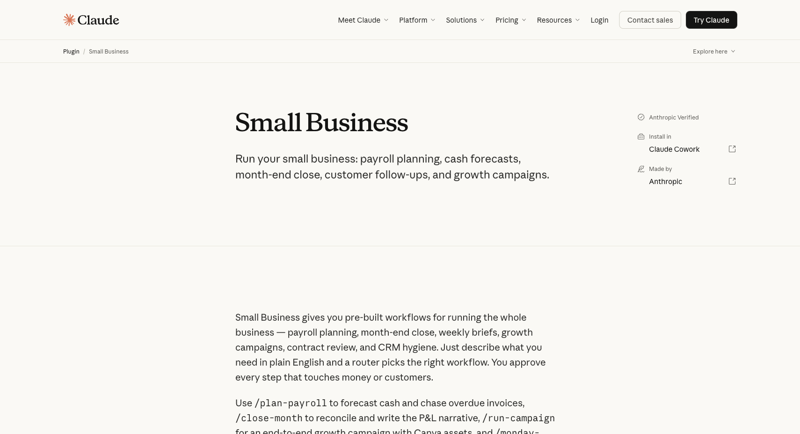
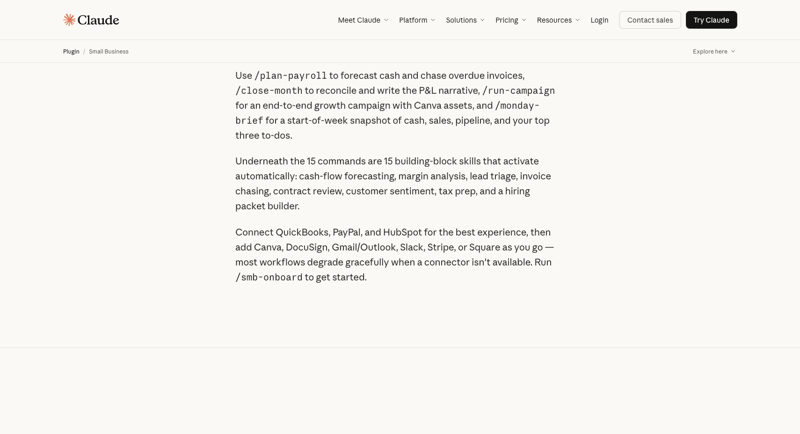
The product ships as 15 prebuilt workflows (multi-step agentic processes you invoke with slash commands like /plan-payroll, /close-month, /run-campaign, /monday-brief, /smb-onboard) plus 15 atomic skills (cash-flow forecasting, margin analysis, lead triage, invoice chasing, contract review, customer sentiment, tax prep, hiring packet builder, and seven more) that the workflows pull from automatically. The marketing sometimes treats workflows and skills interchangeably; for the ranking, the unit of analysis is “a named thing that delivers value to a real SMB owner.”
In order of value for a typical 5-person SMB, here’s the honest ranking.
Tier 1: The 7 that actually save time
1. Invoice chasing (the single killer app)
The single highest-ROI thing in the entire Claude for Small Business product. SMBs typically lose two days a month manually following up on overdue invoices — pulling the aging report, drafting customer-specific reminder emails in the right tone, deciding whether to escalate. Claude handles all three. The workflow pulls aged receivables from QuickBooks, drafts reminders in your house voice, and queues them for one-click approval before sending through Gmail or Outlook.
Why it works: the input is structured (aging report), the output is text (an email), the human stays in the loop on the actual send. There’s nothing for the agent to hallucinate that matters.
Time saved per week: ~90 minutes for a typical 5-person agency. Payback: month one.
2. Month-end close (/close-month)
The monthly close is the second-highest-leverage workflow. Claude reconciles QuickBooks against PayPal settlements and Stripe deposits, flags discrepancies with the specific transactions that don’t tie, generates a plain-English P&L narrative, and exports a close packet for your outside accountant. The accountant still signs off; the owner saves the four hours of packet-prep.
Why it works: reconciliation is rules-based; narrative writing is Claude’s strength; the packet format is reusable across months. The owner stays in the loop on anything ambiguous.
Time saved per month: ~4 hours. Annual payback: ~48 hours.
3. Cash-flow forecasting
A live 30-day forecast that updates on demand. Pulls open AR, scheduled AP, payroll dates, known recurring revenue. Outputs a forecast spreadsheet that goes into a board meeting or supports a hiring decision. Many SMBs do this in a static Excel file that goes stale within a week; Claude makes refreshing it cheap enough to actually do.
Why it works: the math is simple, but inputs change daily. Automation removes the “we’ll update it Monday” friction.
Time saved per week: 30–60 minutes for owners who already maintain a forecast; the bigger win is for owners who didn’t maintain one and suddenly have one.
4. Campaign planner (/run-campaign)
The end-to-end marketing workflow: identify a sales lull from HubSpot data, draft a campaign concept, generate Canva assets, schedule the social posts. Output is rough but usable — the human tunes the messaging and approves the creative before publishing. For SMBs without a dedicated marketing person, this is the difference between running a campaign this quarter and not.
Why it works: the cross-app orchestration (HubSpot + Canva + scheduler) is exactly the kind of workflow that used to eat four hours per campaign. Now it’s 90 minutes.
Time saved per campaign: ~2.5 hours. Most relevant for SMBs running 2–4 campaigns per quarter.
5. Monday brief (/monday-brief)
A start-of-week snapshot of cash, sales, pipeline, and the top three to-dos. Lands in your inbox or Slack at 8 AM Monday. Five minutes of value every single week of the year. The brief is short, scannable, and tells you what to think about before your first meeting.
Why it works: the value isn’t raw time saved — it’s the meta-benefit of starting every week with the same shared frame of reference. The whole 5-person team can read the same brief.
Time saved per week: 15–30 minutes of “what’s going on this week” mental setup. The compounding benefit (better-aligned Mondays) is larger than the raw time savings.
6. Contract review (the long-document specialty)
Drop in a 12-page MSA, get back a redline with track-change comments, plain-English explanations of risky clauses, and a “you need an attorney for X” flag where it matters. Claude’s long-context window (200K tokens) handles the full document without splitting. Output reads like a competent paralegal’s first pass.
Why it works: Claude’s long-document analysis is its single strongest capability and contract redline is the canonical use case. The DocuSign connector closes the loop.
Time saved per contract: 60–90 minutes vs. doing it solo. Attorneys still needed for the high-stakes calls.
7. Tax organizer (the quarterly compounding win)
Once a quarter (or once a year) the tax organizer pulls together documents and categorizations the CPA needs to file. Pulls from QuickBooks, categorizes uncategorized transactions, flags missing receipts, exports a clean packet. The CPA still files; the owner stops dreading tax weekend.
Why it works: the underlying work is rules-based with judgment exceptions, exactly the shape Claude handles well. Frequency is low, but each instance saves a half-day.
Time saved per quarter: 4–6 hours. Annual payback: 16–24 hours.
Tier 2: The 8 that don’t (or don’t yet)
These eight aren’t bad in a technical sense. The problem is they either duplicate something the SMB already has, solve a problem that doesn’t exist at the 5-person scale, or wrap a 5-minute task in a workflow that takes 6 minutes to invoke.
1. Payroll planning (/plan-payroll) — the name lies
The name implies “Claude runs payroll.” It doesn’t. Actual payroll requires tax withholding compliance, jurisdictional rules, direct deposits, and audit trails — none of which Anthropic provides. What Claude actually does is forecast cash relative to upcoming payroll. That’s useful, but it duplicates what Cash-Flow Forecasting (Tier 1, #3) already does. The naming makes you expect Gusto or ADP; the reality is closer to a calculator.
Why it falls short: the SMB owner has Gusto already. Claude can read Gusto’s output, but it can’t be Gusto.
2. Lead triage — HubSpot already does this
The workflow scores incoming leads against ICP criteria and recommends a follow-up cadence. The problem: HubSpot’s native lead scoring (free tier) does the same thing with better data because it has the full activity history. If you don’t have HubSpot, Salesforce, or Pipedrive, Claude’s lead triage is fine; if you do, it’s a worse version of a feature you already pay for.
Why it falls short: competes with built-in CRM features that have access to data Claude doesn’t.
3. Customer sentiment analysis — vague output
The workflow scans recent customer interactions (support tickets, NPS replies, email threads) and reports sentiment trends. Output: “sentiment is trending negative around onboarding.” That’s accurate but not useful — every SMB owner already knows where their friction points are. The workflow would need to surface specific quotes, name specific customers, and propose specific fixes to earn its slot.
Why it falls short: sentiment summaries without specific examples are wallpaper.
4. Margin analyzer — math is right, blended costs aren’t
Pulls revenue and direct costs per product or service line and computes margins. The math is correct. The problem: most 5-person SMBs run blended cost structures (one team supports multiple revenue lines) and the analysis only works if your QuickBooks tagging is religious. Most SMB books aren’t tagged that cleanly, so the output gives a false-confidence per-line margin that misallocates shared costs.
Why it falls short: garbage-in-garbage-out, and most SMB books are garbage at the per-line level.
5. Hiring packet builder — once a year, low ROI
Generates a job description, interview rubric, and reference-check questions for a new hire. The output is fine — comparable to a recruiting-firm template. The problem: a 5-person SMB hires 1–2 people per year. The amortized time saved is trivial. Use a free template and skip the workflow.
Why it falls short: workflows earn their place by recurring weekly or monthly, not annually.
6. Business overview / consolidated dashboard
Pulls cash, sales, and pipeline into a single dashboard. The problem: every SMB owner already has Stripe Dashboard, HubSpot dashboard, QuickBooks dashboard, and three browser tabs open all day. The Monday brief (Tier 1, #5) already covers the weekly snapshot. A separate “consolidated dashboard” workflow is a fourth view of the same data.
Why it falls short: redundant with both existing tools and the Monday brief workflow.
7. 30-day forecasting (as a standalone workflow)
When invoked standalone, this just runs the cash-flow forecast and presents it differently. Useful exactly once — the first time you set up the cash-flow workflow. After that, it’s the same skill called by a different name. Anthropic is double-counting it in the marketing materials.
Why it falls short: redundant invocation of Tier 1, #3.
8. /smb-onboard — one-time setup is not a workflow
Walks you through connecting all your tools, picking which workflows to enable, and setting baseline preferences. Genuinely useful — but you run it once on day one and never again. It’s not a workflow in the “does work for you every week” sense; it’s setup. Counting it as one of the 15 inflates the number.
Why it falls short: one-time setup wizards are not workflows.
The “use sparingly” tier
A few workflows live in a middle zone — they work, but only earn their place in specific businesses:
- Contract review for businesses without legal needs. If you don’t sign or send contracts (a small e-commerce shop selling commodity goods), the workflow is overkill. Becomes Tier 1 #6 for an agency signing three contracts a month.
- Campaign planner for businesses without marketing rhythm. No quarterly campaigns means nothing to do. Becomes Tier 1 #4 for any business running 2+ campaigns per quarter.
- Cash-flow forecasting for businesses with predictable revenue. A SaaS business with $50K/month MRR and tight payment cycles doesn’t need a daily forecast. A consulting firm with lumpy retainer revenue does.
The general rule: a workflow earns its Tier 1 spot when the underlying work happens weekly or monthly in your business. Annual or one-off work doesn’t make the cut regardless of how clever the workflow is.
Why the marketing exaggerates the count
“15 workflows” is the headline number Anthropic markets. The honest count of real, weekly-recurring, time-saving workflows for a typical 5-person SMB is closer to 7. The other 8 are some combination of duplicate (forecasting × 2), setup (/smb-onboard), already-solved (lead triage vs CRM), or mismatched-frequency (hiring packet).
This isn’t a knock on the product. The 7 winners are strong enough that each would justify the subscription on its own. The product as a whole is a serious step forward for the SMB AI category. What it isn’t is “15 things that all save you time every week,” and the launch threads on LinkedIn don’t say that out loud.
The point of this post isn’t to dunk on Anthropic. It’s to save the SMB reader two months of trying every workflow once and quietly stopping. Read the 7 winners. Set them up. Skip the others. Re-evaluate in six months when Anthropic ships v2.
The 7-day setup plan
For an SMB owner who wants to install the wins fast, here’s the actual order:
Day 1: Connect QuickBooks, Stripe (or Square), PayPal, Gmail/Outlook. Run /smb-onboard to set baseline preferences.
Day 2: Activate invoice chasing. Draft your first batch of reminders, manually review and approve, watch your AR aging drop within the week.
Day 3: Run /close-month for the most recent closed month. Compare the generated P&L narrative to what you (or your bookkeeper) actually wrote. Adjust the prompt to match your house style.
Day 4: Activate cash-flow forecasting. Bookmark the output. Refresh it every Monday.
Day 5: Schedule /monday-brief to land in your inbox at 8 AM Monday. Tweak the format until it matches what you actually want to see.
Day 6: Run /run-campaign on whatever marketing initiative you’ve been procrastinating. The first draft will be 70% — the value is that it gets you from zero to shipping.
Day 7: Save contract review and tax organizer for when you next need them (quarterly or transaction-driven). Don’t activate the Tier 2 workflows. Re-check in 90 days.
That’s the actual install order. The product justifies its price tag on the first three (invoice chasing, month-end close, cash-flow forecasting) alone.
What this means for you
If you’re a solo founder or 1–3 person business: the 7 winners are the right set, but the absolute volume of work is lower at your scale. Skip the campaign planner and /monday-brief until you have a team that benefits from the shared frame. Activate invoice chasing, cash flow, month-end close, contract review, tax organizer. Five workflows, real time savings.
If you run a 4–10 person services business (agency, consultancy, professional services): all 7 winners apply. The campaign planner and Monday brief are particularly high-ROI at this scale. Plan a 7-day install (above), then re-evaluate at day 30.
If you run an e-commerce shop: the financial-ops workflows (invoice chasing, month-end close, cash flow, tax) translate directly. The campaign planner is useful if you’re running paid social or email campaigns. The contract review is less relevant unless you sign supplier agreements. Skip lead triage entirely — your CRM does it better.
If you’re a manager evaluating for a larger team: scale changes the calculus. Larger businesses with full bookkeeping staff already have humans who do this work. The 7 winners become “AI assist for your bookkeeper” rather than “AI replaces hiring.” Pricing math: $25/seat at 50 seats is $15K/year, against perhaps 8 hours/week of bookkeeper time saved (~$50K/year of capacity). Still defensible.
If you’re a skeptic: the honest read is that even with 8 of 15 workflows being theater, the 7 that work are strong enough to make the product a credible buy. Anthropic shipped real value. The marketing oversold the count, not the underlying capability.
What this can’t fix
Three honest limits before we close.
- The workflows assume your books are clean. Invoice chasing fails if your QuickBooks AR isn’t current. Margin analyzer fails if your cost coding is sloppy. Close-month fails if your bank reconciliation lags. Claude amplifies the state of your underlying data; it doesn’t repair it.
- The “approval before action” guardrail is real but human-dependent. Claude won’t pay an invoice or send a contract without you clicking approve. That’s safe — but only if the human actually reads the output before clicking. Workflow theater plus rubber-stamp approval is a real failure mode.
- Connector outages will happen. QuickBooks, Stripe, and HubSpot all have multi-hour outages a few times per year. When one is down, the dependent workflows fail with little warning. Build a manual fallback for the workflows you depend on most.
The bottom line
Claude for Small Business shipped on May 13 with 15 workflows. Seven of them are killers that will pay back the subscription in days. Eight are theater you can safely skip. The honest 7-day install plan above gets you the value without the menu fatigue.
If you want the structured walkthrough of how to set up the 7 winners step by step, our Claude for Small Business course covers the configuration, connector setup, and practical workflow examples. The Claude Cowork Essentials course covers the underlying Cowork platform the SMB plugin sits on top of. And the Multi-Agent AI Systems course covers the broader question of when these agentic workflows are the right pattern vs. simpler approaches.
The product is a real step forward for SMB AI. The launch marketing oversold the count. This ranking is the version of the story that survives the first 30 days of running the workflows in your actual business.
Sources
- Anthropic — Introducing Claude for Small Business (May 13, 2026)
- Anthropic — Claude for Small Business plugin page
- Claude for Small Business ships 15 agent workflows — The Decoder
- Anthropic Launches Claude AI Agents for Small Business Finance — PYMNTS
- Claude for Small Business: decision tree, trust table, rollout plan — Karo Zieminski
- Anthropic courts mom-and-pop shops — Fast Company
- Anthropic offers new Claude Code tools for small businesses — Axios
- Forbes — Claude for Small Business shows where white-collar AI is heading