Update, August 31, 2026: The retirement happened right on schedule — as of August 30, 2026, the official DALL·E GPT is gone from ChatGPT. If you’re here because you just noticed it missing from your GPT list, or you’re a step behind on what replaced it, keep reading: this guide covers what to do now, and whether your old images are still reachable.
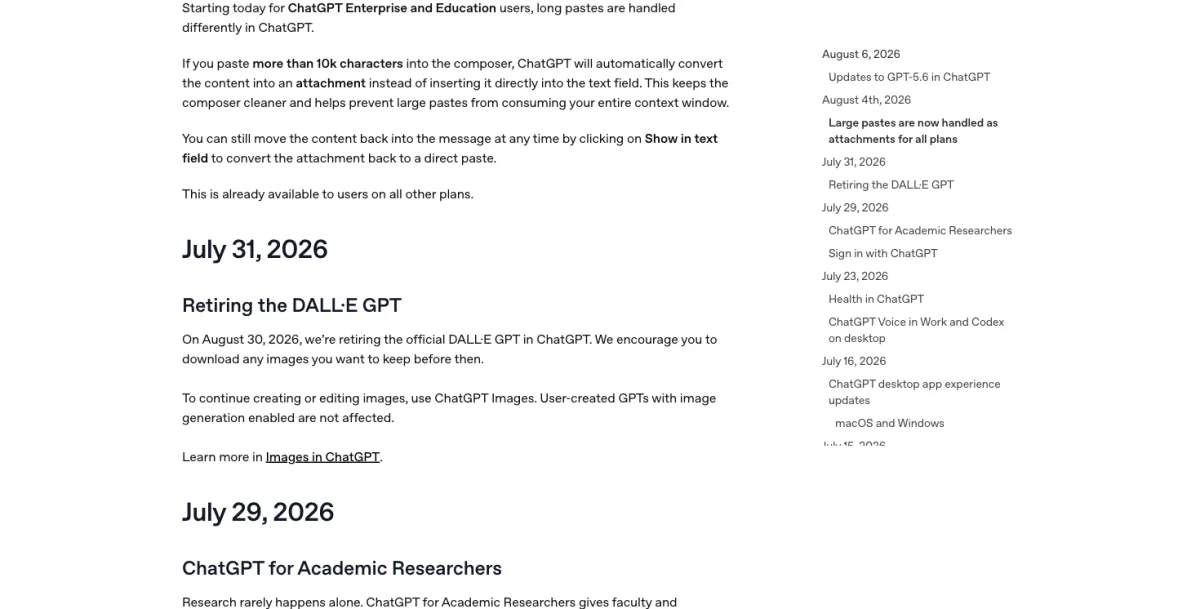
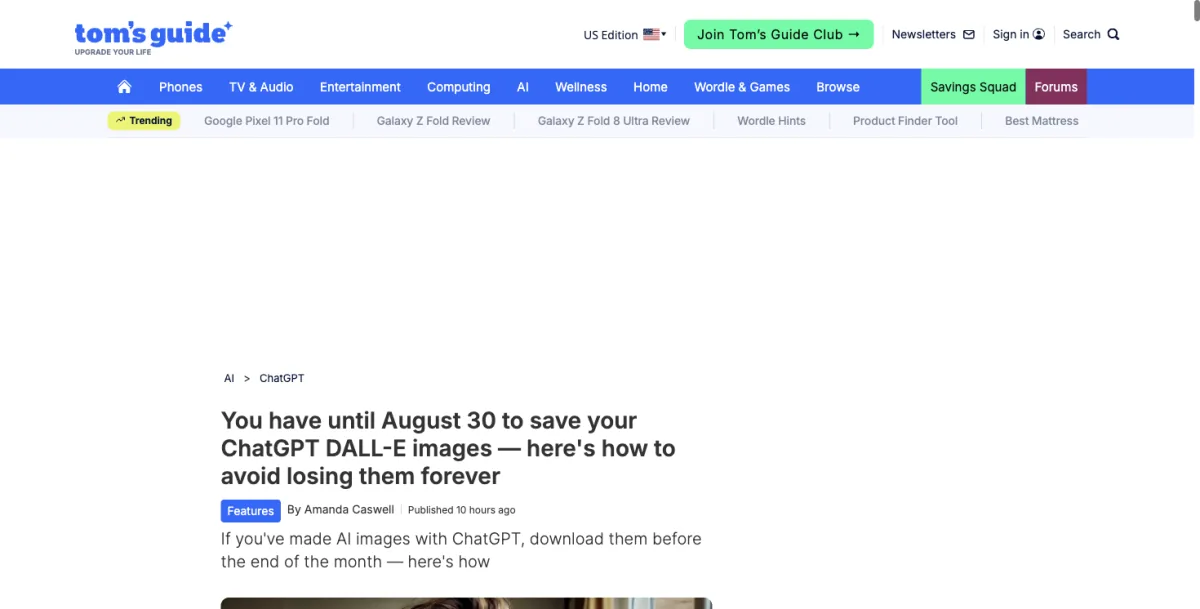
On July 31, 2026, OpenAI quietly posted a release note that a lot of people missed until it was too late: the official DALL·E GPT inside ChatGPT was retired on August 30. No press release, no big announcement — just a line in the changelog and a 30-day countdown. If you ever typed “hey, make me a picture of…” into that specific GPT and never got around to saving what mattered, the section below covers whether that’s still recoverable.
Here’s the part that’s getting lost in the panic headlines, though: your ability to make images in ChatGPT isn’t going anywhere. It’s actually gotten better. What’s disappearing is one specific doorway into that ability — a branded shortcut that a lot of casual users bookmarked years ago and never really thought about again. This guide is the calm version of what’s happening: what’s changing, what isn’t, exactly how to generate and edit images in ChatGPT today, and how to get your old stuff out before the cutoff.
What’s Actually Changing (And What Isn’t)
Let’s clear up the confusion first, because there’s a lot of it. In the replies to the X post that first surfaced this news for a lot of people, you can see the exact same questions repeating: “so no more image gen on ChatGPT?” “does the API go too?” “what is DALLE?” That last one is a little funny and a little sad — DALL·E was the name that introduced most of the internet to AI image generation back in 2022. Now it’s confusing enough people that they’re asking what it even is.
So here’s the actual, boring truth. Three years ago, OpenAI built DALL·E as a standalone product, then later wrapped a dedicated “DALL·E” GPT around it inside ChatGPT — basically a custom chatbot pinned in your GPT list whose only job was making images through that older model. That specific wrapper was retired on August 30, 2026. Not image generation itself. Not ChatGPT. Just that one branded doorway.
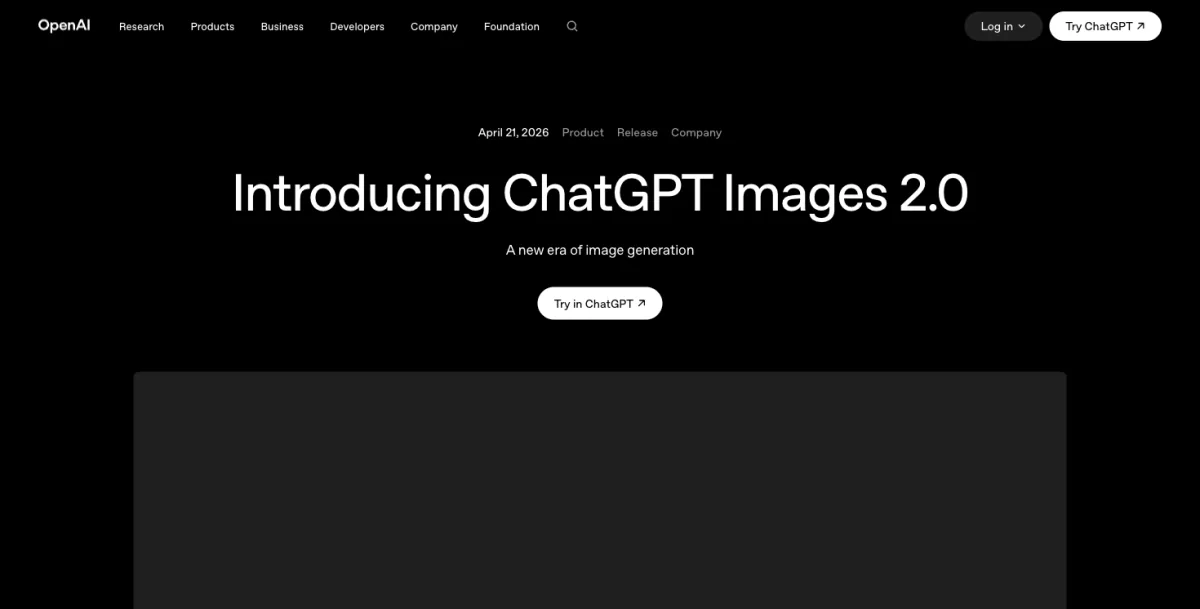
What replaces it is ChatGPT Images (sometimes called “ChatGPT Images 2.0,” running on OpenAI’s gpt-image-2 model), which OpenAI has actually been quietly shifting people toward since late 2025. If you’ve generated an image directly inside a normal ChatGPT conversation any time in the last several months — just by asking for one, no special GPT required — you were already using this. The DALL·E GPT was the legacy path. ChatGPT Images is, and has been, the main road.
A few things stay exactly the same:
- Any custom GPT that includes image generation keeps working. If someone built you (or you built yourself) a specialized GPT for, say, generating recipe cards or motivational posters, and it has image generation turned on, August 30 doesn’t touch it.
- Native image generation inside regular ChatGPT chats is unaffected. This is the thing most people actually use day to day, and it’s the thing OpenAI is investing in, not retiring.
- Your existing ChatGPT account, subscription, and everything else stays put. This isn’t a platform migration. It’s one feature getting sunset.
What didn’t survive automatically: images generated specifically inside that official DALL·E GPT. They lived in that GPT’s chat history, and now that the GPT is gone, OpenAI’s own guidance beforehand was direct about it — anything not downloaded before the cutoff should be treated as gone. If that’s you, the troubleshooting section below covers where to check anyway.
Why is OpenAI doing this now? Nobody at OpenAI has said so explicitly, but the pattern isn’t hard to read. When a company stops actively developing something instead of improving it, that’s usually the company telling you which one it’s betting on. DALL·E 3 came out in 2023. ChatGPT’s native image model has been rebuilt multiple times since, most recently into gpt-image-2, and it’s noticeably better at the things that used to be DALL·E’s weak points — readable text inside images, following detailed instructions, editing an existing photo instead of just generating a new one from scratch. Maintaining two separate image systems inside one product, one of them frozen in 2023, was never going to last. The surprising part isn’t that they killed DALL·E. It’s that it took this long, and that they did it with a single changelog line instead of a farewell tour.
There’s a decent theory floating around in AI circles for why the timing landed here specifically: OpenAI’s attention (and compute budget) has clearly shifted toward video generation with Sora over the past year, and DALL·E’s roadmap seems to have quietly stopped competing for that same resourcing. Once native image generation inside ChatGPT caught up to and passed what the standalone DALL·E GPT could do, the older wrapper wasn’t a product anymore — it was just a maintenance cost with a nostalgic name attached. That’s not a knock on DALL·E. It’s just what happens to almost every “OG” version of a tool once the underlying model it’s built on gets three generations behind the current one.
How people found out — and how the confusion spread
Worth understanding, because it explains why this guide exists: the retirement note didn’t go viral in any conventional sense. It surfaced first through a handful of AI-news accounts on X, got maybe a few hundred likes total across the loudest posts, and then did the thing tech news always does — it “telephone-gamed” its way outward. Someone who follows AI news closely posts “time to say goodbye to DALL·E in ChatGPT.” Their followers, who are mostly other people paying close attention, understand exactly what that means. But a percentage of those people mention it offhand to someone who doesn’t follow AI news at all — and by the third or fourth retelling, “the DALL·E GPT is retiring” has quietly mutated into “ChatGPT stopped making images.” One Japanese AI commentator flagged this exact pattern happening on their own timeline: the message reaching people who don’t touch AI tools daily arrives so stripped of nuance that it reads as a shutdown, not a consolidation.
That’s the actual reason a calm, accurate explainer is worth writing in the first place. Not because the news itself is complicated — it’s genuinely one sentence — but because by the time it reaches most people, it’s traveled through two or three rounds of “did you hear ChatGPT is—” and lost every qualifier along the way.
How to Make Images in ChatGPT Right Now (Step-by-Step)
If you’ve never used ChatGPT’s built-in image generation — or you only ever used the old DALL·E GPT and never realized there was a simpler path — here’s exactly how it works today. No special GPT, no plugin, no settings to dig through.
Step 1: Open a regular ChatGPT conversation
Go to chatgpt.com (or open the app) and start a new chat, or use one you already have open. You do not need to search for “DALL·E” in the GPT store — it’s gone as of August 30, so searching for it now won’t get you anywhere useful. Just talk to ChatGPT like you normally would.
Expected result: A blank chat window, same as any other ChatGPT conversation.
Step 2: Describe the image you want, in plain language
Type what you want to see. Full sentences work better than keyword lists — ChatGPT Images responds well to being talked to like a person, not fed a string of comma-separated tags the way some older image tools expect.
A decent starter template that consistently gets usable first results:
Create a [style] image of [subject] in [setting], with [lighting/mood details]. [Any specific colors, composition, or text to include.]
Worked example, start to finish: Say you’re planning your daughter’s 8th birthday party and need a poster. Here’s the actual back-and-forth:
Prompt 1: “Create a colorful birthday party poster for an 8-year-old’s dinosaur-themed party. Include the text ‘Emma’s 8th Birthday Bash’ in bold, playful lettering, with a friendly cartoon T-rex holding balloons. Bright greens and oranges, kid-friendly illustration style.”
ChatGPT generates the image in roughly 10-20 seconds. The first pass usually gets you 80% of the way — the T-rex is there, the colors are right, the text renders legibly (this is one of the biggest upgrades over the old DALL·E GPT, which regularly mangled text into gibberish letters).
Expected result: A single generated image appears inline in the chat, with the option to download it directly.
Step 3: Refine with follow-up messages, not new prompts
This is the part that trips up people coming from other tools. You don’t need to rewrite your whole prompt to fix something. Just tell ChatGPT what to change, like you’re giving notes to a designer.
Prompt 2 (follow-up): “Make the T-rex’s smile bigger and move the party date — ‘Saturday, September 12th, 2pm’ — to the bottom of the poster in smaller text.”
ChatGPT edits the same image in place, keeping everything else consistent, rather than generating a completely new picture that happens to loosely resemble the last one. That consistency across edits is one of the real, measurable differences from the DALL·E GPT era, where every “regenerate” was closer to starting over.
Expected result: An updated version of the same poster, with only the requested changes applied — the T-rex, balloons, and layout otherwise unchanged.
Step 4: Ask for variations or aspect ratio changes if you need them
Need it in a different shape for printing versus sharing on Instagram? Just ask.
Prompt 3: “Give me this in a square format for Instagram, and also a tall version for printing as a flyer.”
ChatGPT Images supports a range of aspect ratios in one session — from wide (roughly 3:1) to tall (1:3) to square — without you needing to specify pixel dimensions.
Expected result: Two additional versions of the same design, reflowed for the new proportions.
Step 5: Download and save
Click the download icon on the image (or tap and hold on mobile) to save it to your device. Do this for anything you plan to reuse — ChatGPT keeps images in your chat history, but chat history isn’t a permanent archive you should rely on, especially with a feature retirement like this one as a reminder of why.
A second worked example: editing a real photo, not generating from scratch
The birthday poster example above starts from nothing. But a lot of what people actually need is editing something that already exists — a real photo, not a generated one. This is where the gap between the old DALL·E GPT and current ChatGPT Images is the widest, so it’s worth walking through separately.
Say you’ve got a photo of your living room and you’re trying to decide whether a specific accent wall color would work before you actually buy paint.
Step 1: Upload the photo directly into the chat using the attachment/image icon next to the message box.
Step 2: Describe the edit in plain language: “Change the accent wall in this photo to a deep forest green, keep everything else — the furniture, lighting, and other walls — exactly as it is.”
Expected result: ChatGPT returns a version of your actual uploaded photo with just the wall color changed, not a newly generated room that vaguely resembles yours. This is the single biggest practical difference from the old DALL·E GPT, which was built primarily for generating new images and handled photo edits inconsistently at best.
Step 3 (refinement): “That green is too dark — make it about two shades lighter, and warmer.”
Expected result: A second pass adjusting only the color value, with the rest of the image untouched. You can go back and forth like this multiple times in the same thread, and each version stays anchored to your original photo rather than drifting further from it with each request — a complaint that came up constantly about the DALL·E-era workflow, where every “try again” felt like a fresh roll of the dice.
Step 4: Once you land on a version you like, download it the same way as before, and consider asking for a couple of variations at slightly different shades in one message so you’re not burning separate generations one at a time.
This same pattern — upload, describe the specific change, refine, download — works for product photos, headshots, real estate listing photos, and pretty much any situation where you’re starting from something real instead of starting from nothing.
DALL·E GPT vs. ChatGPT Images: What Actually Changed
Beyond “it’s newer,” here’s the concrete, feature-by-feature difference between the tool that’s retiring and the one that replaces it. This is the table to skim if someone asks you “wait, is the new thing actually better, or just different?”
| Feature | DALL·E GPT (retired Aug 30) | ChatGPT Images (current) |
|---|---|---|
| How you access it | Dedicated GPT, searched for separately in the GPT store | Built directly into any regular ChatGPT conversation |
| Underlying model | DALL·E 3 (released 2023, not actively updated since) | gpt-image-2 (actively developed, current generation) |
| Text rendering inside images | Frequently garbled or illegible | Generally legible, including multi-word phrases |
| Editing an existing photo | Limited, inconsistent — often regenerated a new image instead of editing the original | Direct photo editing with the original preserved as the base |
| Consistency across follow-up edits | Low — each regeneration could shift significantly from the last | Higher — follow-up edits keep unmentioned elements stable |
| Multilingual prompt/text support | Weak outside English | Meaningfully stronger across non-English prompts and in-image text |
| Aspect ratio flexibility | Limited preset options | Range from roughly 3:1 wide to 1:3 tall, plus square |
| Batch variations per request | Not a native feature | Up to 10 consistent variations in one generation |
| Access point after Aug 30, 2026 | Gone | Continues as the default way to generate images in ChatGPT |
The honest read on this table: it’s not that DALL·E was bad. It was genuinely groundbreaking when it launched. It’s that “genuinely groundbreaking in 2023” and “current, actively maintained model in 2026” are different bars, and ChatGPT Images clears the second one while the DALL·E GPT was stuck permanently at the first.
Free vs. Plus: What You Actually Get
This is the part with the least consistent public information, because OpenAI doesn’t publish hard caps — usage flexes with demand. But here’s what’s been holding steady based on current account behavior and OpenAI’s own tier documentation:
| Free | Plus ($20/mo) | Pro | |
|---|---|---|---|
| Images per rolling window | Roughly 3-10 per 3-hour window | Roughly 40-50 per 3-hour window (up from ~25 a year ago) | Highest limits, priority processing |
| Thinking mode for images | Not available | Available | Available |
| In-generation web search | Not available | Available | Available |
| Text rendering quality | Same model as paid tiers | Same model as free tier | Same model, higher-priority queue |
| Aspect ratios | Full range (square to 3:1/1:3) | Full range | Full range |
| Commercial use of outputs | Allowed under OpenAI’s terms | Allowed under OpenAI’s terms | Allowed under OpenAI’s terms |
| Batch generation (up to 10 variations) | Counts as one generation against your limit | Counts as one generation against your limit | Counts as one generation against your limit |
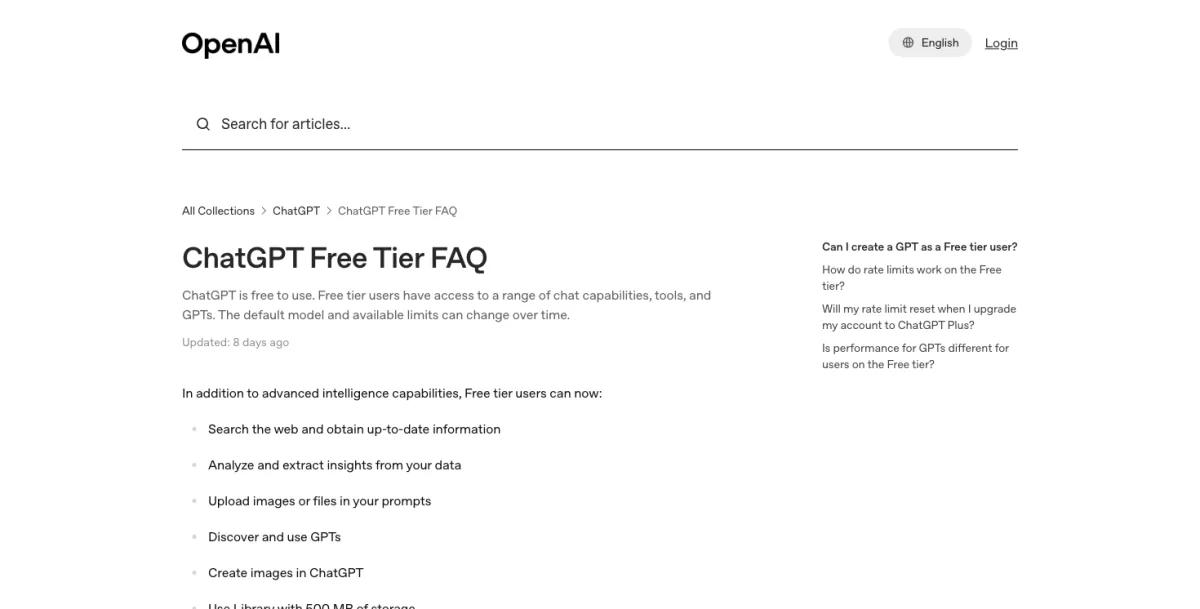
A few things worth calling out from that table. First, the free tier is genuinely usable — you don’t need a credit card, and the images you make are yours to use commercially, same as paid tiers. Second, the real gap between Free and Plus isn’t image quality; it’s volume, plus two features (Thinking mode and in-generation web search) that most casual users won’t miss. Third, that batch-counts-as-one detail matters: if you ask for multiple variations of the same prompt in one go, that’s far more efficient than generating them one at a time across separate messages.
What This Means for You
If you occasionally made a fun image with the DALL·E GPT and forgot about it: The window to grab it has closed — the GPT retired on August 30, and OpenAI’s guidance was that anything not downloaded beforehand wouldn’t carry over. It’s still worth a quick check of your chat history in case a conversation with it is still sitting there, but don’t count on recovering anything you didn’t save in time. Nothing else about your account changes.
If you’re a small business owner making product mockups or social graphics: Switch your workflow to plain ChatGPT conversations now, not on August 29. The consistency across edits in ChatGPT Images (asking for a color change without regenerating the whole image) will genuinely save you time once you’re used to it. If you sell on Etsy or Shopify specifically, our deeper walkthrough on product photos with ChatGPT Images covers studio-shot workflows in more depth.
If you’re a parent making birthday invites, classroom materials, or family projects: You’re the audience this guide was written for. Use the starter prompt template above, describe things in plain sentences the way you’d explain them to a person, and don’t be afraid to send five follow-up messages refining one image — that’s the intended workflow, not a sign you’re doing it wrong.
If you’re on the free tier and hit generation limits constantly: Batch your requests. Ask for two or three variations in a single prompt instead of regenerating one at a time across multiple messages — it counts as one generation either way, so you get more for the same limit.
If you’re a realtor, marketer, or other professional already using ChatGPT Images for client work: This retirement doesn’t change your workflow at all — you were already on the current system. If you want the profession-specific playbook, we’ve got dedicated guides for virtual staging and for comparing ChatGPT Images against Canva for marketing work.
If you built or use a custom GPT with image generation built in: Nothing changes for you on August 30. That GPT keeps running exactly as it did. The only DALL·E GPT retiring is OpenAI’s own official one, not any custom GPT built by a user, even if it also generates images.
If you’re comparing ChatGPT to other AI image tools before committing to one: ChatGPT’s advantage isn’t raw image quality — several dedicated generators produce sharper, more stylized output. Its advantage is that it’s conversational: you can describe, generate, and iteratively edit inside the same chat you’re already using for everything else, without switching tools. For a broader comparison across ten different generators (including free options with no ChatGPT account required), see our free AI image generator rankings.
Common Problems (And How to Fix Them)
These are the real issues people are running into right now, pulled from actual user reports rather than hypothetical edge cases.
1. Images come out with a strange grainy or “noisy” texture. This is a known artifact of the current model, and it’s frustrated a fair number of users — one described it as making the model “near impossible” to use for stylized or professional work. The workaround that’s actually helping people: give the model more specific detail to work with. Instead of a vague prompt, specify materials, lighting sources, and process (“shot on 35mm film, soft window light, visible grain texture intentional”) — the theory from users experimenting with this is that the noise is excess model “effort” showing up as junk detail when the prompt doesn’t give it enough legitimate detail to spend that effort on. It’s not a guaranteed fix, but it measurably helps.
2. Text you didn’t ask for shows up as a strange overlay or light effect. Some users have flagged a recognizable visual signature — a specific glow or light-streak effect — that shows up across unrelated images and makes AI-generated content easy to spot. If this happens, regenerating with a more specific lighting description (“flat, even studio lighting, no lens flare”) tends to reduce it.
3. An edit request changes more than what you asked for. If you ask ChatGPT to change one element and the whole image shifts, be more explicit about what should stay the same: “keep the background, pose, and colors exactly the same — only change X.” The model responds better to explicit preservation instructions than to the assumption that “everything else stays put” is implied.
4. Reference-image-based generation fails or ignores the reference. If you upload a photo and ask ChatGPT to generate something based on it (a variation, a different style, etc.) and it seems to ignore the reference entirely, try re-uploading in a fresh message rather than referencing an image from earlier in a long conversation — long threads can cause the model to lose track of which image you mean.
5. You can’t find your old DALL·E GPT conversations. Check your ChatGPT sidebar history, not the GPT store — your past conversations with the DALL·E GPT live in your regular chat history, sorted by date, the same as any other conversation. Search your history for “DALL·E” or scroll back to when you remember using it.
6. Downloaded images look lower resolution than expected. Right-click (or long-press on mobile) and choose “save image” rather than taking a screenshot — screenshots compress and downscale. If the platform you’re viewing on has a preview/lightbox mode, open that first before saving; the thumbnail-sized version in the chat feed is sometimes lower-res than the full version.
7. You’re confused about whether this affects the ChatGPT API, not just the app. This retirement is specifically about the DALL·E GPT interface inside the ChatGPT consumer app. If you or your development team are calling an image-generation model directly through OpenAI’s API, that’s a separate product with its own versioning and deprecation schedule — check OpenAI’s API documentation directly rather than assuming this announcement covers it.
8. Someone told you “ChatGPT stopped making images” and you’re not sure if that’s true. It’s not. This is the single most common piece of confusion around this news — the retirement of one specific branded tool getting mistranslated, through casual conversation, into “ChatGPT can’t make images anymore.” It very much still can, and for most people, better than before.
What ChatGPT Images Still Can’t Do
Being straight about the limits matters more than pretending there aren’t any.
- It’s not a dedicated design tool. For precise layout control — exact pixel positioning, brand kit consistency across dozens of assets, layered editing you can hand off to someone else — a tool built for that job (Canva, Adobe Firefly, Figma) will still serve you better. ChatGPT Images is best for single images made through conversation, not production design systems.
- The noise/artifact issue is real and not fully solved. The workaround above helps, but it’s a workaround, not a fix. If you need consistently clean output for professional or print use, budget time for multiple attempts.
- It struggles with genuinely complex multi-step edits. Simple, explicit changes (“change the color of the shirt”) work well. Compound instructions (“swap the background, change the lighting, and add three new characters while keeping everyone’s expressions identical”) tend to produce results that miss part of the request.
- It’s not built for consistent characters across many separate images the way some specialized tools are. If you need the same illustrated character to appear identically across a 20-page storybook, dedicated character-consistency tools will give you more reliable results than repeated ChatGPT conversations.
- Commercial usage rights, while allowed, come with the same general caveats as any AI-generated content. Read OpenAI’s usage policies before using outputs in contexts with strict IP requirements (trademark applications, for instance) — “you can use it commercially” isn’t the same as “there are zero legal considerations.”
- It doesn’t remember your visual style across separate conversations. If you spent an hour dialing in a specific illustration style for one poster, that context lives inside that one chat thread. Starting a new conversation means re-describing the style from scratch, or pasting in your original prompt as a starting point — there’s no persistent “brand style” memory the way some dedicated design platforms offer.
- It can misjudge requests involving real, identifiable people. ChatGPT applies content safeguards around generating images of real public figures or uploading photos of real private individuals for certain kinds of edits, which can produce a refusal where you expected a result. This isn’t a bug — it’s a deliberate limit — but it catches people off guard when a perfectly reasonable request (editing a photo of a friend) gets blocked or heavily restricted.
Frequently Asked Questions
Is DALL·E completely gone from ChatGPT? The branded DALL·E GPT — the standalone chatbot dedicated to image generation — was retired on August 30, 2026. Image generation itself continues inside regular ChatGPT conversations, running on OpenAI’s newer gpt-image-2 model. The name “DALL·E” is gone; the ability isn’t.
What image generator does ChatGPT use now? ChatGPT Images, built on OpenAI’s gpt-image-2 model (also referred to as “ChatGPT Images 2.0”). It handles both new image generation and editing of existing images, directly inside normal chat conversations — no separate GPT required.
Did I lose the images I already made? Only if they were made specifically inside the official DALL·E GPT and weren’t downloaded before August 30, 2026. That deadline has now passed, and OpenAI’s guidance was that those images wouldn’t carry over. Images made through regular ChatGPT conversations were never affected by this retirement at all.
Do I need ChatGPT Plus to make images? No. The free tier includes image generation, typically around 3-10 images per rolling 3-hour window, with no payment method required. Plus raises that ceiling to roughly 40-50 per window and adds Thinking mode and in-generation web search for images.
How do I download images from my old DALL·E GPT chats? That window has closed. The DALL·E GPT retired on August 30, 2026, so images that weren’t already saved to your device before then are no longer retrievable. Going forward, anything you make in a regular ChatGPT conversation downloads the same simple way — click the download icon on the image itself.
Can I still find or use the DALL·E GPT? No. It retired on schedule on August 30, 2026, and is no longer available in the GPT store or your GPT list. If you go looking for it and come up empty, that’s expected — it’s gone, not a glitch on your end.
What happens to custom GPTs other people built that include image generation? They’re unaffected. This retirement is specifically about OpenAI’s own official DALL·E GPT. Any third-party or user-built custom GPT with image generation enabled — including ones you built yourself — keeps working exactly as it did.
Is the new ChatGPT Images actually better than DALL·E, or just newer? On the specific things people complained about most with DALL·E — text rendering inside images, following detailed multi-part instructions, and editing an existing image without it turning into an entirely different picture — ChatGPT Images is a genuine improvement. It’s not universally better at everything (see the noise-artifact issue above), but the core complaints about the old system are meaningfully addressed.
What image generator does ChatGPT use for the free tier vs. paid tiers? The same model, gpt-image-2, across free, Plus, and Pro. The difference between tiers is generation volume and access to Thinking mode / in-generation web search, not the underlying image quality.
Why do some of my ChatGPT images have a weird grainy texture? This is a known artifact of the current model that a number of users have flagged, especially on detailed or stylized requests. Giving the model more specific detail to render — materials, lighting source, texture — tends to reduce it, though it’s not a guaranteed fix. See the troubleshooting section above for the full workaround.
Is there a way to get ChatGPT Images without a ChatGPT account at all? No — image generation through ChatGPT Images requires a ChatGPT account, though the free tier doesn’t require a payment method. If you specifically want a no-signup option, dedicated tools like Perchance or Craiyon don’t require an account at all, at the cost of noticeably lower image quality — see our free AI image generator comparison for the honest tradeoffs.
The Bottom Line
The headline — “DALL·E is going away” — was technically true and functionally misleading. What actually happened is a consolidation: OpenAI retired an old, separately-branded doorway into image generation because the main road got better and there was no good reason to keep maintaining two. That window closed on August 30, 2026 — if you grabbed what you wanted from the old DALL·E GPT before then, you’re fine; if not, those specific images are gone along with the GPT itself. Beyond that, the actual day-to-day experience of making images in ChatGPT hasn’t disappeared. It’s the same conversational, edit-in-place workflow you’d use for anything else in the app, and for most of what people actually use it for — party posters, product mockups, quick social graphics — it’s a genuine step up from what came before.
If you want to go deeper than “how do I make one image” — actually learning prompt structure, style control, and how to get consistent results across a real project — our AI Image Generation course walks through it in a couple of focused hours, free to start.
Sources
- OpenAI — Introducing ChatGPT Images 2.0
- OpenAI Help Center — ChatGPT Release Notes
- OpenAI Help Center — ChatGPT Free Tier FAQ
- Tom’s Guide — You have until August 30 to save your ChatGPT DALL-E images
- Notebookcheck — DALL-E leaves ChatGPT on August 30: download your images first
- Windows Report — OpenAI will retire the official DALL·E GPT on August 30
- Windows Forum — DALL-E GPT Retires August 30: Save Your ChatGPT Images
- Crypto Briefing — OpenAI retires DALL-E image generation from ChatGPT
- Tech Journal — OpenAI Is Retiring DALL·E in ChatGPT: What to Do
- ToolColumn — ChatGPT Image Limits: Free, Go, Plus, Pro, Business & API
- Apidog — How to Use ChatGPT Image 2.0 for Free
- @btibor91 on X — “Time to say goodbye to DALL·E in ChatGPT”
