For about one more week, the answer to “how do I make an AI video for free” is embarrassingly simple: open the Gemini app. On July 30, Google switched on ten free video generations for everyone — no Google AI subscription, no credit card, no waitlist. The offer ends August 4 at 11:59pm PT, and then video generation goes back behind the paid plans.
If you’ve been curious about AI video but never wanted to pay $20/month just to find out whether it’s any good, this is the week Google answers that question for free.
What just changed
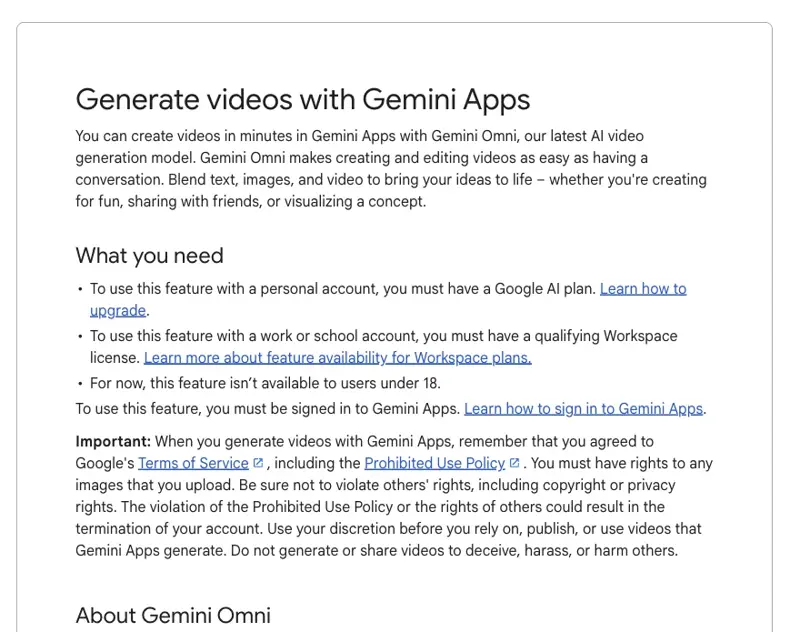
Video generation in Gemini has always been a paid feature. Personal accounts normally need Google AI Pro or Ultra to touch it at all — and even Pro users bump into a documented three-video limit before Google asks them to upgrade or wait.
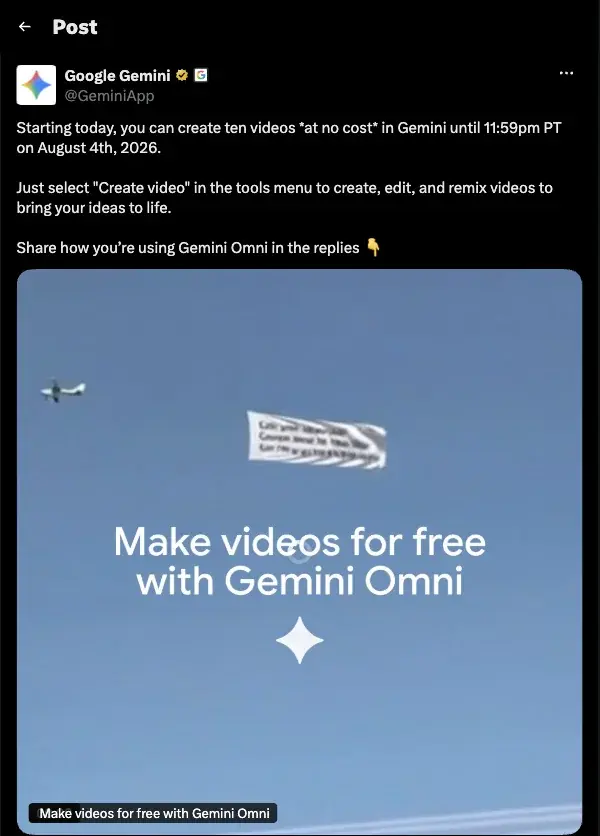
That’s what makes this promo unusual. From July 30 through August 4, anyone without a Google AI plan gets ten video generations at no cost, running on Gemini Omni — the model that replaced Veo as Google’s video engine earlier this year. Google announced it in a short post on X and didn’t make much fuss beyond that, which might be why so few people seem to know the button exists.
And this isn’t a stripped-down teaser. You get the same create, edit, and remix tools subscribers use — type a description, get a clip, then keep refining it with follow-up prompts.
How to make your first AI video (about 10 minutes)
Here’s the whole workflow. No filming, no editing software.
Step 1: Find the button
Open the Gemini app (phone or desktop browser at gemini.google.com). Tap the Tools menu in the prompt bar — the same place you’d find Deep Research or Canvas — and select Create video. If you don’t see it, update the app; the rollout hit most accounts within a day of the announcement.
Step 2: Describe the video, not the vibe
You’re writing one 8-second clip. That’s the honest constraint — every video Gemini generates is eight seconds long. So don’t prompt “a documentary about my bakery.” Prompt one shot:
“Slow close-up of a fresh sourdough loaf being sliced on a wooden board, steam rising, warm morning light from a window behind it.”
Subject, action, setting, lighting. That structure works because the model isn’t guessing what matters.
Step 3: Remix instead of restarting
The first result will be 80% right and 20% weird. Don’t burn a fresh generation on a rewritten prompt — use the edit tools to change the part that’s wrong (“same shot, but make it evening light”). Early users who treat it as a conversation get much more out of their ten clips than people who fire ten unrelated prompts.
Three first prompts worth trying
- Something you sell or make — a product, a dish, a listing. This is the clip you might actually use somewhere.
- Something impossible to film — an exploded diagram of a machine, a building assembling itself. One viral early example was a structural breakdown of Notre-Dame Cathedral, generated from a single prompt.
- Something purely fun — a panda eating bamboo was making the rounds this week. You’ll learn what the model does with motion and physics, which is the point.
What this means for you
If you’re a small business owner: this is a free test of whether an 8-second AI clip is good enough for your Instagram or your storefront screen. Try one product shot. If it works, you’ve found a new content channel; if it doesn’t, you’ve spent zero dollars finding out. Some early users are already producing simple product ads from a text prompt plus reference images in under ten minutes.
If you’re a side-hustler or creator: ten clips is enough to storyboard a short. Generate a few connected shots (same character description in each prompt helps consistency), then stitch them in any free editor. It won’t be seamless, but it’ll teach you the workflow the paid tools assume you already know.
If you’re a teacher or trainer: the “impossible to film” category is yours. A cell dividing, a volcano cross-section, a historical street scene — 8-second visual hooks for the start of a lesson.
If you’re just AI-curious: this is the lowest-stakes way to calibrate your expectations of AI video in 2026. You’ll come away knowing exactly what the hype is and isn’t about, which beats reading ten opinion pieces.
If you’re in the EU, UK, or Switzerland: text-to-video and photo-to-video both work — the one blocked feature is uploading your own videos for AI editing, which isn’t available in the EEA, Switzerland, the UK, and some US states, per Google’s help page. Generate freely; just don’t plan on remixing existing footage.
What it can’t do
Worth knowing before you spend your ten:
- Eight seconds, period. There’s no long-form option. Anything bigger is a stitching job in an external editor.
- The guardrails are aggressive. Prompts involving real people, celebrities, kids, or anything vaguely sensitive get refused — and some users report waiting through a full generation only to get a “sorry, can’t do this” at the end. Keep prompts to objects, animals, landscapes, and generic characters.
- Failed generations can sting. A few users this week reported failed or rejected attempts still nibbling at their quota, and Google hasn’t published an official line on what exactly counts against the ten. Assume every submit matters and make prompts count.
- Quality is a gacha pull. The same prompt can produce a stunning clip or a physics fever dream. Early testers put Gemini Omni’s consistency below its predecessor Veo on some shots — great at lighting and texture, wobblier on complex motion.
- It’s 18+ and account-tied. No workaround for younger users, and the videos carry Google’s invisible SynthID watermark, so they’re detectable as AI-generated (which, for most honest uses, is fine).
The bottom line
Free windows like this close fast — this one has a literal timestamp on it: August 4, 11:59pm PT. Spend thirty minutes and your ten clips this weekend, and you’ll know more about AI video than most people writing about it.
And if the ten clips leave you wanting a real workflow — planning shots, prompting consistently, stitching clips into something publishable — our AI Video Creation course picks up exactly where the free promo drops you off. We also keep a current map of the free tools in Grok Imagine’s free AI images and videos and the best Sora alternatives if you want to compare engines before committing to one.
Sources
- Google Gemini on X — official promo announcement (July 30, 2026)
- Android Central — Google’s new AI video generator is free for Gemini users, but not for long
- explainx.ai — Gemini free 10-video Omni promo through Aug 4, 2026
- Google Workspace blog — Gemini Omni Flash in Google Vids
- Yahoo Tech — You can now create AI videos using Google Gemini for free
