On November 18, 2026, OpenAI changed what happens when you tap the microphone in ChatGPT’s message box. Until then, you talked, stopped, and waited for the words to appear. With Live Dictation they appear while you talk. OpenAI also removed the 10-minute recording limit. It says the change is rolling out to all ChatGPT plans, and Digital Trends reports that includes free.
This post is the plain-language version: what the feature is, how to use it, what happens to the audio, and where it falls short. One thing up front, so you know how to weigh it: we have not run Live Dictation on our own accounts for this post. Everything below rests on OpenAI’s own release note and help pages, which we opened, and on the press and community reports we name as we go. Where a detail could not be confirmed, we say so instead of guessing.
What changed on November 18
OpenAI’s release notes carry an entry dated November 18, 2026, titled “Live Dictation in ChatGPT.” Here is the whole entry:
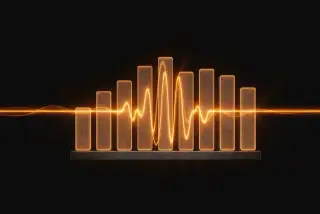
Dictation in ChatGPT is getting faster and more reliable. With Live Dictation, your speech turns into text as you talk, so you spend less time waiting for your message to finish transcribing. Tap or click on the waveform to show or hide text as you go. We’ve also removed the 10-minute recording limit. Live Dictation is rolling out globally to all ChatGPT plans on iOS, Android, web, and the desktop app.
Four things are in those lines, and only four:
- Text appears while you speak. The old flow sent your recording off when you stopped and returned the text afterward. OpenAI’s line about spending “less time waiting for your message to finish transcribing” is the change.
- A waveform you can tap. Tapping or clicking it shows or hides the text as it comes in.
- No 10-minute recording limit. The note says the limit was removed. It does not name a new maximum. Digital Trends noted that OpenAI “has not published” one, and AIToolRanked says “No 10-minute limit” “does not promise an unlimited recording.”
- All plans, all platforms, rolling out. The note says “all ChatGPT plans” on iOS, Android, web and the desktop app, rolling out globally. “Rolling out” is the key phrase, and we come back to it in the troubleshooting section.
Atty Eleti, who works on voice features at OpenAI according to 9to5Mac, said the 10-minute limit “has also been removed as part of the dictation streaming upgrade.” 9to5Mac reported the launch the day OpenAI announced it.
What the note does not say matters as much. It lists no supported languages, no accuracy figures, no new time limit, and no settings. Anything you read elsewhere about those, including parts of this post, comes from other places, and we label the source each time.
Dictation, Voice and audio upload are three different things
The first thing that trips people up is that ChatGPT has more than one way to use your voice. OpenAI’s own Voice page draws the line in one sentence: “If you want to turn a single recording into editable text instead, use ChatGPT Dictation.”
| What you want | What you use | What you get back | Where we covered it |
|---|---|---|---|
| Type a message by talking | Dictation, the microphone icon | Text you can edit before you send | This post |
| Have a spoken conversation | Voice, under Settings > Voice (Live, Advanced or Standard) | Spoken replies and a transcript in the chat | ChatGPT’s new voice and how to talk to ChatGPT by voice |
| Turn a recording you already have into notes | An audio upload | Notes from the file | ChatGPT audio uploads |
OpenAI’s Voice page lists three options under Settings > Voice: Live, Advanced and Standard. It says Advanced and Standard “are retiring on December 11, 2026,” and that anyone with either selected gets switched to Live automatically on that date. That change belongs to the Voice side. It does not touch the microphone icon in the message box.
Our earlier post on how to talk to ChatGPT by voice goes deeper on dictation and Voice as they worked in July. The November change is about when the text shows up, and how long you can talk.
How to use Live Dictation
The steps are short. The point of listing them is the expected result at each one, so you can tell whether you have the new feature or the old one.
- Open a normal text chat in the ChatGPT app or on the web. Expected result: you see the message box. The microphone icon sits in the message box. OpenAI’s Voice dictation FAQ calls it “the microphone icon” and says dictation is what you get “when you press the microphone icon to record an audio message.”
- Tap the microphone icon, not the Voice button. Expected result: the app starts listening. The waveform is the control OpenAI says you tap to show or hide the text. If you tapped Voice by mistake, you start a conversation instead, and ChatGPT will talk back.
- Start talking. Expected result with the new feature: your speech turns into text while you speak. With the old one, nothing appears until you stop. If you see nothing, tap the waveform first. An OpenAI engineer wrote on X, as AIToolRanked quotes him, that the transcript is hidden by default but shows when you tap the waveform, and that for long dictations it is useful to know the app is still transcribing.
- Stop recording. Expected result: the text is in the message box, not yet sent.
- Read it and fix it. OpenAI’s FAQ says the transcription “is returned as text, which you can edit before sending as a user message.” Edit it like any other text.
- Send it. Expected result: it goes out as an ordinary message, and ChatGPT answers in text.
One setting is reported but not in OpenAI’s note. AIToolRanked says that on desktop you can change the default so the live transcript always shows, under Settings > Voice > “Always show live transcription.” We could not check it on an account, so treat the exact wording as a lead and look for it on your desktop app.
A worked example: a job-site walk-through
Here is the situation the feature fits best. You have just looked at a job, your hands are full, and you want a clean draft of what you saw before you forget it. Everything in this section is a sample, written by us to show the shape. We did not run it in ChatGPT, and the figures are made up. Replace them with yours.
What you would say, standing in the kitchen. A sample dictation, written by us:
Walk-through at the Alvarez kitchen, Thursday. Two layers of old vinyl under the new floor area, so tear-out is slower than planned. Cabinet run on the north wall stays. Replace the sink base, it has water damage at the back. New outlet by the fridge, the old one is two-prong. Customer wants the work done before the week of the twelfth. I’d say two days of labor plus materials, I’ll price the materials tonight.
Talking takes under a minute. What lands in the message box is rough: spoken sentences, no layout, a few words the app may have misheard. That is fine, because the next step is to ask ChatGPT to tidy it.
The prompt. Type or dictate this after the notes. It is a prompt of our own, not a template from OpenAI:
Turn my spoken notes above into a draft estimate summary for the customer.
Use only what I said. Do not add work, prices or dates that I did not mention.
Group the work into short bullet points under the headings Work, Materials and Timing.
Where I gave no price, write "to be priced" instead of a number.
List anything that sounds uncertain or that I should double-check before I send this.
Keep the tone plain and friendly.
The two lines that do the work are “Use only what I said” and the instruction to write “to be priced.” Those lines keep the draft to what you said, and a number you did not say is exactly the thing you do not want in front of a customer.
What a good result looks like. A sample answer, written by us to show the shape:
Work: Remove old flooring (two layers of vinyl). Keep the north-wall cabinet run. Replace the sink base cabinet (water damage at the back). Add a new outlet by the refrigerator in place of the two-prong one. Materials: To be priced. Timing: Two days of labor. Customer wants the work finished before the week of the twelfth. Check before sending: Whether the extra vinyl layer changes the tear-out time. Whether the water damage extends past the sink base. Whether the outlet needs a permit where you work.
Look at what the draft is: your own words, rearranged, with the gaps marked. It is not a quote. Read every line against what you actually saw before it goes anywhere, and add the prices yourself.
The same recipe works for other jobs where you observe something and then have to write it up. Change the headings and keep the rule about not adding what you did not say:
- A real estate agent walks a property, dictates features, and asks for a listing paragraph and a short social caption. Read the result for any claim you cannot back up before it goes anywhere public.
- A stylist or trainer dictates a quick note between appointments about what was done and what to remember. Keep it to service details. Anything about a client’s health, money or legal situation stays out of the dictation (more on that below).
- A manager talks through a one-on-one right after it ends and asks for action items.
- A student or writer dumps an unstructured first draft by voice and asks for an outline.
Is talking really faster than typing?
OpenAI’s note says dictation is faster and more reliable, but it does not compare it with typing. A published laboratory comparison of speech and keyboard entry on a phone is older and narrow, so we give its numbers with their limits.
Sherry Ruan, Jacob Wobbrock, Kenny Liou, Andrew Ng and James Landay tested speech and the built-in keyboard on an Apple iPhone 6 Plus in a laboratory, with Baidu’s Deep Speech 2 as the recognizer. People entered short messages. The English input rate with speech was 153 words per minute against 52 with the keyboard, 2.93 times faster. In Mandarin Chinese it was 123 against 43, 2.87 times faster.
Three limits matter before you quote that chart to anyone. The task was transcribing short messages, not composing an email from scratch. The conditions were the best case for both methods: the authors set out to find each method’s “upper-bound performance” in a laboratory. And the recognizer was not ChatGPT’s. We found no published speed or accuracy figures for Live Dictation itself.
The same paper has a second finding that matters for how you use the feature. Speech had fewer errors during entry, 5.30 percent against 11.22 percent for the keyboard. It left slightly more errors in the final text, 1.30 percent against 0.79 percent. In plain terms, speech is quick and the mistakes it leaves behind are easy to miss. That is the reason step 5 above says to read the text before you send it.
What happens to your audio
This is the part most people skip, and it is the part to read once. It comes from OpenAI’s Voice Dictation FAQ, which we opened directly. Every quote below is from that page.
| Question | What OpenAI’s FAQ says |
|---|---|
| What happens when I dictate? | “The recorded audio is sent to our models to be transcribed. The transcription is returned as text, which you can edit before sending as a user message.” |
| How long is the audio kept? | “Audio from dictation will be retained for as long as the chat is part of your chat history.” |
| What happens when I delete the chat? | OpenAI deletes “the associated audio clip within 30 days,” with exceptions: security or legal reasons, or audio you previously shared to train models that was already disassociated from your account. |
| Does OpenAI train on it? | “If you are a consumer user and have chosen to share audio to improve our models, we may train on audio from dictation.” |
| What about business accounts? | “By default, we do not train on any inputs or outputs from our products for business users.” |
| How do I stop sharing? | In the data controls page of your ChatGPT settings, “disable the ‘Include your audio recordings’ toggle, or turn off ‘Improve the model for everyone’ entirely.” The page adds that this stops sharing all audio across dictation and voice chat. |
So the one setting to check before you talk is in your data controls. If you do not want your dictation audio used to improve models, turn off “Include your audio recordings,” or turn off “Improve the model for everyone.” We have not clicked through those menus on a live account, so the labels above are OpenAI’s words, not our screenshots. Menu names change, so if yours differ, look in Settings for the data controls page.
Two plain readings of that FAQ, both ours:
- Turning sharing off is not the same as deleting. The FAQ describes stopping sharing. It does not say that stopping sharing removes clips already stored with your chats. Deleting the chat is what starts the 30-day deletion.
- Dictating is still sending. What you say becomes a message to ChatGPT, the same as what you type. If you would not paste it into a chat, do not say it into the microphone. We cover the general question in is ChatGPT actually private.
OpenAI’s FAQ does not cover what happens to a recording you start and then discard without sending. We found nothing that says either way.
What people said in the first two days
The reactions on X that we could sample were mostly praise: for the lifted limit, and for accuracy compared with a phone’s built-in dictation. We found them through Grok and did not open each post, so we do not quote handles or count likes here.
AIToolRanked, which collected reactions, quotes two on opposite sides. Vaibhav Srivastav called it a “Massive QoL upgrade” with “no more dropped transcriptions.” Max Petrusenko pointed at a gap: if you say a correction out loud, the correction can be appended instead of replacing the earlier words, which “loses its speed advantage.” AIToolRanked states the point as “Live text is not live editing.” Digital Trends described the feature as a “continuous, real-time editing experience” and the two descriptions conflict. OpenAI’s note says only that your speech turns into text as you talk. We would go with the narrower claim.
Requests we saw included a keyboard version that works in other apps and a notes area for voice notes. Complaints were few and specific: the new behavior not showing up yet on an account, and a language not being available. One user wrote that they keep using Wispr Flow for consistency. Those are single reports, not a measured trend.
Edge cases and troubleshooting
There is a microphone, but no live text. Tap the waveform. The release note says tapping shows or hides the text, and an OpenAI engineer is quoted as saying the transcript is hidden by default. If the text appears only after you stop, you may still have the old behavior, which brings us to the next point.
You do not have the new behavior yet. OpenAI says Live Dictation is “rolling out.” Digital Trends and AIToolRanked both describe the rollout as gradual. A couple of X users reported that they still saw only the old dictation without live text, though we could not open those posts. Update the app, reload the web page, and try again later in the week. OpenAI’s note names no switch to turn it on, so beyond updating the app, waiting is all we can suggest.
The microphone does not work at all. On the web, the browser may be blocking the site. In Chrome on a computer, Google’s help page says to open Settings, then Privacy and security, then Site settings, and select Microphone under Permissions. Check the lists of allowed and not-allowed sites, and change the site’s setting to Allow if ChatGPT is blocked. Google’s page also warns that if Chrome is managed by your work or school, an administrator can set these and you may not be able to change them. In the phone apps the permission lives in your phone’s settings for the app. Menu names vary by phone, so we do not list them.
Your spoken correction ended up in the text. Saying “no, delete that” may type those words. The way around it is not to correct by voice. Let it finish, then fix the text by hand, or ask ChatGPT in your next message to clean up the false starts, which the prompt in our worked example already does.
Your language does not seem to work. OpenAI’s note and FAQ list no supported languages. One user on X wrote that Urdu was still not available for dictation. We could not check that, and we could not find an official list. If you dictate in a less common language, test a short sentence before you rely on it.
You started a conversation by accident. If ChatGPT started talking back, you tapped Voice. Per OpenAI’s Voice page, Voice works within a chat and ChatGPT replies by voice. Back out and tap the microphone icon instead.
A long dictation feels risky. The same OpenAI engineer, as AIToolRanked quotes him, says that for long dictations it is useful to know the app is still transcribing. Because OpenAI has not published a maximum, we do not know where a very long recording would break. This one is our own suggestion, not OpenAI’s: for anything you cannot redo, dictate in sections and send or copy each one as you go.
You work on a work or school account. What you see can differ. OpenAI’s Voice page says its options depend on “your plan, workspace settings, region, app version, and parental controls.” That sentence is about Voice, but the same kinds of settings can apply to the account you are on, so if the feature is missing, ask whoever manages the account.
What it can’t do
- It does not make a transcript of a meeting. It turns what you say into a message you send. For a recording you already have, use an audio upload (our post says it is for paid plans), covered in our post on turning a recording into notes.
- It does not promise unlimited length. The 10-minute limit was removed. A new maximum is not published.
- It is not a live editor. AIToolRanked puts it as “Live text is not live editing.” Users report that a spoken correction can still end up as words.
- It is not described as typing into other apps. OpenAI’s note and FAQ describe dictation in ChatGPT’s own message box. Replies on X mention a global dictation setting under Settings > Voice, which we could not verify, so look there. If you want to dictate into other apps, our post on Google AI Edge Eloquent compares a free offline dictation app with paid ones, including some that type into any app.
- It gives you no accuracy numbers. OpenAI has published no accuracy figure for Live Dictation that we could find, so how well it handles your accent, your industry’s jargon or a noisy truck cab is something you test yourself.
What this means for you
If you are a contractor or tradesperson. The walk-through recipe above is yours. First action: next time you finish a job, dictate 60 seconds of notes in the driveway, then use the prompt with the line “Use only what I said,” and compare the draft with what you would have typed.
If you are a real estate agent. Dictate features as you walk a property and ask for a listing paragraph. First action: do it on a property you already know well, so you can spot an invented detail at once, and have it mark anything it is unsure about.
If you are a stylist, barber or personal trainer. Between clients, a spoken note is faster than typing with wet or busy hands. First action: write down what you will never dictate (a client’s health condition, payment trouble, legal matters) and keep your dictated notes to service details.
If you are a manager or a freelancer. Talk through a call or a one-on-one when it ends, while it is fresh. First action: ask for decisions and next steps only, then check the list against your memory before you share it with anyone.
If you are a student or a writer. Voice is good for getting a messy first pass down. First action: dictate for five minutes on a topic, then ask ChatGPT for an outline of what you said, and write the real draft yourself.
If you care about privacy first. The audio is tied to your chat history, and training depends on a setting you control. First action: open your data controls, decide on “Include your audio recordings” and “Improve the model for everyone,” and only then start talking.
If you were paying for a dictation app. OpenAI says the 10-minute limit is gone and the feature is rolling out to every plan, so ChatGPT’s built-in dictation is worth a trial. First action: use ChatGPT’s dictation for a week of the things you would have dictated anyway, and keep the paid app only if you miss what it does outside ChatGPT. Our post on free offline dictation against paid apps has the comparison.
FAQ
Is ChatGPT Live Dictation free? OpenAI’s release note says it is rolling out to “all ChatGPT plans.” Digital Trends spells that out as “all ChatGPT subscription tiers, including free and paid plans.” The rollout is gradual, so your account may not have it on day one.
Where is the Live Dictation button? It is the microphone icon in the message box. It is not the Voice button, which starts a spoken conversation. If you cannot see live text while you talk, tap the waveform.
Did OpenAI really remove the 10-minute limit? Yes, the release note says “We’ve also removed the 10-minute recording limit.” It does not name a new maximum, and Digital Trends says OpenAI has not published one.
What is the difference between dictation and Voice mode? Dictation turns your speech into text you can edit and then send. Voice is a spoken conversation in which ChatGPT answers aloud. OpenAI’s Voice page tells you to use dictation if you want to turn a single recording into editable text.
Does ChatGPT use my dictation to train its models? According to OpenAI’s FAQ, it may, if you are a consumer user who has chosen to share audio to improve its models. You can stop by turning off “Include your audio recordings” or “Improve the model for everyone” in data controls. By default, OpenAI says it does not train on inputs or outputs from its products for business users.
How long does OpenAI keep my dictation audio? For as long as the chat is in your history. When you delete the chat, OpenAI says it deletes the clip within 30 days, with exceptions for security, legal reasons and audio you previously shared for training.
Does it work in languages other than English? OpenAI’s note and FAQ do not list languages. Test a short sentence in yours. One user reported on X that Urdu was not available, and we could not verify it.
Can I fix mistakes while I am speaking? Not by voice, in the reports we found: a spoken correction can be typed as words. Fix the text by hand after you stop.
Is it faster than typing? A 2017 laboratory study found speech about three times faster than a phone keyboard for short messages in English. It used a different recognizer and a different task, so treat it as a ceiling, not a promise for ChatGPT.
Should I dictate client or patient details? We would not. Dictation is a message to ChatGPT, kept with your chat, and training depends on your settings. Keep confidential health, financial and legal details out of it unless your employer has approved a tool and a workflow for them.
The bottom line
Live Dictation is a small change that goes after two annoyances of voice input: the wait for text after you stop, and the ten-minute clock. For first drafts, notes after a job, and getting a messy thought down, it makes talking a fair alternative to typing. It does not make the text right on its own, so you still read before you send. Before you start, spend a minute in data controls and decide what you are comfortable sharing.
If you want to get more out of what you dictate, learning how to ask is the skill that matters. AI Fundamentals (first 2 lessons free) covers the basics, and Prompt Engineering (first 2 lessons free) goes further into prompts like the one in our worked example. The first lessons are free with an account.
Sources
- OpenAI, ChatGPT release notes, entry of November 18, 2026
- OpenAI Help Center, Voice Dictation FAQ
- OpenAI Help Center, ChatGPT Voice
- 9to5Mac, ChatGPT app gains enhanced Live Dictation streaming without 10-minute limit (November 18, 2026)
- Digital Trends, ChatGPT now supports live dictation, and the 10-minute recording limit is gone (November 19, 2026)
- AIToolRanked, ChatGPT Live Dictation: No 10-Minute Limit and How to Use It (November 19, 2026)
- Ruan, Wobbrock, Liou, Ng and Landay, Comparing Speech and Keyboard Text Entry for Short Messages in Two Languages on Touchscreen Phones (arXiv)
- Google Chrome Help, Use your camera and microphone in Chrome