If you’ve been online at all this year, you’ve seen the headlines: “ChatGPT is becoming a super app.” “Chat is dead.” “Everything is changing.” It’s loud, it’s breathless, and it leaves a normal person with one honest question — okay, but what actually changed in the app I open?
Here’s the calm version. Some real, useful things did change in 2026, and they’re already in your ChatGPT right now. Some are rolling out to people gradually. And some of the biggest headlines describe things that, for almost everyone, haven’t actually arrived yet. The trick to not feeling lost is sorting which is which.
So that’s what this is: a plain-English map, no hype and no jargon, of what’s live, what’s coming, and what’s still just a press release. We’ll keep it updated as the buckets shift.
What’s actually in your app right now
These are live for essentially everyone, including free accounts.
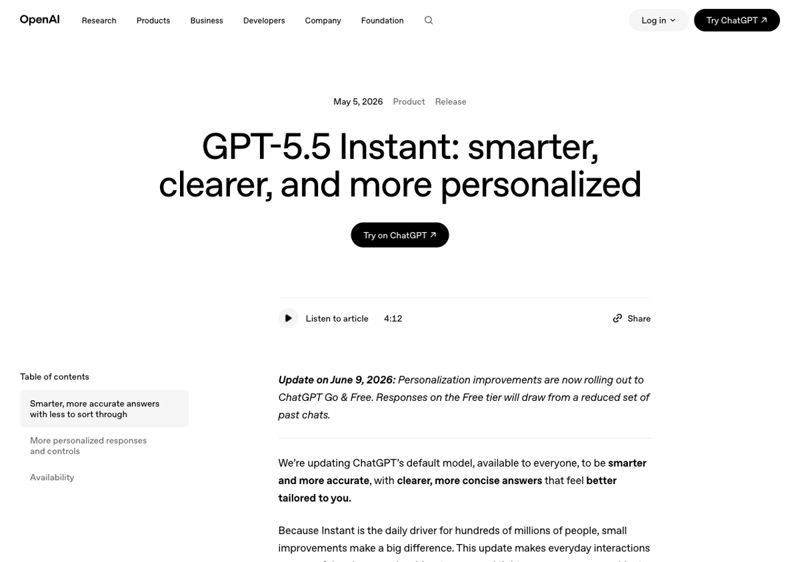
A new default brain (GPT-5.5 Instant). Back in May, OpenAI quietly swapped the model that answers you by default. You didn’t have to do anything — if you use ChatGPT, you’re already on it. It makes meaningfully fewer factual mistakes than the old default and tends to give shorter, tighter answers.
That last part is worth a flag, because it’s the one change people actually noticed and grumbled about. Some folks felt the new default got too brief — clipped, less chatty. If that’s been bugging you, you don’t have to suffer it: there’s a setting that fixes it (more on that in a second). The short version is the default got more accurate, and you can dial the personality back to taste.
Charts, right inside the chat. As of early June, when you ask ChatGPT to make sense of some numbers, it can draw an actual bar, line, or pie chart directly in the conversation — no spreadsheet, no separate tool. Paste in your monthly expenses or a list of figures and ask “show me this as a chart,” and it appears inline.
You can set its personality. This is the fix for the “too terse” complaint, and a lot of people don’t know it exists. Go to Settings → Personalization, and you’ll find a “base style and tone” dropdown — presets like Friendly, Professional, Concise, Candid — plus sliders for things like warmth and enthusiasm. Set it once and ChatGPT talks to you that way every time. No more typing “act as a friendly assistant” at the top of every chat.
A much better memory. ChatGPT got a big memory upgrade this year — it can now recall things across your past conversations and keeps a tidy, editable summary of what it knows about you. This one’s genuinely a big deal, and we wrote a whole plain-English guide to it, so rather than repeat ourselves: read ChatGPT’s new “Dreaming” memory, explained. (One note for the bucket below: the newest version of this is still rolling out, so you may or may not have the latest yet.)
One more small thing some users noticed: the old “Canvas” side-panel for writing and code was retired in late May and replaced with writing and code blocks that appear right in the chat, with a full-screen mode for longer documents.
What’s coming to you soon
The latest memory upgrade, still landing. The newest, smartest version of ChatGPT’s memory started with paid users in the US and is rolling out to free accounts and other countries in waves. If your memory doesn’t feel as sharp as what you’ve read about, you’re probably just earlier in the queue. (Heads up if you’re in the EU: the early rollout skipped Europe for now while regulatory details get sorted, so this one may take longer to reach you.) If you adjusted your prompts for the shorter-answer default and want the deeper background, our prompt-migration guide covers the tweaks.
What’s still just a headline (for now)
This is the part the news gets breathless about, so it’s the part worth being clearest on.
The “super app” / all-in-one redesign. You’ve heard ChatGPT is turning into an everything-app — one place where it doesn’t just chat but does things for you and runs other apps (Canva, Spotify, booking sites) right inside it. That’s a real plan OpenAI has announced, and reporting in early June said it’ll “roll out in the coming weeks.” But as of now, it is not live for everyday users. You might spot a small new menu or a tweaked button — those are early interface nudges, not the full experience. If you keep hearing “ChatGPT is a super app now” and your app looks basically the same, you’re not missing anything. It hasn’t shipped to you yet.
Google’s Gemini 3.5 Pro. Google showed this off at its big May event and said it’d arrive “next month.” As of mid-June, the powerful “Pro” version still hasn’t launched for the public — only the lighter, faster Gemini 3.5 Flash is live. So if you’re comparing notes, don’t assume the headline Gemini everyone’s hyping is something you can go use today. (If you’re weighing your options, our ChatGPT vs Claude course covers how to think about picking a model without the marketing noise.)
How to tell what you’ve actually got
When a feature is “rolling out,” the honest answer to “do I have it?” is “open the app and look.” Two quick checks:
- For features and settings: tap your name or the menu, go to Settings → Personalization. If the style/tone controls are there, you’ve got them. New features usually appear in Settings or as a small prompt the first time they’re available.
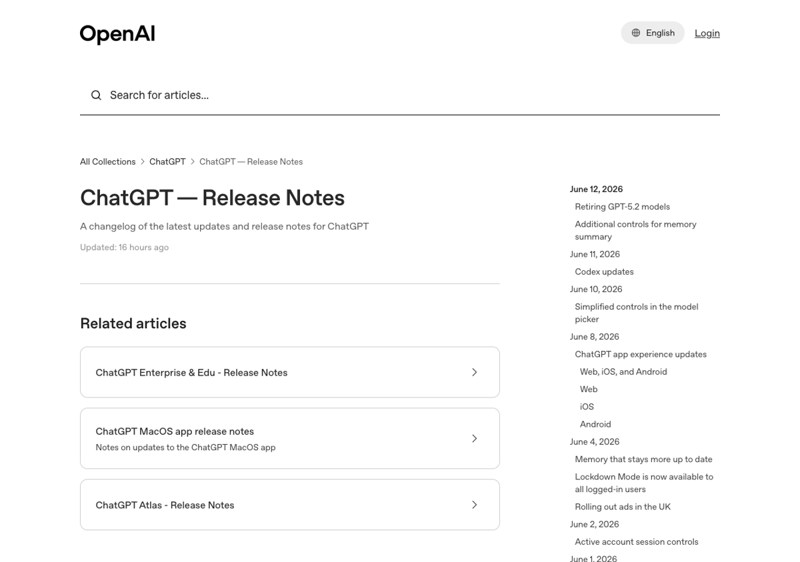
- For “is this real or just news?”: OpenAI keeps an official release-notes page (linked in the sources below). If something’s on it with a date, it shipped. If you can only find it in a news article saying “coming soon,” it hasn’t.
That second habit alone will save you a lot of confusion this year.
What this means for you
If you use ChatGPT casually: you don’t need to do anything, but spend two minutes in Settings → Personalization. Picking a tone you like is the single change most likely to make it feel better to use day to day.
If you use it every day: the memory upgrade is the one to care about — it quietly removes a lot of the “let me re-explain my situation” overhead. And the in-chat charts are a genuinely handy upgrade if you ever work with numbers.
If you felt like ChatGPT “got worse” lately: you’re probably reacting to the shorter-answer default. It’s more accurate now, not dumber — and the tone settings will bring back the warmth or detail you’re missing. Try that before you give up on it.
If you’re deciding between ChatGPT, Gemini, or Claude: don’t pick based on the hype cycle. The flashiest announced features (the super app, Gemini 3.5 Pro) aren’t things you can actually use yet. Compare what’s live today.
What hasn’t changed (and what this won’t do)
- The super app isn’t here. Despite the headlines, for almost everyone ChatGPT is still a chat app today. Don’t reorganize your life around a redesign you can’t open.
- It still makes mistakes. A smarter default is still not a fact-checker. Verify anything that matters — the new model is more accurate, not infallible.
- New features arrive unevenly. “Rolling out” genuinely means some people have it and some don’t. Not having a feature yet isn’t a bug.
- The hype will keep outrunning reality. That’s the nature of this year. The release-notes habit is your defense.
The bottom line
2026 has been a big year for ChatGPT, but the genuinely useful changes are simpler than the headlines suggest: a smarter, terser default model you can re-personalize, charts inside the chat, and a much better memory that’s still finding its way to everyone. The “super app” everyone’s shouting about is real but not here yet — and knowing that difference is what keeps you calm while everyone else is confused.
If you want to actually get good at the ChatGPT you have today, our ChatGPT for everyday users course is built for exactly that — no jargon, no hype, just the workflows that make it useful. And if you’re newer to all of it, AI Fundamentals starts at the very beginning.
Bookmark this one — we’ll update the buckets as the headlines become real.
Sources
- GPT-5.5 Instant: a new default model for ChatGPT — OpenAI
- ChatGPT release notes (official changelog) — OpenAI
- OpenAI releases GPT-5.5 Instant as ChatGPT’s new default — TechCrunch
- ChatGPT’s upgraded memory is rolling out to everyone — The Verge
- OpenAI is still working on that super app — TechCrunch
- ChatGPT now lets you adjust its warmth and tone — Digital Trends
- Google Gemini 3.5 Pro nears June launch — TechTimes
