

You type one sentence into Claude — “turn this into a ten-slide deck” — and a few seconds later there’s an actual presentation sitting in the chat window. Not a wall of text formatted to look like slides. An actual deck, with actual slides, that you can edit, present straight from the browser, or download as a real PowerPoint file. No add-in to install. No separate tab to hunt for. That’s what changed on September 16, 2026, and if you’ve spent any time this week dreading a deck you have to build, it’s worth five minutes to understand what you’re actually looking at.
What Just Changed
Anthropic did two things at once on Tuesday. First, it killed the split between “Claude chat” and “Claude Cowork” — the more agentic, hands-off mode Anthropic launched earlier this year for longer tasks. Those are now just… Claude. One interface. You ask a quick question, you get a quick answer. You hand over something bigger — a report, a research pull, a slide deck — and Claude figures out on its own whether that needs a fast reply or real work, then does the real work, even after you close your laptop. Anthropic’s own line for it: “Claude asks — you keep the final say.”
Second, and this is the part that actually matters for your Tuesday afternoon: two new tools showed up inside that same chat window. Claude Docs and Claude Slides. Ask for a document and Claude drafts it with you right there — comment on a line, ask it to rewrite a section, share the link with a coworker who can edit at the same time. Ask for a presentation and you get an editable deck you can tweak slide by slide, present directly from Claude, or download as PowerPoint or PDF. A third tool, Claude Design, rides along for visual mockups and now lives in the same conversation too.
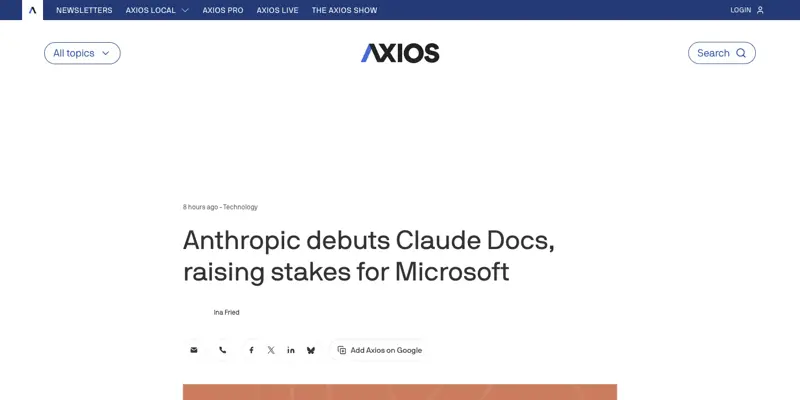
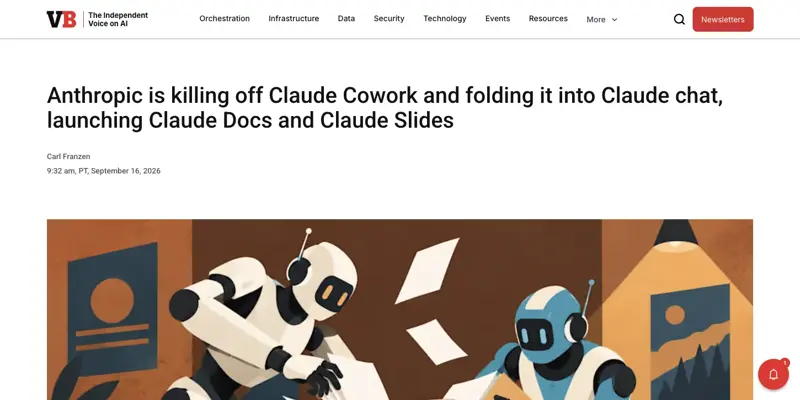
Here’s why this is a bigger deal than it sounds. Up until Monday, if you wanted Claude’s help with an actual presentation, you had three unpleasant options: install the separate “Claude for PowerPoint” add-in, dig into a different tool called Claude Design that lived outside your normal chat, or toggle on code execution and hope Claude generated a working .pptx file without you having to debug anything. All three worked, technically. None of them were what you’d call simple. Search “how to make presentations with Claude” right now and Google’s AI Overview is still explaining those three old workarounds — the search engines haven’t caught up to Tuesday yet.
That gap is why this is worth writing about today instead of next month. Claude’s user base is enormous (Anthropic doesn’t publish exact numbers, but “claude ai” pulls over three million searches a month in the US alone), and for a couple of days at least, the actual how-to content hasn’t caught up with what shipped. If you’re reading this within the first week or two, you’re ahead of most of the internet on how this actually works.
Boris Cherny, one of the engineers behind the release, put the whole thing in one sentence on launch day: “Ask Claude for a presentation and you get one you can open, edit, and export as PowerPoint or PDF. Same for a document or a design. There’s no separate tool to navigate to. They’re just in the chat.” That “no separate tool to navigate to” bit is doing a lot of work — it’s the actual product decision here, not just a feature bump. Anthropic looked at people bouncing between chat, Cowork, Design, and a PowerPoint add-in and decided the fix wasn’t to add a fourth tool. It was to stop making you pick.
Update, October 11, 2026: this section describes the September 16 rollout. On October 8, Anthropic took Docs, Slides and Design out of beta and made them available on every plan, including Free (usage still counts toward plan limits). Enterprise organizations get them on by default on October 15. The original caveat is kept below for context. Nonprofit staff: see the donor deck and board report workflow.
One honest caveat before you get excited (as of September 16): it’s not universal yet. Pro and Max subscribers get it first, rolling out over “the coming weeks” across web, desktop, and mobile. Team and Free plans are next, with no firm date attached.
How It Actually Works — A Real Walkthrough
Let’s skip the marketing language and actually walk through this like you’re about to do it yourself. Say you’re a marketing manager and you just wrapped a customer research project. You’ve got a messy Google Doc full of notes, three spreadsheets of survey data, and a Friday deadline to present findings to your VP.
Step 1: Just ask. Open a normal Claude conversation — not a special mode, not a different app, just the chat you already use. Paste in your notes or the key findings, and write something like: “Turn this into a 10-slide presentation for a VP audience. Lead with the top three findings, use one slide per finding with supporting data, and end with three recommendations.”
Step 2: Claude decides what the task needs. This is the part Anthropic calls “One Claude” doing the routing for you. Instead of you picking a mode, Claude reads the request and figures out on its own that this calls for the Slides tool, not a text reply. Within roughly 30–90 seconds (Anthropic hasn’t published exact numbers, and it’ll vary by deck complexity), an actual slide deck renders inside the chat — not a text description of slides, but the real thing, with layout, headers, and body content already placed.
Step 3: Review what you got. You’ll see a functional first draft. In our research, the pattern from actual users on launch day was consistent: the structure and content logic is genuinely strong — Claude is good at figuring out what the story should be — but the visual polish needs a pass. Expect things like inconsistent spacing here and there, maybe a font size that’s slightly off between two slides, or a chart that’s technically correct but not exactly how you’d have built it by hand.
Step 4: Edit right in the chat. This is the part that’s actually new. You don’t need to export anything to fix small things. Click into a slide, fix a line yourself, or just tell Claude in the chat: “Make slide 4’s chart a bar chart instead of a table” or “Tighten the headline on slide 2 — it’s too long.” Claude revises that specific slide without touching the rest of the deck.
Step 5: Present, share, or export — your call. Three options, and none of them require leaving Claude first:
- Present straight from Claude if you’re doing a screen-share on a call right now.
- Share one link if you want a colleague to review or co-edit — Anthropic says everything created in Docs, Slides, or Design lives at a single shareable link you can open from your phone.
- Download as PowerPoint or PDF if you need the file itself — for a client who wants an editable .pptx, or a PDF for a printed leave-behind.
A real example, worked through: Say your research notes included this finding: “68% of surveyed customers said onboarding took longer than expected, and support tickets in week one were 3x the rate of week four.” A reasonable Claude Slides output for that finding is a single slide titled something like “Onboarding Friction Is Front-Loaded” with a simple two-bar chart (Week 1 vs Week 4 ticket volume) and a callout stat — “68% say onboarding took too long” — pulled out in large text. That’s the kind of slide Claude tends to get right on the first pass: one message, one number, one chart. Where it needs your help is anything denser — a comparison table with six rows, a process diagram with branching logic, or a slide that has to match your company’s exact brand colors and logo placement.
That gap between “clean, single-idea slides” and “dense, brand-precise exhibits” is the single most important thing to understand about this launch, and it’s worth its own section below.
A second example — using Claude Docs instead. Say you’re not building a deck at all. You just finished a customer call and need to turn your scattered notes into a clean one-pager for your team. You’d paste your notes into a Claude Docs conversation and write: “Turn this into a one-page internal summary — what the customer said, what we’re doing about it, and who owns the next step.” Claude drafts the doc right there in the chat, and here’s the part that’s genuinely different from just asking Claude for text in a normal message: you can leave a comment on a specific line (“make this paragraph shorter”), and Claude revises just that section instead of regenerating the whole document. Multiple people can be in the same doc at once, similar to a Google Doc, and the document itself lives at a shareable link rather than existing only as a block of chat text you have to copy out.
The distinction matters because it changes how you think about the tool. A normal Claude chat message is a one-shot answer. A Claude Doc is a living object — something you and your team return to, edit, and build on over several sessions, the same way you’d treat an actual Google Doc rather than a Slack message.
Claude Slides vs. the Alternatives
You’ve probably heard of Gamma if you’ve looked into AI presentation tools before — it’s the market’s biggest incumbent, pulling in around 110,000 searches a month, versus Claude’s presentation-specific searches which are still forming (both are genuinely new search terms as of this week). Here’s how the three realistic options actually compare, based on independent reviews and hands-on testing from the days around this launch:
| Claude Slides | Gamma | Microsoft 365 Copilot (PowerPoint) | |
|---|---|---|---|
| Where it lives | Inside your normal Claude chat | Its own dedicated app | Inside PowerPoint desktop/web, needs a paid M365 seat |
| Best at | Content structure, storyline logic, working from messy notes | One-click visual polish, design themes, fast turnaround | Editing existing decks you already have |
| Weakest at | Visual polish on dense slides — needs a manual pass | PowerPoint export — formatting often shifts, needs 20–30 min cleanup per deck | Building a deck from scratch out of raw notes |
| PowerPoint export | Native .pptx or PDF; fidelity not yet independently verified in depth | .pptx exists but fonts often substitute and layers flatten | Native, since it’s built inside PowerPoint |
| Cost to use | Included in Claude Pro ($20/mo) or Max; also on Free since Oct 8, within usage limits | Free tier limited; paid plans from ~$10–20/mo | Requires Microsoft 365 Copilot add-on, ~$30/user/month on top of M365 |
| Collaboration | Shareable link, real-time comments | Shareable link, comments | Standard Office co-authoring |
| Good fit for | Drafting the argument and structure fast, then polishing | A finished-looking deck with minimal effort, less need for precision | Teams already deep in the Microsoft ecosystem |
The honest read, based on the reviews we pulled together for this piece: use Claude when the thinking matters more than the visuals — you’re synthesizing messy research into a clear story and you’ll do a design pass yourself or hand it to someone who will. Use Gamma when you want something that looks finished with almost no effort and you’re willing to accept it might feel a little generic. And if you’re locked into Microsoft 365 already, Copilot inside PowerPoint is still your fastest option for editing a deck you’ve already built — it’s just not going to help you go from a blank page to a first draft the way Claude does.
None of these three fully solves the “I need this exactly matched to my company’s brand template” problem yet. That’s still manual work, no matter which tool drafts your first version.
It’s worth noting how young this comparison actually is. Gamma has had years to refine its one-click polish — it’s been the default answer to “AI presentation tool” for a while now, which is exactly why it pulls 110,000 searches a month against Claude’s presentation features, which are so new that Google hasn’t even started tracking search volume for the exact terms yet. Give Claude Slides six months and this table probably looks different. Give it a year and there’s a decent chance the “needs a manual polish pass” line disappears entirely — that’s been the trajectory of basically every AI writing and editing tool over the last three years. For right now, though, judge it on what it does today, not what it might do eventually.
What This Means for You
If you’re in marketing or sales — this is probably your highest-value use case out of the gate. Turning research, survey data, or a messy set of talking points into an internal-readout deck is exactly the “clean, single-idea slide” pattern Claude handles well. Your first move: try it on your next internal update, not a client-facing deck, until you’ve got a feel for where it needs editing.
If you’re a consultant or freelancer building client decks — treat this as a fast first draft, not a finished deliverable. The clients you’re billing expect something that looks like you built it by hand, and right now, close inspection of AI-drafted slides can reveal inconsistent spacing or generic-looking charts that a trained eye catches immediately. Use Claude to get from a blank page to a strong outline fast, then do a manual polish pass before it goes anywhere near a client’s inbox.
If you’re a teacher or in education — Claude Docs is probably more useful to you right away than Slides. Drafting a parent newsletter, a unit overview, or lesson-plan documentation from a rough outline is a strong fit, and you likely don’t need pixel-perfect visual design for most of what you produce.
If you run a small business solo — this is the “I don’t have a design person” use case. A one-pager for a new offering, a simple sales deck for a prospective client, a proposal document — Claude Docs and Slides together can get you from idea to shareable draft in one sitting, without paying for a separate design tool or hiring someone.
If you’re at a large company on a Team or Enterprise plan — you’ll likely wait longer than Pro/Max users to get access, and your IT admin controls when it turns on. Anthropic says Enterprise organizations get at least 30 days’ notice before anything changes, so don’t expect this Friday.
If you’re a student — Claude Docs is a genuinely useful drafting tool for papers and study guides, but don’t submit anything without your own edit pass. The collaborative, ask-questions-back nature of Claude Docs (it can comment on your editorial choices, not just generate text) makes it more of a writing partner than a shortcut.
If you’re on the free tier right now — as of October 8 you’re in. Docs, Slides and Design are available on every plan, including Free, and they count toward your normal usage limits.
If you’re an executive assistant or admin managing someone else’s calendar and communications — this is squarely in your lane. Board update decks, meeting recap docs, travel briefing one-pagers — the repetitive formatting work that eats an afternoon is exactly what Claude Docs and Slides are built to speed up. Start with something low-stakes like an internal meeting recap before trying it on anything that goes to your executive’s boss.
If you’re a nonprofit or run a small team with no dedicated designer — the math here is straightforward. A grant proposal, a donor update deck, a program summary document — these are all things you’d otherwise pay a freelancer or spend a weekend fighting with PowerPoint templates to produce. Claude Docs and Slides won’t replace a professional designer for your annual report, but for the routine stuff, it closes a real gap.
Edge Cases and Troubleshooting
“My exported PowerPoint doesn’t look quite right when I open it in real PowerPoint.” This is the single most common concern flagged by early testers, and it’s a fair one — nobody has yet published a rigorous, hands-on test of exactly how well Claude’s .pptx export preserves editable text boxes versus flattening them into images. Until independent testing catches up, treat every export as something to spot-check before you present from it, especially anything with charts or custom layouts.
“The deck Claude made looks obviously AI-generated.” This is a real, documented concern — one person online described their consulting colleagues getting visibly annoyed after spotting AI-made slides in a deck, purely from the visual tells (a specific font pairing, a certain kind of layout spacing). If polish matters for your audience, budget 10–15 minutes for a manual pass: check fonts are consistent, check spacing, and swap in your own charts for anything data-heavy.
“Claude flattened my chart into an uneditable image.” This has been a known limitation across most AI slide tools, not unique to Claude. If you need a chart you can edit later, ask Claude directly for “an editable native chart, not an image” — and if it still comes out flattened, rebuild that one chart manually in PowerPoint after export. It’s a five-minute fix, not a dealbreaker.
“I asked for a dense data table and it oversimplified it.” AI slide tools across the board — Claude included — tend to simplify complex, multi-column tables into something cleaner but less complete. For anything with more than roughly five columns or nested categories, expect to rebuild that specific slide by hand rather than fighting the tool to get it exactly right.
“It doesn’t match my company’s brand template.” Out of the box, no. If brand fidelity matters, your best bet is to describe your brand colors, fonts, and logo placement explicitly in your first prompt, or upload an example slide and ask Claude to match its style. Even then, expect some manual correction — this is the single feature area every AI presentation tool on the market still struggles with.
“I’m on a paid plan and don’t see Claude Slides yet.” The rollout is staged, not universal-on-day-one. Anthropic said Pro and Max get it first, over “the coming weeks” — which means even paying subscribers might not see it in their account this exact week. Check back in a few days if it’s not there yet; there’s no separate signup or waitlist to join.
“I tried this inside Claude Code instead of the regular app, and it worked differently.” That’s expected, not a glitch. Anthropic confirmed Claude Design, Slides, and Docs also work inside Claude Code now, where they can pull directly from your actual repo files and RFCs — useful for a design-review deck or a UI mockup grounded in real code, but a genuinely different workflow from asking for a deck out of pasted notes in the regular chat app.
“Someone sent me a Claude Slides link and I’m not sure if I can trust opening it.” It’s a normal shareable link, similar to a Google Slides or Google Docs share link — nothing to install, nothing that requires a Claude account to view (though editing may require one). If you’re uneasy about a specific sender, treat it the same way you’d treat any unfamiliar shared-document link: check who sent it before you open it on a work device.
“Claude Design, Claude Slides, and Claude Docs feel like overlapping tools — which do I use for what?” Simple rule of thumb: Docs for anything primarily text (reports, proposals, one-pagers), Slides for anything presentation-shaped (decks, pitches), and Design for standalone visual mockups (a single graphic, a social post, a UI concept) that isn’t part of a longer document or deck. You don’t have to pick correctly up front, either — you can start in Docs and ask Claude to turn the same content into Slides later, and it carries the context over instead of making you start from scratch.
“I asked for a presentation and got a wall of text instead.” This usually means your prompt read more like a question than a request for a deliverable. Be explicit: say “create a presentation” or “build a slide deck,” not just “summarize this.” Claude is routing your request based on what you actually ask for, so vague phrasing can land you a chat answer instead of the Slides tool kicking in.
“My team member on a different plan can’t see the same features I do.” Because the rollout is staged by plan tier and account, not by organization, it’s entirely possible for two people at the same company to have different access this week — one on Pro with Slides already live, another on a Team plan still waiting. That’s expected right now, not a bug on your end.
What This Can’t Do (Yet)
Being straight about the limits matters more than the hype here, so let’s be specific.
It won’t hit “client-ready” on the first try for high-stakes decks. If you’re building something for a board meeting or a paying client where every visual detail is scrutinized, expect to do real editing work afterward. This isn’t a Claude-specific weakness — it’s true of every AI presentation tool tested so far, without exception.
It can’t guarantee your exact brand template gets preserved. Custom fonts, exact color hex codes, specific logo placement rules — these require explicit instruction and often still need manual correction. There’s no “upload your brand kit once and it’s remembered forever” feature yet.
It doesn’t verify your data. If you feed it numbers, it’ll build a chart around them without independently checking whether those numbers are correct. That verification is still entirely on you.
Export fidelity to PowerPoint isn’t independently proven yet. Anthropic says you can download as PowerPoint or PDF, and that claim is real — but as of this week, nobody outside Anthropic has published a rigorous test of exactly how well complex slides survive that export. Test it yourself on something low-stakes before trusting it on something that matters.
Rollout note (updated October 11): the staged rollout described in September is over. Docs, Slides and Design are now on every plan, including Free and Team. Enterprise organizations get them by default on October 15, or earlier if an owner enables them.
It doesn’t replace real design software for anything complex. If you need multi-page brand guidelines, an intricate infographic, or pixel-level control over layout, this is still a job for Figma, Canva, or an actual designer. Claude Slides and Design are strong for a fast draft, not a substitute for dedicated design tools when the stakes are high enough to justify one.
It can’t work from a locked or scanned PDF the way it can from editable text. If your source material is a scanned document or an image-based PDF rather than real text, expect Claude to need extra help extracting the content correctly before it can build anything useful from it — the same limitation that affects most AI tools working from non-text sources.
Frequently Asked Questions
Is Claude Slides free? Yes, within usage limits. Since October 8, 2026, Docs, Slides and Design are available on every Claude plan, including Free. When this article was first published on September 17, they were rolling out to Pro and Max first.
Can Claude actually create a PowerPoint file, or just something that looks like slides?
It creates an editable presentation inside Claude that you can download as a genuine .pptx file or a PDF — not a text description formatted to resemble slides. Whether every visual element survives that export perfectly hasn’t been independently verified in depth yet, so it’s worth a spot-check on your own files.
How is this different from the old “Claude for PowerPoint” add-in? The old add-in required a separate install inside PowerPoint itself. Claude Slides lives directly inside your normal Claude conversation — no add-in, no separate app, no toggling on code execution to force an export.
Do I need to install anything to use Claude Slides or Claude Docs? No. If your account has access (Pro or Max, currently), it’s already available in your regular Claude chat — no download, no add-in, no separate signup.
Is Claude Slides better than Gamma? It depends on what you need. Claude tends to be stronger at structuring your actual argument and working from messy raw notes; Gamma tends to produce a more polished, finished-looking visual result with less manual effort. Neither has solved brand-template matching or complex data-table formatting yet.
Can I use Claude Slides for a client presentation? You can use it to get a strong first draft fast. Treat it as a starting point, not a finished deliverable — plan on a manual editing pass before anything goes in front of a paying client, especially for visual polish and brand consistency.
What happens to decks I already built in Claude Design? Claude Design keeps working exactly as it did before — it’s just now also accessible from inside your normal chat, alongside Slides and Docs, instead of requiring a separate tab.
Will my company’s IT department need to turn this on for me? If you’re on a Team or Enterprise plan, likely yes — Anthropic says Enterprise admins control when Docs, Slides, and Design get enabled, with at least 30 days’ notice before anything changes.
Can Claude Docs and Claude Slides work together on the same project? Yes — this is actually one of the more useful workflows so far. Draft a one-pager in Claude Docs, then ask Claude to turn that same doc into a slide deck with Claude Slides, keeping the same context and content without starting over.
Is there a mobile app version of this? Anthropic says the rollout covers web, desktop, and mobile, with everything created living at one shareable link you can open on your phone — so yes, though the full editing experience is likely still smoother on desktop.
The Bottom Line
The gap between “AI helps you write about a presentation” and “AI actually builds the presentation, inside the tool you already have open” just closed — at least for Claude’s paying users. It’s not going to replace your judgment on a high-stakes deck, and the visual polish still needs a human pass more often than not. But for the internal update, the rough first draft, the “I have twenty minutes before this meeting” deck, this is a genuine time-saver, not just a marketing claim.
If you want to get more out of Claude beyond this one feature — prompting it well, understanding when to use chat versus its more agentic modes, and getting comfortable with tools like this before they hit your entire team — our Claude Cowork Essentials course walks through exactly that, free to start.
Sources
- Anthropic — Claude Cowork and chat are now one Claude
- Axios — Anthropic debuts Claude Docs, raising stakes for Microsoft
- VentureBeat — Anthropic is killing off Claude Cowork and folding it into Claude chat
- Engadget — Anthropic’s Claude can now create editable documents for you
- TechCrunch — Anthropic merges Claude chat and Cowork in one interface
- Reuters — Anthropic to fold Claude AI features into one interface, launches document tools
- MindStudio — Gamma vs ChatGPT vs Claude for Presentations
- Patrick Schaber — I put Claude in PowerPoint against Gamma
- AI Tool Analysis — Claude In PowerPoint Review
- Live X/Twitter launch-day reactions (Sept 16, 2026): @claudeai, @bcherny, @ClaudeDevs official announcements; community reactions on export fidelity and visual polish concerns