Updated September 5, 2026: OpenAI shipped a new flagship on September 3 — GPT-6 Astra — and it’s arriving as a separate, staged rollout on top of the effort-tier system this post already covers. If you’ve read this before, skip to “Where GPT-6 Astra fits” below. Everyone else, keep reading — the cheat-sheet below still holds for the everyday tiers.
Open ChatGPT today and the model dropdown looks nothing like it did six months ago. Instant. Medium. High. Extra High. Pro Standard. Pro Extended. Now also GPT-6 Astra, for whoever’s rollout wave has reached it. If your honest reaction is "…which one do I even pick?" — you’re in good company. And the top of Google won’t save you either: as of this week, its own AI Overview for this exact question is still recommending GPT-4o and o3, both retired months ago.
So here’s the current menu in plain English, kept current as OpenAI reshuffles it. No benchmarks. No jargon. Just what each option is and which one to click.
What is the current ChatGPT model menu?
Free accounts run on the GPT-5.5 family. Paid plans run on GPT-5.6 Sol as the everyday engine behind the higher tiers, with GPT-6 Astra now rolling out above it as the new flagship (more on exactly who has it yet, below). The picker still names effort levels instead of confusing model names for the day-to-day tiers — Instant (fast, the default), Medium and High (more thinking), plus Extra High and two Pro modes for paid power users. For almost everything, you still want Instant. You step up only when an answer genuinely needs deeper reasoning — and Astra is the tier above that, for the handful of tasks that need genuinely more than “High” gives you.
That’s the whole thing. If you read no further, you’ll be fine. But the differences do matter for a handful of tasks, so here’s the cheat-sheet.
The cheat-sheet
| You see | What it actually does | Reach for it when |
|---|---|---|
| Instant | The default. Fast GPT-5.5 for everyday questions, drafting, summaries, quick lookups. | 90% of the time. Seriously. |
| Medium | Thinks a bit longer before answering. (This used to be called “Thinking Standard.”) | Multi-step questions, light analysis, “compare these options.” |
| High | Thinks noticeably harder, better with long documents and tricky logic. (Was “Thinking Extended.”) | Dense research, hard math, untangling a messy problem. |
| Extra High (Pro plans) | The heaviest reasoning tier. (Was “Thinking Heavy.”) | The rare problem where you’d happily wait a minute for a better answer. |
| Pro Standard / Pro Extended (Pro plans) | Pro-only modes for the most demanding work and longest context. | Big technical or professional jobs on a Pro subscription. |
A nice touch OpenAI added on June 10: Instant can now auto-escalate to Medium by itself when a question looks like it needs more thought. You can switch that on or off under Settings → General. Leave it on and, honestly, you can mostly forget the dropdown exists.
The 10-second rule
Don’t overthink it. Here’s the flow I’d give a friend:
- Just asking a normal question? Instant.
- Did Instant give you a shallow or wrong answer? Re-ask on Medium or High.
- Feeding it a long PDF, contract, or a real reasoning puzzle? Start on High.
- On a Pro plan with a genuinely hard, high-stakes task? Extra High or Pro.
That’s it. You do not need to memorize the table. You need to know that “if the answer feels thin, bump it up a level” is the entire skill.
Wait — what happened to all the old models?
This is the part the stale guides get wrong, so let’s set the record straight, updated through early September 2026:
- GPT-5.5 Instant has been the default since May 5. If you never touch the dropdown, this is what you’ve been using.
- GPT-5.2 was removed from the picker on June 12. Those chats moved to GPT-5.5 automatically.
- GPT-4.5 retires from ChatGPT on June 27 — three days out as I write this. (If you loved 4.5 for writing, we wrote a separate guide on what to switch to.)
- o3 was retired from ChatGPT on August 26. If you used it for step-by-step reasoning, that job now belongs to High or Extra High in the picker above — same “think longer, better logic” job, just renamed.
- GPT-5.6 arrived publicly on July 9. It came as three models (Sol, Terra, Luna) after a two-week government-review preview. On paid plans, Sol joins your picker in regular chat (Pro and Enterprise also get Sol Pro); on Free and Go, GPT-5.6 appears only inside ChatGPT Work and Codex, as Terra. The effort-tier logic above carries straight over — Sol is the engine behind the higher tiers. Full breakdown in our Sol vs Terra vs Luna guide.
- GPT-6 Astra landed September 3 as the new flagship. It’s a genuinely new model, not another effort tier — the headline feature is “computer use” (it can click through apps and websites like a person) plus a roughly 1-million-token context window. It’s rolling out in stages rather than to everyone at once; see the table below for exactly who has it.
Where GPT-6 Astra fits
Astra sits above the effort-tier system in this post, not inside it. Think of it as a separate, more capable model you select directly in the picker once your account’s rollout wave arrives — it isn’t an “Extra High” renamed.
| Group | Access status (as of Sep 5, 2026) | Notes |
|---|---|---|
| Daybreak Access organizations | Live since Sep 3 | A small cohort of enterprise/cybersecurity partners OpenAI granted early access to, ahead of the general public |
| ChatGPT Plus ($20/mo) | Rolling out “over the coming days” | OpenAI says it wants Astra to reach all Plus users, not just Pro/Business/Enterprise — but it isn’t instant |
| ChatGPT Pro ($200/mo) | Rolling out “over the coming days” | Gets a further variant, “GPT-6 Astra Pro,” with more test-time compute |
| ChatGPT Team / Business / Enterprise | Rolling out “over the coming days” | Enterprise access is off by default until an admin turns it on |
| Free tier | Not announced | No date, no commitment in any official OpenAI material as of this writing |
If you don’t see “GPT-6 Astra” in your model picker yet, that’s expected — check back in a day or two rather than assuming something’s broken on your end. For the full price breakdown, benchmark comparison against GPT-5.6 Sol, and a worked cost example, see our dedicated GPT-6 Astra release guide.
What this means for you
If you’re a free user. You’re on Instant (GPT-5.5), and that covers basically everything a free account does. You may not even see the full list of Pro tiers — that’s fine, you’re not missing much for everyday use.
If you’re on Plus. You’ve got Instant, Medium, and High. The move: live on Instant, and reach for High when you paste a long document or hit a problem Instant fumbles. That’s the 95% workflow.
If you’re on Pro. You’ve got the whole menu, including Extra High and the Pro modes. Most of your day is still Instant — the heavy tiers are for the specific jobs that justify the wait. Paying for Pro and running everything on Extra High is like driving to the corner shop in a race car. You can. It’s just slower and pointless.
If you write for a living. The model matters less than your prompt. Whatever tier you pick, paste a sample of the voice you want and say “match this.” That beats chasing whichever model “sounds best” this month.
If you code. High or a Pro mode for real problems; Instant for quick snippets and explanations. GPT-5.6 Sol is now the one to point at real engineering work — and in Codex, Plus users also get the new ultra setting, which runs several agents in parallel on one job. Mind the usage: ultra burns allowance dramatically faster than a normal run.
What the picker still can’t do
Time for the honest part.
The menu is simpler than 2025’s alphabet soup, but it’s not loved. The loudest complaint online is about auto-routing — the sense that “I pick High but sometimes get a basic answer anyway,” because the system quietly decides how much effort your question deserves. One widely-shared post called the picker “the biggest lie” for exactly this reason. OpenAI has been tweaking it in response, but if a High answer feels suspiciously lazy, regenerate it — that often helps.
It also can’t promise to stay put. This menu is the third major rework in under a year. Learn the principle — fast by default, step up for hard things — and you won’t have to relearn the whole UI every time OpenAI reshuffles the labels.
And no model picker fixes a vague prompt. “Write me something about marketing” gets you mush on Instant and on Extra High. The tier is a multiplier on a good question, not a substitute for one.
The bottom line
Use Instant for almost everything, bump to Medium or High when an answer feels thin, and save the Pro tiers for the rare task that earns the wait. That single habit makes the whole confusing menu boring — in a good way.
If you want the deeper “how do I actually get great answers out of any model” skill — the prompting part, which matters far more than the dropdown — that’s the core of our Prompt Engineering course. It’s the difference between fighting the picker and forgetting it’s there.
Sources
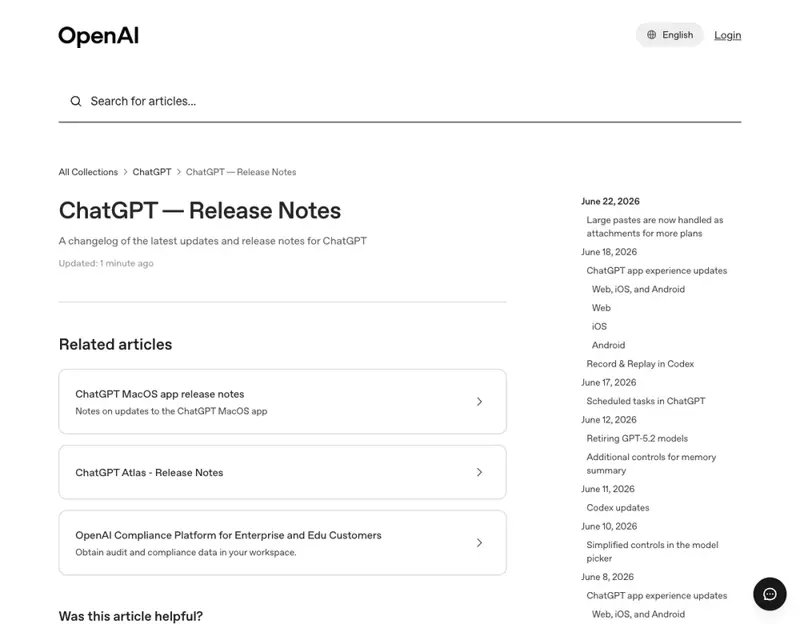
- ChatGPT — Release Notes (OpenAI Help Center)
- Model Release Notes (OpenAI Help Center)
- OpenAI releases GPT-5.5 Instant, a new default model for ChatGPT (TechCrunch)
- GPT-5.5 (Wikipedia)
- OpenAI upgrades GPT-5.5 Instant and confirms retirement of o3 and GPT-4.5 models (gHacks)
- OpenAI — GPT-6 Astra (Sep 3, 2026)
