Gemini is still free after Friday, October 9. But the free version gets smaller. On that day, anyone using the Gemini app without a paid plan is limited to a single model, Gemini 3.5 Flash-Lite, and loses the picker entries for the stronger Flash and Pro models. The $4.99 Google AI Plus plan keeps Flash but loses Pro. Only the $19.99 AI Pro plan (and the pricier Ultra tiers) keep the whole lineup.
If you read that and thought “I have no idea which model I’m using right now,” you’re in the majority, and that’s the good news. For a lot of people this changes very little. For some it changes a lot. This post helps you work out which group you’re in before Friday, using one 20-minute test instead of a hot take.
I pulled this together from Google’s own help pages, the original 9to5Google report, a Perplexity deep-research pass that read dozens of sources, and the reaction on X and Reddit over the last two days. Where something is confirmed I’ll say so. Where it isn’t, I’ll say that too, because a fair amount of what’s being repeated online is still guesswork.
What Google actually announced
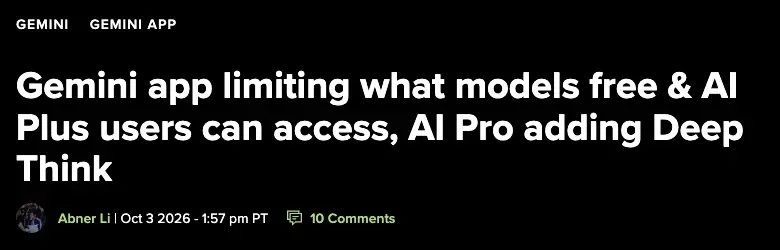
On October 3, 2026, 9to5Google reported on a change to Google’s support documentation for the Gemini app. The report was picked up the same weekend by The Decoder, Digital Trends and others.
Here is the whole change in one table.
| Plan (personal Google account) | Price in the US | Models in the Gemini app after the change | When |
|---|---|---|---|
| No subscription (free) | $0 | Flash-Lite only (loses 3.6 Flash and 3.1 Pro) | Friday, October 9 |
| Google AI Plus | $4.99/month | Flash-Lite and Flash. Pro removed. | A per-account date Google will email you, later in October |
| Google AI Pro | $19.99/month | Flash-Lite, Flash, Pro, plus Deep Think | Deep Think was Ultra-only until now |
| Google AI Ultra | $99.99 or $199.99/month | Everything, including Deep Think | No reduction reported |
Two details in that table trip people up.
The free-tier date and the AI Plus date are different. Free accounts change on October 9. AI Plus subscribers will not all lose Pro on the same day, and Google says it will email each account with its own cutoff. As of today nobody has posted what that email looks like or how the dates are assigned. If you’re on Plus, you have a bit more runway than a free user, but you don’t know exactly how much.
Deep Think is moving down. AI Pro gains “Deep Think,” Google’s maximum-parallel-reasoning mode, which until now lived only in the $99.99 and $199.99 tiers. So the $19.99 plan gets better at the same moment the $4.99 plan gets worse. Whatever you think of that, it’s a clear signal about where Google wants you to land.
Google is also adding low, medium and high effort settings to the app in October, “for each available model.” Google’s own wording is that these settings “increase the model’s ability to complete tasks and provide more thorough answers to queries, but will also use more of your limit.” That’s the same trade you already make when you pick a bigger model: better answers, faster limit burn.
One more thing for context. The Decoder noted the change mirrors the ChatGPT freemium model, and that Google hasn’t said whether the upcoming Gemini 4 Argon will count as a “Pro” model or sit in a tier above it. Argon is debuting with Ultra subscribers first. Some commentators link the cut to Argon’s arrival. That’s a reasonable guess, but it’s a guess. Google hasn’t said it.
What Flash-Lite actually is (in Google’s own words)
Flash-Lite is the smallest, fastest model in the current Gemini 3 family. Google released Gemini 3.5 Flash-Lite on July 21, 2026, alongside 3.6 Flash. If you want the full story of that launch, our Gemini 3.6 Flash explainer covers it.
The most useful thing I found isn’t a benchmark. It’s how Google describes the three models on its own help page, which I opened this morning:

The three descriptions, quoted straight from that page:
- Flash-Lite “is an efficient workhorse model designed for speed. It’s ideal for everyday tasks like summarization and brainstorming.”
- Flash “is a more powerful model that balances speed and reasoning to solve a large variety of problems, from simple to complex.”
- Pro “is our most advanced model that excels at complex math and coding prompts with high performance and reasoning,” with “a deeper understanding across text, files, images and videos.”
Read that with your actual week in mind. Summarizing, brainstorming, quick rewrites: Google itself says Flash-Lite is the right tool. Complex math, coding, deep reading of mixed files: Google says that’s Pro territory. And “simple to complex” in the middle is the Flash lane, which is precisely the lane free users are about to lose.
One more concrete difference, which Korean press first pointed out and Google’s own help pages in several languages confirm as of October 5: the context window, meaning how much text one chat can hold, is 32,000 tokens without a plan, 128,000 with AI Plus, and 1 million with AI Pro and Ultra. If you regularly paste in long documents, that gap matters more than the model name. Our context window guide explains what those numbers mean in practice. Whether these figures change on October 9 isn’t stated, so check your own account afterward.
I want to be careful here, because there’s a lot of confident noise online. I could not find a single independent, head-to-head test of Flash-Lite against Flash and Pro on everyday prompts. HKEPC reportedly asked Flash-Lite to describe itself and it called itself weak at multi-step reasoning, coding and hallucination control. That’s a fun detail, but a model describing its own weaknesses isn’t a benchmark. So the honest summary is: Google’s positioning says “fine for routine work, weaker at hard reasoning,” and nobody has published the numbers that would tell you by how much.
Why people are angry (and it’s mostly not about the free tier)
By Saturday the story had a clear shape on X. The most-shared post was from @GeminiUpda0kkb on October 3: roughly 8,500 likes and 1.84 million views for what was essentially a summary of the support-page change. Underneath it, the loudest replies weren’t from free users.
They were from people paying $4.99.
@JoseRubio’s reply got about 2,100 likes: “I guess I’ll cancel my subscription. Thank you, @GeminiApp.” Another reply said Plus was the popular paid tier specifically because it included Pro. @bonnyxen, in a calmer post that got a fraction of the attention, made what I think is the clearest argument: charging more for expensive models is fair, but removing a model from a plan people already pay for is a different thing.
That’s the real fault line. The free-tier cut is being treated as expected: most people knew free AI tiers were shrinking, and our piece on whether AI is still “unlimited” tracked that trend all summer. The anger is about AI Plus, a plan that was marketed on June 8 as a cheap way into Gemini and that we reviewed as the cheapest “real” AI subscription. Today it still says “Pro” on its own marketing page, and by late October it won’t.
On that last point, I checked. When I opened Google’s AI plans page this morning (the Vietnam storefront, because that’s where this browser lands), the AI Plus card still promised “wider access to Gemini 3.1 Pro and Deep Research.” That page will presumably be updated. But if you subscribed to Plus recently specifically for Pro, keep a screenshot of what the plan page said on the day you subscribed. Nobody has posted an official answer on refunds or prorated cancellation yet, and that kind of evidence is what you’d want.
Walkthrough: the 20-minute test to run before October 9
Opinions about Flash-Lite are cheap right now. Your own tasks are the only data that matters. Here’s the test. It works whether you’re free or on Plus, and it costs nothing.
Step 1: Find out which plan you’re actually on
Open the Gemini app or gemini.google.com and look at your account menu and the plan name. If you don’t remember paying, you’re free. If you pay $4.99, it says AI Plus. If it says AI Pro or Ultra, you can skip most of this post. You keep everything, and you’re about to get Deep Think.
Expected result: you can say your plan in one word.
Step 2: Choose three real tasks
Not hypothetical ones. Open your last two weeks of Gemini history and pick the three prompts that mattered. One that you’d call “easy” (a rewrite, a short email), one “normal” (a summary of a document you read, a plan for something), and one “stretch” (the thing where you were glad you had the stronger model, if there is one).
Copy each prompt, plus any file you attached, into a note. You’re going to run the same input three times.
Step 3: Run each task on the strongest model you can still reach
If you’re on Plus, that’s Pro until your email date. If you’re free, it’s whichever of Flash or Pro the picker still offers today, and you have until Friday. This is your baseline, the answer you were happy with, or at least the one you can compare against.
One practical detail from Google’s own documentation: a conversation uses one model. Switching models partway through a chat starts a new chat rather than converting the old one. So start a fresh chat for each run. Don’t continue the old thread and call it a test.
Expected result: three baseline answers saved in your note.
Step 4: Re-run the same three tasks on Flash-Lite
Same prompt, same files, fresh chat, Flash-Lite selected. If you’re a free user, this is also a preview of your own Friday. If you’re on Plus and the picker doesn’t let you choose Flash-Lite today, run it on Flash. That’s what Plus keeps and it’s a reasonable stand-in for “the plan after the change.”
Expected result: three comparison answers next to the three baselines.
Step 5: Score the gap, honestly
Use one number per task:
- 3 means “I’d use this answer as is.” The gap doesn’t matter to me.
- 2 means “I’d edit it for a few minutes.” Slightly worse, still useful.
- 1 means “I’d redo it, or I wouldn’t trust it.” The gap is real.
Don’t score on how impressive the writing sounds. Check the thing you actually care about: did it get the numbers right, keep the structure, follow the length you asked for, and avoid inventing details about your document?
Step 6: Read the result
- Three 3s, or two 3s and a 2: Flash-Lite is enough for you. Stay free, or if you’re paying for Plus, ask yourself honestly what you’re paying $59.88 a year for.
- A 1 on your “stretch” task only: you have one occasional heavy job. Don’t buy a plan for it yet. Plan to do that job on a different free tool (more on that below), or time-box it to one month of Pro when it comes up.
- Two or three 1s: the gap is real for how you work. This is when AI Pro at $19.99 is a legitimate purchase, or when it’s worth using ChatGPT or Claude’s free tier for your heavy tasks instead.
A worked example, with real arithmetic
Here’s how the decision math looks for someone on Plus, using only published prices. (The scores are an illustration of how to fill in the sheet, not a measured result. Your tasks will score differently.)
| Task | Baseline | Flash-Lite score | Verdict |
|---|---|---|---|
| Rewrite a client email more politely | Pro | 3 | Fine on Flash-Lite |
| Summarize a 12-page report into five bullets | Pro | 2 | Edit for a few minutes |
| Compare two vendor contracts line by line | Pro | 1 | Not trustworthy |
Now the money. Staying on Plus costs $4.99 × 12 = $59.88 a year, and after the change it buys you Flash, not Pro. Moving to AI Pro costs $19.99 × 12 = $239.88 a year, a difference of $180 a year, or $15 a month. If the contract comparison is something you do once a quarter, that’s $180 a year for four tasks. Paying month by month, you could buy one month of AI Pro when the task comes up ($19.99) and cancel, which across four quarters costs $79.96, still well under the $239.88.
If instead the contract comparison is something you do three times a week, $15 a month is the cheapest line item in your tool stack.
The point isn’t the answer. It’s that you can now do this math with your own tasks in 20 minutes instead of cancelling in a huff or paying on autopilot.
The other free options (what ChatGPT Free and Claude Free offer right now)
Free users who score a 1 on the stretch task have an alternative to buying: use a different free tier for that job. Here’s what the published entitlements say today. This comes from OpenAI’s and Anthropic’s own help pages as pulled through Perplexity. Nobody has published an independent head-to-head, so I’m not declaring a winner.
| Everyday need | Gemini Free after Oct 9 | ChatGPT Free | Claude Free |
|---|---|---|---|
| Core model | Gemini 3.5 Flash-Lite only | GPT-5.6 Luna (Think also runs on Luna) | Sonnet 5 announced as the Free default; Sonnet 5.5 launched since, but its Free rollout isn’t explicit |
| Text usage | Exact allowance not published | Described as unlimited everyday text chat, subject to abuse safeguards | Limited use, no fixed public message count |
| Web search | Available, exact post-change specifics unconfirmed | Included | Included |
| Reasoning | Deep Think not included | Think included | Extended thinking included |
| Custom assistants | Skills rolling out; Gems migrate | Can use GPTs, can’t create new ones | Memory, connectors included |
On published numbers alone, ChatGPT Free has the clearest advantage for sustained, ordinary text conversations, because OpenAI says it’s unlimited. Claude Free is stronger for professional tools but has unspecified limits. Gemini Free, after Friday, is the narrowest on model choice. If you want a deeper comparison, Is Gemini better than ChatGPT? is the place to start.
How much do model sizes matter for everyday writing? What the research says
A lot of the online reaction assumes “smaller model = worse answers.” The research is more mixed than that, and it’s worth knowing before you panic.
- A study evaluating 19 small language models across 2,000 news articles found that the best small models produced summaries comparable to 70-billion-parameter models, though performance varied a lot and complex prompts could pull small-model quality down. (arXiv 2502.00641)
- A benchmark of 62 summarization methods on biomedical text found general-purpose models led overall, but medium-sized models got the highest aggregate rankings: past a certain size, scaling up didn’t automatically help summaries. (PubMed Central)
- In other experiments, splitting a long input into sections and summarizing each helped small models keep facts from different parts of the text and sometimes matched larger models doing it in one go. (PubMed Central)
Take the right lesson from this. These studies don’t say Flash-Lite is good. They say that for bounded, well-defined tasks (summarize this article, rewrite this paragraph), small models can hold up fine, and how you use the model can matter as much as its size. The weakness shows up when you stack requirements: long multi-part instructions, many documents at once, careful judgment calls.
That gives you a practical rule that matches Google’s own description: keep each prompt to one clear job. Flash-Lite on “summarize this section in five bullets” is a different animal from Flash-Lite on “read these three contracts, find every conflict, rank them by risk and draft a memo.”
What this means for you
Seven common situations, each with a recommendation and one thing to do this week.
If you use Gemini for email, rewriting and quick questions. You’re the person Google is describing when it says Flash-Lite is ideal for everyday tasks. Stay free. First action: run Step 3 and Step 4 on one email, mostly to reassure yourself.
If you’re on AI Plus mainly for the storage. Plus includes 400 GB of cloud storage and that doesn’t change. If you wanted the storage and the higher limits, the plan is still decent value. Google’s help page lists AI Plus at 2x the standard usage limits. First action: decide whether the storage alone is worth $59.88 a year to you, because Pro was a bonus you may not have used.
If you’re on AI Plus mainly for Pro. You’re the group that has a genuine complaint. First action: run the 20-minute test with your stretch task, then decide between AI Pro and moving the heavy work to another tool. Screenshot your plan page too.
If you’re a student. Don’t pay anything yet. Google’s Back-to-School offer gives verified US college students a free year of Google AI Pro, and eligible students in 140-plus other countries get a free year of AI Plus. You verify through SheerID and redeem by December 31, 2026. It needs a payment method on file and renews at $4.99 a month (or the local equivalent) after the free year, so set a calendar reminder to cancel. First action: check eligibility at the Google offer page. If you’re outside the US, note that the free year is AI Plus, which is the plan losing Pro. Our guide to which AI is actually free for students is being updated for this.
If you run a small business on free Gemini. The risk is the heavy tasks you may have quietly built into your routine: long customer threads, spreadsheets, multi-step plans. First action: list the three things you’d be annoyed to lose, and test those. If the answer is “I’d redo the whole workflow,” that’s your cue to price AI Pro against your time. $15 more per month than Plus is small next to an hour of your hourly rate.
If you’re a developer or you use AI Studio. The reports we can verify concern the consumer Gemini app. There’s no evidence yet that the October 9 change removes models from Google AI Studio, the Gemini API or Vertex AI. That’s separately administered, and Google’s model-lifecycle documentation lists Gemini 3.5 Flash-Lite as supported until at least July 21, 2027. But no Google statement explicitly says “AI Studio and the API are exempt,” so don’t build a workflow on that assumption. First action: read the primary notice again when Google updates it.
If you use a work or school Google account. The October matrix describes personal accounts. Work and school licenses have separate limits and admin controls. Google’s education documentation lists its own allowances (up to 25 Pro prompts per four hours for several education tiers, for example), but those use different labels and can’t be cleanly mapped onto the consumer model names. First action: ask your admin, not Reddit.
Edge cases and troubleshooting
These are the problems and open questions that kept coming up in the X and Reddit threads. Where the answer isn’t known, I say so.
“I have an old Pro chat I want to keep working in.” Google’s documentation says a conversation can use only one model, and picking a different model in an existing conversation starts a new chat. A separate downgrade document says someone who loses access to a model can’t start new chats with it or continue chats created with it. Whether old Pro or Flash chats stay readable, or get converted, after October 9 is not confirmed. The safe move: before Friday, copy anything important out of long-running chats into a doc.
“I’m on AI Plus and haven’t gotten an email.” Google says each account gets its own cutoff date by email, later in October. No one has posted a sample or a pattern tied to billing date. Don’t assume you have until the end of the month. Use the 20-minute test now, while Pro is still available to you.
“Will my Gems break?” Separate story, same month. Google is replacing Gems with Skills; personal accounts transition in November 2026, Workspace business accounts in March 2027, and education accounts in June 2027. Existing Gems and supported files are meant to be recreated automatically. It’s unrelated to the model change, but people are mixing the two up, so we wrote a separate Gems-to-Skills guide.
“Can I just use AI Studio instead?” Several posts claim AI Studio and the API aren’t affected. That’s plausible: the Gemini app and AI Studio are separate products, and Google’s lifecycle docs don’t show Flash-Lite going away. But the claim is repeated as advice, not shown on Google’s page. If you’re comfortable with a developer-style interface, it’s worth trying. If you aren’t, don’t force it.
“Does Deep Research, image generation or music survive on Plus or free?” Unknown. The reports describe model access, not features. Whether Deep Research, image, video and music generation are tied to the Pro model or keep working on Flash isn’t in the coverage I could verify. Check your own account after the change before you cancel anything.
“My family plan or my Workspace seat?” Posts keep saying “personal accounts” and leaving the rest open. If a family member shares a plan, or you’re on a work seat, don’t assume the personal-account matrix applies.
“I have a free AI Pro trial from my Pixel (or a carrier promo).” A promotional Pro trial should keep its paid-tier access until the trial expires. What happens afterward follows whatever your account status is then. One reply on X claimed an India carrier promo is AI Pro, meaning those users keep Pro and gain Deep Think. That’s an anecdote, not a Google statement.
“What about my money?” There’s no official answer yet on refunds or prorated cancellation for people who subscribed for Pro. Screenshot the plan page, keep your receipt, and if you want out, ask Google support in writing. Don’t assume a policy that hasn’t been published.
What this can’t fix, and what we still don’t know
- It can’t tell you the exact limits. Google doesn’t publish a fixed number of prompts for any tier. Its own help page describes compute-based limits that depend on prompt complexity, model, features and chat length. The multipliers (2x for Plus, 4x for Pro, and 5x or 20x of Pro for Ultra) are relative to “standard limits” that nobody has put a number on. Any claim of “X prompts per day on Flash-Lite” is unconfirmed.
- It can’t settle which model is better for you. There’s no independent, published head-to-head of Flash-Lite, GPT-5.6 Luna and Claude’s free model on identical everyday tasks. Your 20-minute test is, for now, the best data available.
- It can’t predict what Google does next. Model names, versions and availability “may change,” Google’s own page says. The Gemini 4 Argon rollout, the effort levels and Deep Think’s real allowance are all still moving.
- It can’t make the stronger model free again. Short of the student offer or a trial, if your work needs Pro, it costs $19.99 a month. The honest options are to pay, to use another tool for the heavy job, or to change how you split the work into smaller prompts.
- It can’t protect you from confident mistakes. Every tier of every AI tool can state something wrong with total confidence. Check numbers and names that matter, whatever model you’re using.
FAQ
Is Gemini still free after October 9? Yes. You can still use the Gemini app without paying, but you’ll only get Gemini 3.5 Flash-Lite. The Flash and Pro models are removed from the free tier on that date.
What do free Gemini users lose on October 9? Access to Gemini 3.6 Flash and Gemini 3.1 Pro in the Gemini app. Free users keep Flash-Lite, which Google describes as “ideal for everyday tasks like summarization and brainstorming.”
What does Google AI Plus ($4.99) get after the change? Flash-Lite and Flash, plus the extras that come with the plan, such as 400 GB of storage and 2x the standard usage limits per Google’s help page. It loses Pro on an account-specific date that Google will email.
Is AI Plus still worth $4.99? It depends on why you pay. For the storage and higher limits, possibly. If you subscribed mainly for Pro, probably not as it stands. The 20-minute test above is how you check with your own tasks.
What’s the cheapest way to keep Gemini Pro? Google AI Pro at $19.99 a month ($239.88 a year). Students may qualify for a free year: AI Pro in the US, AI Plus in 140-plus other markets, redeemed by December 31, 2026.
Does the Oct 9 change affect Google AI Studio or the Gemini API? There’s no evidence it removes models from AI Studio, the API or Vertex AI. But Google hasn’t explicitly said they’re exempt, so treat it as likely, not guaranteed.
Which free AI is best now: Gemini, ChatGPT or Claude? There isn’t a trustworthy independent comparison yet. On published entitlements, ChatGPT Free has the clearest sustained-chat allowance (described as unlimited text), Claude Free has strong tooling with unspecified limits, and Gemini Free is the narrowest on model choice after Friday.
Will my old Gemini chats still work? Unconfirmed. Google’s documentation says a chat uses one model and that losing access to a model can stop you continuing chats created with it. Copy anything important out before Friday.
What is Deep Think and why does AI Pro get it? Deep Think is Google’s maximum-parallel-reasoning mode. It was limited to the $99.99 and $199.99 Ultra tiers and is moving to the $19.99 AI Pro plan, which is widely read as Google nudging Plus users toward Pro.
The bottom line
Free Gemini is getting narrower, not disappearing. For routine work like drafting, summarizing and brainstorming, Google itself says Flash-Lite is built for it, and the research on small models says bounded tasks hold up better than people fear. The people with a real complaint are the $4.99 subscribers who paid for Pro and are losing it, and the people whose work needs Flash’s middle ground.
So don’t react to the headline. Spend 20 minutes this week running your three real tasks on Flash-Lite, score the gap, and let the arithmetic decide. If you’re a student, claim the free year before December 31 first.
Want to get more out of whichever tier you end up on? Our Google Gemini Mastery course covers the app step by step, and AI Fundamentals gives you the model-agnostic basics, so a pricing change never leaves you stranded.
Sources
- 9to5Google, “Gemini app limiting what models free & AI Plus users can access, AI Pro adding Deep Think” (Oct 3, 2026)
- Google, Gemini Apps limits & upgrades for Google AI subscribers (help page)
- The Decoder, Google’s new Gemini tiers cut free users to its weakest model
- Digital Trends, Gemini’s free tier is getting a major downgrade from October 9
- AI Weekly, Google caps free Gemini at Flash-Lite starting October 9
- Gagadget, Google Gemini’s free tier drops to Flash-Lite on October 9
- Tech-Insider, Google Gemini free tier cut to 1 model
- Shattered, Google’s $4.99 Gemini tier gatekeeps 3 AI models
- Google, “Start the semester with one year of Gemini, on us” (Back-to-School 2026)
- Google Cloud, Gemini model versions and lifecycle
- arXiv 2502.00641, small language models and news summarization
- PubMed Central, biomedical summarization benchmark (PMC13142433)
- PubMed Central, long-input summarization with small models (PMC11451644)
- OpenAI Help Center, ChatGPT Free tier
- Anthropic, Claude Sonnet 5.5
