If you run HR at a small company, or you’re the office manager who got handed benefits, you already know how open enrollment goes. You write the announcement. You write the reminder. You write the second reminder, because nobody read the first. Then you spend two weeks answering the same ten questions in your inbox: “What’s the difference between these two plans?” “Do I have to do anything if I’m keeping what I have?” “What was the deadline again?”
A free AI assistant is good at exactly this kind of work: turning dense facts into short, clear messages in the right tone. It’s also easy to use it badly. The risk isn’t that the email sounds robotic. The risk is that the AI invents a deductible, shifts a deadline, or that you paste an employee’s health details into a consumer chatbot that was never approved to hold them.
This post gives you a workflow that avoids both. You’ll end up with a four-email sequence, a plain-English guide to your plans, and a one-page FAQ, built from a fact sheet that contains no employee data. I’ll give you the prompts, a fictional worked example, the privacy settings for ChatGPT, Claude and Gemini, and the checks that keep a clear email from becoming a wrong one.
I pulled this together from HealthCare.gov and Medicare’s published dates, the IRS 2027 HSA limits, the Department of Labor’s disclosure guidance, HHS’s HIPAA and cloud-computing guidance, the vendors’ own help pages on data controls, benefits surveys from Mercer, Prudential, Aflac and Businessolver, a Perplexity research pass with the Academic connector, and a search of X for what HR people and employees are actually doing. This is practical guidance, not legal advice. For anything specific to your plan, ask your broker, carrier or counsel.
Why this works now (and where the data runs out)
Open enrollment is the one benefits event nearly every employee touches, and it’s the one most of them find confusing. A few numbers, with their limits stated:
- Aflac’s 2024-2025 WorkForces Report (1,003 employers and 2,000 employees, fielded June to July 2024): 52% of employees said trying to understand what insurance or benefits they need was stressful. Employers overestimated how well people understand: 69% of employers believed employees understood their costs, while 60% of employees said they did.
- Businessolver’s 2025 Benefits Insights Report reported that 86% of employees said they were confused about benefits. That comes from a vendor’s platform data, and its public page doesn’t spell out the exact denominator for that question, so treat it as directional.
- Prudential reported in July 2026 that 24% of employees use AI to learn about workplace benefits, and 58% are interested in doing so. The retrieved page didn’t give the sample size, so I won’t dress it up as more precise than it is.
- Mercer Marsh Benefits’ 2025 technology survey (400+ employers worldwide) found 50% of employers use AI in some form in benefits technology, with another 48% planning to within one to three years. That’s global and covers benefits technology, not specifically drafting emails.
Here’s what I could not find: a verified US figure for how many employers use a free chatbot to write open-enrollment communications. You’ll see “13% of companies use AI for open enrollment” repeated on vendor blogs. It’s a vendor claim from about a year ago, and I couldn’t trace it to a methodology, so I’m leaving it out of the argument. What the surveys do support is the part that matters for you: employees are confused, they’re already asking AI for help on their own, and clear communication is the fix.
That last point showed up on X too. A search of posts over the last few months found plenty of employees using ChatGPT or Claude to decode their own plans, and very little from HR teams describing how they draft the employer-side messages. One post from October 13 (@ToddWelch, as summarized by Grok’s search) described grabbing the Summary of Benefits and Coverage, blacking out names and member IDs, and uploading it with a comparison prompt, then warning that “AI can misread a table just like I can. It just does it faster.” Another from October 4 laid out a 20-minute plan-decoding routine. The employee side has a playbook. The HR side doesn’t. That’s the gap this post fills.
The dates that matter this month
Your plan year and window are yours. Don’t copy anyone else’s. But the public calendars are the background your employees are reading about, and they cause a steady stream of “wait, is this the same deadline?” questions.

| Calendar | Dates for 2027 coverage | Applies to |
|---|---|---|
| HealthCare.gov Marketplace | Nov 1, 2026 to Jan 15, 2027. Enroll by Dec 15 for Jan 1 coverage | People buying their own plan. State exchanges can differ |
| Medicare annual open enrollment | Oct 15 to Dec 7, 2026; changes take effect Jan 1 | Medicare Advantage and Part D changes |
| Your company’s plans | Whatever you set. HealthCare.gov says job-based plans may have different periods | Your employees |
Put that third row in your fact sheet and never let the AI fill it in. Employees who are also on a spouse’s plan or approaching Medicare will see the other two calendars online and think they apply to your plan.
For the 2027 plan year, the IRS set Health Savings Account limits at $4,500 for self-only coverage and $9,000 for family coverage (Revenue Procedure 2026-24), with an extra $1,000 catch-up for people 55 and older. The minimum deductible for a qualifying high-deductible health plan is $1,750 self-only and $3,500 family, and the out-of-pocket maximum is $8,700 self-only and $17,400 family. One I could not confirm: the 2027 health FSA limit. The last figure I verified is $3,400 for plan years beginning in 2026, so check the IRS before you put an FSA number in an email, and say “health FSA” rather than “FSA” so no one confuses it with dependent care.
What AI can and can’t do in open enrollment
Be clear about the job. AI is a writing and simplifying assistant. It isn’t your benefits administrator, and it isn’t a source of plan facts.
It’s good at:
- Turning an approved fact sheet into a short, friendly announcement
- Writing the same message three ways for three audiences
- Rewriting jargon into plain English at an eighth-grade reading level
- Generating the 15 questions employees will ask, so you can answer them once
- Making a deadline reminder specific and hard to miss
It must not be trusted for:
- Any number, date or coverage term it wasn’t given
- The legally required notices and the Summary of Benefits and Coverage, which have prescribed content
- Recommending a plan to an individual employee
The Department of Labor says an SPD “must accurately reflect the plan.” An enthusiastic email isn’t a substitute for the documents. The email should point to them.
Step 1: Build a fact sheet with no employee data in it
Everything good in this workflow comes from this step. You’re going to write one page of approved plan facts, and every prompt after this uses only that page.
A fact sheet contains plan information that applies to everyone, with nothing about any individual:
- Your window dates (open and close), your plan year start date, and who to contact
- Each plan’s name, type and the headline numbers: premium per pay period, deductible, out-of-pocket maximum, copays, employer HSA contribution if any
- What changes this year (new carrier, premium increase, new plan, removed plan), and what doesn’t
- What happens if an employee does nothing (some plans roll over, some require active election, and this is the single most important line)
- Where the official documents live: the Summary of Benefits and Coverage, the plan document, the enrollment portal
- Your benefits contact’s name and email
Mark anything you don’t know as [HR TO CONFIRM]. Tell the AI to keep those markers.
What stays out: names, employee IDs, Social Security numbers, birthdates, salaries, dependents, diagnoses, claims, who’s enrolled in what. Nothing about any individual goes in. You’ll see why in the privacy section.
A fictional worked example
To show the workflow end to end, here’s a fact sheet for a made-up company, Harbor Street Supply, 40 employees. Every number is invented for illustration. Replace them with your own.
FACT SHEET (approved by HR, no employee data)
Company: Harbor Street Supply, 40 employees
Open enrollment window: Monday, Nov 2 to Friday, Nov 13, 2026 (closes 5:00 p.m.)
New plan year starts: Jan 1, 2027
Enroll at: [HR TO CONFIRM portal link]
Questions: Jordan in HR, benefits@harborstreet.example

PLANS
Plan A - Bronze HSA plan (high-deductible)
 - Employee-only premium: $85 per paycheck (24 paychecks)
 - Deductible: $3,500 individual / $7,000 family
 - Out-of-pocket max: $6,500 individual / $13,000 family
 - Company puts $750 into your HSA if you enroll by Nov 13
Plan B - Gold PPO
 - Employee-only premium: $190 per paycheck
 - Deductible: $1,000 individual / $2,000 family
 - Out-of-pocket max: $5,000 individual / $10,000 family
 - Primary care copay: $25; specialist: $50

WHAT CHANGED FOR 2027
 - Premiums rise about 6% on both plans
 - Plan B adds a $0 telehealth visit
 - Dental and vision are unchanged

IF YOU DO NOTHING
 - [HR TO CONFIRM: do current elections roll over?]

DOCUMENTS
 - Summary of Benefits and Coverage for each plan: [HR TO CONFIRM link]
Notice the last two items still say [HR TO CONFIRM]. That’s on purpose. A good fact sheet is honest about what you haven’t verified, and the AI will carry those markers into every draft instead of guessing.
Paste this into a temporary or incognito chat (setup in the privacy section below), and you’re ready.
Step 2: The four-email sequence
Most open-enrollment communication fails on timing and specificity, not tone. Here’s a sequence that fits a two-week window. Change the days to match yours.
The master prompt below works for any of the four. You change one line at the top.
You are helping an HR coordinator at a small US company write an
open-enrollment email to all employees.

RULES
- Use ONLY the facts in the fact sheet below. Do not add plan terms,
  coverage promises, tax rules, legal claims or dollar amounts that are
  not in it.
- Keep every date and dollar amount exactly as written.
- Where information is missing, write [HR TO CONFIRM] instead of guessing.
- Do not recommend a plan to anyone. Say plan-specific questions go to
  the benefits contact.
- Plain English, 8th-grade reading level, no jargon without a one-line
  explanation, no exclamation marks, no emojis.
- 150 to 200 words. Subject line under 55 characters.
- End with the benefits contact and the link to official documents.

EMAIL TO WRITE: [pick one]
1. Heads-up (no action needed yet)
2. Kickoff (window is open; say what changed)
3. Reminder (3 days left; say what happens if they do nothing)
4. Last call (closes today at 5:00 p.m.)

AUDIENCE NOTE: Most readers are busy and don't read benefits email.
Put the one thing they must do and the deadline in the first two lines.

FACT SHEET:
[paste the fact sheet]
What a good result looks like
For email 2 (Kickoff), run against the fictional fact sheet, a good draft should read something like this. This is a sample to show the format, not a transcript, and your results will vary:
Subject: Open enrollment is open: closes Nov 13
Open enrollment for 2027 benefits starts today and closes Friday, Nov 13 at 5:00 p.m. Choose your plan in the enrollment portal: [HR TO CONFIRM portal link].
Two things changed for 2027. Premiums on both medical plans rise about 6%. And Plan B adds a $0 telehealth visit. Dental and vision stay the same.
If you’re not sure which plan fits, start with two questions: how often do you see a doctor, and how much would a bad year cost you? Plan A has a lower paycheck cost and a higher deductible ($3,500 individual). Plan B costs more per paycheck and has a lower deductible ($1,000 individual). The Summary of Benefits and Coverage for each plan has the full details: [HR TO CONFIRM link].
What happens if you do nothing: [HR TO CONFIRM].
Questions? Email Jordan at benefits@harborstreet.example.
Check three things on every draft before it goes anywhere:
- Every number matches the fact sheet. Compare them one by one. “About 6%” should still be “about 6%,” not “6.2%.”
- Nothing was added. If the email says “Plan B includes unlimited specialist visits,” the AI made it up. Delete it.
- The
[HR TO CONFIRM]markers are still there, and you replace them yourself.
Step 3: The plain-English plan guide
This is the highest-value piece, because it cuts the repeat questions. Employees don’t want a table of deductibles. They want to know which plan is cheaper in a good year, and what a bad year costs.
Using ONLY the plan facts in the fact sheet below, write a one-page guide
for employees who are not insurance experts.

Include:
1. A two-sentence explanation of each of these in plain English:
   premium, deductible, out-of-pocket maximum, copay, HSA.
2. A side-by-side table of Plan A and Plan B.
3. Two worked scenarios, each with its arithmetic shown:
   a) A "quiet year": 2 primary-care visits and no other care.
   b) A "bad year": enough care that the employee hits the
      out-of-pocket maximum.
   For each, show total yearly cost = premiums (24 paychecks) +
   out-of-pocket costs. Use only numbers in the fact sheet.
4. A closing line: "This guide is a summary. The Summary of Benefits and
   Coverage is the official description."
Mark anything missing as [HR TO CONFIRM]. Do not tell anyone which plan
to choose.
Run this and then check the arithmetic yourself. AI is better at words than at carrying numbers through a table, and this is the single most common place for it to slip. Here’s the math the guide should show for the fictional example, employee-only coverage:
| Plan A (HSA) | Plan B (PPO) | |
|---|---|---|
| Premiums per year (24 paychecks) | $85 × 24 = $2,040 | $190 × 24 = $4,560 |
| Quiet year: 2 primary-care visits | Full price until the deductible is met (visit costs not in fact sheet: [HR TO CONFIRM]) | 2 × $25 copay = $50 |
| Bad year: hit the out-of-pocket max | $2,040 + $6,500 = $8,540 | $4,560 + $5,000 = $9,560 |
| Company HSA contribution | -$750 | none |
Two lessons from this table. First, the premium gap ($2,520 a year) is bigger than most employees expect, which is exactly why a quiet-year and bad-year view helps them. Second, the table has a hole: it doesn’t know what a primary-care visit costs under Plan A before the deductible, because the fact sheet didn’t say. A good AI output flags that hole with [HR TO CONFIRM] instead of inventing a price. If yours quietly fills it with “$150,” your prompt isn’t constraining it enough. Add “if a cost isn’t in the fact sheet, write [HR TO CONFIRM]” again.
Step 4: The FAQ sheet
Instead of a chatbot, start with a one-page FAQ. It’s safer, it’s free, and it handles most of the inbox.
Using ONLY the fact sheet below, write the 15 questions a new or confused
employee is most likely to ask during open enrollment, with a 2 to 3
sentence answer to each. Cover: deadlines, what happens if I do nothing,
what changed, how to enroll, can I change plans later (say [HR TO CONFIRM]
unless the fact sheet says), how dependents work (say [HR TO CONFIRM]),
what an HSA is, and who to ask. Where the fact sheet doesn't answer a
question, write "Ask [benefits contact]" rather than guessing.
Then do the part the AI can’t: delete questions that don’t apply, fill in the confirmed answers, and have your benefits broker or carrier look it over. Post it where people already look, whether that’s the intranet, a pinned Slack or Teams message, or an attachment on the kickoff email.
If you want a live chatbot that answers employee questions on its own, that’s a different product. Several benefits platforms announced assistants this month that connect to ChatGPT, Claude and Copilot with company permissions applied (reported by Grok’s search of X; I haven’t verified the specifics). Those are enterprise tools built to handle employee data. A free consumer chat window isn’t.
The one thing you must never paste
This is the part that matters most, so I’ll be direct. The prompts above need plan facts. They never need employee facts. Keep it that way.
Here’s why this line is where it is, based on HHS’s own pages.
HIPAA, in plain language
HHS says a group health plan is a HIPAA covered entity (with a narrow exception for small self-administered plans under 50 participants). The plan is legally separate from the employer that sponsors it. Sponsoring a plan doesn’t by itself make your company a covered entity, but the plan’s data is protected, and what the plan may share with you as the sponsor is limited.
Three points follow:
- “It’s only enrollment data” isn’t a safe assumption. HHS discusses enrollment information as something a plan may disclose to a sponsor under specific conditions. Permission to send it to you isn’t permission to send it onward to an AI service.
- Minimum necessary applies. For plan administration, you should use only the minimum amount of information needed. A general reminder email needs no diagnosis or claims history.
- A vendor that holds protected health information for a covered plan generally needs a Business Associate Agreement. HHS’s cloud-computing guidance says a cloud provider that creates, receives, maintains or transmits electronic PHI on behalf of a covered entity is itself a business associate, even if it only stores encrypted data and can’t read it.
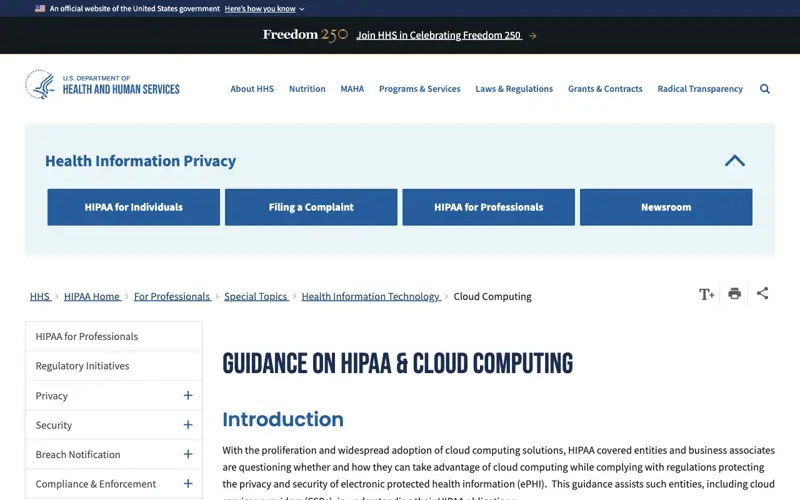
The practical conclusion for a free ChatGPT, Claude or Gemini account: don’t put employee-specific health, claims or enrollment records into it. This is a conservative rule, not a claim that HIPAA bans all AI or that every record your company holds is PHI. I also didn’t find any HHS statement specifically addressing consumer chatbots, so I’m applying the cloud guidance by analogy. If you need AI on actual plan records, that’s an enterprise tool with a BAA, chosen with your counsel.
A related rule that trips up well-meaning people: turning off model training is not the same as being approved. Privacy settings reduce one risk. They don’t create a BAA.
The privacy settings, tool by tool
Do this once, before your first paste. These are the consumer-account controls as of October 2026, from each vendor’s own pages.
| ChatGPT (Free) | Claude (Free) | Gemini (personal account) | |
|---|---|---|---|
| Default for training | OpenAI says data sharing is on by default for personal Free, Plus and Pro accounts | Depends on the choice you made at signup or in the 2025 terms update | “Keep Activity” is on by default for adults, and chats may be used to improve Google AI and reviewed by humans |
| How to turn it off | Settings → Data controls → turn off “Improve the model for everyone” | Settings → Privacy → turn off “Help Improve our AI models” | Open Gemini Apps Activity and turn off “Keep Activity” |
| Temporary mode | New chat → select Temporary. Not in history, no memory, not used for model improvement. May be retained up to 30 days for safety | Incognito (ghost icon), outside a project. Not saved to history or memory; default 30-day retention | Temporary chats aren’t used to train Google’s AI; retained with the account for 72 hours |
| Catch | Feedback (thumbs up/down) can make a chat eligible for training even after opting out | Turning it off doesn’t undo training already done | If activity is off, no feedback must be submitted for the no-training statement to hold |
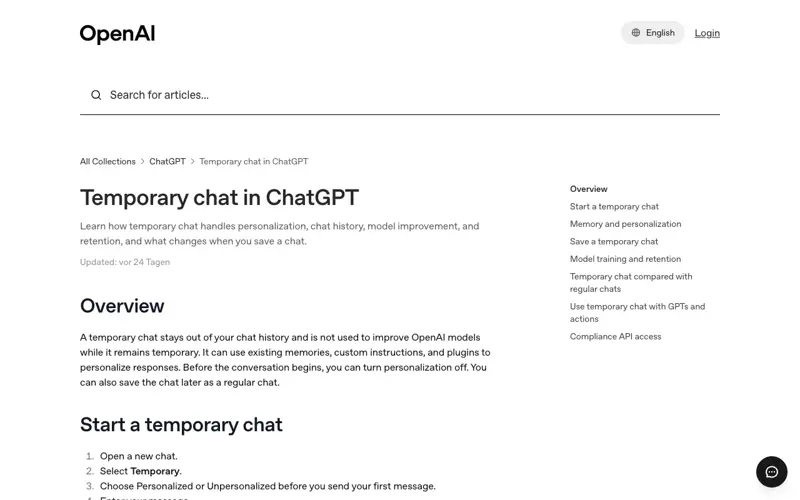
The honest takeaway: use temporary mode, turn off training, avoid thumbs up/down on anything sensitive, and still don’t paste individuals’ data. “Temporary” isn’t “erased immediately” for any of the three. For a broader look at which assistants handle privacy best, see our AI assistant privacy and trust guide.
What your emails must not replace
Your friendly email is a supplement. The Department of Labor lists documents you may be required to provide, and this is the point where an AI-drafted message could mislead if it pretends to stand in for them. The list varies by plan, so treat this as a prompt for a conversation with your broker, not a checklist to trust blindly.
| Document or notice | What to know (per DOL guidance) |
|---|---|
| Summary of Benefits and Coverage (SBC) | Provide with enrollment materials and at renewal. Must use the prescribed template, include glossary access and how to get a paper copy. Requested copies due within 7 days |
| HIPAA special-enrollment rights notice | Provide at or before an eligible employee’s first chance to enroll. Not an annual reminder |
| Women’s Health and Cancer Rights Act notice | For applicable plans, provide on enrollment and annually |
| CHIP premium-assistance notice | Where applicable, annually to employees in states with premium assistance, including those not enrolled |
| Summary Plan Description (SPD) | For ERISA plans, generally within 90 days after someone becomes covered; not automatically new each year |
| Summary of Material Modifications | Generally within 210 days after the end of the plan year in which a change is adopted; material reductions in group health benefits generally require notice within 60 days of adoption |
The workflow rule: have the plan administrator or benefits reviewer check every draft against the current SBC, SPD, plan documents and your employee contribution schedule. That’s my recommended process, derived from the disclosure requirements. It’s not a legal mandate for an “AI review.” Look hardest at deductibles, exclusions, network limits, effective dates, employer contributions, and whether elections carry over.
What this means for you
Pick the line that sounds like your job.
If you’re a solo HR generalist or office manager. Your biggest win is the FAQ sheet. Build the fact sheet tonight, generate the 15 questions tomorrow, and send it with the kickoff email. First action: write the fact sheet and mark every unknown [HR TO CONFIRM].
If you’re a small-business owner who is the HR department. Do the kickoff and last-call emails only, plus the plan guide. Skip anything fancy. First action: call your broker and ask for the SBCs and your exact window dates before you open any AI tool.
If you’re an HR manager at a 100-to-500-person company. You probably have a benefits platform with its own assistant. Use free AI for drafting only, from the fact sheet, and ask your vendor how PHI and PII are handled in their AI features. First action: send your vendor that question in writing.
If you’re a benefits broker or consultant. Clients will paste whatever they want. Give them the fact-sheet template and the privacy rule on one page. First action: add “never paste employee data” to your open-enrollment kit.
If you’re a payroll or finance lead. Your risk is the numbers: premiums per paycheck, employer HSA contributions and the pay-period count. First action: check every dollar in every draft against the contribution schedule, and confirm paycheck counts (24 versus 26).
If you manage a remote or hourly workforce. Your problem is reach, not writing. People don’t open email. First action: ask AI for a 40-word text-message version and a one-line break-room poster version of each email.
If you work in a regulated or unionized workplace. Some communications may need legal or union review first. First action: ask counsel which messages need sign-off before AI touches the draft.
Edge cases and troubleshooting
1. The AI changed a number. It happens, usually when it summarizes a table. Fix: tell it “Preserve all dates and dollar amounts exactly,” then compare by eye. If it keeps happening, put the figures in a bullet list rather than a table.
2. The AI added a benefit you don’t have. Typical when your fact sheet is thin: it fills the gap with what plans usually include. Fix: add “if a fact isn’t in the fact sheet, write [HR TO CONFIRM]” and delete anything unsupported.
3. The email is too long and nobody reads it. Cap the word count in the prompt (150 to 200 words), put the deadline in the first two lines, and ask for a subject line under 55 characters. One action per email.
4. Employees reply with their health situations. It will happen: “I’m having surgery in March, which plan should I choose?” Don’t paste that reply into AI, and don’t give plan advice. Reply with the fact-sheet basics, point to the benefits contact or carrier’s member services, and keep the details out of the chat.
5. A spouse or older employee asks about Marketplace or Medicare dates. They’re reading the public calendars. Add one line to your FAQ: “These dates apply to our company plan only. Marketplace and Medicare have their own dates.” Link HealthCare.gov for the former.
6. Someone finds out you used AI. Don’t hide it, but don’t announce it as a headline either. The emails are reviewed by a person, based on approved facts. If asked, say exactly that.
7. You’re different from the example. Your plan has an HRA, an ICHRA, a level-funded arrangement, or a union plan. Fine: put the structure in the fact sheet and have your broker review the draft. ICHRA notices, for example, generally have their own 90-day pre-plan-year requirement, subject to exceptions.
8. Your window is already open. Skip the heads-up and send the reminder and last-call emails now. A decent two-email version beats a perfect four-email plan that starts too late.
What AI can’t fix
- A confusing plan design. If the difference between your plans takes 400 words to explain, an email won’t fix it. Simplify the plans next year.
- Missing documents. It can’t produce your SBC, SPD or required notices. Those come from your carrier, broker or administrator.
- Individual advice. “Which plan should I choose?” is a decision for each employee, who may want to talk to the carrier or a licensed advisor.
- Compliance. Privacy settings, a clear email and a careful review reduce risk. They don’t certify anything.
- Unconfirmed facts. Nothing replaces a person checking each number. AI can make a wrong email sound polished, which is worse than a clumsy correct one.
FAQ
Can I use ChatGPT to write open-enrollment emails? Yes, if you give it approved plan facts only and keep employee data out. Use a temporary chat, turn off model improvement in Settings → Data controls, and have a benefits reviewer check every draft against your plan documents.
What should I never paste into ChatGPT, Claude or Gemini for HR work? Names, Social Security numbers, birthdates, salaries, dependents, diagnoses, claims and enrollment records, or any message that includes an employee’s health details. Describe situations generically instead.
Is using ChatGPT for benefits communications a HIPAA violation? Not by itself. General plan facts like deductibles and dates aren’t an individual’s health information. The risk comes from pasting identifiable health or claims information from a group health plan into a consumer tool without the arrangement HIPAA requires, such as a Business Associate Agreement. This isn’t legal advice; ask your counsel.
Does turning off training make a chatbot HIPAA-compliant? No. A training opt-out limits how a vendor uses your chats. It isn’t a BAA and doesn’t make a consumer account approved for protected health information.
When is open enrollment this year? For Marketplace plans, November 1, 2026 to January 15, 2027. For Medicare, October 15 to December 7, 2026. For your employer plan, whenever your company sets it. HealthCare.gov says job-based plans may have different periods.
What are the 2027 HSA limits? $4,500 for self-only coverage and $9,000 for family coverage, plus a $1,000 catch-up for people 55 and older, per IRS Revenue Procedure 2026-24. I couldn’t confirm the 2027 health FSA limit, so check the IRS before publishing one.
How many emails should I send? Four works for a two-week window: a heads-up, a kickoff, a reminder three days before the deadline, and a last call, with a short recap afterward. If your window is already open, send the reminder and last call.
Can AI write the Summary of Benefits and Coverage? No. The SBC has prescribed content and a required template. Get it from your carrier or administrator and link to it from your emails.
Can I build an employee FAQ chatbot with free AI? A one-page FAQ sheet is the safer starting point. A live bot that answers individuals’ questions is an enterprise-tool decision: ask your benefits platform vendor how they handle employee data in AI features.
The bottom line
Free AI can save you several hours of open-enrollment writing, and it can make your messages clearer than the ones employees ignored last year. The method is simple: one approved fact sheet with no employee data, one master prompt, four short emails, a plain-English guide and an FAQ, with a person checking every number against your plan documents. The one rule worth tattooing on your monitor is that plan facts go in and people’s information stays out.
If you want to build these skills for the rest of the HR year, our Smarter Hiring with AI course covers practical AI workflows for HR teams, and AI for HR: Legal-Safe goes deeper on what’s safe to automate and where the legal lines are. If AI is new to you, start with AI Fundamentals. If you handle hiring too, see how the EU AI Act deadline affects recruiters.
Sources
- HealthCare.gov: When can you get health insurance? (2027 coverage dates)
- Medicare.gov: Open Enrollment, October 15 to December 7
- IRS: 2027 HSA inflation-adjusted limits (Revenue Procedure 2026-24)
- U.S. Department of Labor: Reporting and Disclosure Guide for Employee Benefit Plans
- HHS: Guidance on HIPAA and Cloud Computing
- HHS: Summary of the HIPAA Privacy Rule
- OpenAI Help Center: Temporary chat in ChatGPT
- Google Help: Gemini Apps Activity and temporary chats
- Anthropic: Privacy settings and incognito chats for Claude
- Aflac: WorkForces Report, 2024-2025
- Mercer Marsh Benefits: 2025 Benefits Technology Trends Survey
- Businessolver: Benefits Insights Report
- Prudential: Benefits & Beyond research
- HUB International: Seven compliance and benefits updates employers need for 2026
- Reactions on X from October 2026 (@ToddWelch, @FreelanceKit19), gathered through a Grok search
